|
Sweet Home 3D Forum » List all forums » » Forum: New versions » » » Thread: Sweet Home 3D 3.0 |
|
| Print at Dec 24, 2025, 8:41:27 AM | |
| Posted by Puybaret at Sep 28, 2010, 3:00:46 AM |
|
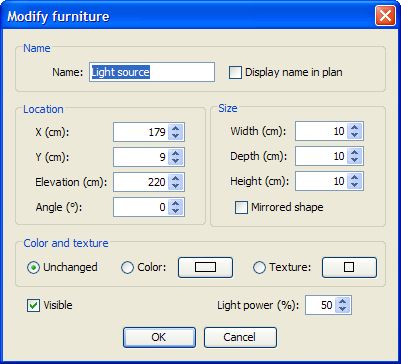
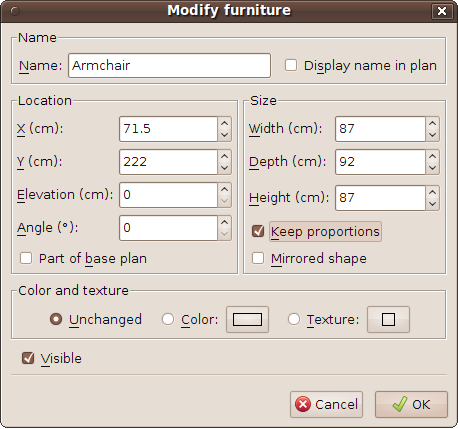
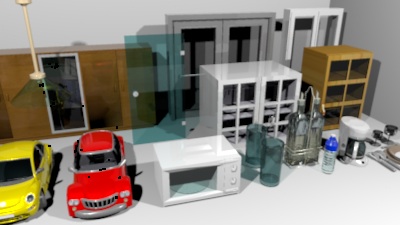
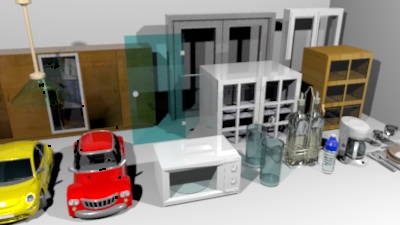
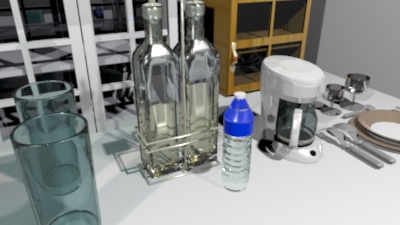
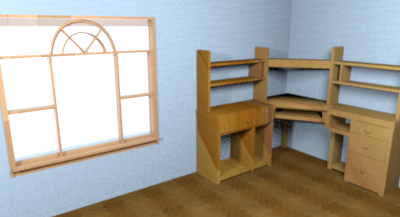
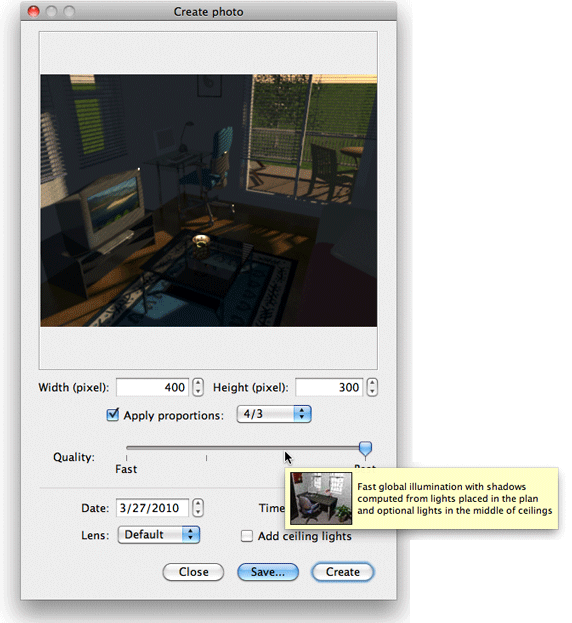
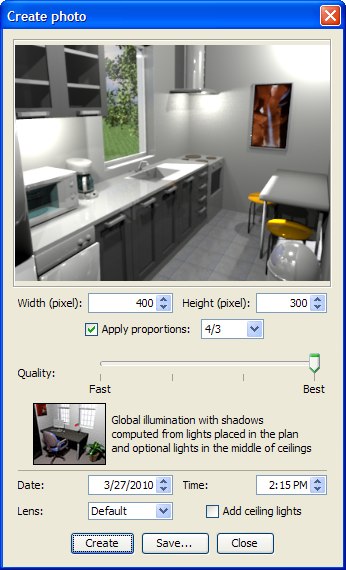
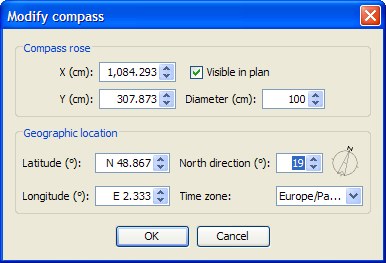
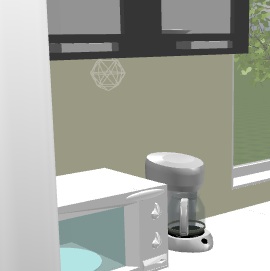
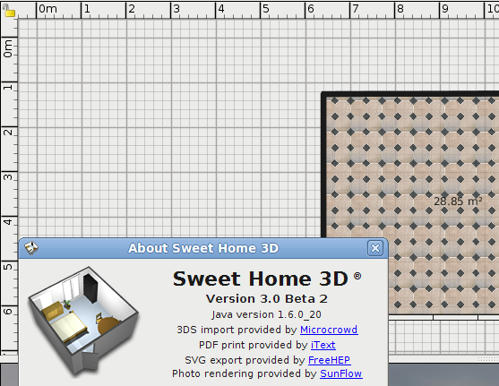
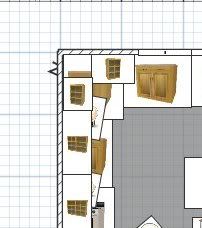
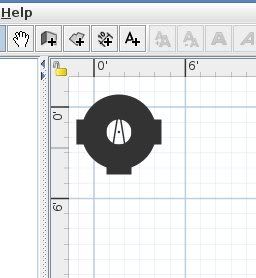
Sweet Home 3D 3.0 The first Beta of Sweet Home 3D 3.0 is available as a Java Web Start application. As seen at the bottom of the following capture, it integrates the features available in the Advanced rendering plug-in, except glossy and silk rendering options that I'll probably manage in the coming weeks. ![]() To avoid adding too many new controls in the Photo and Video creation dialogs, I just let to the user the ability to change the date of the photo, the lens and the option to add ceiling lights (checked by default). The other controls are spread elsewhere: - The geographic location, the time zone and the North direction are set with the new compass that you can display in the plan as a rose. ![]() The North direction, the location and the size of this rose can be changed with the mouse or with the Compass dialog displayed by the menu Plan > Modify compass…. This dialog lets you change also the geographic location, the time zone and whether the rose should be displayed or not. ![]() - The power of lights can be set in the Furniture dialog with a new Light power spinner. As you can see in the following capture, this dialog layout was reorganized (and will change again to manage glossiness). Hope you like it! ![]() ![]() Of course setting a light as invisible or setting its power to 0 will turn it off. - A Light source was added to Lights category. As the additional lights available with the Adavanced rendering plug-in, its 3D model is normally invisible in the 3D view. To help you place this light source (and the ones updated by db4tech), a 3D model is displayed but only when the light is selected in the plan. This 3D model will never appear in prints or photos created at low level quality. The 3D model of the new light source provided with this version looks like a grey wireframe sphere: ![]() - The window transparency is now fixed in SunFlow, therefore light can go through any window. ![]() - The additional Sun light is always active. If you don't want it, orientate the North of your home differently. - Images created at the third level quality use the same parameters as the ones db4tech uses in his latest releases. This new version has also some other features among which: - The date/time spinners added to the Video creation dialog let you make vary the time during the video, and therefore the Sun location, as Frédéric did by hand in April. - The navigation in the 3D view in Aerial view mode was improved, and it should work better (sometimes the camera elevation during a zoom was updated a bizarre way). - I finally added the function that deletes automatically outdated temporary files of a given Sweet Home 3D version. Please test this feature by crashing Sweet Home 3D voluntarily and relaunching Sweet Home 3D (old temporary files should be deleted 20 seconds after program relaunch). The temporary files are in the Work subdirectory in Sweet Home 3D private directory. A question: in a new home, the compass rosace is visible and appears at the top left of the plan. Even if many users don't care about the North direction, I felt that displaying the rose by default was the right behavior to be sure people know it exists. They can always move it or hide it if they don't need it. What's your opinion about this? Is the top left corner a good location, knowing that from a computer to another new windows don't have always the same size. Expect more features in the next Beta updates. ![]() Meanwhile, your feedback will always be much appreciated... [Note from developer: Sweet Home 3D 3.0 was released on November 30, 2010] ---------------------------------------- Emmanuel Puybaret, Sweet Home 3D creator |
| Posted by Puybaret at Sep 28, 2010, 10:58:03 AM |
|
Re: Sweet Home 3D 3.0 An additional note about compatibility with SH3D files created with previous versions: - The compass rose isn't shown. Make it visible with Plan > Modify compass… menu item. - The values set for lens, date, time, time zone, North direction, latitude, longitude and ceiling lights in the Advanced rendering plug-in aren't used in version 3.0 and you'll have to copy them back if needed. By default, date/time is set to midday today, latitude/longitude are set from your time zone and ceiling lights are turned on. - All existing lights are turned off and the angle set on light sources isn't used for its power level. Adjust the power of each light with the new Light power spinner available in Furniture modification dialog. You can edit the power of more than one light at a time by selecting them and choosing Furniture > Modify... menu item. I hope these changes won't bother you too much. ---------------------------------------- Emmanuel Puybaret, Sweet Home 3D creator |
| Posted by hansmex at Sep 28, 2010, 3:18:07 PM |
|
Re: Sweet Home 3D 3.0 Emmanuel: Thank you for the first beta of SH3D v3. The compass shows when starting a new design, then disappears when loading a model made with a previous version. Unfortunately your solution doesn't work (under Ubuntu 10.04), because nothing happens: no pop-up window or anything. On the side: would it be an idea to move these settings to the Preferences menu? The Plan menu is very long already, even when not counting the additions from the Edit plug-in. Hans ---------------------------------------- Hans new website - under constuction hansdirkse.info |
| Posted by Puybaret at Sep 28, 2010, 7:04:37 PM |
|
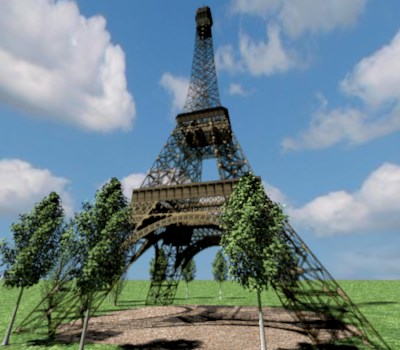
Re: Sweet Home 3D 3.0 Hans, the visibility of the rose may vary from a home file to the other. Use Plan > Modify compass… to make it visible or not. Note that it's drawn first in the plan, so it may be hidden by furniture. I won't put compass settings in preferences because a user may want to display the compass at a different location in each home, and the geographic location of a home will generally vary too. I just released the version 3.0 Beta 2 with two bug fixes: - 3D models that use fully opaque PNG textures aren't transparent internally anymore. This should fix a few cases like this one when some transparent objects are in front of each other. - SunFlow now supports transparent textures as the following image shows. ![]() (the Eiffel Tower Collada file comes from Google Warehouse) ---------------------------------------- Emmanuel Puybaret, Sweet Home 3D creator |
| Posted by whippetsleek at Sep 28, 2010, 7:13:14 PM |
|
Re: Sweet Home 3D 3.0 The new version does pan in the 3d view much more smooth than 2.6, and I do like the visible compass. Great improvements! But I noticed there are some light issues that I'm not sure are just coming from me being new to the different settings, or if something could be tweaked in the renderers settings... Any of the lighting I made previously, or that I am experimenting with now, seems not to make nice complex shadow and light patterns. The colors of the lights also wash out, or become faded, especially if there is a window in the room. Not being able to turn off the sunlight affects the shadowing to a great degree. Even if I put a night time of day, the darkness doesn't look correct, and there is still a strong shadow. I made these two renders with the same lights and furniture, and same view settings. The first is from the old Advanced renderer in 2.6. You can see how the colors show on the wall, and the lights themselves looked dim... ![]() This is from 3.0 and the colors are much harder to see. I also had to remove the windows (I removed the windows from both version to make a fair comparison) I had in the room, or the light coming from the windows overpowered the small lights. ![]() I know there isn't much of a difference between the two, but the color reflecting from the wall is what I was going to use in a couple of scenes I was working on. So I was just wondering if there are some settings that I could change myself? Thanks for all your work to make this software! ![]() And transparent textures are going to be a fun addition! ![]() ---------------------------------------- ![]() |
| Posted by Puybaret at Sep 28, 2010, 8:01:06 PM |
|
Re: Sweet Home 3D 3.0 The lights in the second image look brighter. Did you try to reduce their power? I forgot to mention an other change that may change the rendering: the size of the light has an effect only on the new Light source added to the catalog. I will have to create a new SH3F lights file to make this feature available in the other lights too (at this moment, they will always have a 6.5 cm diameter). I don't understand the problem you have with light coming through windows at night time. Do you use a bright texture in the sky? Do you still experience some problems if you use a color for the sky? Thank you for your feedback. ![]() ---------------------------------------- Emmanuel Puybaret, Sweet Home 3D creator |
| Posted by pencilart at Sep 28, 2010, 8:24:30 PM |
|
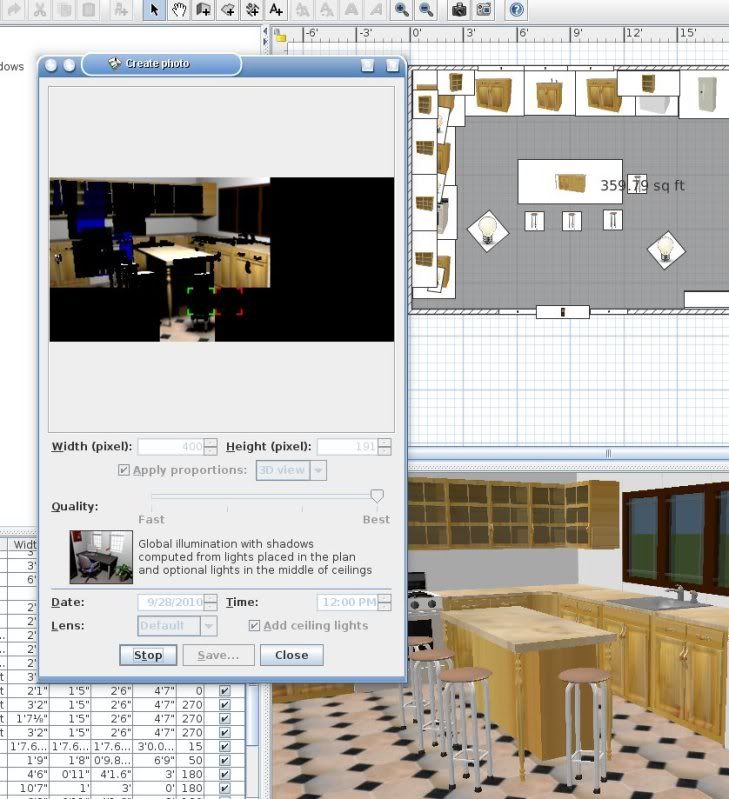
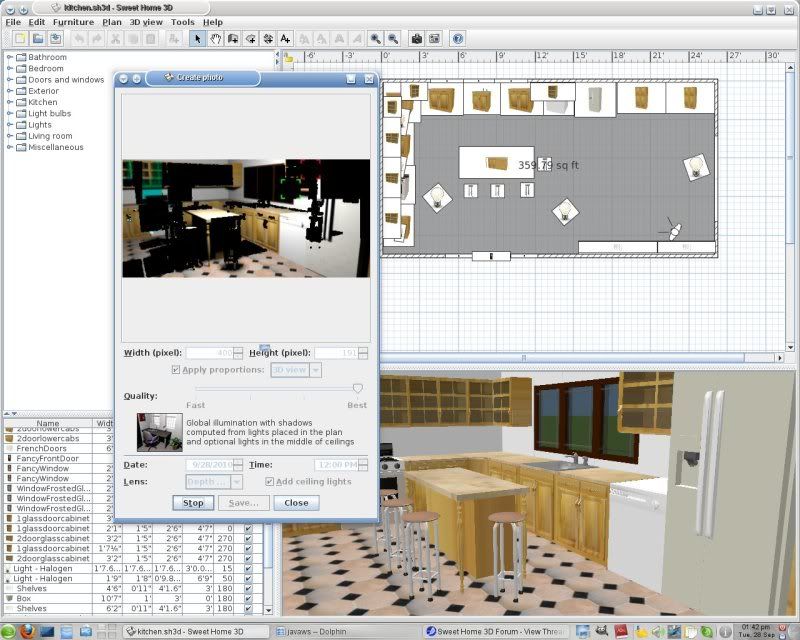
Re: Sweet Home 3D 3.0 As far as the Advanced Photo plugin, it tells me, "The current version of the plugin can't work in java web start. Please use this SweetHome 3D version available at..." (and it gives the download page address). So, I couldn't use it to test it. :( Other than that, the new SH3D seems to work a little sluggishly but ok (My system is using the iced tea version of java by default). The compass rose is so huge when SH3D starts though. I have to keep modifying it to 24 inches to make it smaller. I found where the sun java webstart executable is located so I tried it again using that version but I got the same results with the Advanced Photo plugin but the compass rose looked a lot better. I opened a SH3D file that was created in 2.6 and then I made a couple of screenshots of an attempt to create a photo using the Create Photo tool, one with the default camera and the other was done using the depth of field option: ![]() ![]() I hope you can see this but, there's a weird color to them (blue and green). The lights I had used were the normal yellow color. |
| Posted by whippetsleek at Sep 28, 2010, 8:30:38 PM |
|
Re: Sweet Home 3D 3.0 I have changed some settings and this is what I have now... ![]() The lights are still very bright, but the light from the window is lessened. But there still is a strong shadow outside the window. And I get more black spots with the window added for some reason? I have a dark grey texture added to the sky. Pencilart, I also can not get the advanced renderer to work in the new 3.0, ( I get the same message) I am working with the built in renderer. ---------------------------------------- ![]() |
| Posted by Puybaret at Sep 28, 2010, 8:32:54 PM |
|
Re: Sweet Home 3D 3.0 The Advanced Photo plugin could never run with Java Web Start. That's partly why it's time to integrate its features to Sweet Home 3D itself... The compass rose is so huge when SH3D starts though. How is that possible??? Isn't it 3 feet / 1 meter wide? Does anybody else experience this problem? ---------------------------------------- Emmanuel Puybaret, Sweet Home 3D creator |

| Posted by pencilart at Sep 28, 2010, 8:59:36 PM |
|
Re: Sweet Home 3D 3.0 It is set to 39.37 inches (3' 3 3/8"). In the Iced Tea version of Java it has an ugly looking thick ring around it that goes away when i resize it. Like I said, with the Sun javaws, it looks fine. P.S. in the Sun javaws, SH3D is much more responsive than with the Iced Tea version. Hopefully, my browser will now use the Sun version all the time. |
| Posted by hansmex at Sep 28, 2010, 10:45:58 PM |
|
Re: Sweet Home 3D 3.0 Emmanuel, When I start SH3D v3.b2 I see the compass at top-left, sized 1x1 mtr. Using the handles, I can resize and rotate the compass, or drag it to a different location. But, as I reported before, when I open a model made with (e.g.) v2.6, I don't see the compass. I even can't see it when I move the model to the side. (See image) Equally, as reported before, Plan --> Modify compass doesn't open a window to change the compass settings. Maybe it's a Ubuntu-only problem? (In Windows Vista, a v2.6 file doesn't show the compass either, but when I do Plan --> Modify compass a window opens and I can use the check-box to make the compass visible.) On the side, maybe you can give the compass rose an elevation (or put it on a different layer), so that it always opens on top of the design? That way it would always be visible on startup. Rendering seems to work OK, although (for the moment) I prefer the v1.6.1 version, and I didn't test it thoroughly yet. Hans ---------------------------------------- Hans new website - under constuction hansdirkse.info |
| Posted by Puybaret at Sep 28, 2010, 11:38:51 PM |
|
Re: Sweet Home 3D 3.0 Sorry, it seems that the support for transparent textures in SunFlow is still buggy and will have to wait a little longer. ![]() I updated the Beta version to remove this feature. pencilart, the default size of the compass rose is 39.37 inches on purpose. Why do you think it's too big? Hans, the compass is new in version 3.0 so don't expect to see it in version 2.6!!! ![]() If you modify in Sweet Home 3D 2.6 a document created with version 3.0, it will also disappear once you open it again in version 3.0. But I didn't understand that you couldn't see the Compass dialog until your last message ; it was a bug under Ubuntu fixed in the Beta 3. I hesitated to draw the rose at background level or at top level, but as it belongs to base plan, it sounds more logical to me to draw it first. ---------------------------------------- Emmanuel Puybaret, Sweet Home 3D creator |
| Posted by hansmex at Sep 29, 2010, 12:34:55 AM |
Re: Sweet Home 3D 3.0Emmanuel, One bug less: SH3D v3.b3 shows the compass dialogue in Ubuntu when opening a file made in a previous version! :-) Hans ---------------------------------------- Hans new website - under constuction hansdirkse.info |
| Posted by pencilart at Sep 29, 2010, 7:22:45 PM |
|
Re: Sweet Home 3D 3.0 Hey Emmanuel, When my system used the Iced Tea version of Java, the compass rose looks huge with a thick ring around it. It doesn't look anything like the screenshots until it is resized. It's Iced Tea's fault. When I open it in Sun's version of Java, all looks well with it. :D Well I tied the newest beta and opened the kitchen that was made in 2.6 and found the "Modify compass" option and selected "Show Compass" but it is underneath the home. I can't get at it to move it. See this screenshot: ![]() This is how it looks in IcedTea Java: ![]() |
| Posted by Puybaret at Sep 29, 2010, 8:11:36 PM |
|
Re: Sweet Home 3D 3.0 This looks like a Iced tea bug. ![]() You can also move the rose with the Compass dialog. ---------------------------------------- Emmanuel Puybaret, Sweet Home 3D creator |
| Posted by starrunner at Sep 30, 2010, 12:32:09 PM |
|
Re: Sweet Home 3D 3.0 Hi Emmanuel, what about the feature requests I opened in Sourceforge? As I added complete patch files for most of them I hoped they would make it into the next release. Is there anything else needed? I can integrate all of them again into my local 3.0 version without much effort, so no need to hurry - just wanted to know, in case anybody else is interested in these features... |
| Posted by Puybaret at Oct 1, 2010, 12:24:43 AM |
|
Re: Sweet Home 3D 3.0 Here's version 3.0 Beta 4 with a few additional features: - Support for transparent textures in SunFlow is finally available. - Added the cross hatch pattern for walls as requested by Hans. - Waited for the first mouse move to initiate the duplication of the items selected in plan when the Ctrl key is pressed. - Added shift + arrow keys management for faster move of selected items in the plan. For consistency sake, I reversed the management of the shift key for the moves in the 3D view too (slow moves without shift key pressed vs fast moves with shift key pressed). I hope you won't mind this change of behavior, but so many new users complained about the too fast moves in the 3D view without knowing the shift key tip, that I think it's better this way. I hope you like the 2 speeds of moves I chose ; of course this depends on mouse settings in your system preferences. - Increased the maximum count of recent files to 10. - Managed some kind of auto saving, but as overwriting an existing file without user's permission sounds really too dangerous, I finally reproduced how auto saved files are managed in MS Word (and in probably many other software). So, modified projects are saved regularly in the new recovery subfolder added to Sweet Home 3D private folder. For those who still ignore where this private folder is: * under Windows Vista / 7, it's the folder C:\Users\user\AppData\Roaming\eTeks\Sweet Home 3D, * under Windows XP and previous versions of Windows, it's the folder C:\Documents and Settings\user\Application Data\eTeks\Sweet Home 3D, * under Mac OS X, it's the subfolder Library/Application Support/eTeks/Sweet Home 3D of your user folder, * under Linux, it's the subfolder .eteks/sweethome3d of your user folder. The delay between two auto save operations can be set with a new option in the preferences dialog. In a future version, I might add a feature to automatically recover auto saved files at next program start, but at this time I would rather you test extensively this feature as I programmed it. That's all for today. I hope you like it! ![]() ---------------------------------------- Emmanuel Puybaret, Sweet Home 3D creator |
| Posted by hansmex at Oct 1, 2010, 1:00:41 AM |
|
Re: Sweet Home 3D 3.0 Emmanuel, WOW !! Many nice new features and improvements. Lots of testing to do. I'll keep you informed of my findings. Hans ---------------------------------------- Hans new website - under constuction hansdirkse.info |
| Posted by maker at Oct 1, 2010, 11:48:33 AM |
|
Re: Sweet Home 3D 3.0 Whew!! ![]() |
| Posted by pencilart at Oct 2, 2010, 12:06:40 AM |
|
Re: Sweet Home 3D 3.0 It looks good to me. I tried out the Shif + arrow keys and it worked as you said it would. :D I found the recovery folder as you said. I'm sure it does as you said it would. :D As for the "transparent textures in SunFlow" I'm not so sure about. The newest doors and window don't seem to be transparent and there's no transparency on the glass doors for the upper cabinets. See the screenshots below: Date set to June 1 @ 3:00 Pm North at 0°, ceiling light moved behind the person. ![]() Date set to June 1 @ 3:00 Pm, North moved to 320°, ceiling light moved near the door. ![]() |
| Posted by hansmex at Oct 2, 2010, 9:03:09 AM |
Re: Sweet Home 3D 3.0Hello all, The new PNG transparency works! Even >> I << can do it! What you see below is a yellow wall. In front of the wall is an invisible (!) box covered with a texture/picture. The picture is mainly black, but the white parts in the picture have been made transparent. So, the yellow parts in the black are parts of the wall that are visible when looking through the box. All six sides being covered with the same texture, this isn't very useful. But this could be very useful when you want to make custom parts with custom textures. Example: an invisible box that has a partially transparent texture applied to one of its (vertical) sides. I may have to play a bit more with this. If only I had the patience to learn how to use the Gimp... :-) Hans ![]() ---------------------------------------- Hans new website - under constuction hansdirkse.info |
| Posted by db4tech at Oct 2, 2010, 8:38:56 PM |
|
Re: Sweet Home 3D 3.0 Hi Emmanuel, I see you've been busy! ![]() As a note, I have added the comments in (brackets) to help other users know what we are talking about. *** Good to see you found a way to allow compass rotations negatively from 0 (zero) and positively past 359 back to 0. Also that you fixed this bug, did you recompile SunFlow to allow for a full Sunsky (the way the sky is produced when no texture is used) sphere, instead of the default 180 degree arc? I had thought of a different way to fix it for AdvancedRendering-1.6.2. *** I do find the bucket spiral (render method) makes me feel a bit dizzy! What are other users views? I also looked at the different bucket order methods but there's no real speed advantage between them. *** Different thoughts and ideas: Firstly, please can you increase the "Plan" zoom factor x10 to help with positioning items less than 1cm in size. At the moment, while trying to move/drag very small items, other furniture handle options get selected first (Re-size, Height, Rotation and vertical scale) One feature I asked about before. Please can you lock, the currently selected furniture item in the center of the plan view while zooming? The way the Plan focuses on the center of the scene while zooming, instead of the selected item, makes it difficult to find the furniture item again, without re-selecting it from the furniture list. *** Furniture lights (Light bulbs) I now notice the light bulbs maximum brightness is much lower, are you still using the same formula you used before? If so please can you increase the power factor to compensate for the maximum returned figure of 100 compared to the previous value of 359, and bring the default bulb brightness down to say 30%? Lights and cross-hairs: Interesting to see you implemented the idea you mentioned before, about the cross-hairs only showing while selecting/edting a bulb. It would be helpful to have a preference option, to not hide the cross-hairs too! ![]() I find it helpful to be able to see other lights cross-hairs in the 3D preview while positioning new lights, so I can gauge how large and small lights will work and fit together. At the moment, if I select more than 1 light to show both or all cross-hairs then all items will also be edited. *** Sunsky: (the routine used to show a sky when a texture is not used) Do you think it's time to retire the sky colour option since it only affects an OpenGL 3D preview and original OpenGL 3D render? It has no effect on the Sunsky algorithm, either that or move the sky colour option to the texture side, offering either "Default sky" or "Colour/Texture" Then when a user selects a colour, internally SH3D will generate a graduated sky colour texture, with the users colour at the apex, or just below, of the sky dome. On a slightly different topic. Now I've seen it in action, I'm not sure having the the Sun constantly enabled is a good idea? *** Texture transparency and Caustics: (light shining through glass) Are you using a modified Janino shader to provide texture transparency and fake caustics? ![]() After doing some render compares, apart from the stronger glass colour, maybe a bit too strong? I notice there isn't much light fall off and overlapping shadows appear black, plus there's no shadow colour blending, which is why I thought you may be now using fake caustics. Caustics version compare: Notice the overlapping shadow problem. 3.0 ![]() 1.6.1 and 1.6.2 ![]() 3.0 ![]() 1.6.1 and 1.6.2 ![]() *** Lastly don't forget about me! ![]() Right, I think that will do for this little post! ![]() Looking forward to seeing the source code. Keep up the great work! db4tech |
| Posted by Puybaret at Oct 3, 2010, 11:00:33 PM |
|
Re: Sweet Home 3D 3.0 Thank you all for your feedback ![]() @pencilart The newest doors and window you submitted use some transparency with a very dark color, which make them finally look almost dark in SunFlow. ![]() @Hans I'm glad you succeed to try transparent textures, but you know you don't have to go very far to find some existing models that use transparent textures too. Many plants are designed that way... ![]() @db4tech First the source code of the Beta version is generally available in CVS, and for example you can read the current version of the PhotoRenderer class here. Good to see you found a way to allow compass rotations negatively from 0 (zero) and positively past 359 back to 0. Finally, it wasn't so difficult to program... ![]() For the blue sky that appeared during the night, I simply turned off Sun light when the sun is bellow the horizon. I do find the bucket spiral (render method) makes me feel a bit dizzy! I forgot to announce that change. I chose that order because I felt it's nicer to use a predictable rendering method that first shows the middle of the picture.can you increase the "Plan" zoom factor x10 I'm going to try. Going to extreme scale factors might be confusing...can you lock, the currently selected furniture item in the center of the plan view while zooming? As the selection may contain items that are eventually out of sight, I'm not sure it's a good idea. What I want to try first is to zoom on mouse pointer location, when the user zooms with the mouse wheel + Ctrl/cmd key.can you increase the power factor The current factor is smaller than in the plug-in but I tried it at 100% with a light located in very large rooms and felt the value I finally chose was largely enough. Setting light power to 50% sounded also more reasonable than a much smaller value. Remind that Sweet Home 3D isn't designed to draw stadiums... ![]() It would be helpful to have a preference option, to not hide the cross-hairs too! I want that users understand that this sphere is bound to selection only and won't be taken into account at print or with image creation at the 2 lowest quality level.Do you think it's time to retire the sky colour option since it only affects an OpenGL 3D preview and original OpenGL 3D render? No, many users limit their use of Sweet Home 3D to its default values.It has no effect on the Sunsky algorithm I'll explain in the help that the chosen color is always replaced by a sunsky in the two highest quality level for photo realism sake.Are you using a modified Janino shader to provide texture transparency and fake caustics? No, the developer of SunFlow finally helped me to add support for transparency and transparent textures. By the way, again many thanks to him!After doing some render compares, apart from the stronger glass colour, maybe a bit too strong? It's the contrary: their color was too clear before. If you compare to the OpenGL view the glasses you show, you'll see they are supposed to be really green.Caustics and current transparency management works a different way. Caustics might look more realistic but are much heavier to compute and didn't work with faraway lights. Your 2 examples are nice, but remind Sweet home 3D is for interior design purpose first. Therefore I prefer that users can see a light reflect in windows with the new transparency algorithm than they can generate the nice glass images you show. Lastly don't forget about me! Thank you for reminding me. It will be available from next beta version. ![]() ---------------------------------------- Emmanuel Puybaret, Sweet Home 3D creator |
| Posted by hansmex at Oct 4, 2010, 10:07:54 PM |
|
Re: Sweet Home 3D 3.0 Emmanuel, Still not very happy with the compass disappearing under my model, I have a simple suggestion: - The top-left corner of the 2D window lies at coordinates -100, -100; - The compass is situated at -50,-50; diameter is 100; - Insertion of models, insofar done automatically, is at 0.0. I think this is the easiest way to make sure the compass pops up in a location that is almost always visible, and you don't have to program much. Hans ---------------------------------------- Hans new website - under constuction hansdirkse.info |
| Posted by Puybaret at Oct 5, 2010, 12:19:46 AM |
|
Re: Sweet Home 3D 3.0 I just updated the Beta version 3.0. Caution! It introduces a change in preferences management: preferences, as well as furniture and textures individually imported in Sweet Home 3D catalogs (I don't speak about SH3F or SH3T files here) are not saved the same way from this version 3.0 Beta 5. All the existing preferences and previously imported files won't be forgotten, but all the ones you'll import from now won't appear in previous versions of Sweet Home 3D. Why this change? For portability sake. No need of the existing Export to SH3F plug-in or the unexisting Export to SH3T plug-in to backup or transfer your Sweet Home 3D configuration. From now, you just have to copy/paste the content of a directory from a place to the other. By default, this location still varies from an Operating System to the other following the same rule as before: - under Windows Vista / 7, the folder to copy is C:\Users\user\AppData\Roaming\eTeks\Sweet Home 3D, - under Windows XP and previous versions of Windows, it's C:\Documents and Settings\user\Application Data\eTeks\Sweet Home 3D, - under Mac OS X, it's the subfolder Library/Application Support/eTeks/Sweet Home 3D of your user folder, - under Linux, it's the subfolder .eteks/sweethome3d of your user folder. You'll see that as soon as you updated preferences, these directories contain now a new file named preferences.xml that will replace system preferences from now. But there's more: It's possible now to change the "preferences" folder where are stored preferences.xml and imported files, and the "application" folders where are stored SH3F, SH3T, SH3L, SH3P and recovered SH3D files. These folders are specified with the com.eteks.sweethome3d.preferencesFolder and com.eteks.sweethome3d.applicationFolders System properties. Miserably it's not really possible to test these new options with Java Web Start, but I'll be pleased to read your opinion about the new options described in the javadoc comment of the com.eteks.sweethome3d.SweetHome3D class. I hope these new options will satisfy most needs bound to portability and installations on local networks. By the way, I'd like to know your desires about a portable version. Do you prefer: - a big zip file that will contain Sweet Home 3D executables for each OS along with JREs for Windows, Linux 32 and 64 bits (probably something as big as 100 MB compressed / 300 MB uncompressed), - a smaller zip file that will contain Sweet Home 3D executables for each OS without JREs that the user will have to install on his side (probably something 16 MB compressed / 23 MB uncompressed), - a Jar executable file like the existing one that requires an installed JRE too (15 MB compressed / don't need to be uncompressed but people are not used to double click on a Jar file). Of course, all these portable versions will store their preferences and other application data in a subfolder of the folder from which the portable program will be launch. Finally, I also added the background image in the printed plan, if it's visible. If you don't want it at print time, hide it! ![]() [Edit]I released version 3.0 Beta 6 one hour later this message to fix an annoying bug that deleted some of the imported files when preferences were modified in version 3.0 Beta then modified again in version 2.6. It ended up by new prefixes for furniture and texture imported files in preferences folder. ---------------------------------------- Emmanuel Puybaret, Sweet Home 3D creator |
| Posted by Puybaret at Oct 5, 2010, 12:53:19 PM |
|
Re: Sweet Home 3D 3.0 @pencilart & db4tech I updated again how transparent window panes are computed in version 3.0 Beta 7, to ensure pencilart's models are rendered correctly with SunFlow. This should also make the color of transparent items less strong. I hope this time it will satisfy everybody. ![]() ---------------------------------------- Emmanuel Puybaret, Sweet Home 3D creator |
| Posted by pencilart at Oct 5, 2010, 5:18:53 PM |
|
Re: Sweet Home 3D 3.0 Looks Purrfect now! :D ![]() Heeere's another one, this time with the glass door cabinets and I used a blue light too: ![]() |
| Posted by Puybaret at Oct 6, 2010, 12:58:50 AM |
|
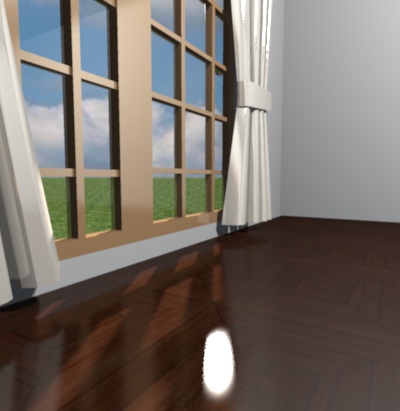
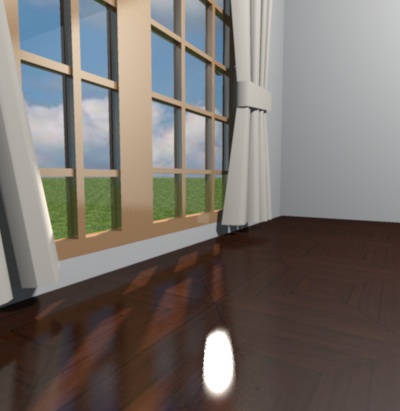
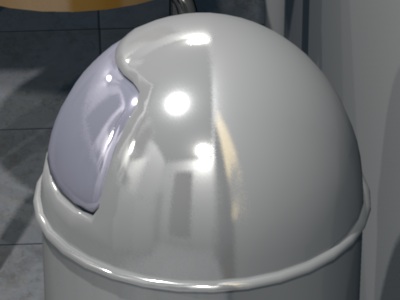
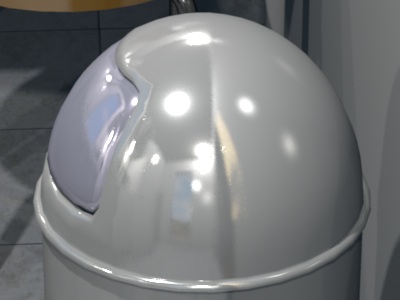
Re: Sweet Home 3D 3.0 Today's beta version brings the ability to render walls, floors and ceilings either as matte (the default), or as shiny, with new radio buttons added to Wall and Room dialogs. As these options are available for each wall and each room, you'll be able to mix shiny and matte surfaces in your home if needed. At this time, shiny surfaces are rendered with SunFlow shiny shader but I'd try to replace it by Uber shader, once I find a way to avoid the white spots experienced by fhoofman and others. ---------------------------------------- Emmanuel Puybaret, Sweet Home 3D creator |
| Posted by db4tech at Oct 6, 2010, 5:37:15 AM |
|
Re: Sweet Home 3D 3.0 the source code is available in CVS Thanks for the link. ![]() blue sky that appeared during the night, I simply turned off Sun light Good thinking!can you increase the "Plan" zoom factor x10 I'm going to try.... What I want to try first is to zoom on mouse pointer locationThe current factor is smaller than in the plug-in but I tried it at 100% with a light located in very large rooms and felt the value I finally chose was largely enough.. Remind that Sweet Home 3D isn't designed to draw stadiums... [;) Hmmm after doing some tests, still not bright enough at 100%. Actually it's funny that you make that second point, with you not knowing a feature I've already added to version 1.6.2! ![]() It would be helpful to have a preference option, to not hide the cross-hairs too! I want that users understand that this sphere is bound to selection only and won't be taken into account at print or with image creation at the 2 lowest quality level.Users would easily learn that your new light sphere or lights place holder doesn't render. There has been no misunderstanding so far about that feature added to 1.6.1. All I ask is for a preference option to let a user choose, so they can make their own decision. 3D Lights placeholder Hide unselected: Show unselected: I don't mind if you want to make your bizarre idea the default option. (Couldn't resist a bit of harmless teasing, after you called my original (temporary!) light control method bizarre. ) No, the developer of SunFlow finally helped me to add support for transparency and transparent textures. By the way, again many thanks to him! Fantastic news, maybe SunFlow does have a future after all! stronger glass colour, maybe a bit too strong? It's the contrary: their color was too clear before. If you compare to the OpenGL view the glasses you show, you'll see they are supposed to be really green.Knowing that there can be subtle differences between graphics cards and driver colour representations, I tried to do a tougher test as possible. As an extra note, my screen is colour calibrated and I'm using an Nvidia graphics card. Added the render images again, to save users scrolling back and forth between posts. OpenGL 3D ![]() DirectX ![]() VMware virtual computer drivers OpenGL 3D ![]() VMware virtual computer drivers DirectX ![]() 1.6.1 & 1.6.2 render ![]() 3.0 beta 4 render ![]() 3.0 beta 7 render ![]() Also took some real compare photos, trying to simulate the render: Only have 2 Hi Ball Tumbler glasses though. ![]() ![]() To my eyes the original glass colour (as seen in 1.6.1 render) is the most accurate to real life so far, and fairly closely matches OpenGL 3D and DirectX previews. Obviously this will vary slightly for people viewing this thread on uncalibrated screens. Other Ideas for 3.0 One request I made before was for, the ability to lock the size proportions on the furniture editing dialog box , this would greatly help when re-sizing items (like it is by default when importing an object) This doesn't have to be a wordy or complicated affair, I think something like The GIMP uses would be the easiest, and is also language independent. Proportions locked ![]() Proportions unlocked ![]() While editing light bulbs size, the proportions should be automatically locked (and the proportions unlock option grayed out) So that users understand that the lights (no matter what size they enter in 1 field, because they are sphere lights) the lights always expand the same amount in all directions. Thank you for your work on 3.0 and for implementing the matt and shiny wall options. ![]() db4tech |
| Posted by hansmex at Oct 6, 2010, 6:10:55 AM |
|
Re: Sweet Home 3D 3.0 db4tech, Emmanuel, I very much like the idea of a lock function for furniture size. The link icon would be perfect, as far as I'm concerned. You could add a tool tip when hovering over the icon to explain what it does. Hans ---------------------------------------- Hans new website - under constuction hansdirkse.info |
| Posted by whippetsleek at Oct 6, 2010, 7:05:46 AM |
|
Re: Sweet Home 3D 3.0 Puybaret, I hope I haven't asked for too much, but I do want to say that having the light frame disappear when not selected is very hard to work with sometimes. I do alot of my scenes with lights, and as you can tell by some of the renders I did, lights are very important to my designing. Sometimes I need to be able to line them up, and it is hard to do when they disappear. I was so happy when db4tech made the first light frames, because it made it so much easier to place the lights exactly the first time. Please consider making it a choice to have the light frames visible all the time? I appreciate your work on this free software, and think it's a great program! EDIT: Also, maybe a choice whether or not the sun is on? Now that transparent textures are fixed, and with more outside foliage, the sun casting such strong shadows at night time makes for some unrealistic renders. But I can understand the reasoning you gave for having the sun on.. ![]() ---------------------------------------- ![]() |
| Posted by hansmex at Oct 7, 2010, 3:05:36 AM |
|
Re: Sweet Home 3D 3.0 Emmanuel, Just found out you released v3.0 b9 :-) You're incredibly productive with almost daily new releases and new features!! So far I've discovered in beta 9: - Keep proportions - that changes all dimensions at the same time (very!! useful) - Part of base plan - that locks a model to the ground and makes it unchangeable when the floorplan is locked. Great too!! Thank you! Hans ---------------------------------------- Hans new website - under constuction hansdirkse.info |
| Posted by Puybaret at Oct 7, 2010, 3:53:05 AM |
|
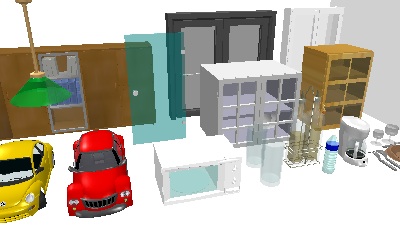
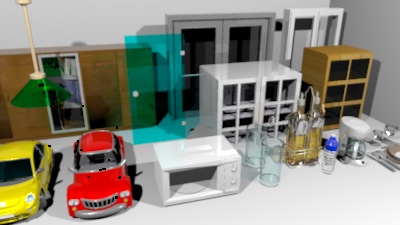
Re: Sweet Home 3D 3.0 Hans, you're right, I just released the version 3.0 Beta 9 with new features that you requested. As the following capture shows, there's two new check boxes in the Furniture modification dialog: ![]() - When the Keep proportions check box is selected, width, depth and height are updated proportionally. - A selected Part of base plan check box means that a piece of furniture will be considered as an item belonging to the base plan when locked and then won't be selectable (this new check box can't be unselected for doors and windows on purpose). This new option was discussed with Hans in this discussion. This new option has an other side effect on locked plans too. From this version, all doors, windows and not movable furniture is considered to be part of the base plan (before only doors and windows were taken into account). - I also improved color transparency rendering again for the 2 best qualities. Read my answer to db4tech below for more information. @db4tech The current factor is smaller than in the plug-in but I tried it at 100% with a light located in very large rooms and felt the value I finally chose was largely enough.. Remind that Sweet Home 3D isn't designed to draw stadiums... Hmmm after doing some tests, still not bright enough at 100%. Actually it's funny that you make that second point, with you not knowing a feature I've already added to version 1.6.2! There has been no misunderstanding so far about that feature added to 1.6.1. The advanced rendering plug-in is used by... advanced users, who generally don't mind some more difficult concepts.I've been giving this some further thought, all other 3D applications (that I can think of) don't hide the lights place holder, when the lights aren't selected? The other 3D applications like AOI or Blender don't target the same kind of audience, and don't offer a printing function, so it's not that much comparable.All I ask is for a preference option to let a user choose, so they can make their own decision. I'm going to think about it.[...] To my eyes the original glass colour (as seen in 1.6.1 render) is the most accurate to real life so far, and fairly closely matches OpenGL 3D and DirectX previews. Obviously this will vary slightly for people viewing this thread on uncalibrated screens. I had to change the way the transparency color was computed because the formula didn't take into account the transparency factor (SunFlow "absorbtion.color" is ignored when "absorbtion.distance" is equal to 0!). I changed it again and I hope this time it will satisfy everybody. Here are image tests I computed:Sweet Home 3D OpenGL rendering Advanced Rendering Plug-in 1.6 rendering Sweet Home 3D v3.0 Beta 7 rendering Sweet Home 3D v3.0 Beta 9 rendering A detail under Beta 9 rendering ![]() @whippetsleek Also, maybe a choice whether or not the sun is on? Now that transparent textures are fixed, and with more outside foliage, the sun casting such strong shadows at night time makes for some unrealistic renders. But I can understand the reasoning you gave for having the sun on. There's no sun light at night, so your problem must come from something else. Finally, two questions: - Does Matte should be spelled "Matt" or "Matte" in English? - I really would like to add support for horizontal/vertical move of selected items + proportional resizing of the selected piece of furniture with the mouse. Most drawing software let the user perform this operation with the Shift key pressed, but in Sweet Home 3D the Shift key is reserved to temporarily toggle magnetism. At this time, as version 3.0 will be a major version change, I wouldn't mind to introduce a little incompatibility in the mouse behavior compared to previous versions. My idea is to change the toggle magnetism short cut from the Shift key to Ctrl+Shift keys (or alt+Shift under Mac OS X), and use the Shift key for horizontal/vertical move + proportional resizing, instead of keeping the current Shift key and use Ctrl+Shift keys for the new behaviors. What is your mind about this proposal (don't forget unadvanced users)? ---------------------------------------- Emmanuel Puybaret, Sweet Home 3D creator |
| Posted by hansmex at Oct 7, 2010, 4:03:15 AM |
|
Re: Sweet Home 3D 3.0 Emmanuel, - 1 - "matt" = without brilliance "matte" = is a term from film making (wikipedia ) - 2 - I'm not sure I understand what you mean with this behaviour. But, as you said, v3.0 introduces some major changes, so one more shouldn't be too big a problem. Means just more questions on the forum :-) Hans ---------------------------------------- Hans new website - under constuction hansdirkse.info |
| Posted by whippetsleek at Oct 7, 2010, 2:45:48 PM |
|
Re: Sweet Home 3D 3.0 Puybaret, Thanks for your answer. And maybe what I am seeing is only a difference of tweaks made between the two renderers. I only have time to show a very small sample of what I see as sun shadows unfortunately, but maybe it will give you an idea of what I see. It is a subtle difference, and I might be making a mountain out of a mole hill, and I do apologize if I am.This is 3.0 v8 This time is 9pm with the sun at 120 degrees ![]() This is 3AM Sun at 240 degrees which is as far as I could get the source of light away from the scene ![]() This is 2.6 with the Advanced Renderer ![]() The files are as close to the same as I could get. And I do have to say I am very happy and pleased at the Sunflow ability now to handle transparent textures, and thank you for adding this into SH3D. Almost all my trees have them. ![]() ---------------------------------------- ![]() |
| Posted by pencilart at Oct 7, 2010, 8:18:13 PM |
Re: Sweet Home 3D 3.0change the toggle magnetism short cut from the Shift key to Ctrl+Shift keys (or alt+Shift under Mac OS X), and use the Shift key for horizontal/vertical move + proportional resizing, I'm all for that! Sounds good to me. Yes, that's what other programs do and that is what I'm used to. :D I have yet to test the latest beta. Been kinda busy lately. I am eager to check it out though! |
| Posted by PtiNounours at Oct 10, 2010, 12:22:31 AM |
|
Re: Sweet Home 3D 3.0 Good evening, Google Translation Matte or glossy option for walls is really interesting. Is it possible to integrate it on the furniture? The interest would be to choose a color or texture of the furniture in SH3D and have a look painted or not. Another topic. Is it possible to lock the base plane, which prevents accidental mishandling while leaving the possibility of having access to the parameters of a wall or object, without needing to unlock? Sorry about this translation Google FR: L'option mat ou brillant pour les murs est vraiment intéressante. Est il possible d'intégrer cette option sur le mobilier? L'intérêt serait de pouvoir choisir une couleur ou une texture du meuble dans SH3D et d'avoir un aspect laqué ou non. Autre sujet. Est il possible de pouvoir verrouiller le plan de base, qui empêche ainsi une mauvaise manipulation accidentel tout en laissant la possibilité d'avoir accès aux paramètres d'un mur ou d'un objet, sans avoir besoin de déverrouiller? |
| Posted by db4tech at Oct 10, 2010, 6:23:18 AM |
|
Re: Sweet Home 3D 3.0 Hi Emmanuel, While testing some ideas, with the new transparency, I've just discovered an interesting bug with 3.0 beta 9. It should be easy to recreate.
![]() First render, everything looks great! ![]() ![]() Thought I'd take a look at the image on the wall/floor, so moved the point of view to the right. ![]() It's then I discovered the bug. ![]() As soon as the light source goes out of the frame, the centre of the image receives no photons to render. ![]() It get progressively worse the further the light source goes out of the frame. ![]() Tried it several times with different angles. Then moved the view back to the centre and tried looking down. Here the centre fails to receive photons while the light is still in the edge of the frame. ![]() Once the light goes out of the frame, (as before) it gets worse the further the light is out of the render frame. ![]() ![]() It happens with both highest render settings and with yours or my lights. By the way, thank you for adding the "Keep proportions" tick box! ![]() Did you decide not to lock proportions, while editing light bulbs? I've not had chance to try the tweaked glass colours yet. db4tech Edit: To attach file. Update! After some further tests I'm not so sure that it is the light source going out of the frame causing the problem. It seems more connected with the Alpha mapped objects angle of view to camera. ---------------------------------------- |
| Posted by db4tech at Oct 10, 2010, 9:52:45 PM |
|
Re: Sweet Home 3D 3.0 Another quick test and a different bug, or could this render problem be connected in someway? Made a plain white image in GIMP, added an Alpha channel, then used the erasure tool set at different opacity levels, to remove areas from the image. All levels (apart from full opacity) render with the same level of opacity, not sure if that is how it is meant to be? That's not the bug though! The bottom 2 left discs have 100% opacity yet they are the only discs that render as none translucent? ![]() Here is the reduced size image produced in GIMP used as a test Alpha texture. I've had to add a beige background, so the different levels of opacity can been seen against the white background of the forum. ![]() db4tech Edit: Fix typos and improve readability. ---------------------------------------- |
| Posted by pencilart at Oct 10, 2010, 11:40:36 PM |
|
Re: Sweet Home 3D 3.0 Just a quick render. I finally saw the texture option for the furniture and tried it out on the corner desk: I don't know if I can make that texture rotate so that it's not diagnal: ![]() Looking good! |
| Posted by hansmex at Oct 11, 2010, 12:02:59 AM |
|
Re: Sweet Home 3D 3.0 Pencilart, It doesn't help (very much) if you rotate the texture. Try the following: take a box and apply a texture. Then rotate the box and watch what happens in the 3D window. You'll see that the texture is applied correctly on the top and two opposing sides. The other two opposing sides are diagonally striped. It's the same with every other model that you apply textures to. Sometimes it's understandable (textures can never cover a sphere properly), sometimes it's not so easy to understand (as with the box). Personally, I'm glad we can apply textures, and I don't complain about imperfections. Hans ---------------------------------------- Hans new website - under constuction hansdirkse.info |
| Posted by pencilart at Oct 11, 2010, 4:37:44 PM |
|
Re: Sweet Home 3D 3.0 Yes, I'm glad that textures can be applied! That's great! I wasn't complaining, I just didn't know if the texture option had such a feature or not. |
| Posted by hansmex at Oct 11, 2010, 5:29:05 PM |
|
Re: Sweet Home 3D 3.0 Pencilart, You may want to read this message . Hans ---------------------------------------- Hans new website - under constuction hansdirkse.info |
| Posted by Puybaret at Oct 11, 2010, 10:35:03 PM |
|
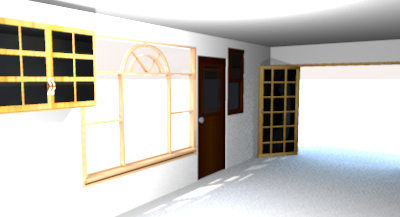
Re: Sweet Home 3D 3.0 Hello, The beta 10 is out! - It fixes the bug on transparent textures mentioned by db4tech (note that the fix will let transparent textures appear clearer). - To reduce Photo and Video creation dialog height and improve their quite weird layout, I replaced quality info labels by tooltips with a special behavior: the tooltip appears when you roll over the quality slider and also when you click on it. - Fixed this bug in Export to OBJ format feature - Changed the color of the Sun light depending on the hour of the day. - Used Silk rendering / Uber shader at best quality rendering along with a light ambient occlusion effect to avoid dark zones when they don't receive sun light. In fact, I had to make choices about the rendering for performance sake and to avoid the white spots that may appear with silk rendering when no texture is applied to the sky. So here are the rules: - At the 3rd quality level and in Aerial view mode, shiny surfaces are computed with SunFlow shiny shader that lets appear a reflect (as in Beta 9). It's less nice but much faster to compute. - At the best quality level in Virtual visit mode, shiny surfaces are computed with SunFlow Uber shader that gives a silk effect, and ambient occlusion is always on to avoid very dark shadows. - In Aerial view mode, the texture applied to the sky is never used, because I find the shadow effect computed with sun sky gives really nice results (this was the behavior of Sweet Home 3D version 2.6, but not in previous beta versions). If this really annoys you or if you really want silk effect or prefer ambient occlusion (which is nevertheless very dark), you can still elevate the user's point of view in Virtual visit mode at a location similar to Aerial view mode. I hope these behaviors aren't too complicated. If you just oppose 3rd to 4th quality, and Aerial view to Virtual visit modes, they should feel quite logical and (almost) intuitive for beginners. In a way, there isn't much difference with version 2.6, except that best quality is better and most consistent (at best quality level, ambient occlusion is always on and gives the same shadows whether you apply a texture to the sky or not). @whippetsleek During the night, there's no sun (I don't mean it's hidden, I mean the sun and the sky are not computed at all), so changing time from sunset to sunrise won't change anything. I don't see much difference in the two images you show, anti aliasing apart. @PtiNounours Matte or glossy option for walls is really interesting. Is it possible to integrate it on the furniture? This option should appear in a coming beta. I just hope that the furniture modification dialog won't get too complicated (no I don't want to add some tabs at this moment ).Another topic. Is it possible to lock the base plane, which prevents accidental mishandling while leaving the possibility of having access to the parameters of a wall or object, without needing to unlock? Even if it's easy to program, I'd rather not. Locking the base base plan must remain simple on a selection point of view.---------------------------------------- Emmanuel Puybaret, Sweet Home 3D creator |
| Posted by db4tech at Oct 11, 2010, 10:56:37 PM |
|
Re: Sweet Home 3D 3.0 Emmanuel, Thanks for the update! Still experiencing the same problem with beta 10, plus the ambient lighting is; lets say, a little too bright! ![]() ![]() db4tech |
| Posted by Puybaret at Oct 11, 2010, 11:28:50 PM |
|
Re: Sweet Home 3D 3.0 Still experiencing the same problem with beta 10 I know, but I have no idea where the problem might come from at this moment...plus the ambient lighting is; lets say, a little too bright! I was afraid some users find it too dark... Note that if you don't like, you can choose a night hour to turn it off. ![]() By the way did you see that the ambient color is a complementary color to sun color? I hope my way of computing is ok (I computed the average of the other RGB components for each component, see here). ![]() Thank you for your feedback. ---------------------------------------- Emmanuel Puybaret, Sweet Home 3D creator |
| Posted by Puybaret at Oct 12, 2010, 2:42:23 AM |
|
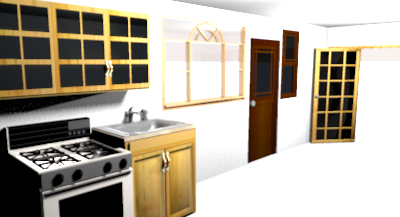
Re: Sweet Home 3D 3.0 I updated the current Beta to improve silk rendering / Uber shader. It goes 4 times faster and renders better. ![]() ---------------------------------------- Emmanuel Puybaret, Sweet Home 3D creator |
| Posted by PtiNounours at Oct 12, 2010, 8:17:26 PM |
|
Re: Sweet Home 3D 3.0 [Google translate] Some bugs on my side, Renderer SH3D (Java3D) version 2.6: ![]() Renderer SH3D (Java3D) version 3.0 beta 11 ![]() This is a 3 part construction: - Stage 1 is in the file - Stage 2 with imported plugin 'Copy as new furniture' - Roofing made in SketchUp and imported furniture. In version 2.6, the textures of the walls are all identical, unlike the version 3 beta 11, which displays a color difference between stage 1 and the other 2 floors. Surprisingly, rendering him sunflow is correct in the beta 3. Another bug reported: white marks on the curtains, palm tree, and a strange reflection on the TV, not present with Advanced Rendering Mini v1.6.1 [Note from moderator] Fixed link to images, and removed French translation. Please, avoid translations. This is the English part of the forum. If you don't speak good English, it's not a problem, you're not the alone person in that case. ![]() |
| Posted by Puybaret at Oct 12, 2010, 10:48:25 PM |
|
Re: Sweet Home 3D 3.0 Tonight, the Beta 12 brings the ability to store the current point of view and restore it later, as proposed in this thread. @PtiNounours Wouldn't have you check "shiny" on outside part of your walls? By the way, nice model! White marks or spots are not really a bug. It's a shininess effect that appears with the silk rendering used now at the best quality level. Miserably, many models (like curtains) use a very high shininess level when they shouldn't, that's why I'll add a Matt / Shiny choice on furniture in a coming version... or maybe I'm wrong to keep trying the silk rendering/Uber shader. ---------------------------------------- Emmanuel Puybaret, Sweet Home 3D creator |
| Posted by PtiNounours at Oct 12, 2010, 11:59:53 PM |
|
Re: Sweet Home 3D 3.0 For rendering sunflow Version 3 beta 11, the result is rather convincing. Particularly in terms of lighting for interiors that is much brighter without having to add many light sources that was not the case with the Mini Advanced Rendering v1.6.1 which could sometimes works really dark. Conversely, there are actually bug graphics on objects that have bright textures. I would do more tests later. On the walls, they are all set to 'Mat'. I think this setting does not affect rendering SH3D (3D view), but acts only on the rendering Sunflow? When I created a textured object in sketchup then imported into SH3D version 2.6, no color differences were noticeable with another object that both created and textured in SH3D. It seems to me that under the version 3 beta 7 or 8, I did not this difference in color, which appeared to me since this latest version. (I zap versions 9 to 10 that I have not tested). |
| Posted by Puybaret at Oct 13, 2010, 1:25:28 AM |
|
Re: Sweet Home 3D 3.0 Setting walls rendering to shiny has some effect in the 3D view too (turn the wall or the camera and you should see it). If ever you can send me your SH3D file or at least a part of it showing the problem, it will help me to find the bug or the reason of the behavior change. ---------------------------------------- Emmanuel Puybaret, Sweet Home 3D creator |
| Posted by PtiNounours at Oct 13, 2010, 2:15:53 PM |
|
Re: Sweet Home 3D 3.0 I send you a test of a wall with texture. Not knowing how to deposit the file on the forum, I send you by easy-share link: http://www.easy-share.com/1912613178/eTeks_test_texture_wall.zip comprenant: - File-SH3D - Dae files and sketchup - Texture0-(wall) - photos I created with the same texture as a wall and then imported into sketchup SH3D and create a wall directly under SH3D. Results for rendering 3D View of SH3D: v2.6 no difference in staining v3 beta11 SH3D wall (the right) is more clear This difference also comes with copying objects with the plugin 'copy as new furniture', since version 2.6 and open with the version 3 beta 11. Results for rendering Sunflow ok in V3 beta11. |
| Posted by hansmex at Oct 13, 2010, 2:48:03 PM |
|
Re: Sweet Home 3D 3.0 Sebastien, EasyShare? First I have to wait for a button, then I have to wait even longer, than a Captcha... Then it didn't work and now I have to wait at least 15 minutes longer... In my book that's DifficultShare! Why don't you try www.mediafire.com ? Fast, no waiting, you can link pictures directly to the forum, nice interface. THAT is easy share! Hans ---------------------------------------- Hans new website - under constuction hansdirkse.info |
| Posted by PtiNounours at Oct 13, 2010, 6:06:36 PM |
|
Re: Sweet Home 3D 3.0 Up mediafire: http://www.mediafire.com/file/aqj9sbkm3fbjyka/eTeks_test_texture_wall.zip 'DifficultShare' I really laughed; excellent Mediafire |
| Posted by hansmex at Oct 13, 2010, 6:57:10 PM |
|
Re: Sweet Home 3D 3.0 @Sebastien, This is the result your file gives me using v3.0 b12 in quality setting 2 and 3. ![]() @Emmanuel The left part is the imported model; the right part is a wall. Blackmann-Harris = Q2 and Q3 same results as picture above Catmull-Rom = Q2 and Q3 both parts textured; no difference in shading between wall and model Mitchell = Q2 as picture, Q3 both parts textured; no difference in shading Hans ---------------------------------------- Hans new website - under constuction hansdirkse.info |
| Posted by PtiNounours at Oct 13, 2010, 8:13:01 PM |
|
Re: Sweet Home 3D 3.0 When I run repeatedly Q3 and Q4, the object (left)is sometimes with or without texture. _ I conducted another test to see if the renderer does not reverse the faces of the object created in SketchUp. So I textured the 2 sides (face hidden and visible). The result is ok in Q3 and Q4 which displays textures. Q1 and Q2 without texture. _ I also tested with sketchup export (1 side only and not two-sided); same problem. Need texture the 2 sides for renderer. In the 3D view (not renderer), there remains a difference in color between the object and the wall that have the same texture. This difference in color is not present in version 2.6 and has appeared on the latest beta. _ Last test, insert a cabinet and stained with the same texture as the wall. the cabinet is the same color as the object Sketchup. The textures of the walls in the 3D view is clearer that these two objects. The walls therefore have a small problem. In hope that you've understood my bad English ![]() |
| Posted by hansmex at Oct 13, 2010, 8:55:46 PM |
|
Re: Sweet Home 3D 3.0 Sebastien, I checked again, this time with a different texture. What do you think? NO PROBLEMS! So, my conclusion is that there is some problem with your texture. I've read somewhere that it's best to use textures that have a pixel count that's a power of 2. Examples: 128x256 pixels, 256x256 pixels, 256x512, 512x512, etc. There previously has been a problem with very large textures (larger than 2048x2048) but that should have been solved some time ago. Hans ---------------------------------------- Hans new website - under constuction hansdirkse.info |
| Posted by pencilart at Oct 13, 2010, 9:04:48 PM |
|
Re: Sweet Home 3D 3.0 The renderer is looking super nice. It renders fast, like you said, and my new windows (which have 2 different types of glass (frosted and transparent) render beautifully too (you can tell the frosted glass is there). I'm happy with that. |
| Posted by PtiNounours at Oct 13, 2010, 10:49:10 PM |
|
Re: Sweet Home 3D 3.0 I used a texture SH3D and the box furniture. Result: see the 3D view, the texture applied on the walls are brighter than the box. |
| Posted by PtiNounours at Oct 13, 2010, 10:49:38 PM |
|
Re: Sweet Home 3D 3.0 http://www.mediafire.com/i/?c4vo6d75cc6ad31 |
| Posted by whippetsleek at Oct 13, 2010, 11:09:53 PM |
|
Re: Sweet Home 3D 3.0 Pitnounours : I've found out with Sketch models, (and you might have learned this already, so sorry if I am repeating) that if a surface is not a component, all surfaces in Sketch are considered two sided. So when you make a model, you should select the faces not in a component, and reverse the faces, and reapply your texture to avoid losing the texture when exported. Sketch models when exported to dae files have a known bug called xyz battles. It means that if two faces are on the same plane, the program decides which face is the viewable face, and it might not be the face that you want showing. So always try to have either a dominant component, or two faces textured the same if you have to have two faces on the same plane. Puybaret: Thanks for your time and reply, and I found out while discussing this with another modeler, that my latitude and longitude were not correctly assigned in my settings, and that is what was throwing off my sun's position at the time I thought should have been dark. So please forgive any confusion. ![]() ---------------------------------------- ![]() |
| Posted by Puybaret at Oct 17, 2010, 1:32:42 AM |
|
Re: Sweet Home 3D 3.0 It was tough, but I succeeded to add support for round walls in the Beta 13, another long awaited feature... ![]() ![]() In this Beta version, round walls can be drawn only with Wall creation tool, by pressing Ctrl key (Alt key under Mac OS X) during the second click that points out the end of a wall (you can also press Enter + Ctrl or Alt to edit the arc angle with the keyboard). I'll add a Arc extent spinner in the Wall modification dialog later, to let users create round walls afterwards. Meanwhile, please tell me your opinion about this gesture. It's possible to place windows or doors in the round walls but at this moment, you'll have to adjust manually the angle and the depth of the window to make it make a hole in the wall. I suggest you to use first an invisible box to make a hole in the round wall then place the window in that part, like in the example file attached to this message. Try it and you'll understand why, it's not so easy to place automatically... ![]() Phew, I'm tired of trigonometric computing, 2 PI modulos and y inverted axis for a while!!! ![]() ---------------------------------------- ---------------------------------------- Emmanuel Puybaret, Sweet Home 3D creator |
| Posted by Puybaret at Oct 17, 2010, 12:31:35 PM |
|
Re: Sweet Home 3D 3.0 @PtiNounours I found the regression bug. It's fixed in Beta 14. Please confirm it's ok for you. ---------------------------------------- Emmanuel Puybaret, Sweet Home 3D creator |
| Posted by PtiNounours at Oct 17, 2010, 1:13:04 PM |
|
Re: Sweet Home 3D 3.0 Thank you for correcting the texture of the walls. The result is ok. Congratulations to the renderer which is really fast and beautifully rendered. For the round walls, good function. Maybe add the ability to simultaneously shift key and ctrl key? (To remove the magnetism while a wall round) Anyway, good Job Emmanuel |
| Posted by PtiNounours at Oct 17, 2010, 1:23:37 PM |
|
Re: Sweet Home 3D 3.0 Edit: The simultaneous ctrl and shift working. |
| Posted by hansmex at Oct 17, 2010, 1:32:09 PM |
|
Re: Sweet Home 3D 3.0 Emmanuel, Do you mean the bug of the wall that doesn't render correctly, mentioned in this post? The screen shot I posted here still applies. On opening the file provided by PtitNounours, I did a series of renders: Q0-Q3. As before, Q2 gave a white wall. I then did a Q3 which was OK. When I did another Q2 it was okay and both walls were textured. When I then did another Q3 it had a white wall. Etc... etc... To be sure, I closed SH3D and started it again (v3-b14) and the same sequence happened. It seems something is wrong, but it's not very consistent. Hans ---------------------------------------- Hans new website - under constuction hansdirkse.info |
| Posted by PtiNounours at Oct 17, 2010, 2:01:25 PM |
|
Re: Sweet Home 3D 3.0 For the bug that was resolved, it is rendering in 3D view Sweethome not the renderer. For the renderer, I tested a new export SketchUp wall, but this time in version 8. Dae export parameters: Triangulate the faces-active Export-veneer textures active - Other inactive option. I also took care to orient the faces in the right direction. After import in Sweethome 3D renderer in: Q0 all white Q1 all white Q2 sketchup old white wall. new wall to wall SH3D textured sketchup ok Q3 old sketchup white wall. new wall to wall SH3D textured sketchup ok I do not know if this is the beta 14, which fixes this, or version 8 of SketchUp or having put the faces in the right direction, but the result of the renderer is ok in Q2 and Q3. For my part I never use Q0 and Q1; bug lesser extent in my case. I can send the new test file SH3D wall and the wall dae if necessary. |
| Posted by PtiNounours at Oct 17, 2010, 3:40:43 PM |
|
Re: Sweet Home 3D 3.0 Up file test wall: http://www.mediafire.com/file/oazbrk5m1dffckr/test_wall.zip I just saw that render the soil of the last photo with the wall round was brilliant. very nice effect. |
| Posted by hansmex at Oct 17, 2010, 4:52:55 PM |
|
Re: Sweet Home 3D 3.0 And here are the results of the big render lottery: First run: Q0 = 3x correct Q1 = 3x correct Q2 = left is white Q3 = 3x correct Second run Q0 = 3x correct Q1 = 3x correct Q2 = left is white Q3 = left is white Third run = see: first run Fourth run Q0 = 3x correct Q1 = 3x correct Q2 = 3x correct Q3 = left is white Fifth run Q0 = 3x correct Q1 = 3x correct Q2 = 3x correct Q3 = 3x correct Sixth run = see: fifth run Seventh run = see fourth run Have fun!! Hans ---------------------------------------- Hans new website - under constuction hansdirkse.info |
| Posted by PtiNounours at Oct 17, 2010, 5:19:52 PM |
|
Re: Sweet Home 3D 3.0 I think the problem probably comes from the left wall of the right orientation of faces sketchup. it's really strange, but I would be careful about that now. Hans, I see you've textures of the 3 walls Q0 and Q1, I have rarely textures displayed in these two qualities, either in photo or video. Only the colors and not textures are displayed in my home at Q0 and Q1 ![]() |
| Posted by hansmex at Oct 17, 2010, 5:29:18 PM |
|
Re: Sweet Home 3D 3.0 Maybe it's Ubuntu? My version of Java? My video card or drivers? There's a lot of variables in the equation... ---------------------------------------- Hans new website - under constuction hansdirkse.info |
| Posted by pencilart at Oct 18, 2010, 12:29:10 AM |
|
Re: Sweet Home 3D 3.0 This is my latest rendering with the beta: http://www.storm-artists.net/full/98629 |
| Posted by PtiNounours at Oct 18, 2010, 2:08:34 PM |
|
Re: Sweet Home 3D 3.0 Beautiful spacious kitchen |
| Posted by Puybaret at Oct 19, 2010, 1:35:05 AM |
|
Re: Sweet Home 3D 3.0 I searched the bug described by PtiNounours and tested by others. It's really weird and looks like that's a bug in SunFlow rendering engine. Sometimes it doesn't even try to render the texture applied to the left object. Investigating might be much more complicated than expected... ![]() ---------------------------------------- Emmanuel Puybaret, Sweet Home 3D creator |
| Posted by hansmex at Oct 19, 2010, 1:52:30 AM |
|
Re: Sweet Home 3D 3.0 Emmanuel, Maybe there are a few things connected here? 1 - The strange behaviour Sebastien noticed 2 - The strange behaviour I noticed with textures and transparency. Maybe a complete "reformulation" of how textures are applied could be a solution? The fact that the tests on Sebastien's file gave different results for every run, is very strange. I am compiling a kind of document with info on how OBJ files work, but it's very hard to find a complete and easy to understand manual, that goes into enough detail to explain what I need. Ideally I would like to construct an OBJ file for a cube that does what >>I<< want, and not what some-one else wants :-) Hans ---------------------------------------- Hans new website - under constuction hansdirkse.info |
| Posted by Puybaret at Oct 19, 2010, 8:54:49 AM |
|
Re: Sweet Home 3D 3.0 Sorry Hans, but reversed textures and Sebastian wrong rendering are completely unconnected. Good try, but this won't help! ![]() About the OBJ format, create a new thread where you'll ask your questions about it. It's really not a complicated format for a programmer. ---------------------------------------- Emmanuel Puybaret, Sweet Home 3D creator |
| Posted by pencilart at Oct 19, 2010, 8:22:52 PM |
|
Re: Sweet Home 3D 3.0 Thanks PtiNounours! |
| Posted by whippetsleek at Oct 22, 2010, 2:08:48 PM |
|
Re: Sweet Home 3D 3.0 Maybe someone has figured out a way to do this... But I seem to be having a lot of trouble splitting the circular walls and keeping my radius the same size. I can't split the walls to paint them different colors, nor to resize the wall without it moving both end points and changing size. I can make many separate circular walls and do what's needed to be done, but I would like to know if anyone has found a faster way. Thanks! ![]() ---------------------------------------- ![]() |
| Posted by hansmex at Oct 22, 2010, 3:08:22 PM |
|
Re: Sweet Home 3D 3.0 Chris, In Modify walls you can only change the X,Y coordinates, not the radius. Example: - I draw a wall that has XY coordinates 0,0 and 300,0 with highest point of arc at 150,100 - using Modify wall I change the coordinates, so that the "new" wall has XY coordinates 0,0 and 500,0 - the result is that the highest point of the arc is now at 250,150 That means that the form of the arc stays the same, only the size changes. What is needed is - an option to change the angle of the arc which is indicated in the small yellow pop-up window next to the cursor when you draw the arc. - the option to hit Enter to get access to that yellow pop-up, so you can use the keyboard to enter exact length and angle, just as when drawing a "normal" wall. Maybe this could be a future feature? Hans ---------------------------------------- Hans new website - under constuction hansdirkse.info |
| Posted by Puybaret at Oct 22, 2010, 3:41:08 PM |
|
Re: Sweet Home 3D 3.0 [...] the option to hit Enter to get access to that yellow pop-up, so you can use the keyboard to enter exact length and angle, just as when drawing a "normal" wall. That option already exists. Just press Ctrl + Enter (or Alt + Enter under Mac OS X) as you would press mouse button + Ctrl or Alt key. ![]() ---------------------------------------- Emmanuel Puybaret, Sweet Home 3D creator |
| Posted by hansmex at Oct 22, 2010, 4:15:44 PM |
|
Re: Sweet Home 3D 3.0 Emmanuel, It doesn't work on my Ubuntu PC: I tried it before writing my reply, and now tried it again... Maybe I'm doing something wrong? Hans ---------------------------------------- Hans new website - under constuction hansdirkse.info |
| Posted by whippetsleek at Oct 22, 2010, 4:32:43 PM |
|
Re: Sweet Home 3D 3.0 Maybe I am misunderstanding your reply Hans, but my trouble is ... for example, I make a full circle of two segments like this.. ![]() And I select one side of the circle to split so that I can either paint it a different color, or delete the extra section I don't need.. ![]() And then when I split the wall, it ends up looking like this.... ![]() I can make many little walls to mimic the splitting, but I was wondering if there was a faster way to do it? ---------------------------------------- ![]() |
| Posted by Puybaret at Nov 15, 2010, 11:16:26 PM |
|
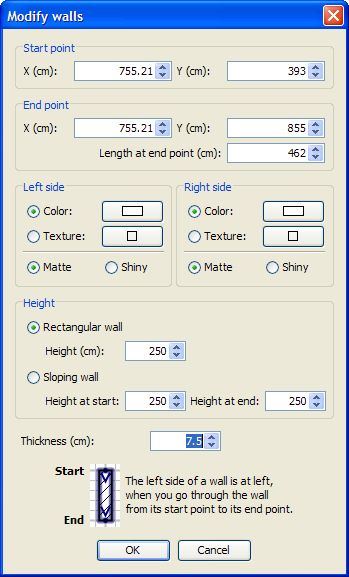
Re: Sweet Home 3D 3.0 Tonight, I updated the current version to Beta 15, with the following bug fixes and enhancements: - Used blackman-harris filter instead of gaussian in best quality rendering (thank you Hans for your great tests), - Improved front clip distance in aerial view to ensure carpets and thin objects will be better rendered when seen from from far, - Found an algorithm to approximate the shadow of 3D models with numerous vertices and ensure second rendering quality will go faster and won't fail, - Improved viewpoint management to prevent storing two viewpoints at the same location or with the same name, - Added a combo box at the second call of Store point of view dialog to let the user choose an existing point of view, - Added some tool tips on Mirrored et Part of base plan check boxes in furniture modification dialog, - Added colored light sources to default catalog, - Made light sources not deformable (applicable only to light sources delivered from this beta version), - Changed the indicator and the behavior at the bottom left of lights to change their power. We're getting closer to version 3.0 now. ![]() And to answer to a (quite) old question: It doesn't work on my Ubuntu PC: I tried it before writing my reply, and now tried it again... Maybe I'm doing something wrong? Hans, maybe the shortcut Ctrl + Enter is associated to something else in your system?Does it work for other Linux users? ---------------------------------------- Emmanuel Puybaret, Sweet Home 3D creator |
| Posted by hansmex at Nov 15, 2010, 11:49:23 PM |
|
Re: Sweet Home 3D 3.0 Emmanuel, You're amazing! Busy with work and still you find time for a new beta. Do you ever sleep at all? I saw a typo: in 3D view it says Got to point of view, that's 1 letter too many. With CTRL+ENTER, are you referring to drawing round walls? I can do that but with CTRL+CLICK 2nd POINT and then drag. I'll try and test-drive this version in the next few days. Hans ---------------------------------------- Hans new website - under constuction hansdirkse.info |
| Posted by Puybaret at Nov 16, 2010, 12:13:21 AM |
|
Re: Sweet Home 3D 3.0 Thank you Hans for your feedback. ![]() My work outside is over now, so I have time to finish programming this version 3.0. Then, I'll have to start an other job, but that's an other story... ---------------------------------------- Emmanuel Puybaret, Sweet Home 3D creator |
| Posted by Puybaret at Nov 17, 2010, 10:15:05 PM |
|
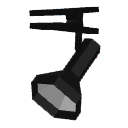
Re: Sweet Home 3D 3.0 Here's the Beta 16 with the following new features and bug fixes: - Recovered auto saved files at program launch to let user review them after a crash. I reproduced the auto save / auto recover behavior of MS Word in Sweet Home 3D. Please try if it works correctly, by simply crashing the program and relaunching it. - Added Arc extent spinner to Wall modification dialog to adjust round wall after its creation. - Added Unchanged / Mat / Shiny radio boxes to Furniture modification dialog to control furniture shininess. - Placed by default the compass at the left of the plan for existing homes (thank you Hans for this suggestion). - Kept a free zone at the furniture center of small pieces to be able to move them without deselecting them first. - Took into account light furniture angle to place correctly the light sources it contains. - Reviewed 3D normals in the furniture models of the default catalog to ensure these pieces render correctly (I'm still astonished that nobody complained about that one during all the past years!) - Added the five following lights to the default catalog (I felt that new users who didn't install any SH3F files yet, wouldn't understand the purpose of lights if they had only light sources!). ![]() Floor uplight ![]() Spot light ![]() Pendant lamp ![]() Work lamp ![]() Wall uplight This will probably be one of the latest beta version with new features. I may add mouse wheel zoom on cursor if it isn't too difficult and fix a few minor bugs, but globally, I feel we have now a pretty nice version 3.0 within reach. Thus, it's going to be translators' turn and I'll try to improve help files to describe how to create photos and videos with lights. Thank you for your support ---------------------------------------- Emmanuel Puybaret, Sweet Home 3D creator |
| Posted by hansmex at Nov 17, 2010, 10:55:29 PM |
|
Re: Sweet Home 3D 3.0 Emmanuel, Just gave the beta 16 a short test drive. First impression is VERY good! - The auto recovery now works like a charm: it opened all 50 or so recovery files for review! HAHAHA The good news is, that it then deletes the temporary file, so that the recovery directory doesn't clog up with old files. Great! I now have the purple pond file I had intended for the design contest. - Arc extend modifier: great! - Unchanged, matt, shiny: great! - Repositioned compass: GREAT! (I have the habit to start my designs at > 0,0 <, so this is very welcome. - Free zone: have to find out more about that one. - 3D normals: I'm not sure what you mean, or what that is. However, maybe later tonight or tomorrow I may succeed in making a cube with a "normal" texture. I think I finally found out how to apply a texture correctly. - Lights: great! I noticed all existing lights in the library also have a power switch! I noticed one minor thing: I remember db4tech telling some time ago that he introduced a new routine for Q2 rendering, that did away with the banding. A quick render I did a few minutes ago, again showed a lot of banding. Maybe it's accidental, I'd have to investigate more. Hans ---------------------------------------- Hans new website - under constuction hansdirkse.info |
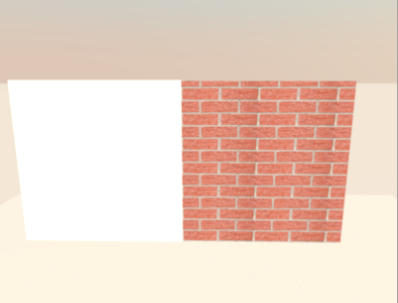
| Posted by hansmex at Nov 18, 2010, 2:22:32 AM |
|
Re: Sweet Home 3D 3.0 Hello, Finally, I managed to make a box with the texture correctly applied on all sides. Unfortunately, you cannot apply a texture to this box from within SH3D, because then the textures are applied incorrectly again. So, you have to manually edit the OBJ and MTL file to change the image. Hans ---------------------------------------- ---------------------------------------- Hans new website - under constuction hansdirkse.info |
| Posted by pencilart at Nov 18, 2010, 4:05:13 PM |
|
Re: Sweet Home 3D 3.0 When I opened this beta version, 4 recovered files came up. I just closed the first 3 that I didn't want then I kept the one open that I wanted to work with. Will it be doing this by default when you first start it up? The files it recovered were, I think, simply closed because I was done with them. I played with the lights some more and found that I was able to turn on the already existing lights. Anyway, it's much better looking now. Nice work Emmanuel! ---------------------------------------- ---------------------------------------- ---------------------------------------- |
| Posted by timcurran at Nov 19, 2010, 2:06:27 AM |
|
Re: Sweet Home 3D 3.0 Well, I'm super-eager to try the 3.0 beta, but I can't seem to install it. Java Web Start loads it, but always ends with the error: "Unable to launch the application." Uninstalling through the Java console and reinstalling does no good. SW3D v2.6 still runs (and uninstalls and reinstalls) correctly. Is there any particular information about the error detail or my system that you might need to pinpoint the problem? |
| Posted by Puybaret at Nov 19, 2010, 7:24:06 AM |
|
Re: Sweet Home 3D 3.0 timcurran, maybe you have a problem with your installed version of Java. Sweet Home 3D version 2.6 could work independently if you install it from its installer since the installer provides an internal dump of Java. On what system do you work? ---------------------------------------- Emmanuel Puybaret, Sweet Home 3D creator |
| Posted by chipmaster at Nov 19, 2010, 10:44:06 AM |
|
Re: Sweet Home 3D 3.0 Puybaret, I have the same error as timcurran. After install or when try to run installed aplication I get error (see image). My friend has also the same problem. System: Windows XP x86 Click to Details -> Exception tab java.lang.reflect.InvocationTargetException at sun.reflect.NativeMethodAccessorImpl.invoke0(Native Method) at sun.reflect.NativeMethodAccessorImpl.invoke(Unknown Source) at sun.reflect.DelegatingMethodAccessorImpl.invoke(Unknown Source) at java.lang.reflect.Method.invoke(Unknown Source) at com.eteks.sweethome3d.SweetHome3DJavaWebStartBootstrap.main(Unknown Source) at sun.reflect.NativeMethodAccessorImpl.invoke0(Native Method) at sun.reflect.NativeMethodAccessorImpl.invoke(Unknown Source) at sun.reflect.DelegatingMethodAccessorImpl.invoke(Unknown Source) at java.lang.reflect.Method.invoke(Unknown Source) at com.sun.javaws.Launcher.executeApplication(Unknown Source) at com.sun.javaws.Launcher.executeMainClass(Unknown Source) at com.sun.javaws.Launcher.doLaunchApp(Unknown Source) at com.sun.javaws.Launcher.run(Unknown Source) at java.lang.Thread.run(Unknown Source) Caused by: java.lang.reflect.InvocationTargetException at sun.reflect.NativeMethodAccessorImpl.invoke0(Native Method) at sun.reflect.NativeMethodAccessorImpl.invoke(Unknown Source) at sun.reflect.DelegatingMethodAccessorImpl.invoke(Unknown Source) at java.lang.reflect.Method.invoke(Unknown Source) at com.eteks.sweethome3d.SweetHome3DBootstrap.main(Unknown Source) ... 14 more Caused by: java.lang.NullPointerException at java.util.Arrays.sort(Unknown Source) at com.eteks.sweethome3d.SweetHome3D$AutoSaveManager.readRecoveredHomes(Unknown Source) at com.eteks.sweethome3d.SweetHome3D$AutoSaveManager.<init>(Unknown Source) at com.eteks.sweethome3d.SweetHome3D$AutoSaveManager.<init>(Unknown Source) at com.eteks.sweethome3d.SweetHome3D.init(Unknown Source) at com.eteks.sweethome3d.SweetHome3D.main(Unknown Source) ... 19 more |
| Posted by Puybaret at Nov 19, 2010, 11:35:59 AM |
|
Re: Sweet Home 3D 3.0 Thank you for this log. I fixed this bug yesterday but didn't realize it could prevent the program from running for users who never tried the beta. I just released the beta 17 that contains the fix of this bug and other minor ones. It contains also updated Czech and Polish versions. ![]() ---------------------------------------- Emmanuel Puybaret, Sweet Home 3D creator |
| Posted by Puybaret at Nov 19, 2010, 11:42:52 AM |
|
Re: Sweet Home 3D 3.0 By the way, chipmaster, kudos for your desktop layout !!! ![]() ---------------------------------------- Emmanuel Puybaret, Sweet Home 3D creator |
| Posted by hansmex at Nov 19, 2010, 12:18:42 PM |
|
Re: Sweet Home 3D 3.0 Emmanuel, Is it correct that the beta 17 is called beta 16 in the About window? Hans ---------------------------------------- Hans new website - under constuction hansdirkse.info |
| Posted by chipmaster at Nov 19, 2010, 12:28:34 PM |
|
Re: Sweet Home 3D 3.0 Thank you Puybaret! How can I associate sh3d extension with beta on windows? Hansmex, I see Beta 17 in the About window. |
| Posted by hansmex at Nov 19, 2010, 12:34:15 PM |
|
Re: Sweet Home 3D 3.0 Emmanuel, Chipmaster, My version NOW says beta 17 also, but I had to delete the old icon and download it again, even though the beta 16 on starting did a big download. Hans ---------------------------------------- Hans new website - under constuction hansdirkse.info |
| Posted by timcurran at Nov 19, 2010, 12:46:55 PM |
|
Re: Sweet Home 3D 3.0 Yep, that was the problem. Beta 17 works for me. Thanks, Emmanuel. |
| Posted by chipmaster at Nov 20, 2010, 12:30:46 AM |
|
Re: Sweet Home 3D 3.0 When floor(ceiling) texture/color and ground(sky) texture/color are different and door_elevation=0 (or door_elevation+door_height=wall_height) then doorstep (upper doorstep) has ground (sky) texture/color as in picture ![]() If I increase door_elevation (or wall_height for upper doorstep) by 1 millimeter then picture is fine. Emmanuel, maybe it's better to have 1 millimeter elevation as default for all doors/openings? |
| Posted by hansmex at Nov 20, 2010, 1:32:01 AM |
|
Re: Sweet Home 3D 3.0 Chipmaster, Most probably this "problem" is not a problem. Try this, and do it exactly in this order: - draw you walls - insert your doors - draw your floor If you do things in this order, the door makes a hole in the wall, and the floor fills half that hole. If you first draw the floor, and then insert the doors, the floor isn't adapted to the inserted door, and the ground colour or texture is visible. Hans ---------------------------------------- Hans new website - under constuction hansdirkse.info |
| Posted by Puybaret at Nov 21, 2010, 1:04:48 AM |
|
Re: Sweet Home 3D 3.0 Tonight, the Beta 19 brings Bulgarian and Italian translations, and a small improvement in the rendering engine at the best quality setting. In fact, it was a problem that db4tech noticed a while ago and wasn't fixed yet. As you can see in the following image, it's about the reflect of windows that won't let appear the sky and other things behind the windows pane: ![]() Now it works better as you can see here: ![]() If this fix fortunately implies just a little more processing time, it might miserably introduce some white spots on shiny reflects as the reflect of the curtains shows in the previous image. I could reduce these scattered spots by program but this would imply a much longer processing time. Instead, I prefer to consider that this won't happen often, and anyway curtains generally don't shine! Since furniture dialog now offers the ability to cancel the shininess of a 3D model, these white spots can be easily removed in this example by changing curtains shininess: ![]() Here are some other examples where the new settings worked correctly out of the box. A dustbin with incorrect reflect then correct reflect: ![]() ![]() pencilart's sink with incorrect reflect then correct reflect (a tree behind the window hides partially the sky): ![]() ![]() Please could you test in the coming days, if this new setting works correctly on your models too, before 3.0 release? I know that you won't have a way to compare between the old version and the new version of the rendering engine, but in a way, I prefer this, because I want your global feeling about this new setting, without being tempted to pixel peep. In case you find a case that doesn't work correctly, please report it here. I can rollback to the previous version of the renderer easily. Thanks to the author of SunFlow who helped me to fix this problem. ![]() ---------------------------------------- Emmanuel Puybaret, Sweet Home 3D creator |
| Posted by Puybaret at Nov 23, 2010, 1:08:46 AM |
|
Re: Sweet Home 3D 3.0 The Beta 21 brings Hungarian, Spanish and German translations and a correction to an annoying bug that prevented overlapping floors from being correctly displayed. I thought I fixed it last May, but in a certain way, it was worse because many videos made with OpenGL quality were blinking at ground level because of the fix. This version brings also two small improvements: - Photo and video creation dialogs are reopened at their last location if they won't be partially hidden, - Modified status of a home is switched to true when you change point of view list and parameters in photo and video dialogs. By the way, I might have forgotten to post a Java library required to test the new settings of rendering quality mentioned in my previous message. Sorry, and I still hope to read your thoughts about it. ---------------------------------------- Emmanuel Puybaret, Sweet Home 3D creator |
| Posted by hansmex at Nov 23, 2010, 8:37:20 AM |
|
Re: Sweet Home 3D 3.0 Emmanuel, A quick test shows that v3b21 performs VERY well. Image 1: glass is transparent, mirror reflection is good, shiny surfaces show correct. Only a bit of moire in top-left corner of mirror, but that's why I picked that green texture. I'll see if I can make some more scenes for further testing. ![]() Image 2: visible are the window and tree, the firefighter, three light bulbs that illuminate the scene. Image 3: here too everything seems just fine. I only see one problem: the tulips looks so nice, that I'm afraid they won't last long... Hans ---------------------------------------- Hans new website - under constuction hansdirkse.info |
| Posted by Puybaret at Nov 23, 2010, 4:29:10 PM |
|
Re: Sweet Home 3D 3.0 Thank you Hans for your feedback. the tulips looks so nice, that I'm afraid they won't last long... Then you should take that cow away from them! ![]() ---------------------------------------- Emmanuel Puybaret, Sweet Home 3D creator |
| Posted by hansmex at Nov 23, 2010, 4:50:25 PM |
|
Re: Sweet Home 3D 3.0 But I'm in Holland... where do I get my milk?? A devil's dilemma!! ---------------------------------------- Hans new website - under constuction hansdirkse.info |
| Posted by Puybaret at Nov 23, 2010, 7:33:14 PM |
|
Re: Sweet Home 3D 3.0 I'd like to post some details about PtiNounours bug seen earlier in this thread. I looked at the Wall_test.dae.obj file defined in test_wall.sh3d contained in the file he posted, and found why this imported part caused a problem. This OBJ file contains 2 shapes: - the exterior of the wall object with normals pointing towards the exterior of the object and with a wall texture, - the interior of the wall object with normals pointing towards the interior of the object; this second part is white. It's a similar bug to this one where SunFlow didn't handle correctly the double sided triangles of one shape, but this time the bug is at a higher level. Instead of having twice the same triangle (one oriented in a clockwise order, the other one oriented in a counter clockwise order) in one shape, you have two shapes with the same triangles oriented differently; one of the shape uses a texture and the other one is white. OpenGL handles these two shapes nicely because it ignores the faces with a normal that doesn't point towards the observer. At the opposite, SunFlow renders all the faces without taking into account whether its normal points towards the observer or not. So sometimes it chooses the textured face, sometimes the white face. Fixing this isn't easy because it's two separated shapes and not twice the same triangles within a shape. But you can also avoid the problem by following PtiNounours' suggestion. This thread created by Hans is about the same bug. ---------------------------------------- Emmanuel Puybaret, Sweet Home 3D creator |
| Posted by hansmex at Nov 27, 2010, 11:57:31 PM |
|
Re: Sweet Home 3D 3.0 Hello Emmanuel, Just found that beta 23 is out. When doing a render of a model made with a previous version, I noticed something strange. With Q0 and Q1 the model renders white, but with Q2 and Q3 all textures render the way they should. Maybe you made a typo somewhere? Hans ---------------------------------------- Hans new website - under constuction hansdirkse.info |
| Posted by Puybaret at Nov 28, 2010, 12:03:10 AM |
|
Re: Sweet Home 3D 3.0 The Beta 25 brings more translations and new help pages about photo creation, video creation and compass modification in English and French. I think that miserably, these new pages won't be translated to other languages in the coming version 3.0, and users of other languages will have to wait a little longer to get this new information in their language. This beta fixes also the wrong rendering of compass under OpenJDK reported by Pencilart (it's not perfect but it's better though). ---------------------------------------- Emmanuel Puybaret, Sweet Home 3D creator |
| Posted by Puybaret at Nov 28, 2010, 12:17:31 AM |
|
Re: Sweet Home 3D 3.0 Hans, Sometimes textures are not rendered correctly in offscreen images (used during printing and Q0 / Q1 rendering). ![]() As this bug happens randomly, I'm afraid it's not a bug in Sweet Home 3D but in Java 3D but I should investigate it better. It's probably the same bug as this one. ---------------------------------------- Emmanuel Puybaret, Sweet Home 3D creator |
| Posted by wrosun at Nov 28, 2010, 7:23:57 AM |
|
Re: Sweet Home 3D 3.0 I dont understand any thing i also wouls like to render pictures like these but i dont understand what Q0,Q1,Q2,Q3 are.....i am not new in sweethome 3d but rescently started to use the forums........would like to learn more and interacte more wid guys like you.... |
| Posted by hansmex at Nov 28, 2010, 10:21:55 AM |
|
Re: Sweet Home 3D 3.0 Q=Quality ---------------------------------------- Hans new website - under constuction hansdirkse.info |
| Posted by Puybaret at Nov 28, 2010, 12:14:08 PM |
|
Re: Sweet Home 3D 3.0 wrosun , if you want more information about rendering pictures, please read the new help pages about photo and video creation included in the latest beta (available only in English and French). By the way, I'll be pleased to read your feedback about it. ---------------------------------------- Emmanuel Puybaret, Sweet Home 3D creator |
| Posted by pencilart at Nov 29, 2010, 5:05:55 PM |
|
Re: Sweet Home 3D 3.0 I uninstalled open JDK so I won't be testing that bug fix but I'm sure that other open JDK users will. (I uninstalled it because I wasn't using it anyway and when I checked the dependencies, YaST (the package manager) said that removing it was ok.) I'm glad that you fixed the bug though! :D |
| Posted by Puybaret at Dec 1, 2010, 1:26:30 AM |
|
Re: Sweet Home 3D 3.0 The version 3.0 of Sweet Home 3D was finally released tonight. Read history and new blog article for more information. Thank you all for your great support! ![]() ---------------------------------------- Emmanuel Puybaret, Sweet Home 3D creator |
| Posted by hansmex at Dec 1, 2010, 1:55:26 AM |
|
Re: Sweet Home 3D 3.0 Hurray, it's a boy!! Or is it? ---------------------------------------- Hans new website - under constuction hansdirkse.info |
| Posted by sgabu77 at Dec 1, 2010, 10:43:18 AM |
|
Re: Sweet Home 3D 3.0 Hello. Congratulations on the new version seems much much smoother and faster. One question. Doing a render with the 1.6.1 version, the object to which I gave as a color (with paint i created a simply rectangular colored) it is white and colored. This works with version 2.6 What I wrong? Sorry for my poor English. |
| Posted by hansmex at Dec 1, 2010, 11:37:25 AM |
|
Re: Sweet Home 3D 3.0 Sgabu, Can you show us a picture of the problem? If you ask your question in Italian, you'll get an answer too (we use Google Translate). Hans ---------------------------------------- Hans new website - under constuction hansdirkse.info |
| Posted by Puybaret at Dec 1, 2010, 1:19:49 PM |
|
Re: Sweet Home 3D 3.0 sgabu77, please change the shininess to matt on your object, and tell us how it worked. Note that the quality 3 and the quality 4 don't use the same SunFlow shaders and may render objects quite differently. ---------------------------------------- Emmanuel Puybaret, Sweet Home 3D creator |
| Posted by sgabu77 at Dec 1, 2010, 3:57:30 PM |
|
Re: Sweet Home 3D 3.0 Ok. thanks for your interesting. here the link: bye |
| Posted by Puybaret at Dec 1, 2010, 4:02:12 PM |
|
Re: Sweet Home 3D 3.0 Hum it seems you forgot some ceilings, no? ---------------------------------------- Emmanuel Puybaret, Sweet Home 3D creator |
| Posted by sgabu77 at Dec 1, 2010, 4:41:42 PM |
|
Re: Sweet Home 3D 3.0 no, the floor is selected. here's another example |
| Posted by sgabu77 at Dec 1, 2010, 4:44:00 PM |
|
Re: Sweet Home 3D 3.0 correction of the post before. the ceiling is selected.sorry |
| Posted by sgabu77 at Dec 1, 2010, 6:19:59 PM |
|
Re: Sweet Home 3D 3.0 Good evening guys. I did several tests with my textures, and I noticed that the problem occurs at random with different textures and different files. I think, but I do not know if it is possible that the advanced rendering 1.6.1 is not fully integrated with the new version. Greetings to all. :) |
| Posted by hansmex at Dec 1, 2010, 6:29:57 PM |
|
Re: Sweet Home 3D 3.0 Sgabu, Can you share your file, so I/we can have a look at it? Hans ---------------------------------------- Hans new website - under constuction hansdirkse.info |
| Posted by sgabu77 at Dec 1, 2010, 6:42:38 PM |
|
Re: Sweet Home 3D 3.0 ok. thank you. in the rar file there are the project and the old render version 2.6. see you tomorrow. LINK |
| Posted by Puybaret at Dec 1, 2010, 7:18:12 PM |
|
Re: Sweet Home 3D 3.0 The parameters set in the Advanced rendering plug-in won't be copied back to Sweet Home 3D v3. Set North direction to 90°, date to 1st september, hour to 13:00, remove ceiling lights, and you will have the same results as the image you joined in your linked file. Hope this was what you were looking for. ---------------------------------------- Emmanuel Puybaret, Sweet Home 3D creator |
| Posted by PtiNounours at Dec 1, 2010, 8:42:32 PM |
Re: Sweet Home 3D 3.0Hey, SweetHome3D is released in Final version 3. Congratulations Mr Puybaret for this excellent version. I see in this version, it is possible to copy the walls in another instance of SH3D! Would this approach for the management of floor? For a moment, I took a dream to group all of my building and implementing an elevation , but the walls remain attached to the ground.question separately. you're reaching you of can't select the furniture? some are inaccessible, and I can not change them items or delete. PtiNounours |
| Posted by PtiNounours at Dec 1, 2010, 8:50:47 PM |
|
Re: Sweet Home 3D 3.0 my bug is not a bug. I remember that in this version the furniture can be locked. sorry |
| Posted by Puybaret at Dec 1, 2010, 9:14:08 PM |
|
Re: Sweet Home 3D 3.0 Thank you for your feedback. I see in this version, it is possible to copy the walls in another instance of SH3D! You could already in previous versions. ![]() ---------------------------------------- Emmanuel Puybaret, Sweet Home 3D creator |
| Posted by sgabu77 at Dec 2, 2010, 9:56:50 AM |
|
Re: Sweet Home 3D 3.0 The parameters set in the Advanced rendering plug-in won't be copied back to Sweet Home 3D v3. Set North direction to 90°, date to 1st september, hour to 13:00, remove ceiling lights, and you will have the same results as the image you joined in your linked file. Hope this was what you were looking for. Good morning I tried to set adv render as you told me and this is what I see. I'm afraid of not having done everything correctly. |
| Posted by Puybaret at Dec 2, 2010, 10:05:17 AM |
|
Re: Sweet Home 3D 3.0 sgabu77, you shouldn't use Advanced rendering plugin with Sweet Home 3D 3.0. It may work but I didn't check. ---------------------------------------- Emmanuel Puybaret, Sweet Home 3D creator |
| Posted by sgabu77 at Dec 2, 2010, 10:37:20 AM |
|
Re: Sweet Home 3D 3.0 I tried to use "create picture" setting to 90 ° north of the project, date and time 01/09/2010 h. 13:00 and I always see the white render. I'm afraid I have not yet understood. Sorry:) |
| Posted by hansmex at Dec 2, 2010, 11:04:23 PM |
|
Re: Sweet Home 3D 3.0 Hello all, I'm in the process of writing a Photo Tutorial. First version should be ready in a few days, depending on the time it takes to review and publish. Hans ---------------------------------------- Hans new website - under constuction hansdirkse.info |
| Posted by Puybaret at Dec 2, 2010, 11:23:38 PM |
|
Re: Sweet Home 3D 3.0 Nice idea Hans! ![]() Thank you for taking care of that. By the way, note that the help page about Photo creation already evolved since the release, and will probably evolve again from the users' feedback. You can always get the last version from here. Building the previous link makes me suddenly realize that the help is completely usable directly from CVS repository, and from any language (French, German, Japanese...) ! Amazing! I'm going to ask immediately to SourceForge.net team if I can take profit of such a feature... ---------------------------------------- Emmanuel Puybaret, Sweet Home 3D creator |
| Posted by hansmex at Dec 2, 2010, 11:28:16 PM |
|
Re: Sweet Home 3D 3.0 Emmanuel, Thanks for that bit of info. I'll try to use as much info, tips & tricks, as I can. Will send first draught a.s.a.p. H ---------------------------------------- Hans new website - under constuction hansdirkse.info |
|
|
Current timezone is GMT Dec 24, 2025, 8:41:27 AM |