Croatia
Joined: Jan 15, 2025
Post Count: 93
Status:
Offline
Re: connecting SH3D and AI for work
I can only say that SH3D is an excellent and irreplaceable starting point for any of my business projects. I've been using it for 20 years in my daily work, and it's the fastest way I can do an interior design project, in my case, equipping optics. The only difference between the original version of SH3D and the version that I use is the base of objects that I use when working. After that I use 3DS max and render engine "D5" real time render engine, it creates magic...
Russia
Joined: Aug 13, 2022
Post Count: 741
Status:
Offline
Re: connecting SH3D and AI for work
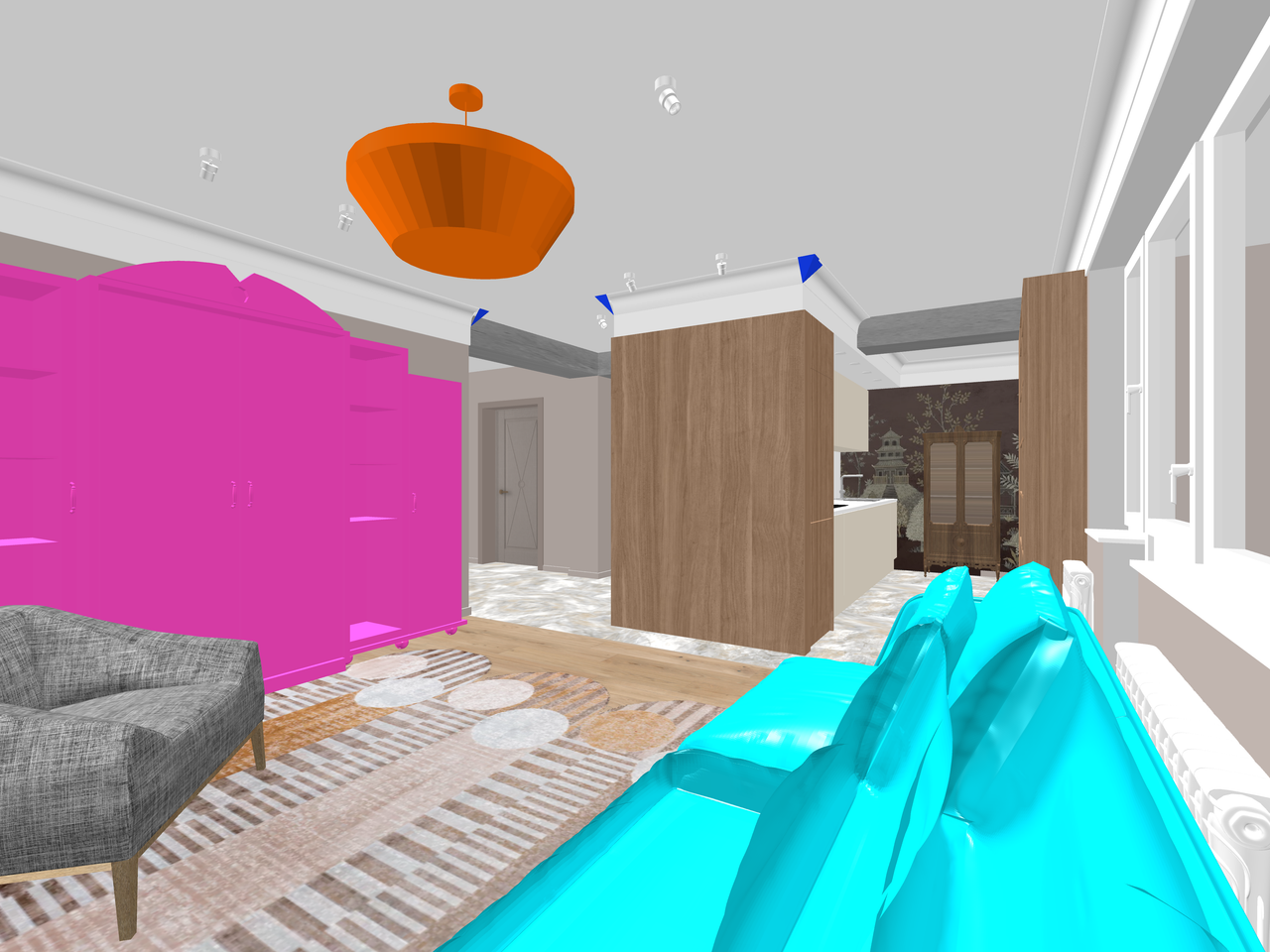
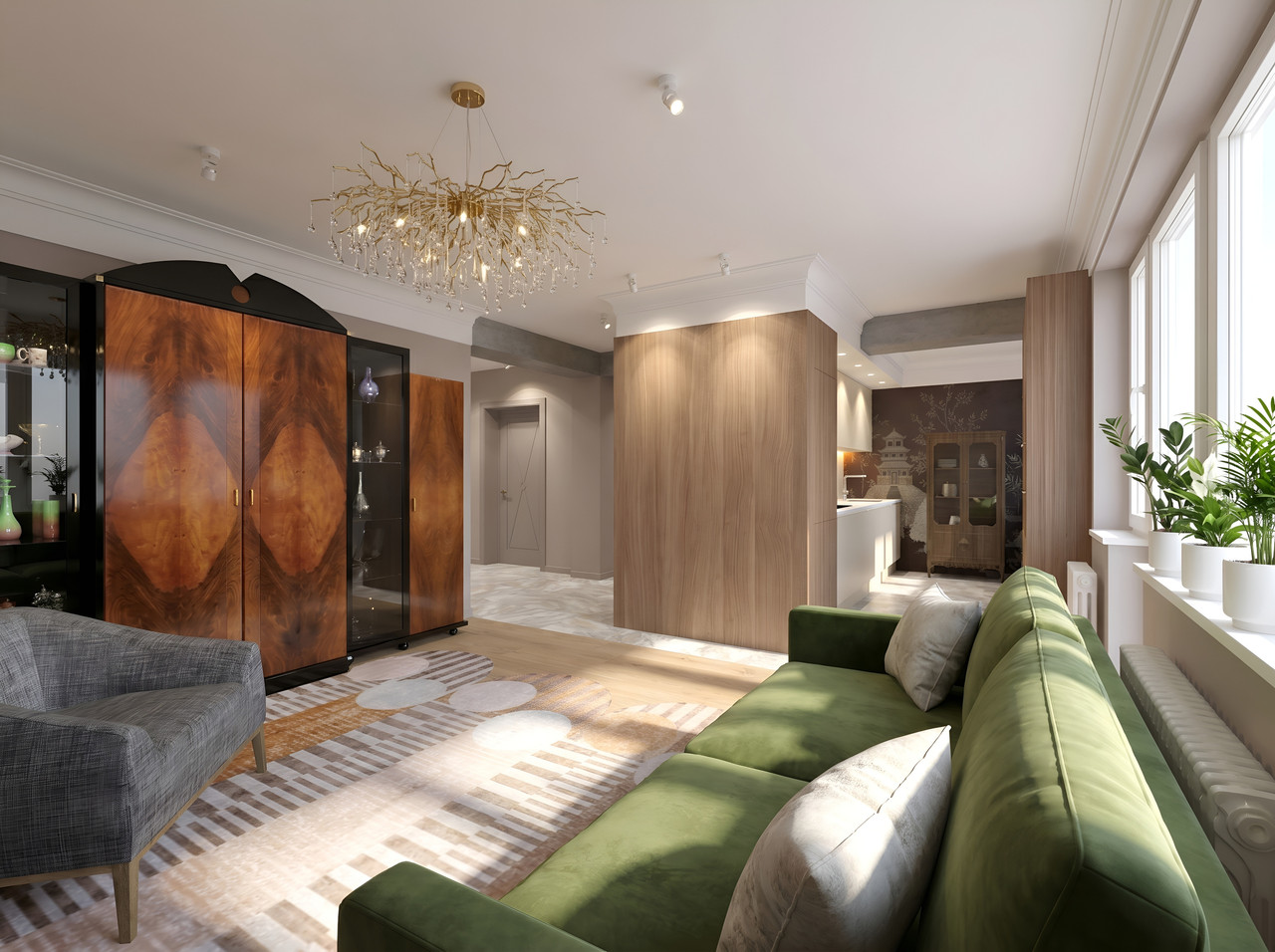
Yes, SH3D is a great platform. Of course, there are still some unresolved issues, such as the fact that it’s still impossible to create external connections for complex-shaped ceiling cornices. It’s a much-needed feature, but I don’t yet know how to implement it in the program (there was something earlier from the esteemed Dorin, but I missed it, and I’m not sure if it’s been resolved yet). Once again, I have to bring AI into the mix. I use pre-made straight cornice sections with a ready-made 3D model. Yes, this model can easily be created using walls in SH3D, but that’s not what I’m talking about. The most important thing is that I place a schematic shape from the Keet set in the corner. It’s half a pyramid (for these experiments, I need a quarter, but I haven’t found it yet) with the right proportions and flipped upside down. For the AI, I specify that the pyramid should be replaced with a corner cornice joint while maintaining the profile shape, and that the cornice should be cut at a 45-degree angle. And look—it works! Yeah, not on the first try, but so what?)) I’m in no rush.)) Yeah, it would be nice if the program had an external connection tool for cornices and baseboards with complex shapes. But for now, this will do.
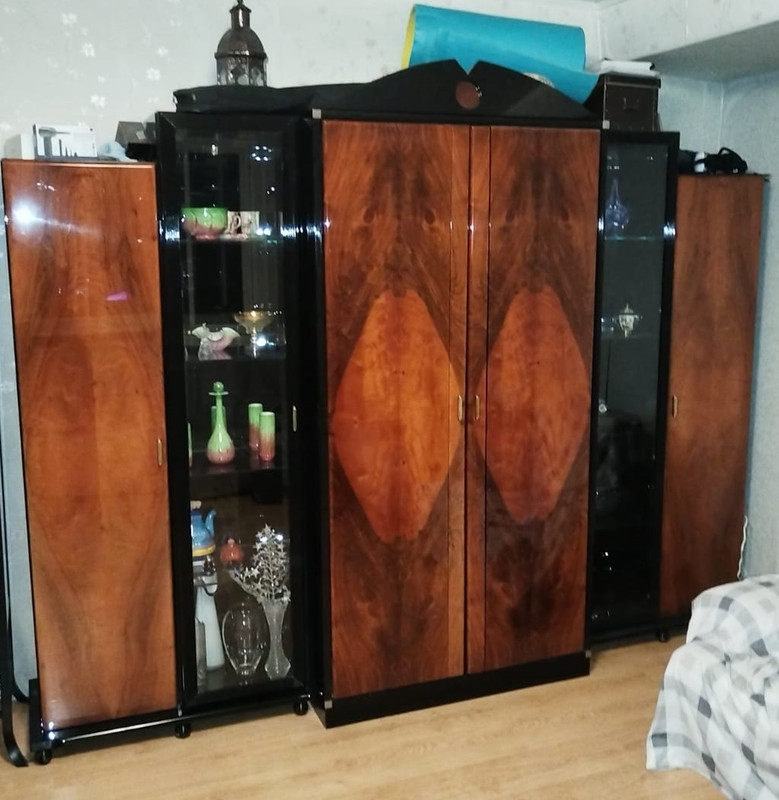
By the way, the pink cabinet is a model I created using walls based on rough measurements of the actual cabinet, for which there is currently no documentation (the cabinet was purchased a long time ago and is no longer manufactured). But the AI easily reconstructs my pink model, and the rendered cabinet looks just like the real thing (and that’s the one that will be in the final interior).
Russia
Joined: Aug 13, 2022
Post Count: 741
Status:
Offline
Re: connecting SH3D and AI for work
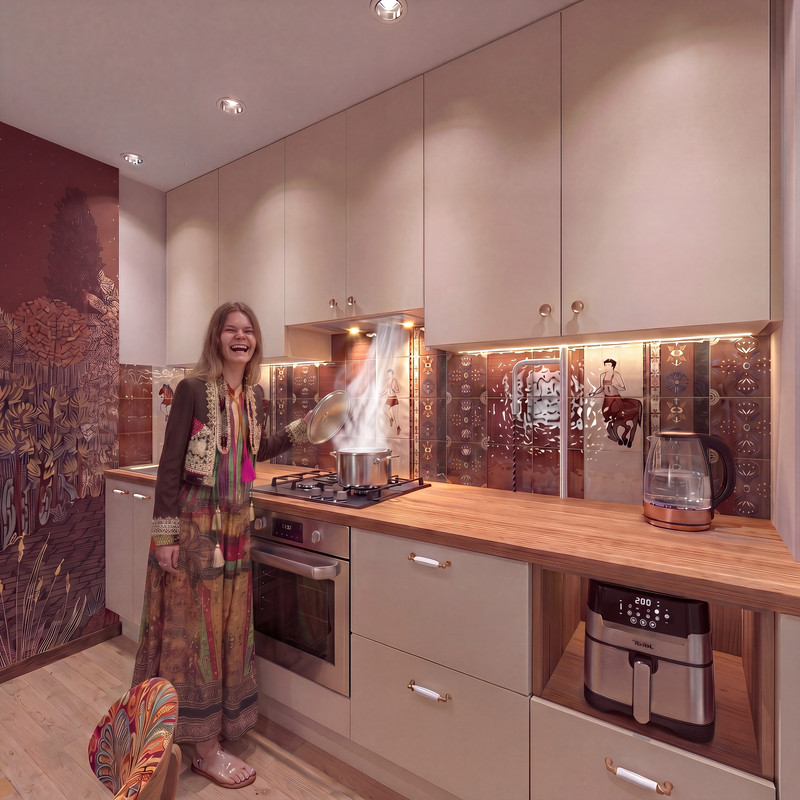
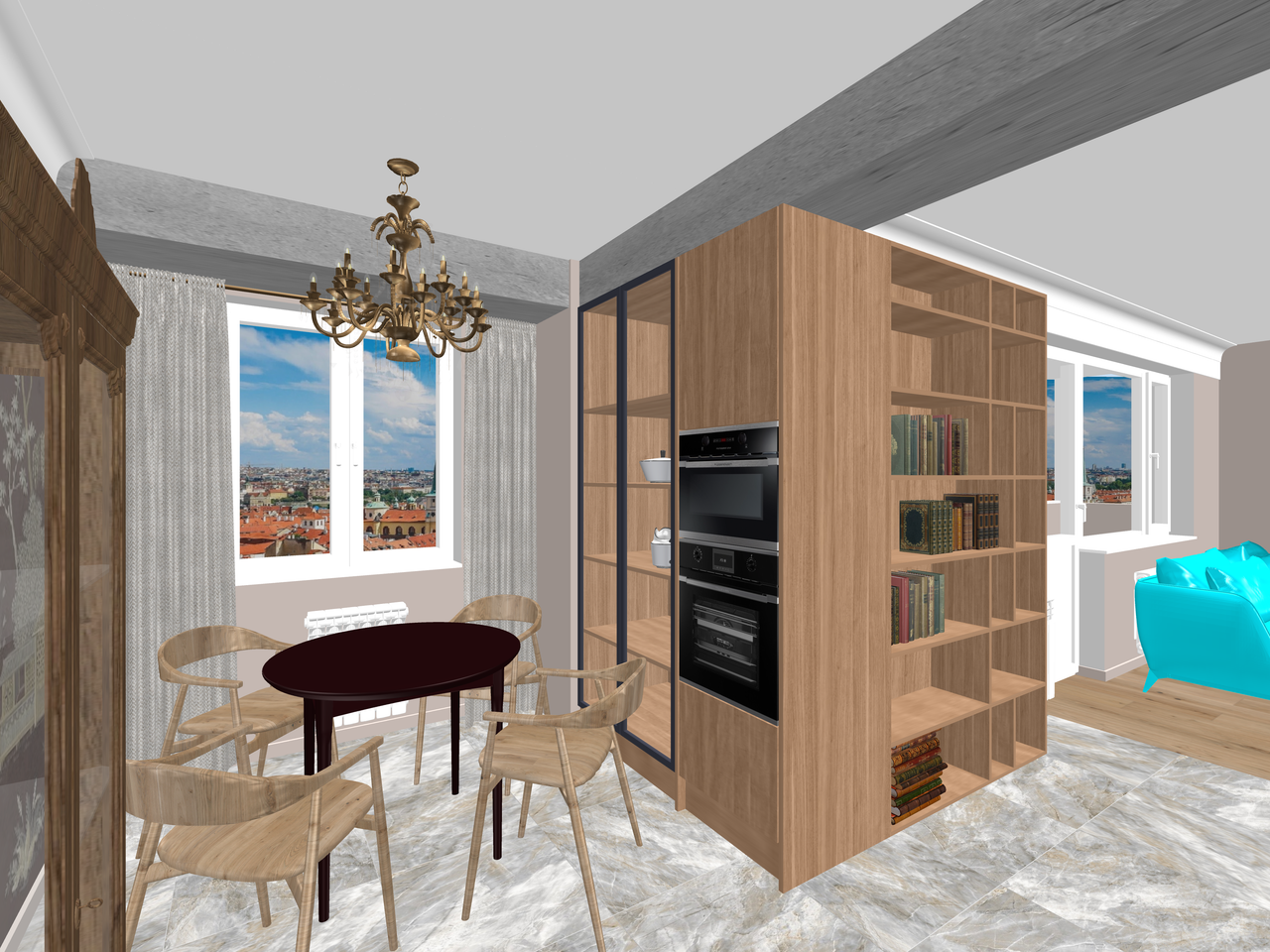
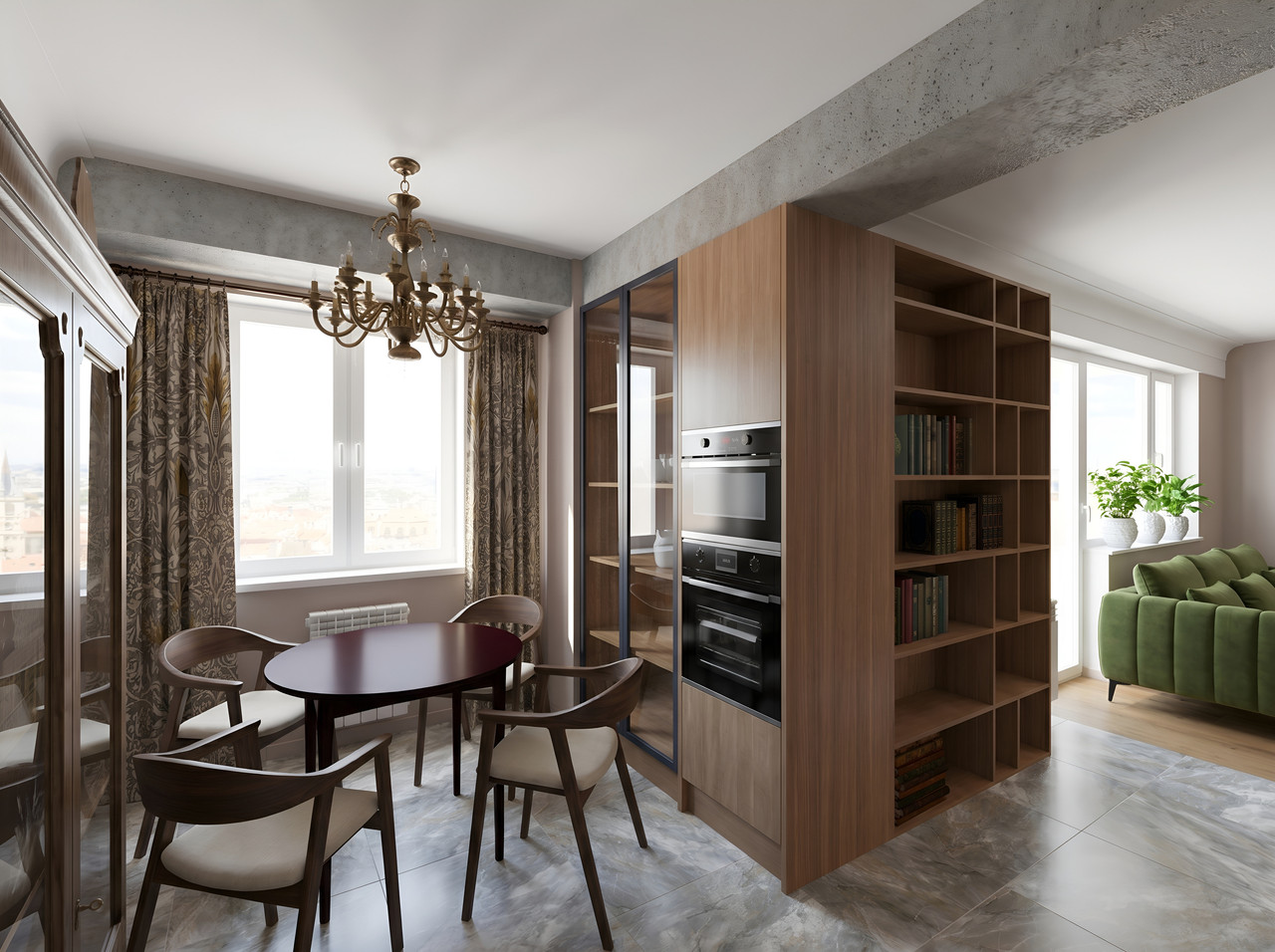
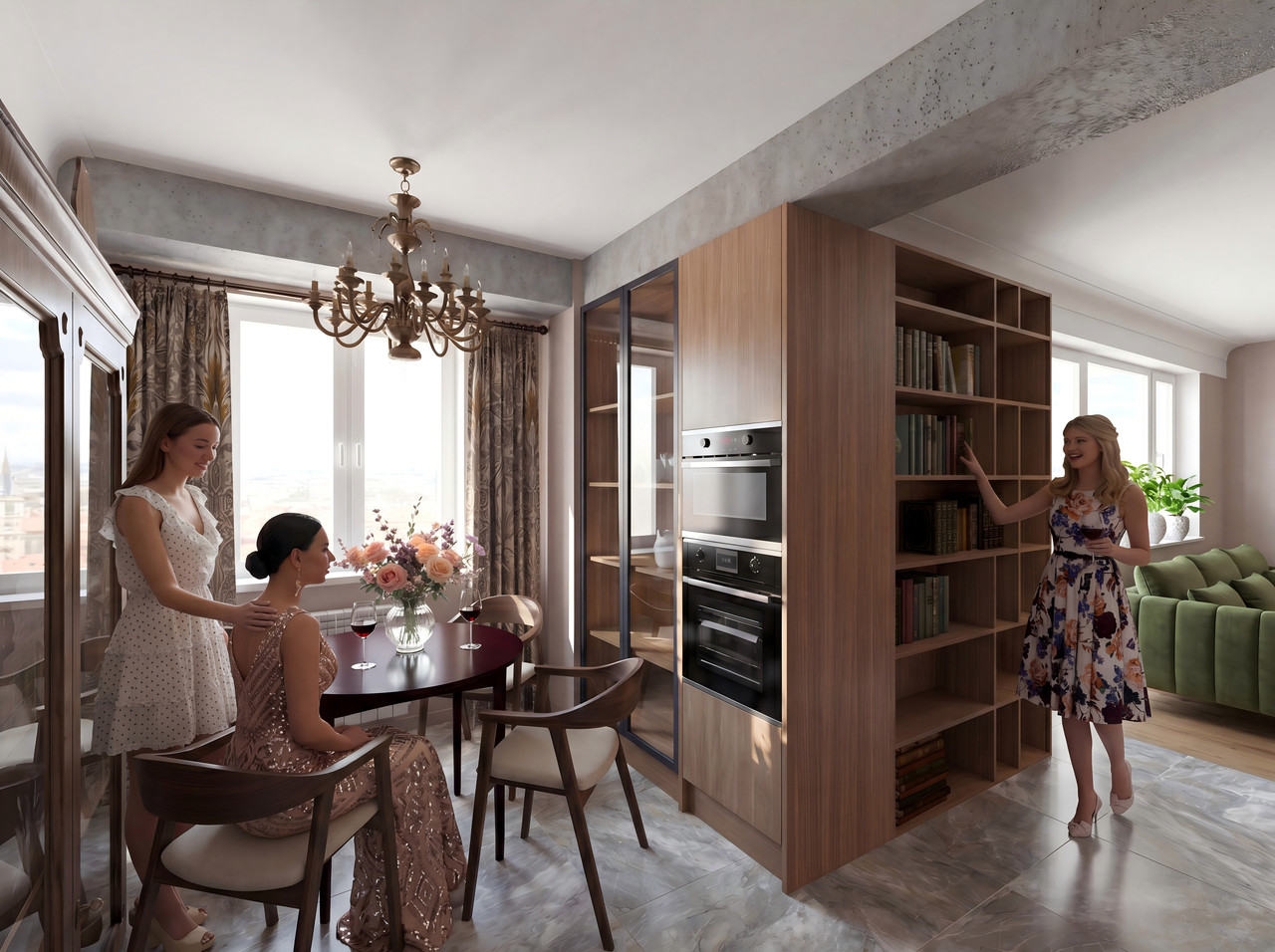
The people in an SH3D scene can look exactly as you know them, and they can act out your script. You have complete control. Have them sit down, walk along a bookshelf, or hold something in their hands. They’ll help you showcase your interior on the right scale and with an interesting atmosphere. Yes, you can use human models with hinges instead of joints, but that’s hard to apply to beautiful women. You need a different, more delicate method. Otherwise, your women won’t like the result. And you want everyone to be happy. This is a fully rendered dining room in SH3D without lighting. Some objects are missing, and of course, there are no people in the scene yet. You need to render it at the first quality level with a resolution of 4000x3000 pixels. The aspect ratio is 4:3. Using AI, we now need to create a render with street lighting and provide a very detailed description of which elements are shiny and which are not. This will serve as a base render into which we can later place other complex objects. Of course, it’s girls in pretty dresses and a glass vase with roses. The AI will handle the rest on its own; you just need to try a few times, because the AI isn’t very smart yet, so you have to guide it and steer it in the right direction.
Netherlands
Joined: Apr 8, 2022
Post Count: 1818
Status:
Offline
Re: connecting SH3D and AI for work
schematic shape from the Keet set in the corner. It’s half a pyramid (for these experiments, I need a quarter, but I haven’t found it yet)
There is a quarter pyramid in the shapes library. In the searchable catalog enter "qua pyr" and you will find it. You might like the "QuarterCone12 3Faces" better for this.
---------------------------------------- Dodecagon.nl 1300+ 3D models, manuals, and projects
Romania
Joined: Apr 24, 2014
Post Count: 832
Status:
Offline
Re: connecting SH3D and AI for work
Of course, there are still some unresolved issues, such as the fact that it’s still impossible to create external connections for complex-shaped ceiling cornices.
This issues was (partially) solved. Read this posts: Baseboards (first attempt). Moulding plugin (second attempt) and Moulding furniture library . and the final attempt: Moulding Boolean Convert plugin (MBC) , last alpha version. It compute corners as geometry but not the texture (I'm not good in this part). You can design and use your own borders, provided you follow the rules outlined in the first post.
---------------------------------------- A computer program does what you tell it to do, not what you want it to do. Murphy's Law When all else fails, read the instructions. Murphy's Law If you don't like "AS IS", DIY. Dorin's law