Print at Jan 31, 2026, 8:00:10 AM
Posts: 197   Pages: 20   [ Previous Page | 11 12 13 14 15 16 17 18 19 20 | Next Page ]
View all posts in this thread on one page
Posted by Puybaret at Nov 5, 2018, 12:00:24 AM
Re: Sweet Home 3D 6.0
What makes you think it's because of the version 6.0? Under what system do you use Sweet Home 3D? What error do you get?
----------------------------------------
Emmanuel Puybaret, Sweet Home 3D creator

Posted by Jerintho at Nov 11, 2018, 10:25:19 PM
Re: Sweet Home 3D 6.0
I was first using version 5.7 without any problems (Windows 10 system). After updating to version 6.0, the program crashes as I try to save my drawing. After going back to 5.7 everything works great again...

I will try to uninstall first and re-install 6.0. I hope it will be fixed then.

By the way, love your stuff!!

Posted by Jerintho at Nov 11, 2018, 10:41:22 PM
Re: Sweet Home 3D 6.0
Made a fresh install, everything works great now!

Posted by dorin at Nov 21, 2018, 9:26:39 AM
Re: Sweet Home 3D 6.0
WARNING For those who usually modify the look and feel.
Same features of the v.6.0 may not work because of this.
E.G.
I use
-Dswing.defaultlaf=javax.swing.plaf.nimbus.NimbusLookAndFeel

With this option the math formula in number box are not processed.
Without this (original file) it work perfect.
----------------------------------------
A computer program does what you tell it to do, not what you want it to do. Murphy's Law
When all else fails, read the instructions. Murphy's Law
If you don't like "AS IS", DIY. Dorin's law

Posted by Raevlav at Nov 21, 2018, 7:38:02 PM
Re: Sweet Home 3D 6.0
sorry guys if this is not the proper topic or these problems have been already discussed.
After upgrading to v.6 'Catalog icons' option of 'Furniture icons in plan' in 'Preferences' is not available. So all the models at plan now are shown as top view icons.
Also two lowest (fastest) qualities in 'Create photo' are not available too (the slider just cannot be moved to the corresponding positions).

Posted by Kunda at Nov 28, 2018, 6:43:39 PM
Re: Sweet Home 3D 6.0
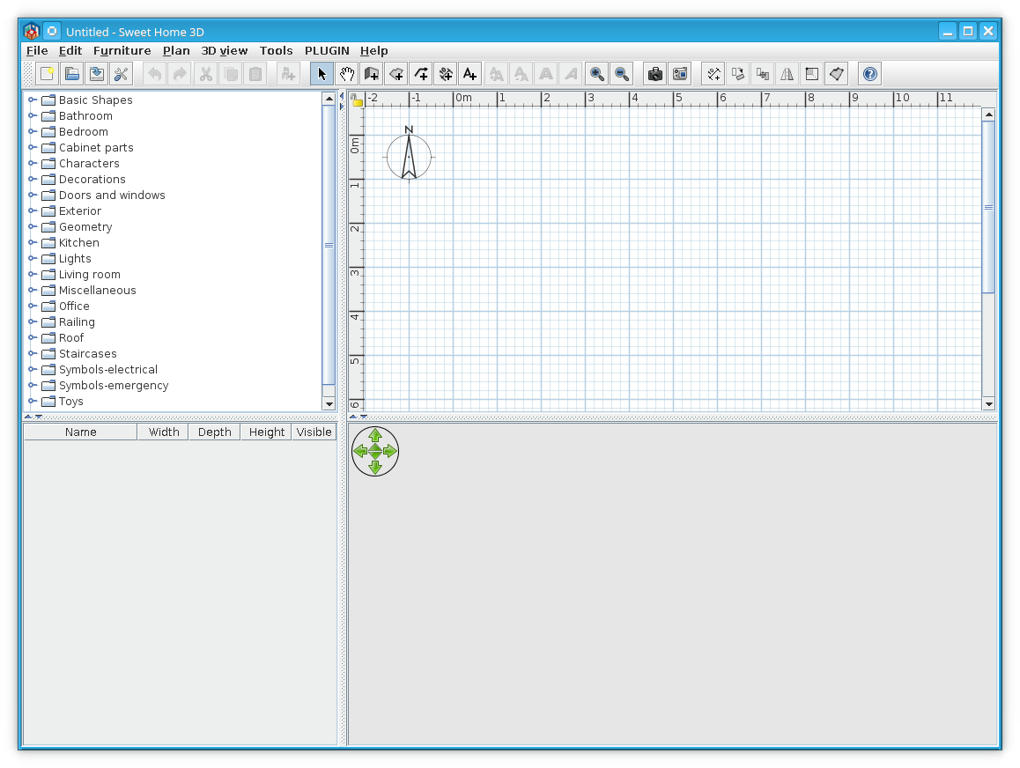
@dorin can you provide a screenshot of what the end result of modifying the look-and-feel of SH3D looks like ?

Posted by dorin at Nov 29, 2018, 9:23:11 AM
Re: Sweet Home 3D 6.0
Is not a big deal only look a little bit better
The standard:
The nimbus:
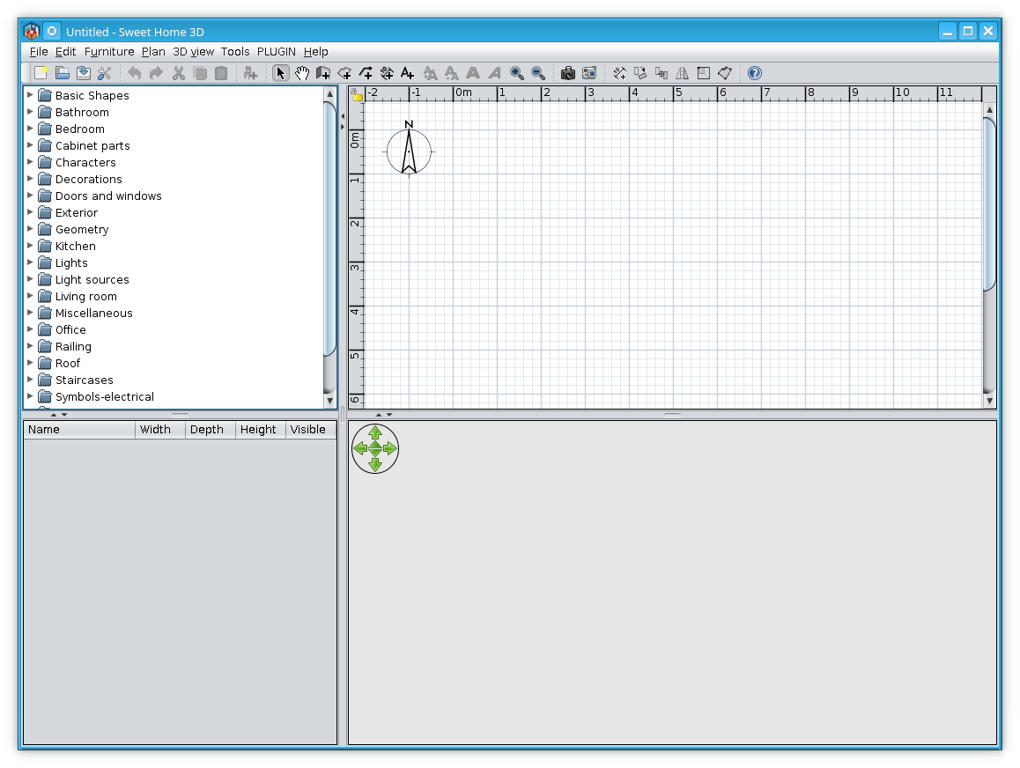

Remember the Warning: with this look-and-feel setting some function DON'T work. I've discover at this moment only the math formula issue but could be more other.
----------------------------------------
A computer program does what you tell it to do, not what you want it to do. Murphy's Law
When all else fails, read the instructions. Murphy's Law
If you don't like "AS IS", DIY. Dorin's law

Posted by maureenowaters at Oct 13, 2019, 9:48:58 AM
Re: Sweet Home 3D 6.0
So beautiful, just love it.

Posted by 3DMR at Feb 3, 2023, 12:07:01 PM
Re: Sweet Home 3D 6.0
Hi Puybaret, I managed to open and close a door with Blender.
In SweetHome I can now see the option (Modify opening) but the textures of the door and hinges are transparent after exporting them (OBJ) from Blender.
(The door frame is not transparent).
What should I do to make the textures solid ?

Posted by 3DMR at Feb 3, 2023, 3:25:22 PM
Re: Sweet Home 3D 6.0
Hi Puybaret, Found it and I'm a little embarrassed, I forgot to look at the "normals" in Blender, they weren't all facing out. Sloppy of me but maybe someone else can benefit from the "solution".

Posts: 197   Pages: 20   [ Previous Page | 11 12 13 14 15 16 17 18 19 20 | Next Page ]