Print at Jan 31, 2026, 4:43:06 AM
Posts: 197   Pages: 20   [ Previous Page | 9 10 11 12 13 14 15 16 17 18 | Next Page ]
View all posts in this thread on one page
Posted by hansmex at Oct 5, 2018, 2:01:34 PM
Re: Sweet Home 3D 6.0
I just copied the new files in the beta-11 directory, thinking that was all I needed to do. I forgot that I needed the Xmx-thing to change memory usage.

Rest assured, I didn't hit myself overly hard. :-)
----------------------------------------
Hans

new website - under constuction
hansdirkse.info

Posted by Ceciliabr at Oct 5, 2018, 5:34:33 PM
Re: Sweet Home 3D 6.0
I have been doing some extensive testing of v6 β14 using OSX Mojave, and have found a couple of things I would like to mention:

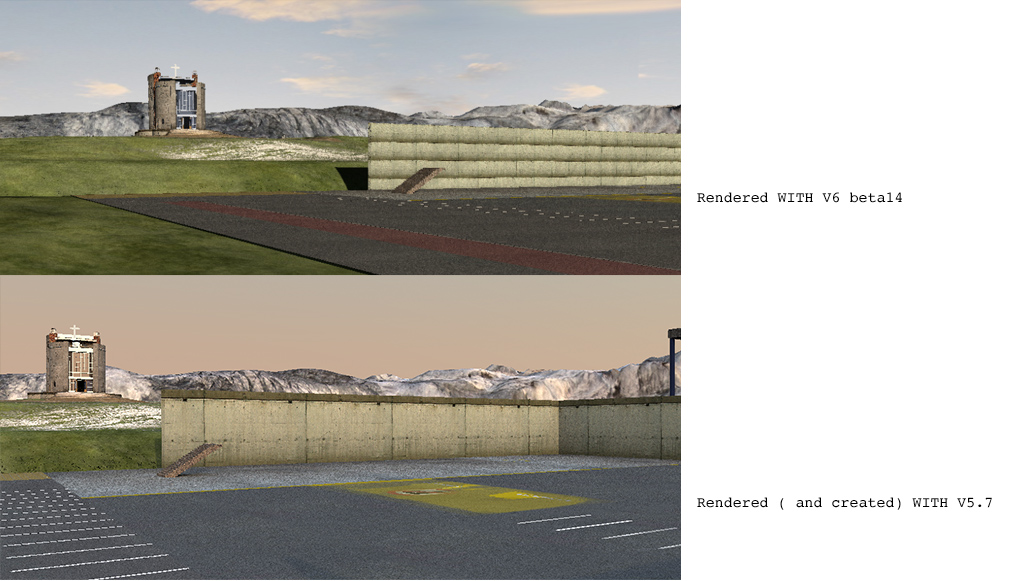
1) β14 does not read textures correct for files created with older versions:


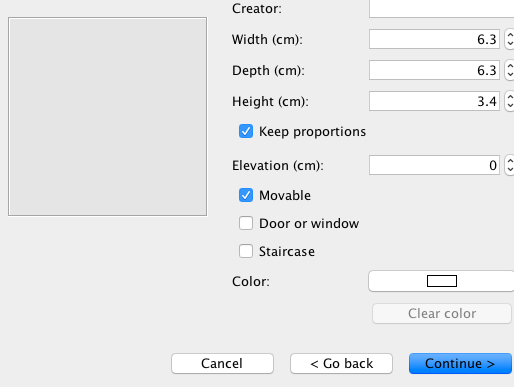
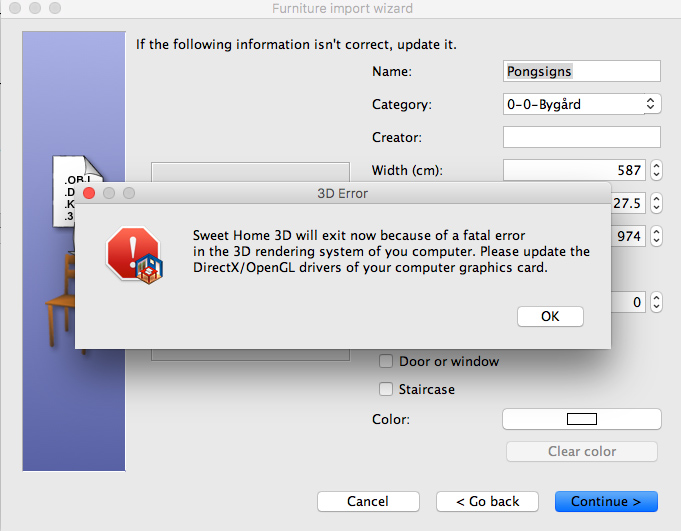
2) When importing furniture, the status of the Continue-button changes before the model has loaded.


3) When cancelling a rendering by mistake, the rendering just stops without offering a chance to reconsider your choice. It's very easy to cancel a render process unintentionally and loose hours of rendering, so this is important!


Part from this: All thumbs up!

Cec
Posted by hansmex at Oct 5, 2018, 5:51:04 PM
Re: Sweet Home 3D 6.0
3) Rendering stopping without asking can happen also under other OS's, especially in the beginning of the rendering process.
----------------------------------------
Hans

new website - under constuction
hansdirkse.info

Posted by Puybaret at Oct 5, 2018, 9:03:50 PM
Re: Sweet Home 3D 6.0
Cecilia, thanks for your report.

1) Could you send me a demo file with textures that don't behave as in version 5.7?

2) I don't think it's very serious, moreover in the 3rd step of the furniture import wizard.

3) The stop button starts to warn you once the rendering has already lasted 30s.
----------------------------------------
Emmanuel Puybaret, Sweet Home 3D creator

Posted by Ceciliabr at Oct 5, 2018, 10:30:08 PM
Re: Sweet Home 3D 6.0
Could you send me a demo file with textures that don't behave as in version 5.7?

I have unfortunately already re-textured all the walls and saved the project with v6.

2) I don't think it's very serious, moreover in the 3rd step of the furniture import wizard.
This IS serious:


This happens if you press Continue too early.


3) The stop button starts to warn you once the rendering has already lasted 30s.

I noticed. But the warning pop-up is hidden behind the render window.


Cec

Posted by bdfd at Oct 6, 2018, 8:29:43 AM
smile   Re: Sweet Home 3D 6.0
Hi,

At this day, none problem with v6 beta14 ! applause

1. Furniture import wizard : OK

2. Renderings
with standard Q4 : OK.

with PVR 1.5 Q4 : OK (0 to 100%).
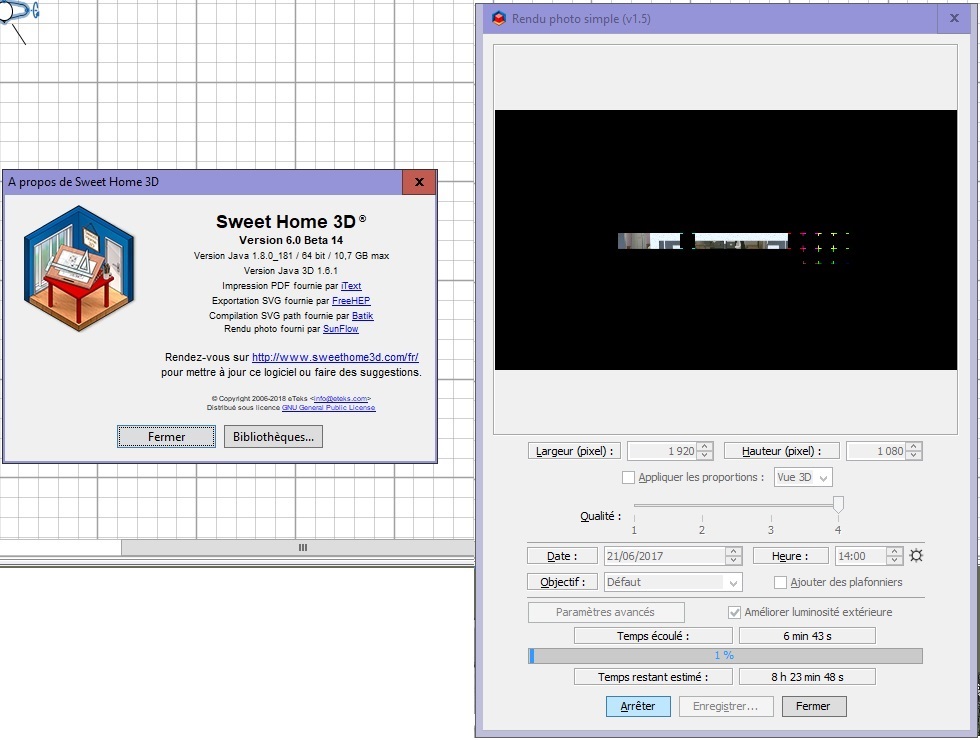
=> estimated time given at 1% : 08h23mn. sad
=> estimated time given at 2% : 07h01mn. biggrin
=> estimated time given at 3% : 08h13mn ??? confused


smile
.
----------------------------------------
Evil progresses when good people do nothing!
---
SH3D 7.1 and nothing else - W11 64b in 4K

Posted by hansmex at Oct 6, 2018, 12:04:03 PM
Re: Sweet Home 3D 6.0
3) The stop button starts to warn you once the rendering has already lasted 30s.
That's what I noticed, so no problem for me.

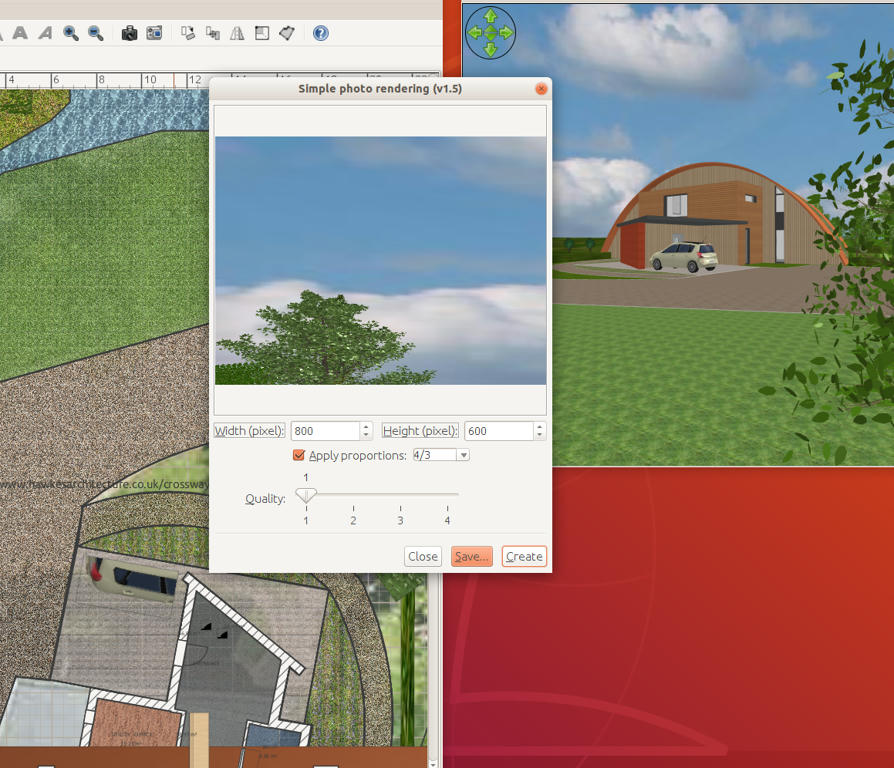
But... I did notice some strange behavior. When I make a quick render using Q1, I get a different picture from what I expect. (See screenshot). However, when I make the same render in Q3 everything is normal.


----------------------------------------
Hans

new website - under constuction
hansdirkse.info

Posted by Ceciliabr at Oct 7, 2018, 2:13:44 AM
Re: Sweet Home 3D 6.0
@ Puybaret

Can you check copy/paste from other projects?

I'm unable to copy /paste anything from this project with beta 14.

In v5.7 it works fine.


Cec

Posted by Puybaret at Oct 7, 2018, 7:43:03 PM
Re: Sweet Home 3D 6.0
Cec, I couldn't reproduce the 3D error during furniture wizard. I already saw it happen rarely, but I could force the error myself during the past days. I even tried to press <enter> to continue very quickly between each step, but even this behavior didn't cause problems. Does it happen each time in your case?

I also successfully tested the copy/paste between projects. I suspect you tried to copy something from Sweet Home 3D 5.7 then paste it in a new project running with Sweet Home 3D 6.0 Beta, in which case it can't work. Copy/Paste works only within the same Sweet Home 3D program.

Hans, I couldn't reproduce your issue too. There must be an additional parameter...
----------------------------------------
Emmanuel Puybaret, Sweet Home 3D creator

Posted by Ceciliabr at Oct 8, 2018, 1:01:50 PM
Re: Sweet Home 3D 6.0
Does it happen each time in your case?
More or less each time. I can reproduce this error every time I'm importing bigger models. Not so often with smaller.
It would be nice if continue didn't work until it was safe to use.

Copy/Paste works only within the same Sweet Home 3D program.

Of course. I even saved the linked project with v6 and re-opened it. After copying a spotlight, the only option I get is to Paste StylePaste is greyed out on the menu.


Cec

Posts: 197   Pages: 20   [ Previous Page | 9 10 11 12 13 14 15 16 17 18 | Next Page ]