https://sourceforge.net/p/sweethome3d/f ... ests/1084/
4 year old patch for exporting hierarchy into .obj files.
Never picked up, presumably because it would taint ownership over the core program.
I've updated and improved it for DobryDom3D:
https://github.com/laszukdawid/DobryDom3D/pull/59
If Dawid reads this next bit, don't take it personally. I'm just cautious by nature.
I compared his initial commit to my own 7.5 local clone and can confirm it matches identically. I think there is one new file just describing what he is doing.
I then had Claude scan for anything in his following ~60 commits for anything troubling, and it all came back clean.
Photo-video rendering plug-in
This topic has been viewed 2321989 times and has 240 replies

Re: Photo-video rendering plug-in
SweetHome3D only works with groups in the obj files but it can import obj files that only have objects (o) in the file. There is no need to change the export to objects for Blender, in Blender you can choose to split into groups when importing (if there are groups) or only import objects (o) or both. The same with export from Blender, you can choose to export groups and/or objects.
If you have downloaded a model that only has objects and no groups you can simply import it in SweetHome3D and export it again. SweetHome3D will export it with groups per material.
The g and o groupings are just that, groupings. If you remove them all you still have a valid file that you can import.
If you have created a model with deformation strings on the g lines you can import these in Blender with the switch to import groups (and not objects). Remember to also export groups and NOT objects or you will loose your deformation strings. I found Blender an excellent alternative for adding/editing deformation strings instead of the plain text editor.
If you have downloaded a model that only has objects and no groups you can simply import it in SweetHome3D and export it again. SweetHome3D will export it with groups per material.
The g and o groupings are just that, groupings. If you remove them all you still have a valid file that you can import.
If you have created a model with deformation strings on the g lines you can import these in Blender with the switch to import groups (and not objects). Remember to also export groups and NOT objects or you will loose your deformation strings. I found Blender an excellent alternative for adding/editing deformation strings instead of the plain text editor.
Dodecagon.nl
1300+ 3D models, manuals, and projects
1300+ 3D models, manuals, and projects

Re: Photo-video rendering plug-in
@Keet I think you're talking about my patch. The issue I had was that I wanted to use my entire SH3D plan in Blender. The options were:
- A single monolithic mesh with a horrific texture map, or
- A bazillion meshes with no structure and no sensible naming.
[/list=1]
This patch makes the import into Blender much better.
See the image at https://github.com/laszukdawid/DobryDom3D/issues/57
where you can see hierarchical structure with dedicated collections for elevations, levels, walls, ceilings, floors and groups. Makes working with a whole house in Blender about a thousand percent easier.
Re: Photo-video rendering plug-in
Ah yes, that is different. The split for a complex export to Blender looks much better with the patch.
Dodecagon.nl
1300+ 3D models, manuals, and projects
1300+ 3D models, manuals, and projects
Re: Photo-video rendering plug-in
Windows 64bit | Intel i7 | SH3D 8.0 + Plugins
Re: Photo-video rendering plug-in
Sneek Peek 3
Added support to use *.hdr (High Dynamic Range) images as background in Sunflow advanced settings.
Renderer now recognizes embedded Radiance.
Added support to use *.hdr (High Dynamic Range) images as background in Sunflow advanced settings.
Renderer now recognizes embedded Radiance.
Windows 64bit | Intel i7 | SH3D 8.0 + Plugins
Re: Photo-video rendering plug-in
Sneek Peek 4
Added support to create Z-Depth renders in Sunflow override Shaders.
This has been a popular request to Render images as Z-Depth channel for post processing.
Near and Far distances can be entered by user as numerical values.
Added support to create Z-Depth renders in Sunflow override Shaders.
This has been a popular request to Render images as Z-Depth channel for post processing.
Near and Far distances can be entered by user as numerical values.
Windows 64bit | Intel i7 | SH3D 8.0 + Plugins
Re: Photo-video rendering plug-in
Windows 64bit | Intel i7 | SH3D 8.0 + Plugins
Re: Photo-video rendering plug-in
Sneek Peek 5
Added support to all 6 GI modes in yafaray
4. Bidirectional Path Tracing (BPT)
An advanced unbiased mode that traces ray paths simultaneously from both the camera and the light sources, connecting them in the middle.This method is exceptionally powerful for complex indoor setups or scenes where light enters through tiny gaps, slots, or windows.
5. Ambient Occlusion (AO)
An approximation method that calculates how exposed each point in a scene is to ambient light from a full hemisphere. It darkens corners, crevices, and contact points. Though technically a trick rather than true physical light bouncing, it adds swift, pseudo-GI depth to preview renders.
6. Final Gather / Irradiance Cache (Integration Layer)
Depending on your version or host application interface (like Blender or Sweet Home 3D), Final Gather (FG) or Irradiance Caching acts as a sample-filtering mode used on top of Photon Mapping. It uses a pre-pass to map out where high-contrast changes occur and selectively distributes complex ray calculations, drastically smoothing out photon maps and speeding up final rendering output.
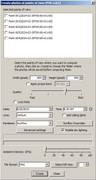
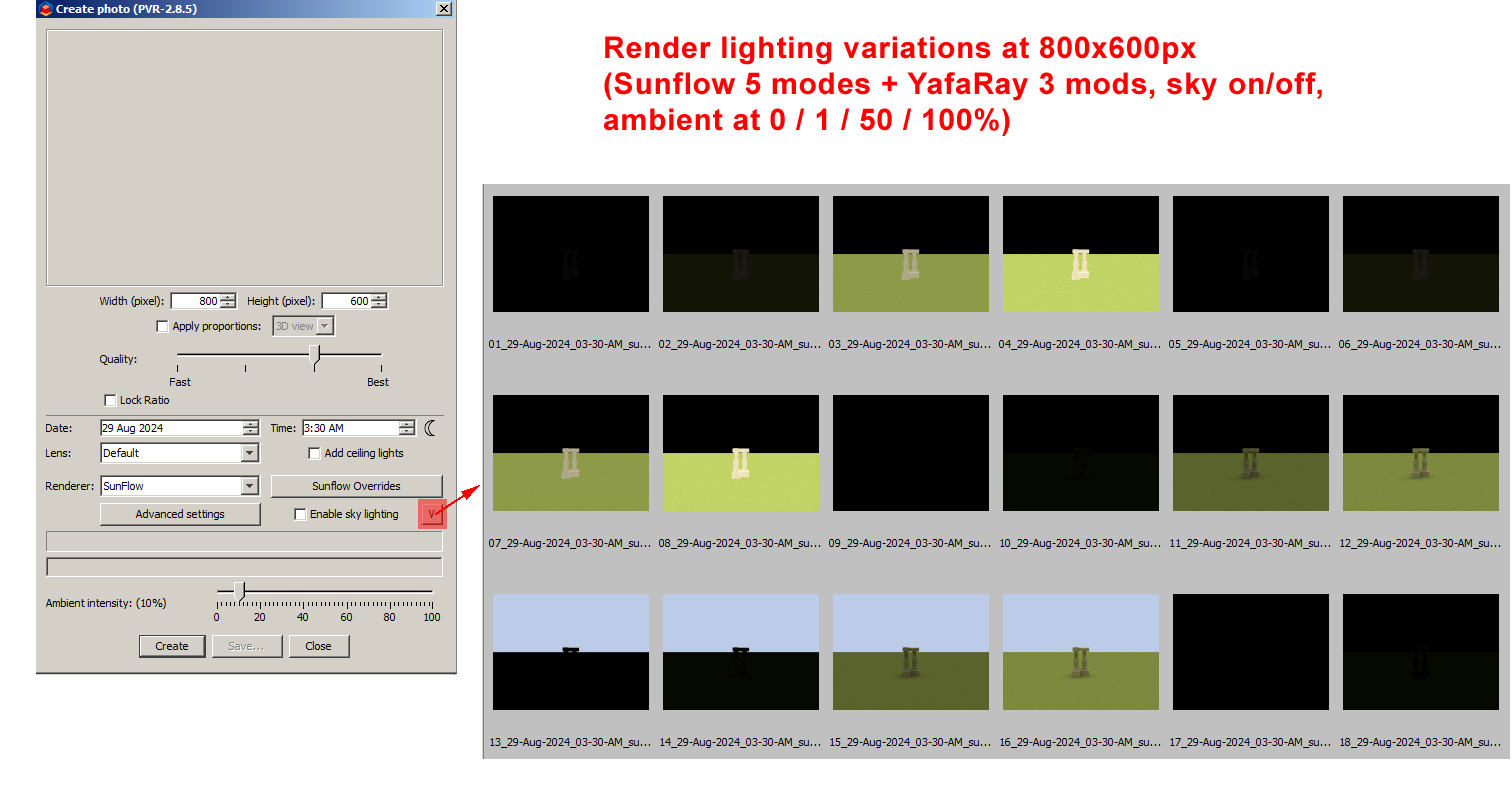
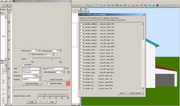
88 Render Variations
(5 Sunflow modes + 6 Yafaray modes) * 2 sky light modes * 4 Ambient intensity levels
Press SHIFT + variations button to open a selection List
when List is open:
ctrl + a > selects all 88 variations
ctrl + s > selects all sunflow variations
ctrl + y > selects all yafaray variations
ctrl + n > selects none
Ctrl + o > checks only variations with sky lighting on
Ctrl + f > checks only variations with sky lighting off
Ctrl + 0 > checks only variations with 0% ambient intensity
Ctrl + 1 > checks only variations with 1% ambient intensity
Ctrl + 5 > checks only variations with 50% ambient intensity
Ctrl + h > checks only variations with 100% ambient intensity
Added support to all 6 GI modes in yafaray
4. Bidirectional Path Tracing (BPT)
An advanced unbiased mode that traces ray paths simultaneously from both the camera and the light sources, connecting them in the middle.This method is exceptionally powerful for complex indoor setups or scenes where light enters through tiny gaps, slots, or windows.
5. Ambient Occlusion (AO)
An approximation method that calculates how exposed each point in a scene is to ambient light from a full hemisphere. It darkens corners, crevices, and contact points. Though technically a trick rather than true physical light bouncing, it adds swift, pseudo-GI depth to preview renders.
6. Final Gather / Irradiance Cache (Integration Layer)
Depending on your version or host application interface (like Blender or Sweet Home 3D), Final Gather (FG) or Irradiance Caching acts as a sample-filtering mode used on top of Photon Mapping. It uses a pre-pass to map out where high-contrast changes occur and selectively distributes complex ray calculations, drastically smoothing out photon maps and speeding up final rendering output.
88 Render Variations
(5 Sunflow modes + 6 Yafaray modes) * 2 sky light modes * 4 Ambient intensity levels
Press SHIFT + variations button to open a selection List
when List is open:
ctrl + a > selects all 88 variations
ctrl + s > selects all sunflow variations
ctrl + y > selects all yafaray variations
ctrl + n > selects none
Ctrl + o > checks only variations with sky lighting on
Ctrl + f > checks only variations with sky lighting off
Ctrl + 0 > checks only variations with 0% ambient intensity
Ctrl + 1 > checks only variations with 1% ambient intensity
Ctrl + 5 > checks only variations with 50% ambient intensity
Ctrl + h > checks only variations with 100% ambient intensity
Windows 64bit | Intel i7 | SH3D 8.0 + Plugins
Who is online
Users browsing this forum: No registered users