This topic has been viewed 2562 times and has 4 replies
Thread status:
How can I do this? [img]http://www.sweethome3d.com/images/flags/en_small.gif[/img]
k005
Member
Posts: 60 Joined: Sat Aug 06, 2022 1:23 pmCountry: TURKEY
Post
by k005 Fri Aug 12, 2022 1:12 pm
Hello everyone
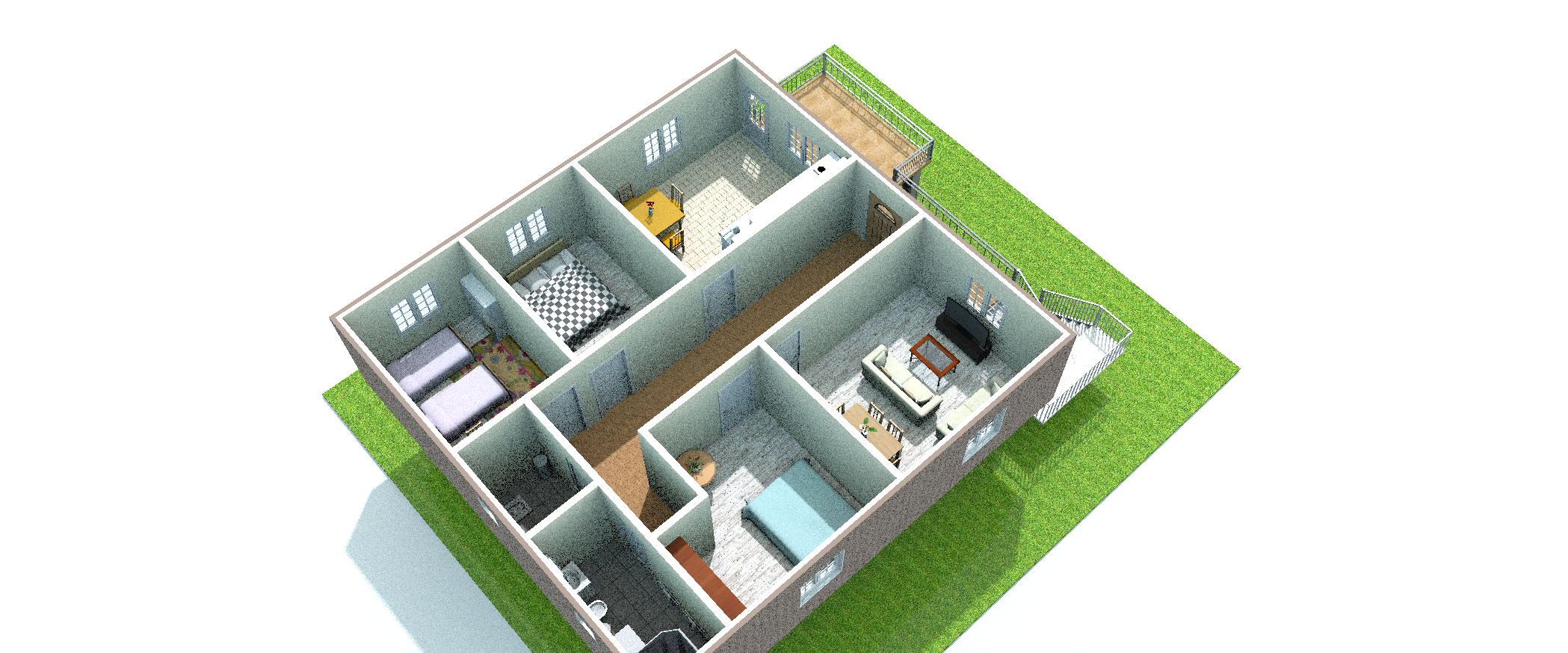
I did a study. I got a render. But the result was like this. am i making a mistake somewhere?
How can I get a quality image?
Puybaret
Expert
Posts: 9440 Joined: Mon Nov 07, 2005 12:00 pmCountry: Paris, France
Contact:
Post
by Puybaret Fri Aug 12, 2022 2:24 pm
No, this is noise, the less noise you want the more time to compute it will take.
Emmanuel Puybaret, Sweet Home 3D creator
k005
Member
Posts: 60 Joined: Sat Aug 06, 2022 1:23 pmCountry: TURKEY
Post
by k005 Fri Aug 12, 2022 2:53 pm
I understand. So what pixel size should I use?
Puybaret
Expert
Posts: 9440 Joined: Mon Nov 07, 2005 12:00 pmCountry: Paris, France
Contact:
Post
by Puybaret Fri Aug 12, 2022 3:30 pm
Just try it. It's up to you decide what quality you want and what you want to do with the generated image.
Emmanuel Puybaret, Sweet Home 3D creator
k005
Member
Posts: 60 Joined: Sat Aug 06, 2022 1:23 pmCountry: TURKEY
Post
by k005 Fri Aug 12, 2022 3:39 pm
OK I did it. I tried 1920x1080p in the best quality. it happened.
Users browsing this forum: Semrush [Bot]