Sun Sky options hidden.

This topic has been viewed 1278 times and has 29 replies
Thread status: Active
Discuss anything here [img]http://www.sweethome3d.com/images/flags/en_small.gif[/img]
sjb007
Advanced Member
Posts: 349
Joined: Tue May 18, 2021 1:49 pm

Re: Sun Sky options hidden.

Post by sjb007 »

Well that was relatively quick and painless. It works for both SunFlow and YafaRay. Note it only works with the built in photo/video creator under the 3D view menu, not the plugins.

This is only available in DobryDom3D, and as I contributed the change under the GPL license, Space Mushrooms can only incorporate this change into SH3D if they re-release their source under GPL too. :lol:

These examples are all with Sunflow, at the same timestamp, but Yafaray is very, very similar, and both adapt to timestamp too.
turb_025.png
turb_025.png (82.71 KiB) Viewed 363 times
turb_060.png
turb_060.png (86.92 KiB) Viewed 363 times
turb_100.png
turb_100.png (86.74 KiB) Viewed 363 times
sjb007
Advanced Member
Posts: 349
Joined: Tue May 18, 2021 1:49 pm

Re: Sun Sky options hidden.

Post by sjb007 »

Asked Claude regarding Ozone and it confirmed my initial assessment. It would either require rebuilding those libraries, or some half-arsed kludge that only half works. It is also quite a subtle effect, so I'm less inclined to try fighting the existing implementation.
sjb007
Advanced Member
Posts: 349
Joined: Tue May 18, 2021 1:49 pm

Re: Sun Sky options hidden.

Post by sjb007 »

Re-read your original post and realised about the alpha channel stuff. Hows about this? It even works through glass! Will be merged to DD3D shortly.
Screenshot From 2026-10-31 21-50-01.png
Screenshot From 2026-10-31 21-50-01.png (196.92 KiB) Viewed 357 times
sjb007
Advanced Member
Posts: 349
Joined: Tue May 18, 2021 1:49 pm

Re: Sun Sky options hidden.

Post by sjb007 »

Screenshot From 2026-11-01 05-38-39.png
Screenshot From 2026-11-01 05-38-39.png (16.08 KiB) Viewed 343 times
So I've added a few extra controls to control the render. They work, but they really need multiple diffuse bounces like in the Advanced PVR plugin. I might see if I can port this over so it is intrinsic in DD3D. (This is all being done by Claude btw, I'm just acting like the conductor.)
User avatar
GaudiGalopin3324
Advanced Member
Posts: 762
Joined: Sat Aug 13, 2022 9:58 am
Country: Russia

Re: Sun Sky options hidden.

Post by GaudiGalopin3324 »

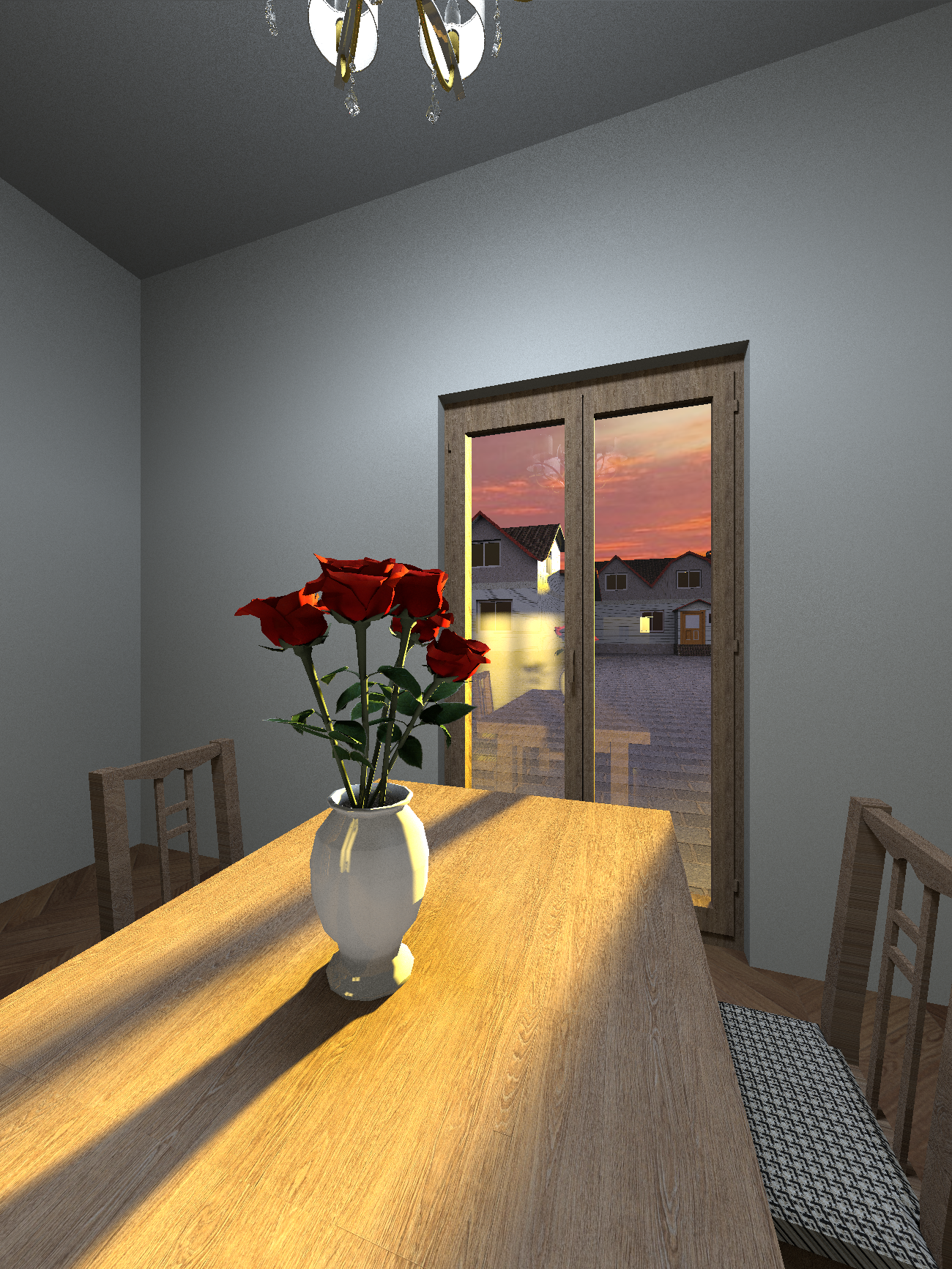
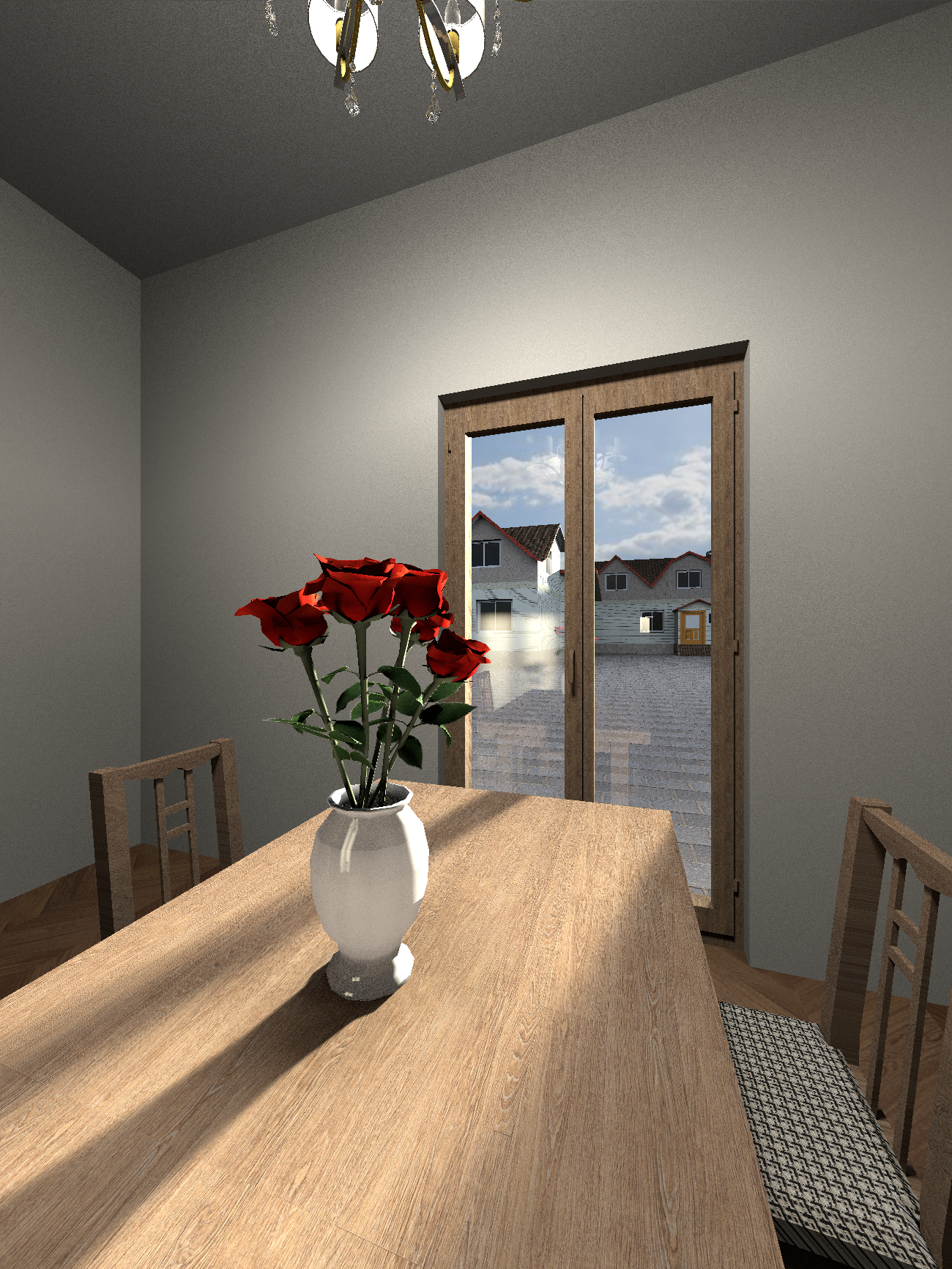
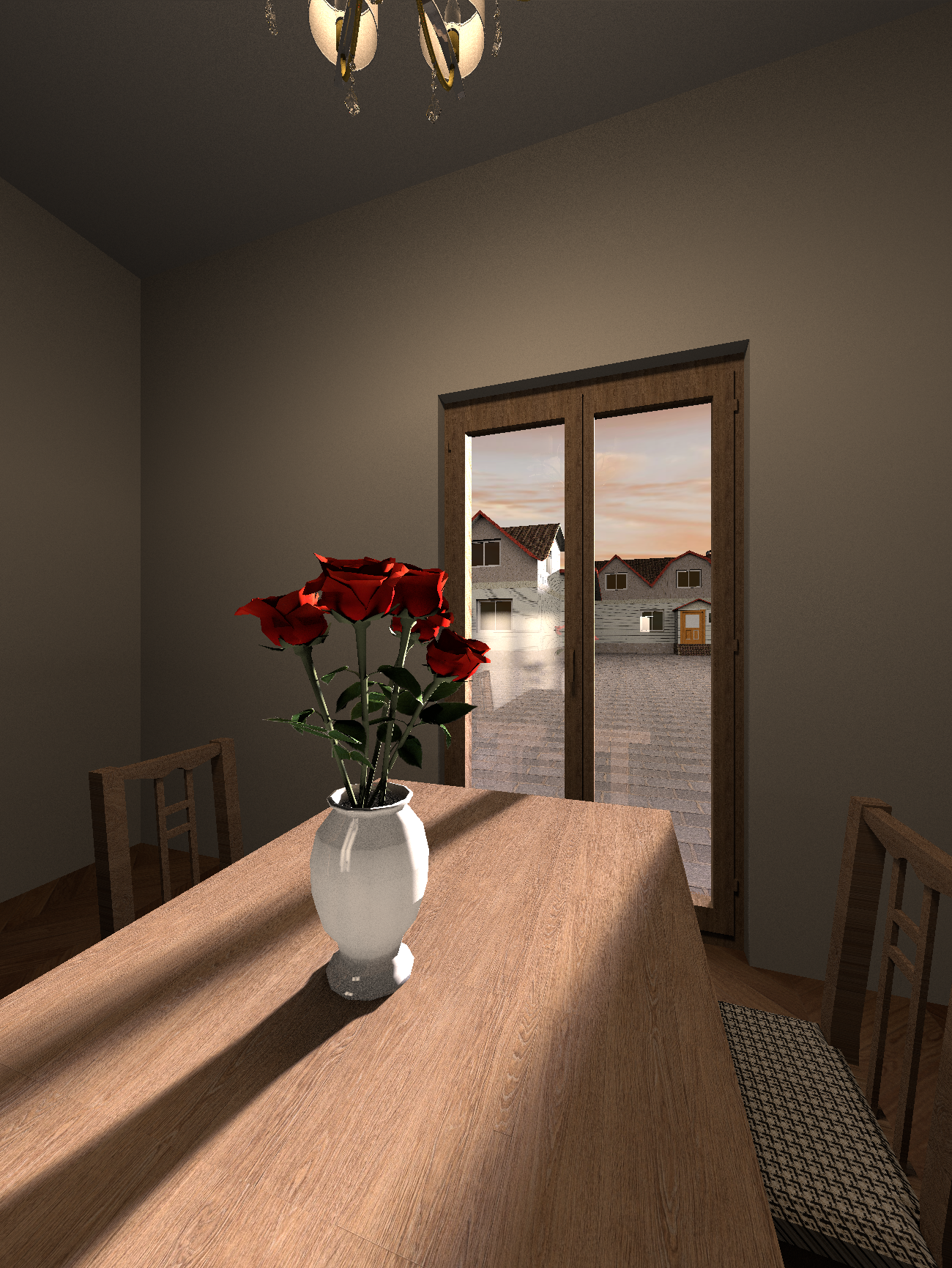
I'm not sure if my advice would be useful to anyone.. But you can completely abandon the SH3D Sun and create your own artificial Sun with the necessary parameters. For example, I made a simple room and a minimal outdoor environment - two real houses. Now about the sun. These are high-power colored spheres. To obtain a plausible diffraction effect of the sun's rays as they pass through the edge of the mold, large sizes of these spheres are needed. I took a sphere with a diameter of 6 meters and raised it to a height of 9 meters 80 cm. Inside this sphere, I placed another sphere with a smaller diameter of 3 meters. The outer sphere is orange, the inner sphere is blue. The maximum power is 100%. The most important thing is to move this group of spheres away from the camera to a maximum distance, but no more than 100 meters. Starting from this distance, the spheres stop working, so no more than 100 meters can be checked using a template. The number of such groups of spheres can be made 10-20 pieces. This method allows you to control the contrast between the brightness of the street light and the brightness of the interior lighting of the room. This feature is conditional in the program. And most importantly, you can set different light temperatures (the color of the spheres) to match the time of day. Morning, afternoon, evening.. The color of the outer sphere at sunset is orange, the color of the inner sphere is blue. During the day, the outer sphere is white, the inner one is blue or orange. In the evening, the colors are beige and cream. There's creativity here. Different colors of the spheres are needed for more complex shadow boundaries in color. The shadow in the middle is cold, and the border is warmer.
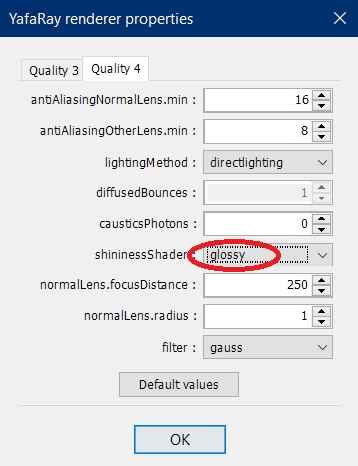
My renderings do not pretend to be a masterpiece, I want to show the direction of experiments with the artificial sun. All reflections in the glass of the window can appear, but you need to understand that the reflection in the window from inside the room will be distinct if the brightness of the spot on the wall or on the object is greater than the brightness of the illumination of objects on the street. This is how the windows in the police interrogation room work. If this difference becomes insignificant or vice versa, the reflections disappear. And just in case, I'll say again that if you use the render at the maximum fourth quality, then you need to set the Glossy parameter. This is my most important discovery of the past year, before I was sure that reflections in glossy surfaces are possible only at the third level of quality.
Image
Image
Image
Image
I did the sky as usual, in virtual visitor mode I assigned the sky texture as the desired area of the sky picture. The disadvantage of this method is that it is impossible to control the brightness of the sky. In the render, such a sky will always be the same as in the 3D view. But you can find the appropriate brightness of the image. The main thing is that now the sun is completely under your control. You need to set the night mode to 0:00 and remove the daytime lights from the settings. For the correct location of the sun in your area, you need to make a trial rendering with the coordinates and time settings. And then place your dazzling balloon in the right place so that the shadows fall accordingly. I must say that the coordinate settings in SH3D do not correspond to reality. I saw this when I got into a real apartment for which I was doing a project. The actual sun shadows in the room were different from the shadows in the project (there were no mistakes on my part). But these are small things.
sjb007
Advanced Member
Posts: 349
Joined: Tue May 18, 2021 1:49 pm

Re: Sun Sky options hidden.

Post by sjb007 »

@Gaudi, your creativity at getting results out of SH3D never ceases to amaze me, even if we disagree a bit on the practicality. You're like one of those guys on the movie sets setting up massive floodlights and gels to get the right lighting to make movies look good. Not something most people could do though, and I hate to think how long it takes to set up those bazillion lights.

Anyhow. Back to what I was working on... I realised that the "Advanced settings of photo rendering" v1.4.1 lets me set the values for path tracing and diffuse bounces with the options I added (I don't think they work with the PVR plugin). Using these with a couple of the settings I just added and I can get what I would consider realistic lighting:
test_small.png
test_small.png (878.16 KiB) Viewed 297 times
(This is not meant to be a finished render, it's just a space I've played with in Blender too, so I have a reasonable feel for what it should look like lighting wise.)

The big insurmountable issue is the same as always... noise. The technical reason for the noise is that a very small quantity of light paths from the sun and sky penetrate into the internal volume. Less samples equals more noise. It can be partially mitigated by rendering an oversized image and scaling it down. A more advanced renderer (like Blender) has light portals that can be used to direct the renderer so it biases the samples at the points the light enters the building (windows, openings etc.).
User avatar
GaudiGalopin3324
Advanced Member
Posts: 762
Joined: Sat Aug 13, 2022 9:58 am
Country: Russia

Re: Sun Sky options hidden.

Post by GaudiGalopin3324 »

and I hate to think how long it takes to set up those bazillion lights.

Yes, it takes a lot of time, I agree.. That's why you need to call the dumb bully. Have him clean everything up quickly. Your rendering is great! I didn't understand how you made it, but the grain is nonsense, the stupid bully has already cleaned it up. I see a problem with your friend's rendering. It's a little empty. Sorry, the door was open)) :roll: And grain and noise are easily removed in any image enhancer.
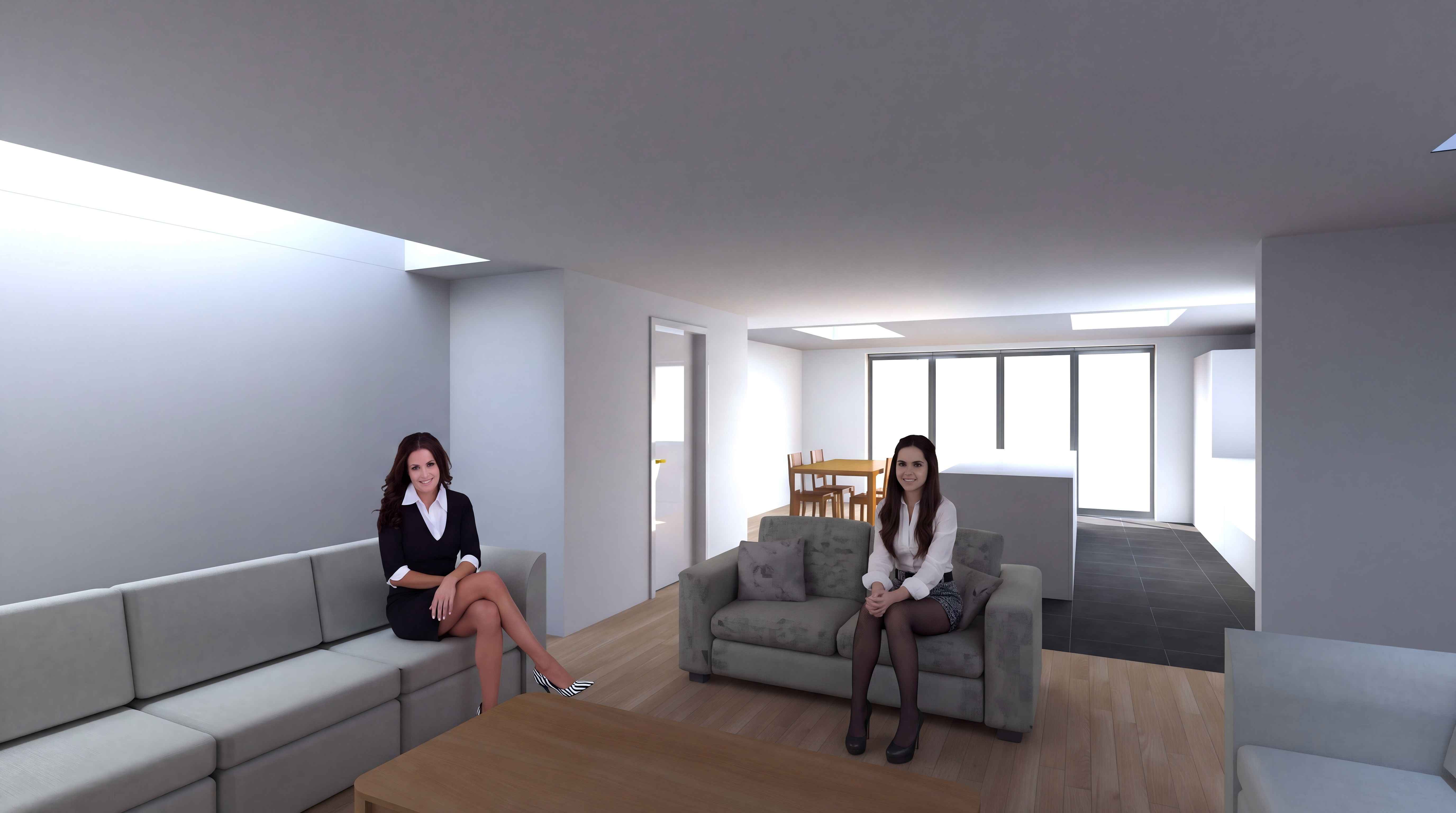
Image :P
sjb007
Advanced Member
Posts: 349
Joined: Tue May 18, 2021 1:49 pm

Re: Sun Sky options hidden.

Post by sjb007 »

Screenshot From 2026-11-01 05-38-39.png
Screenshot From 2026-11-01 05-38-39.png (16.08 KiB) Viewed 285 times
Incidentally, you might be wondering why two transparency options. I would have used a single one, but YafaRay has an odd problem. If you're looking perpendicular to the glass pane looking outside, it works well. If you have a glass item inside where you are looking near-edge on (think a glass panel in a balustrade, or a shower door), the path enters the edge, then reflects internally off the broad internal face. At this point the pixel is incorrectly given transparency, even when there's solid objects behind it:
yafaray_glass_issue.png
yafaray_glass_issue.png (97.25 KiB) Viewed 285 times
SunFlow doesn't suffer from this, and actually looks decent. So I added the ability to let the user control it. It is simply enough to put a dark back-fill behind the incorrect transparent areas at the same time as pasting your faked background outside windows.
User avatar
Xiste
Advanced Member
Posts: 276
Joined: Fri Apr 18, 2014 10:22 pm
Country: Oslo, Norway
Contact:

Re: Sun Sky options hidden.

Post by Xiste »

@sjb007: WOW. Thanks! What more can I say? As a fellow Amigaen , I started with the Amiga 2000 and used it for sound editing from around 1987, advanced to a 3000T with Studio 16 from SunRise Industries, and used it for sound design and music on several features and commercials, until the Amiga was discontinued sometime around 1994. Well, thaks again. Amazing!

@Gaudi: Using sphere lights I think will not give the exact shadows for the time of day. BTW: Replacing the sun with light panels we learned some years ago from the magnificent Ceciliabr. Her many lightning tricks could be well worth looking at once more, in fact all her renderings are quite outstanding, as is her collaboration and her conversations with enkyonito – they have both made huge contributions to SH3D.
viewtopic.php?t=8832&start=50#p41186 Scroll to the top.
sjb007
Advanced Member
Posts: 349
Joined: Tue May 18, 2021 1:49 pm

Re: Sun Sky options hidden.

Post by sjb007 »

@Gaudi HAHAHA. I'd have a flipping heart attack if I walked in on that scene. What the heck are such attractive women doing in my house.

That scene is just a room and furniture constructed in SH3D. I'm using the fork DobryDom3D with enhancements I've added as above. DD3D is pretty much a lightly updated SH3D v7.5, with a modern JRE, and a few minor updates.

There are no lights, lamps or tricks. Just the Sun and the Sky outside. When the camera is a virtual visitor, normally the sky lighting is turned off (probably because it causes noise). The "Sky lights interiors" setting forces the sky to contribute to interior lighting. From memory I set turbidity to a more realistic 3.5 (6 is way to high). I had exposure boosted to +1.5, and daylight power to about +5 or +6.

Then the last piece of the puzzle was the "Advanced settings of photo rendering" where I set Yafaray to use pathtracing, and increased the diffuse bounces to 3 or 4. Now this is quite slow to render, but the effect is pleasing.
Post Reply New Topic

Who is online

Users browsing this forum: No registered users