Hello to all!
After a long break, SurroundRoom 2 is ready. It is almost a new plug-in: it now surrounds walls too (also curved ones), shows a live preview of the result, and lets you decide side by side and corner by corner where the objects go. Thanks to Xlance, whose type 7 and multi-language work in 1.3e were the starting point for this version, and to everyone who reported problems and ideas in this thread.
Version 2 is available on SourceForge:
https://sourceforge.net/p/sweethome3d/plug-ins/51/
The plug-in file (SurroundRoom-2.sh3p) is also attached to this message.
 WHAT'S NEW IN VERSION 2
- Walls, besides floors (rooms): select floors, walls or both. When a floor and the walls around it are selected, the plug-in asks what to surround in each group.
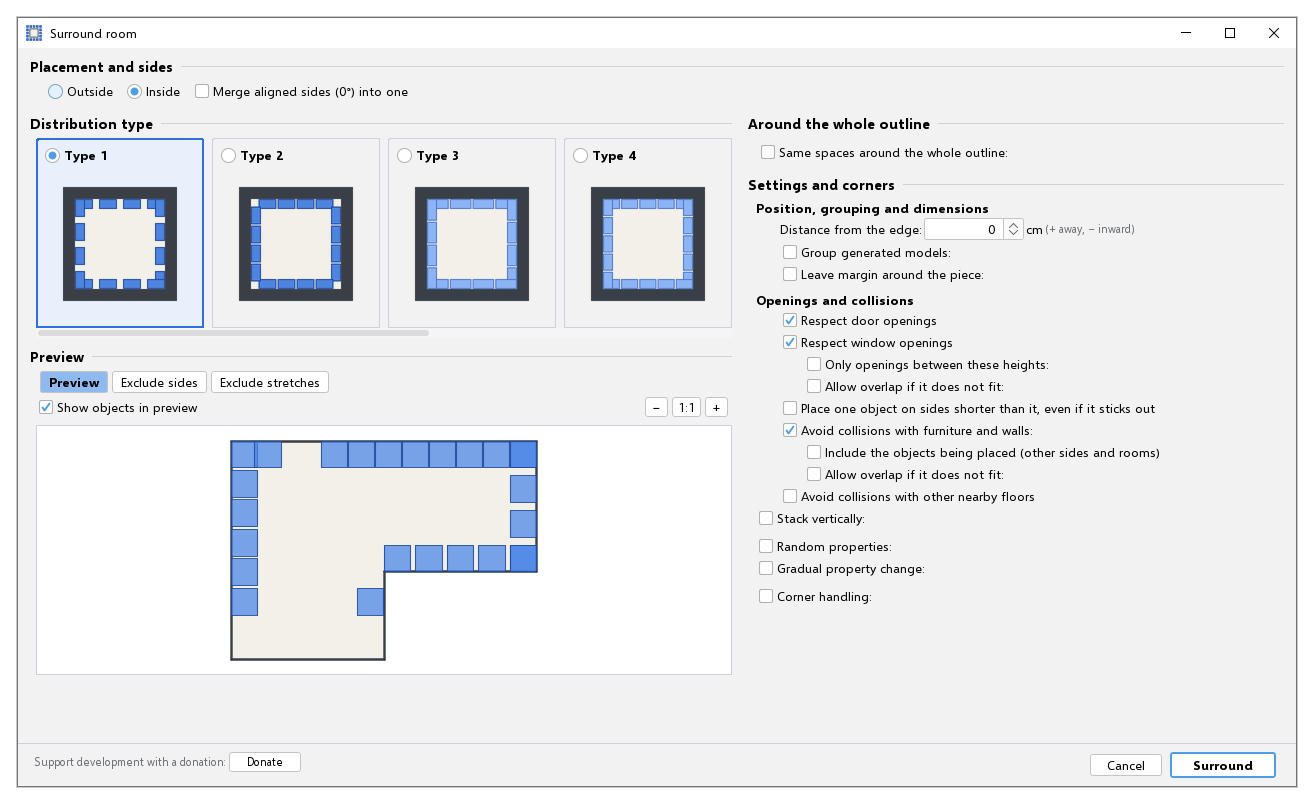
- Curved walls, as asked earlier in this thread: the objects follow the arc.
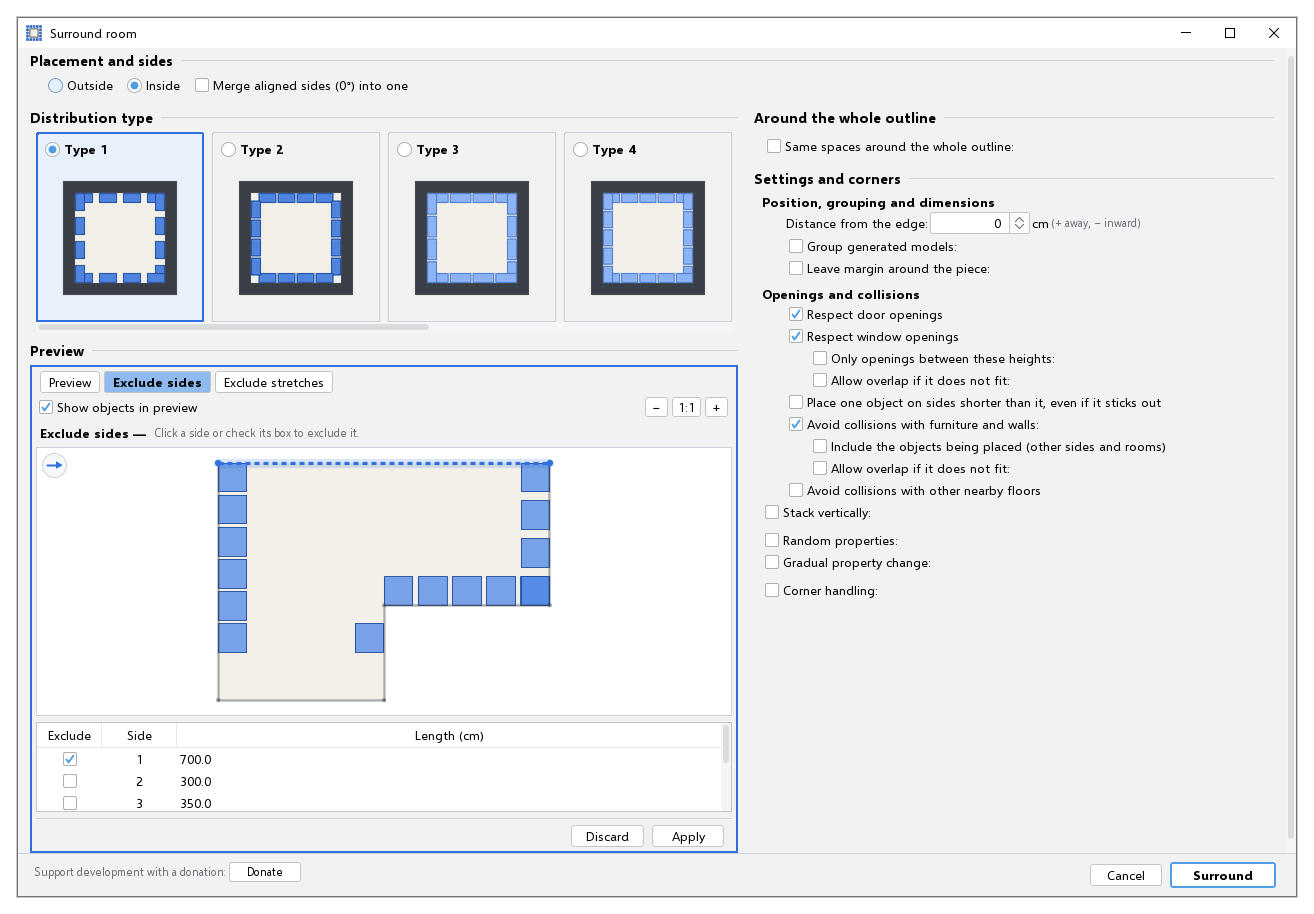
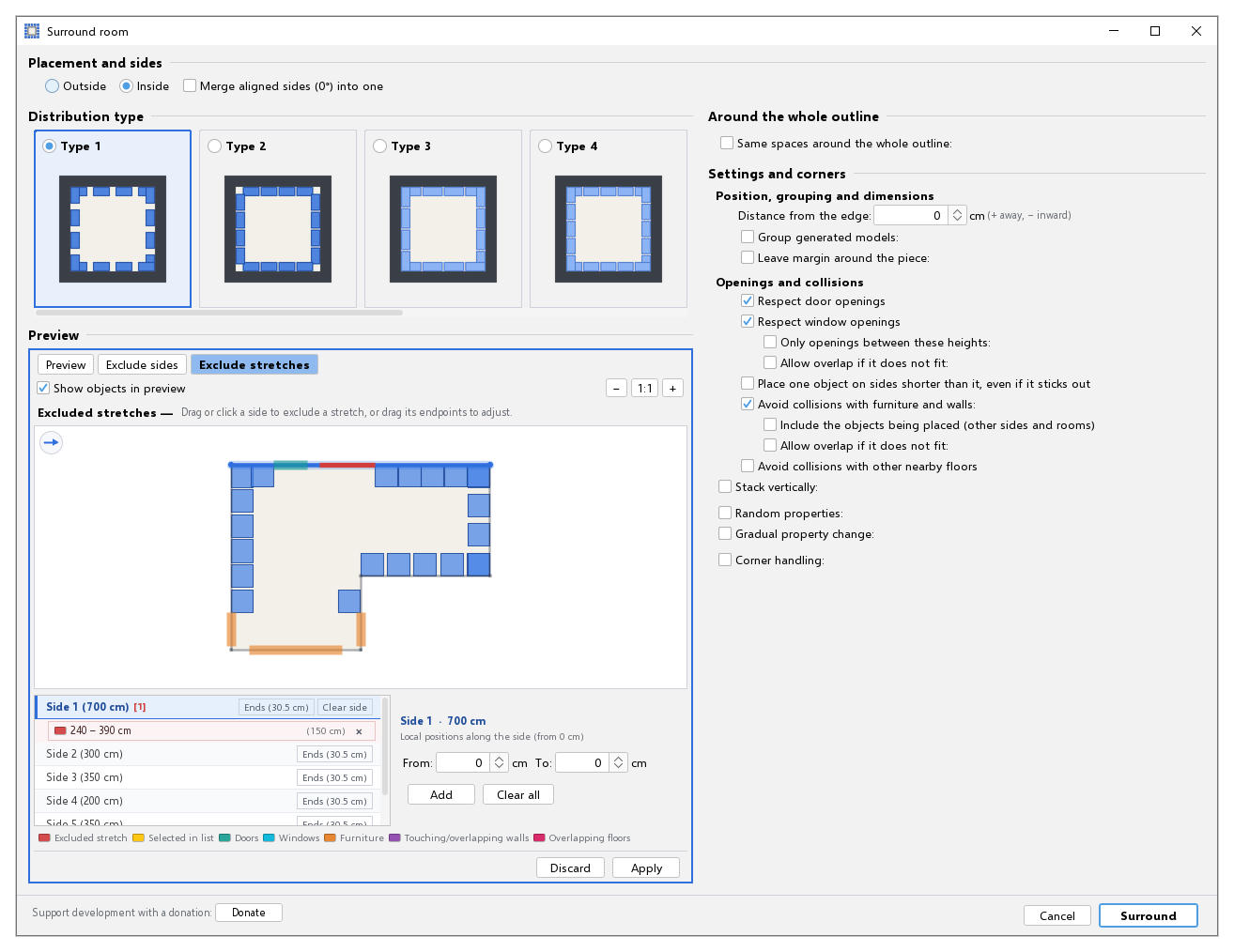
- A new window: the 7 types shown as cards (picture + description), a live plan preview of the first level with zoom (+, -, 1:1, mouse wheel) and pan, and the options on the right. In the preview, skipped sides are dashed, excluded stretches red, resized objects light blue and corner pieces orange.
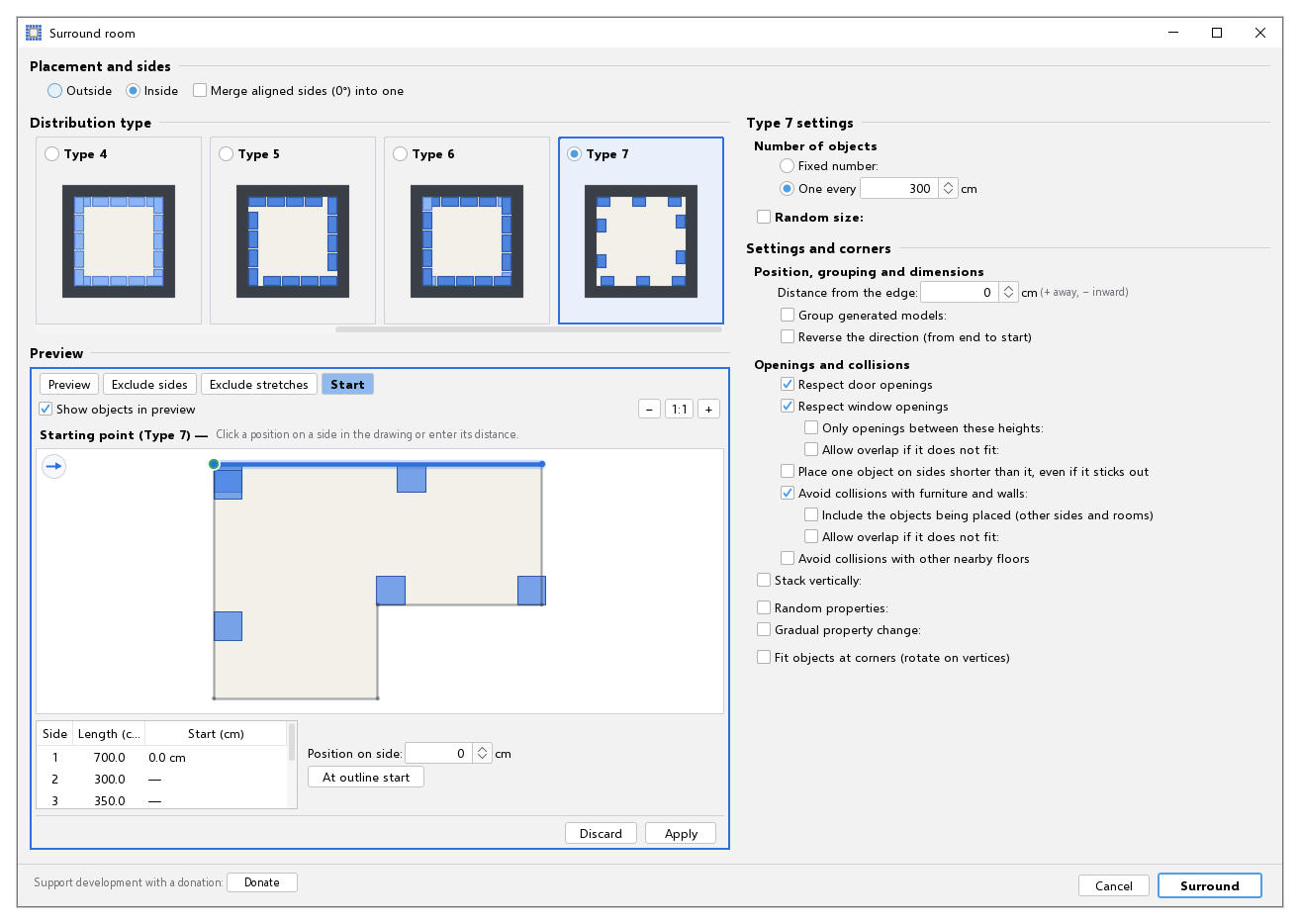
- Tabs above the preview to exclude rooms, sides and stretches by clicking on the drawing, and to choose the start of type 7.
- The object is chosen after opening the plug-in, in the plan, the furniture list or now also the catalog; two or more objects are grouped and placed together.
- All the options of the right panel (see OPTIONS below): openings, collisions, corners, start and end of each side, same size or same spaces, grouping, stacking, and random or gradual properties.
- Interface in 19 languages. New: Bulgarian, Czech, Hungarian, Japanese, Portuguese (Portugal and Brazil), Swedish, Vietnamese and Chinese (simplified and traditional).
 HOW TO USE IT
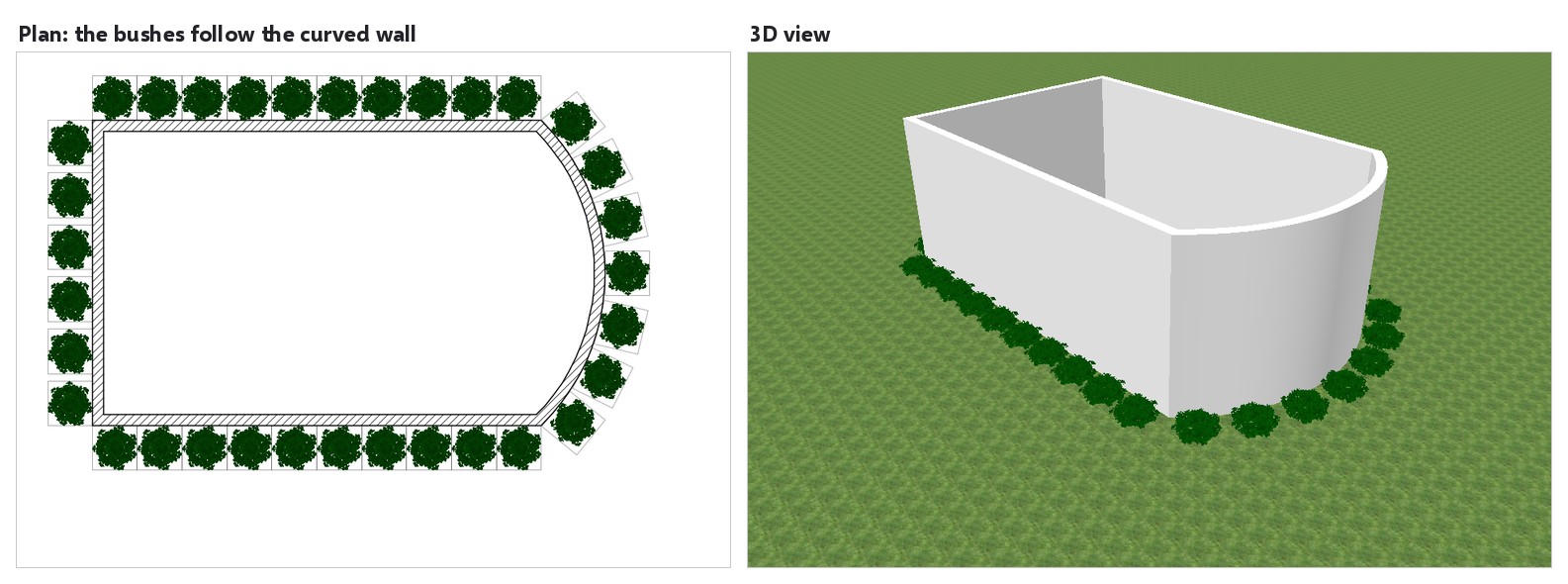
Step 1.- Select one or more floors and/or walls in the plan.
Step 2.- Open "Tools" > "Surround room...".
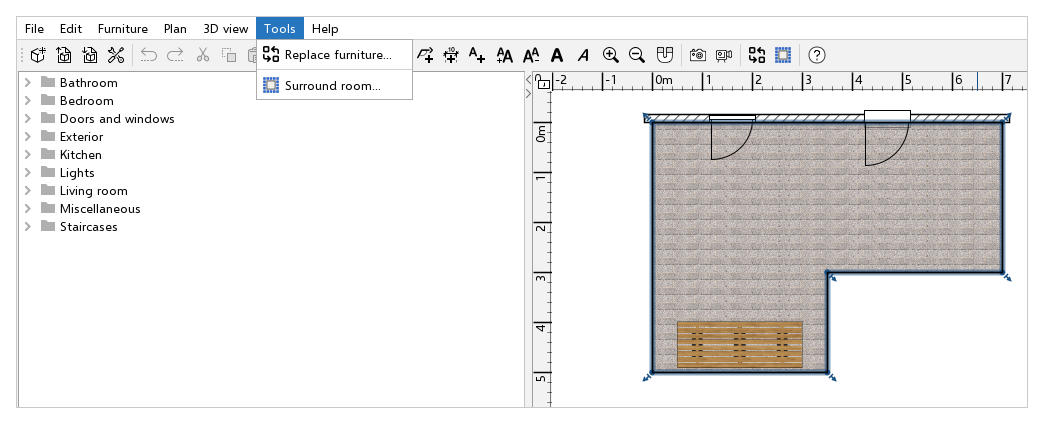
Step 3.- Select the object to surround with, in the plan, the furniture list or the catalog. If you select two or more objects, they are grouped and placed together. When a floor and the walls around it are selected, the plug-in asks whether to surround the floor, the walls or both.
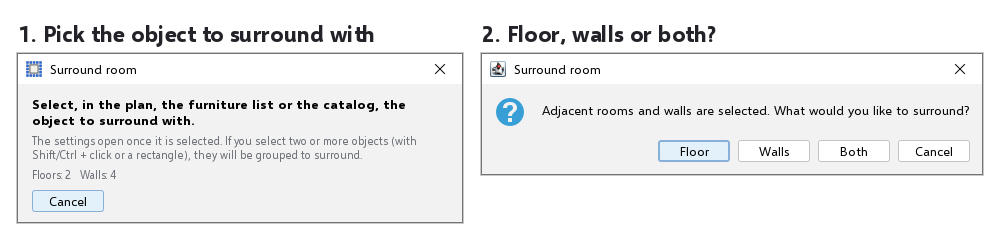
Step 4.- Choose a type card and "Inside" or "Outside".
Step 5.- If needed, use the tabs above the preview: "Exclude rooms" (when several floors or wall sets are selected), "Exclude sides", "Exclude stretches" or, for type 7, "Start". In "Exclude stretches", drag or click on a side to exclude a stretch and drag its ends to adjust it, or type its From and To positions. Click "Apply" or "Discard" to go back to the preview.
Step 6.- Adjust the options on the right and check the preview.
Step 7.- Click "Surround". The whole operation can be undone with Edit > Undo.
OPTIONS (right panel)
Placement and sides
- Reverse the direction, adjust both ends of each side, merge aligned sides into one.
- Place one object on sides shorter than it, even if it sticks out.
Openings and collisions
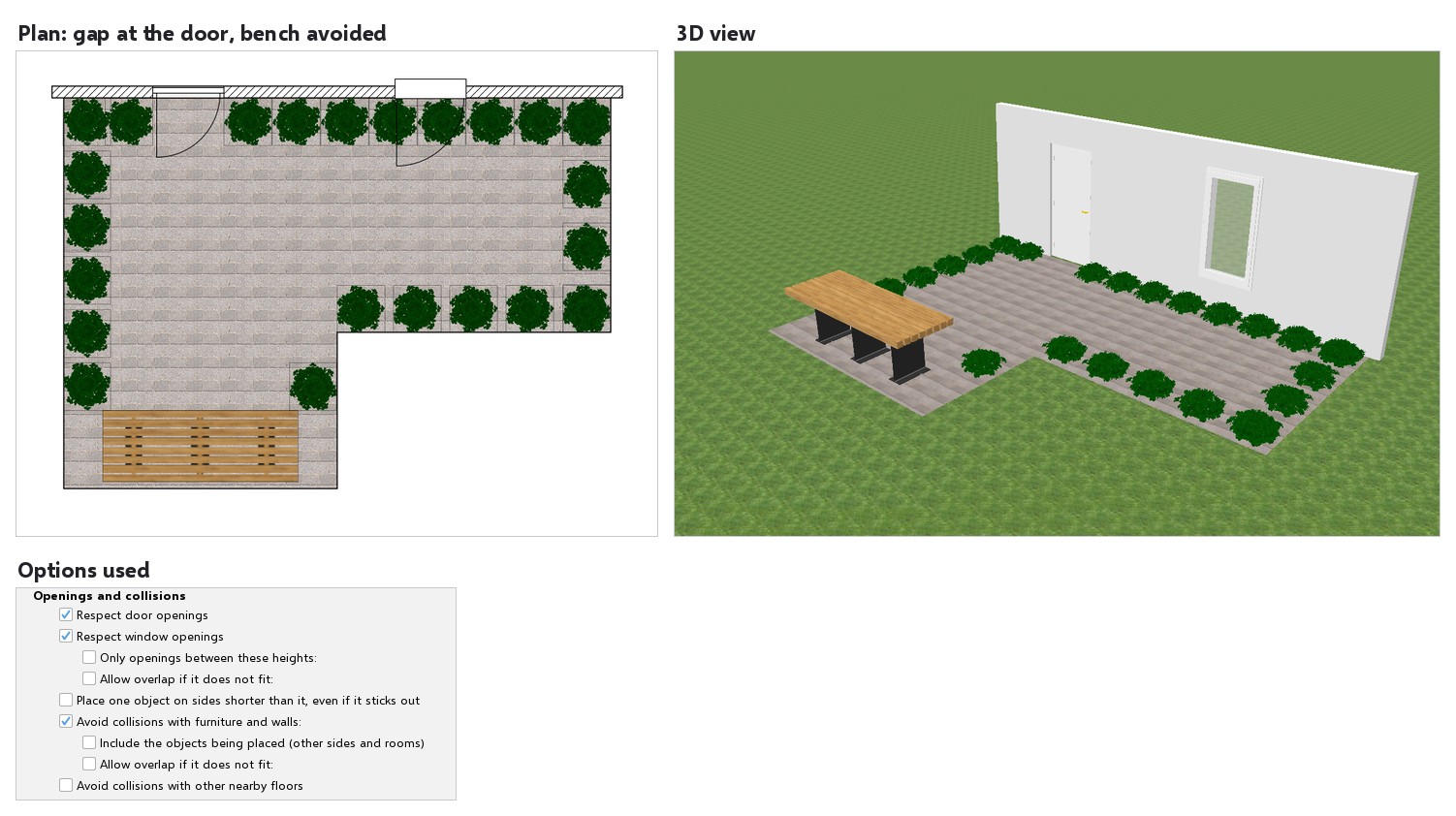
- Respect door openings and, separately, window openings: only openings between two heights, and allow some overlap when an object does not fit completely.
- Avoid collisions with furniture and walls, also with the objects being placed on other sides and rooms.
- Avoid collisions with other nearby floors, on its own or together with the previous option.
- Floor openings on upper levels: pass over them or not (with a warning when there is no floor below).
 Corners
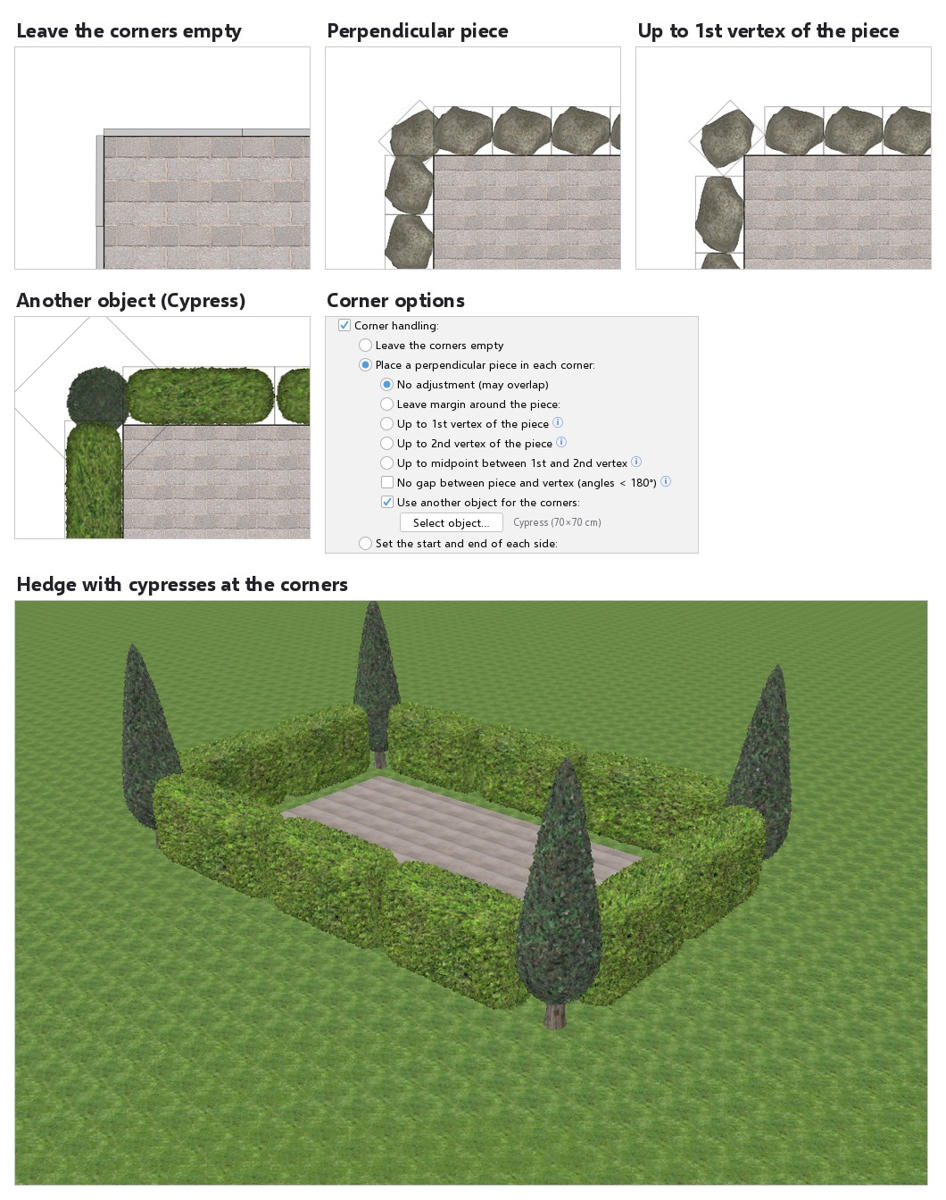
- Leave the corners empty, place a perpendicular piece in each corner (with no adjustment, up to its 1st or 2nd vertex, up to the middle, or with a margin around it), or use another object for the corners, picked in the plan, the furniture list or the catalog (several objects are grouped).
- Type 7 can fit its objects at the corners, rotating them on the vertices.
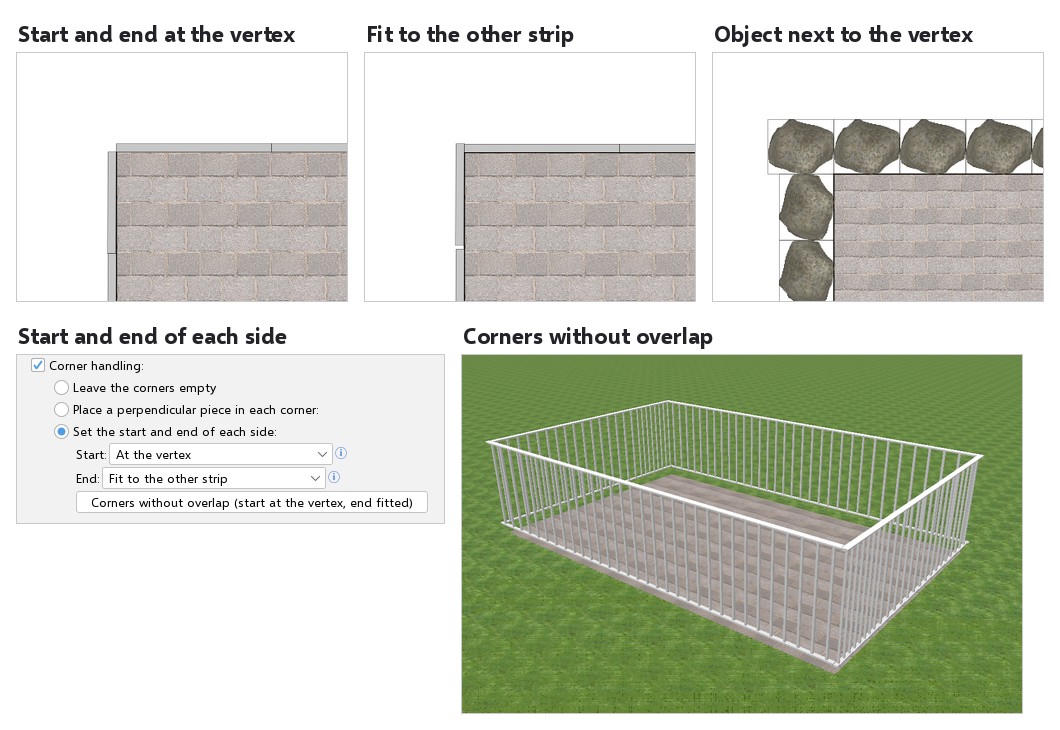
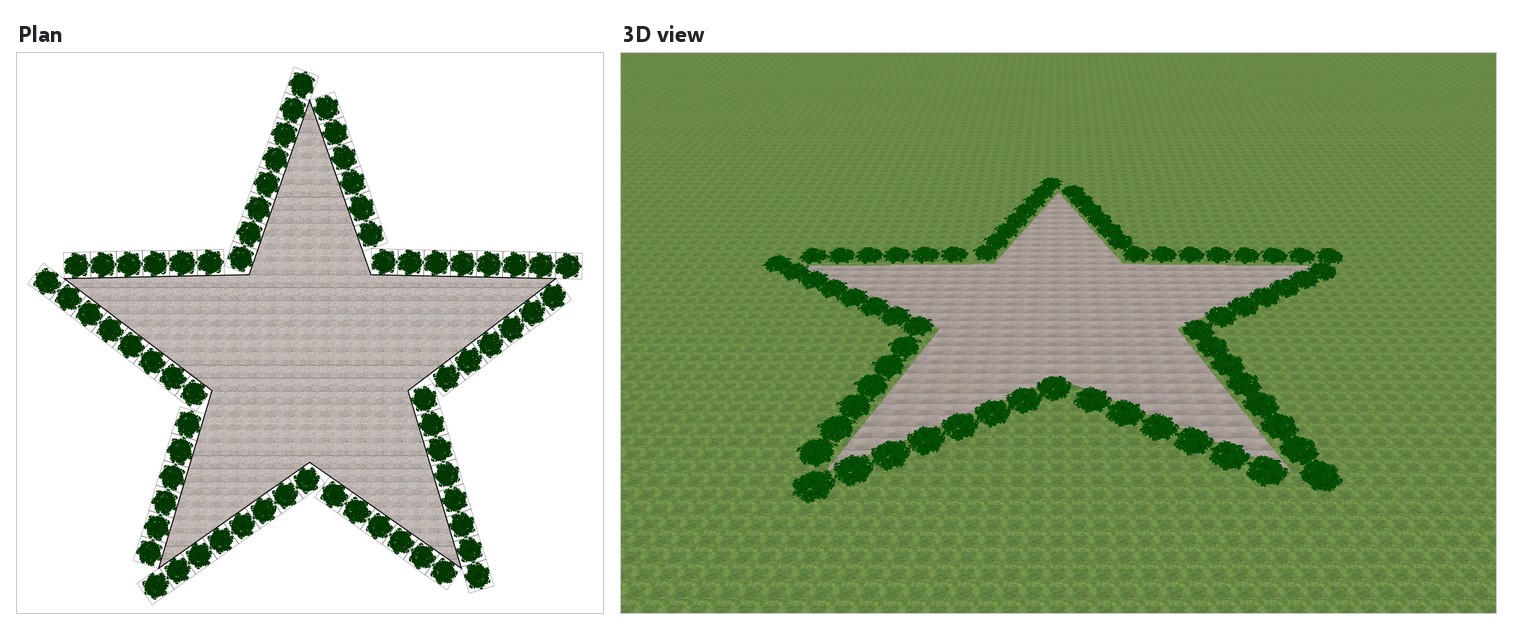
- Set the start and end of each side: at the vertex, moved by a distance, fitted to the other strip, an extra object next to the vertex, or next to the objects of the side. Fitting to the other strip also works at very sharp corners, as around a star-shaped floor.
 Around the whole outline
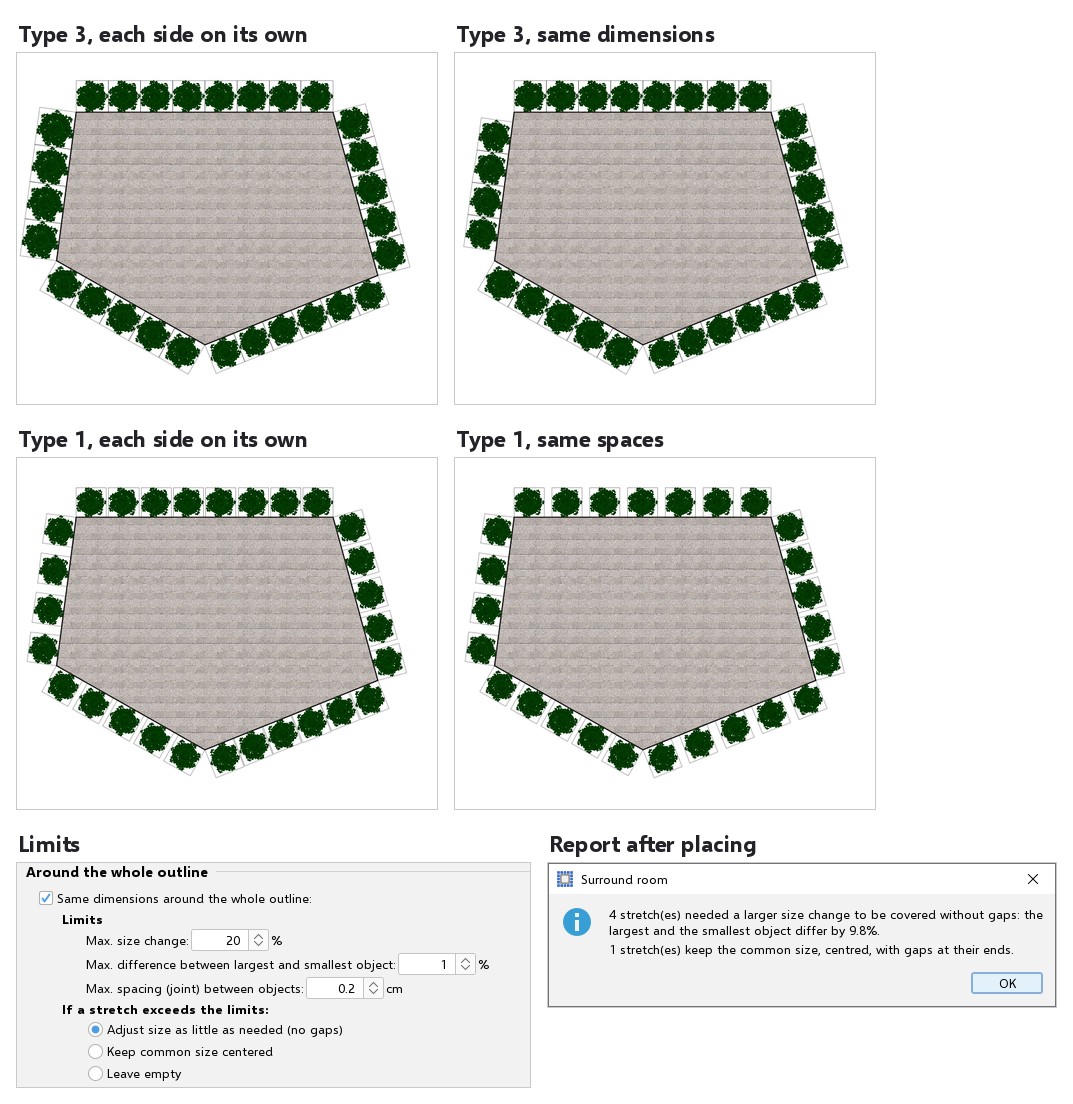
- Same dimensions or same spaces on every side, with limits (maximum size change, maximum difference between the largest and the smallest object, maximum spacing between objects) and what to do when a stretch exceeds them.
 Position, grouping and dimensions
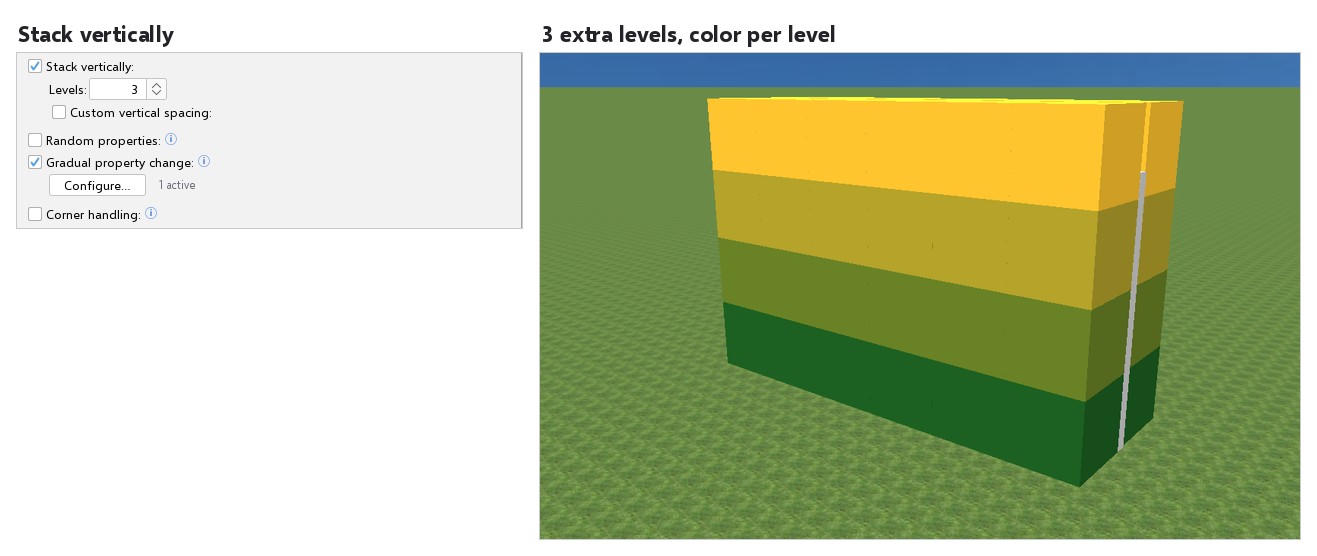
- Margin around the piece, dimensions that change (proportional, only width, or selected ones), group generated models (one group or one per side), stack vertically with a custom spacing.
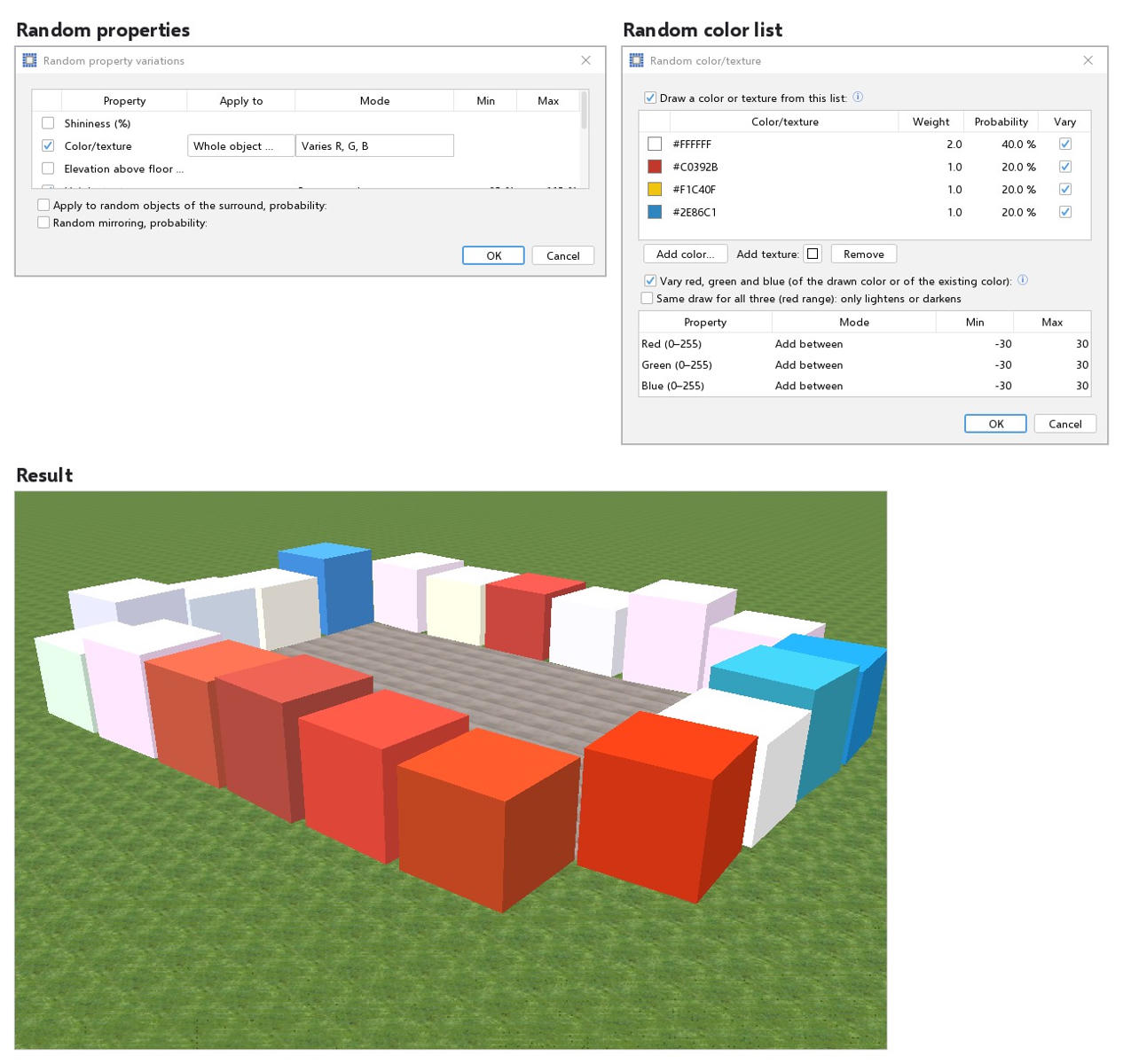
- Random properties: size, elevation, X/Y tilt, Z orientation, color/texture per material (from a weighted list or by varying red, green and blue), light power, mirror, with a probability and optionally on corner pieces too.
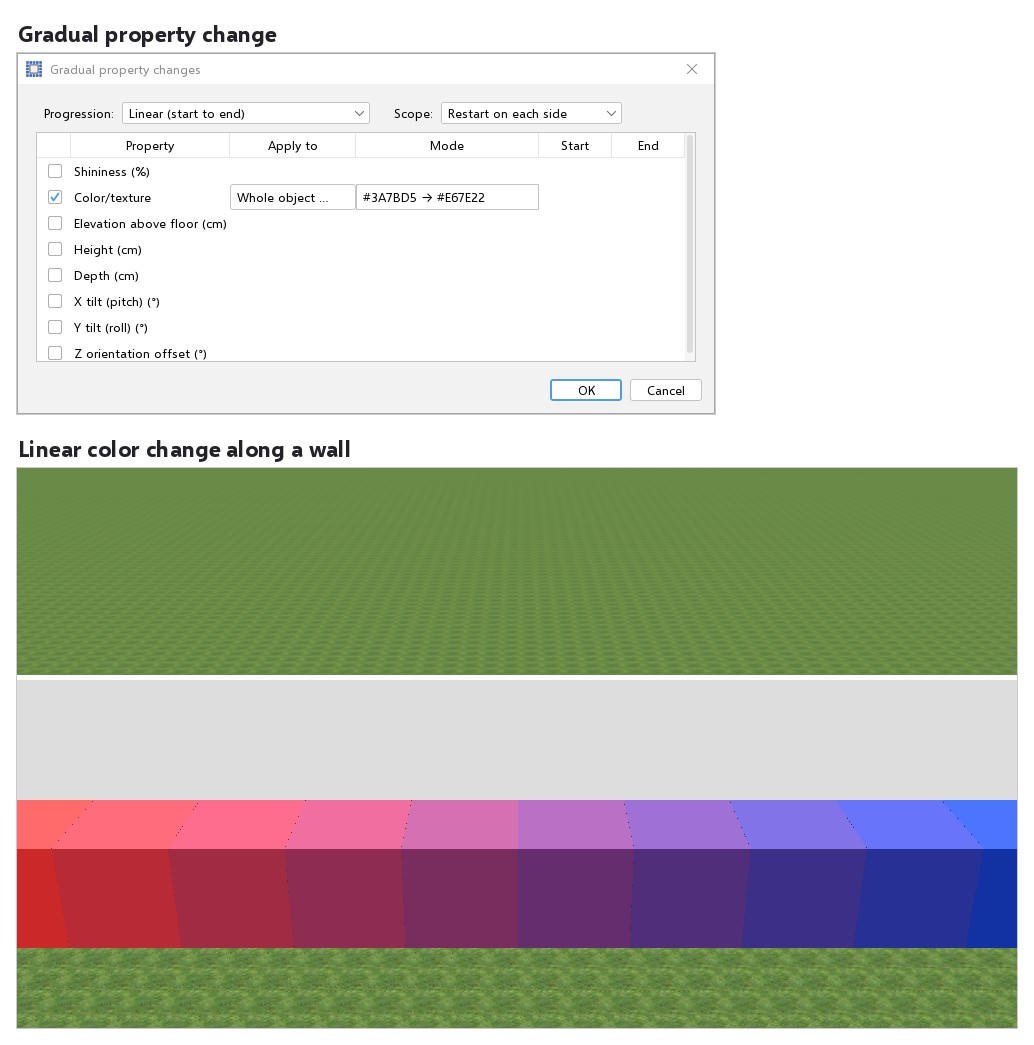
- Gradual property change: linear, ping-pong or fixed step, around the outline, per side or per stacked level, with start and end colors.
 REQUIREMENTS AND INSTALLATION
- Sweet Home 3D 6.5 or later, Java 8 or later.
- Remove older SurroundRoom files from the plug-ins folder, then double-click SurroundRoom-2.sh3p (or copy it into that folder) and restart Sweet Home 3D.
- Source code on GitHub: https://github.com/OliMartinez/SurroundRoom
I hope you like it! Feedback, bug reports and translation fixes are very welcome.