another attempt to understand Pathtracing. How to use it in SH3D.
This topic has been viewed 93 times and has 8 replies
- GaudiGalopin3324
- Advanced Member
- Posts: 774
- Joined: Sat Aug 13, 2022 9:58 am
- Country: Russia
another attempt to understand Pathtracing. How to use it in SH3D.
The program has everything. There are opportunities to make not only volume, but also to obtain high-quality photorealistic images. Anyway, at first glance, there are all the tools. There are complex individual rendering settings, but it is unclear how to work with them. I'm used to the PVR 2.7 version, there are two timescales, it's convenient for experimentation and trial renderings. So I made a room with a window for experiments, put a composition of colored balls inside, it stands on a shiny parquet floor and rests against the ceiling. This pile of balls is interesting because some of the balls will not be illuminated by the light from the window, so you can see all the changes. The balls are matte without reflections, so as not to be distracted by unnecessary effects. So here is this picture in 3D without lighting.
I will make a description in chunks, there is a lot of information here. Of course, the most popular rendering mode is Directlighting. I will study the settings for Yafaray. 12.00 p.m., daylight mode is on, Enable Sky Lighting.
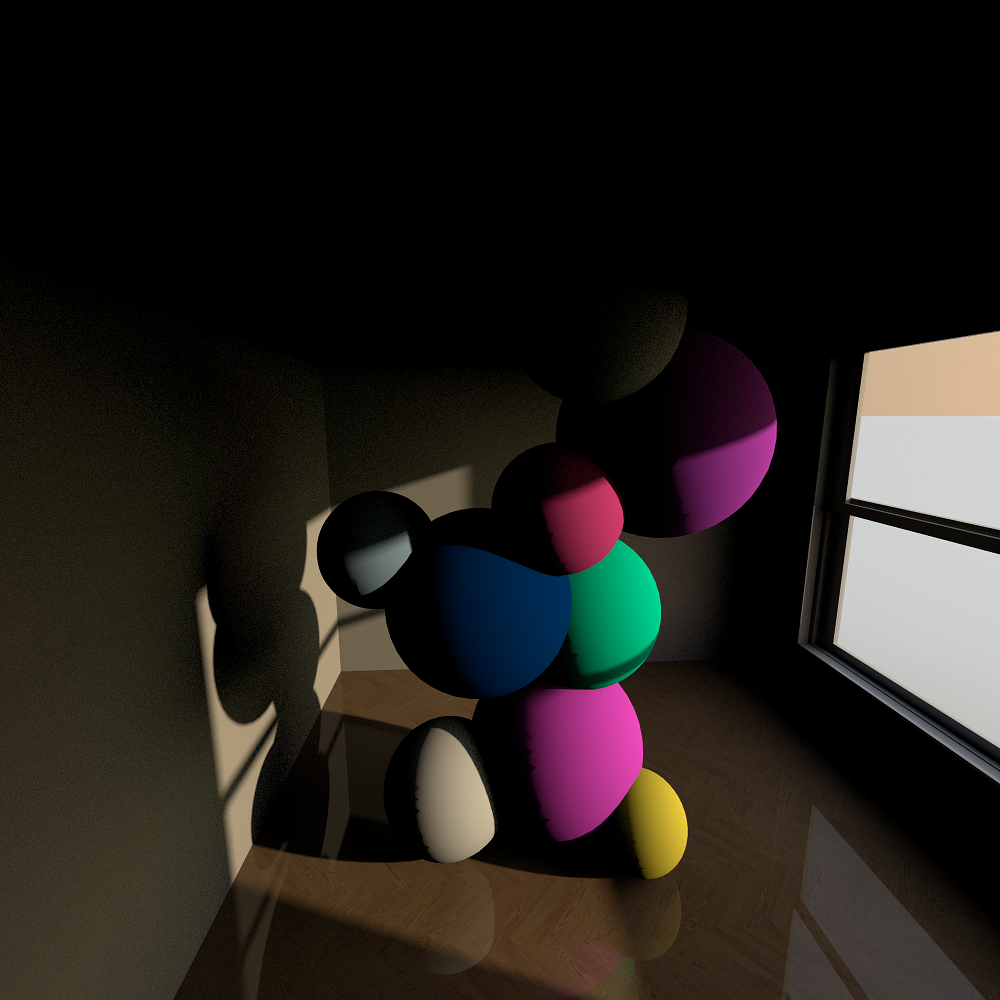
The sun's rays illuminate a tower of balls and two walls. The corporate identity of SH3D is blackness in unlit places where the rays from the sun do not fall. In reality, there can be no such picture, light is reflected from all surfaces and there are never such black places. In the rendering settings, I set Glossy in order to get reflections in the glossy floor varnish on the fourth mode. So far, one light source is not enough for a realistic picture. I set the brightness to almost maximum, and left two scale divisions in reserve to increase the brightness, if necessary. The picture is not very good, it's too gloomy.. to be continued..
- GaudiGalopin3324
- Advanced Member
- Posts: 774
- Joined: Sat Aug 13, 2022 9:58 am
- Country: Russia
Re: another attempt to understand Pathtracing. How to use it in SH3D.
It looks terrible. But it loads quickly. Is it possible to improve this black image? A little bit, yes. You can turn off Enable Sky Lighting. You'll get a picture like this with a poor imitation of reflexes in shady places. But if you look at it, it's complete nonsense. The shadows on the balls and on the walls are just evenly colored, there are no gradients. This is a hoax. But it almost looks like reflexes. It also loads quickly..
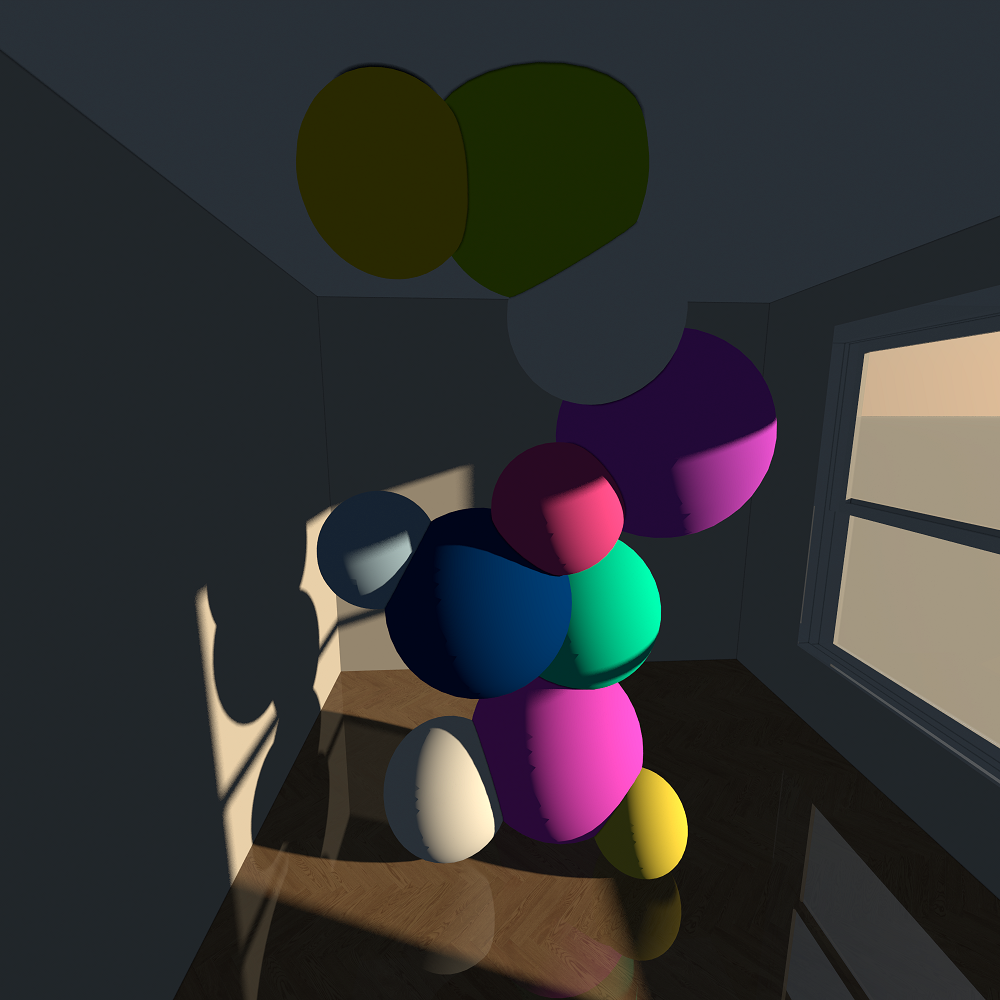
of course, there is a way out (for Directlighting). You can add additional lights to the necessary very dark places - spheres, hemispheres, panels, and try to SIMULATE reflected light in dark places. Sometimes it turns out very plausible. But there is a real way that does not require the skills of an artist. Of course, this is the Pathtracing rendering mode. There, the rays of light reflect themselves and everything is shown to you automatically.
There's just one problem. All this takes a very long time to process. It's been so long that it's impossible to download anything. And now we are starting to figure out how to apply this single correct mode in our work in SH3D.
So, you need to understand that there is a result, and there are useless efforts. In such an energy-intensive mode, it is important to find a reasonable compromise. Time/quality. My opinion is that you need to limit the number of light sources. Of course, you can simplify the models very much and use the most primitive low-poly versions. It will help, but you will never get a photorealistic picture. Therefore, we will try to work only with the sun. Everything loads there as fast as possible.
First, let's try to make a picture in the standard Pathtracing settings. The TIME is immediately felt.. The standard settings of this mode are very modest, but even with these initial settings, real reflections from surfaces on objects are visible. A lot of noise. But the magic is already beginning. There are light illuminated spots on the upper balls, they used to be black.

There's just one problem. All this takes a very long time to process. It's been so long that it's impossible to download anything. And now we are starting to figure out how to apply this single correct mode in our work in SH3D.
So, you need to understand that there is a result, and there are useless efforts. In such an energy-intensive mode, it is important to find a reasonable compromise. Time/quality. My opinion is that you need to limit the number of light sources. Of course, you can simplify the models very much and use the most primitive low-poly versions. It will help, but you will never get a photorealistic picture. Therefore, we will try to work only with the sun. Everything loads there as fast as possible.
First, let's try to make a picture in the standard Pathtracing settings. The TIME is immediately felt.. The standard settings of this mode are very modest, but even with these initial settings, real reflections from surfaces on objects are visible. A lot of noise. But the magic is already beginning. There are light illuminated spots on the upper balls, they used to be black.
- GaudiGalopin3324
- Advanced Member
- Posts: 774
- Joined: Sat Aug 13, 2022 9:58 am
- Country: Russia
Re: another attempt to understand Pathtracing. How to use it in SH3D.
What can be improved? I'll tell you right away. Of all the parameters, only two work and will be useful. AntiAliansingOtherLens.min (standard installation 8) and DiffusedBounces (standard installation 1). If you increase the AAOL, the image quality will improve, and the noise will decrease. If you increase the DB, the brightness of the reflexes will increase, a feeling of lightness will appear and the lighting will increase. This second DB mode adds noise to the picture again. Therefore, you need to weigh everything up and understand if you are ready to spend your time. So far, everything is not so critical.
I set AAOL to 30, DB to 4. The quality improved, the light in the reflexes increased. Time has been added..
- GaudiGalopin3324
- Advanced Member
- Posts: 774
- Joined: Sat Aug 13, 2022 9:58 am
- Country: Russia
Re: another attempt to understand Pathtracing. How to use it in SH3D.
I set AAOL to 30, DB to 4. The quality improved, the light in the reflexes increased. Time has been added..
We started with 15 seconds in Directlighting mode, now rendering takes 15 minutes.. But if you're not in a hurry today, can we increase the AAOL to 100?
55 minutes.
But the quality is already better. Unfortunately, I do not know the solution to another important problem. Polygons on curved shapes are very visible.. They will disappear if directed rays of light appear. But they don't disappear in Path mode.. I have not found a solution.
If you have an extra 30-40 minutes, you can add the DB to 9. 1hr 31min. The lightest option, although of course it's still far from ideal.
But stop crying. There's a whole night ahead.. It's time to move on.
If you have an extra 30-40 minutes, you can add the DB to 9. 1hr 31min. The lightest option, although of course it's still far from ideal.
But stop crying. There's a whole night ahead.. It's time to move on.
- GaudiGalopin3324
- Advanced Member
- Posts: 774
- Joined: Sat Aug 13, 2022 9:58 am
- Country: Russia
Re: another attempt to understand Pathtracing. How to use it in SH3D.
Of course, in a real room, when the sun is shining, there should be a lot more light. Otherwise it looks like a prison. It's time to add light. I took an invisible white panel, twice the size of the window, and raised the bottom edge of the panel to a height of half the height of the room, just below. 1.2meters. The power is 3%. This panel replaces the ambient light from the street, shines more towards the floor and partially illuminates the ceiling, as in reality. It should be placed opposite the window at a distance of 1 meter from the window. Without the sun, that's the picture.
There is no sun in this picture, the time is at 0:00. So that the lighting effect is visible only from the panel.
- GaudiGalopin3324
- Advanced Member
- Posts: 774
- Joined: Sat Aug 13, 2022 9:58 am
- Country: Russia
Re: another attempt to understand Pathtracing. How to use it in SH3D.
And now you can combine the sun and the panel. You will get a mix with the effect of a sunny day and a well-lit room. And it's only 9 o'clock.. And it all depends on your desire to spend time on it or not. You can not use the panel and use all the resources to increase DB and AAOL. I have assigned AAOL 30 for DB 4. 2000x2000 pixels. it is possible in other proportions and with other pixels. The result will probably be even better and faster. But in any case, Pathtracing is a guarantee of the right realistic light.
- GaudiGalopin3324
- Advanced Member
- Posts: 774
- Joined: Sat Aug 13, 2022 9:58 am
- Country: Russia
Re: another attempt to understand Pathtracing. How to use it in SH3D.
I tried to make a render for a real room with lots of objects. With this knowledge, it is quite realistic to make lighting on a sunny day. You can only use the panel as an imitation of cloudy daylight without the sun. For example, this is what a room with the sun looks like in Pathtracing mode. Unfortunately, polygons in some models are very visible.. And in some they are not visible)).
- GaudiGalopin3324
- Advanced Member
- Posts: 774
- Joined: Sat Aug 13, 2022 9:58 am
- Country: Russia
Re: another attempt to understand Pathtracing. How to use it in SH3D.
The invisible light panel is 4%. Here you need to try, for large rooms you can add power.
- GaudiGalopin3324
- Advanced Member
- Posts: 774
- Joined: Sat Aug 13, 2022 9:58 am
- Country: Russia
Re: another attempt to understand Pathtracing. How to use it in SH3D.
and a mix of the sun and an invisible panel. It turns out to be a very realistic picture with a well-lit room. You can't add other light sources here - you immediately get wet snow, flying white and yellow straw. And some lumps of gray ice. Pathtracing comes into conflict with fixtures of different types, there is no way to connect them qualitatively. Therefore, there is only the sun and a maximum of one panel outside the window.
This picture took 10 hours to load. Of course there are many, but there are no other ways to do this. I already know how to make it faster and better. The main thing is to understand the principle of improvement. These are just three parameters - AAOL, DB and pixels. And you can opt out of the sun or the panel.