

Replacer 2 is ready. An improved window, replacement from the catalog, groups of replacements, per-material colors and textures, random values and much more.
HOW TO USE IT
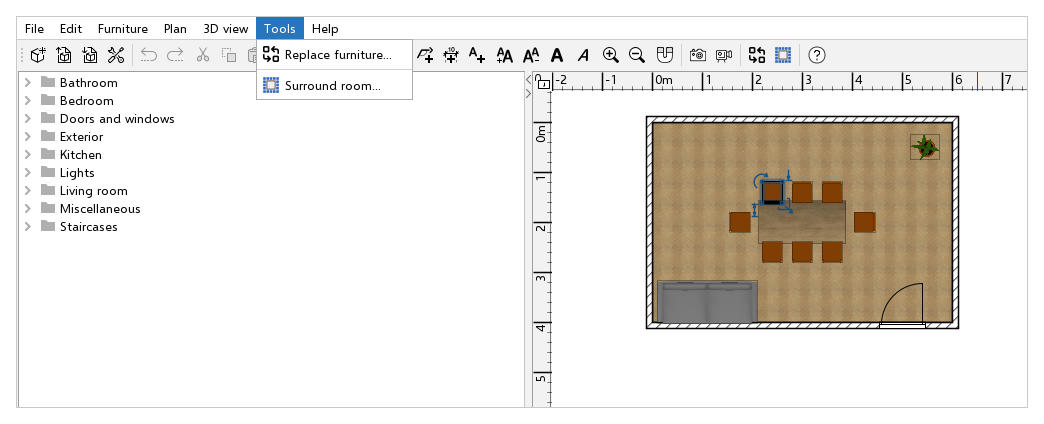
Step 1.- Select in the plan or the furniture list the objects you want to replace, and open "Tools" > "Replace furniture...".
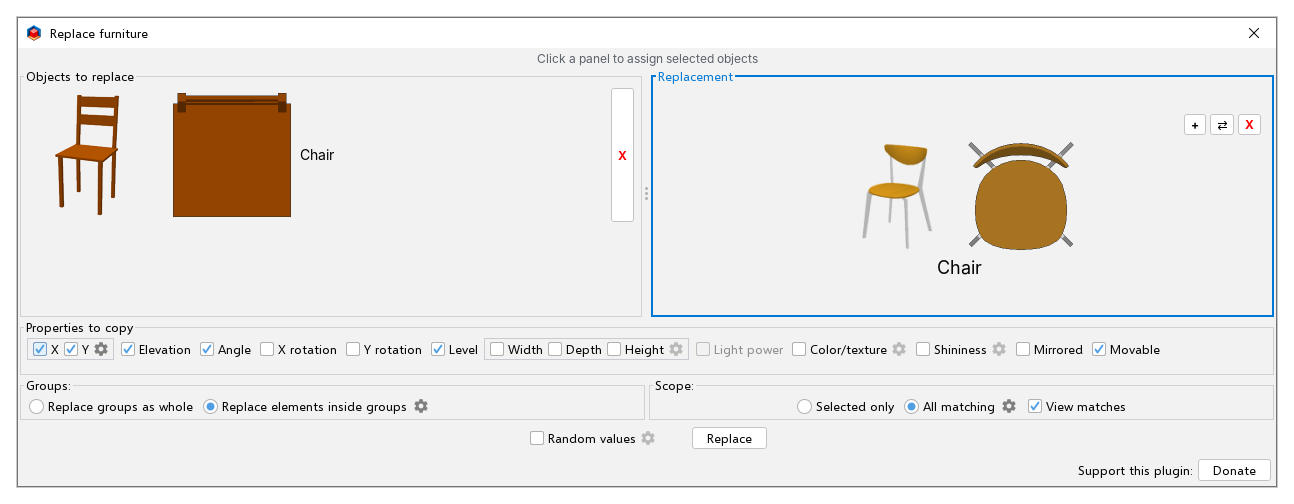
Step 2.- The selection goes to the "Objects to replace" panel. To change it, select other objects and click that panel.
Step 3.- Select the new object in the plan or the catalog and click the "Replacement" panel. To use several replacements, hold Shift/Ctrl while clicking the panel, or use its "+" button: they form a replacement group.
Step 4.- Check the properties to copy from the original objects (by default position, elevation, angle and level).
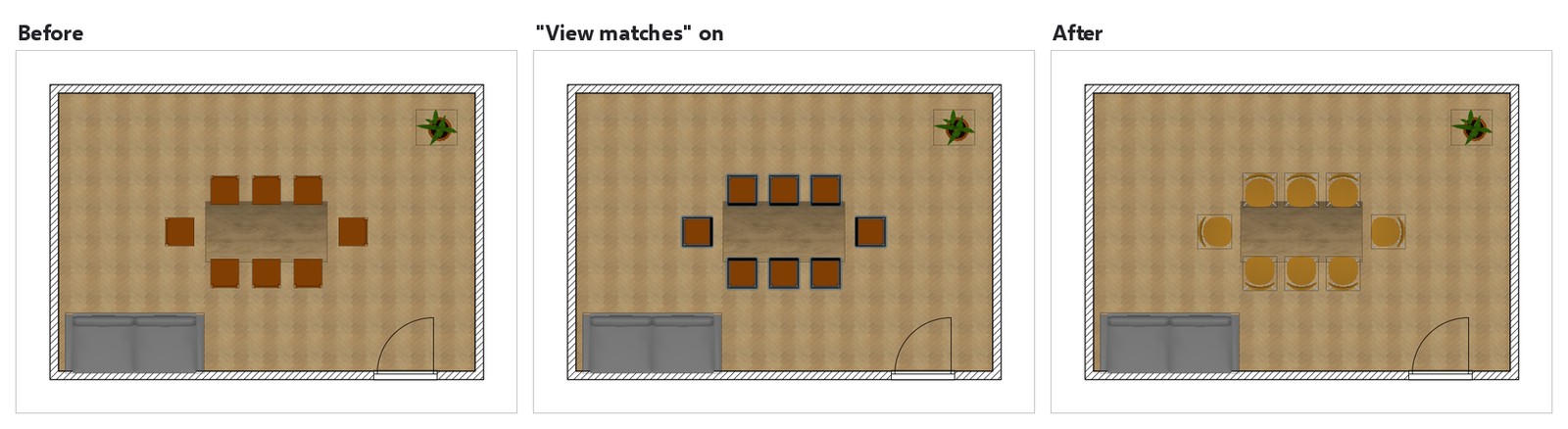
Step 5.- Choose the scope: "Selected only" or "All matching". With "All matching", tick "View matches" to see in the plan which objects will be replaced.
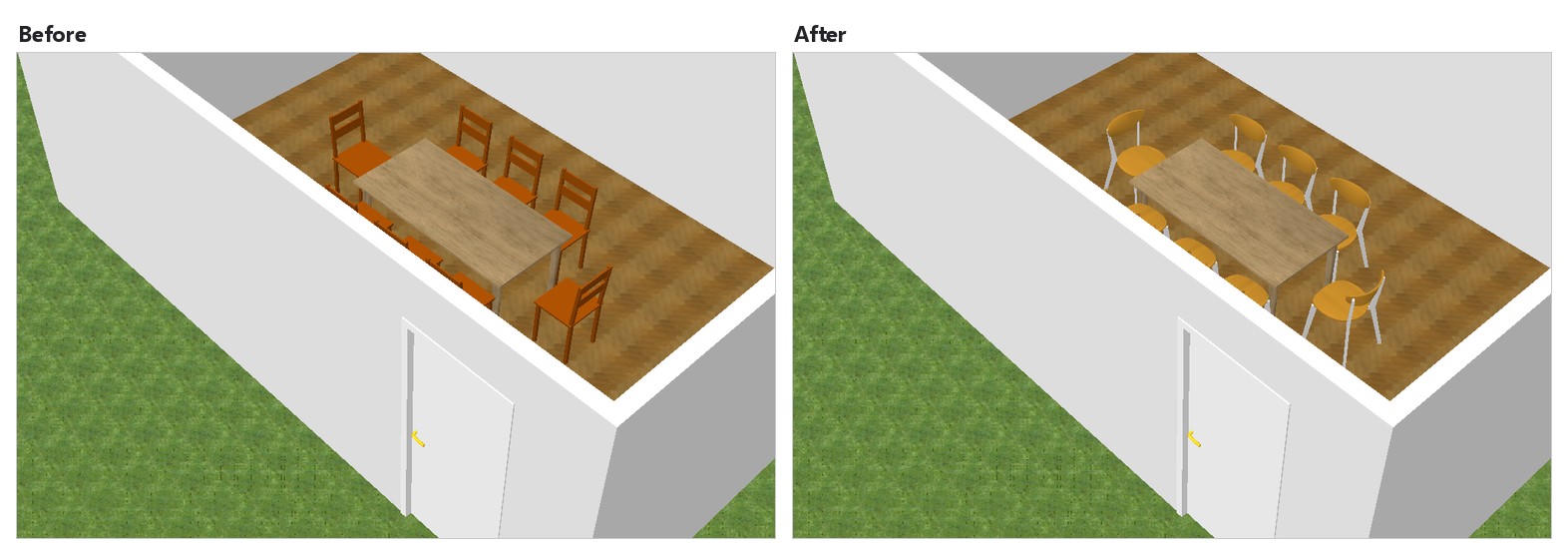
Step 6.- Click "Replace". The replacement can be undone with Edit > Undo.
WHAT'S NEW IN VERSION 2
Window and selection
- Two panels, "Objects to replace" and "Replacement". Click a panel to assign the selected objects, remove items one by one, or swap both panels with one button.
- The replacement can come from the plan or the catalog.
- Replacement groups: several objects, and one is picked at random for each replaced item (double weight = double probability).
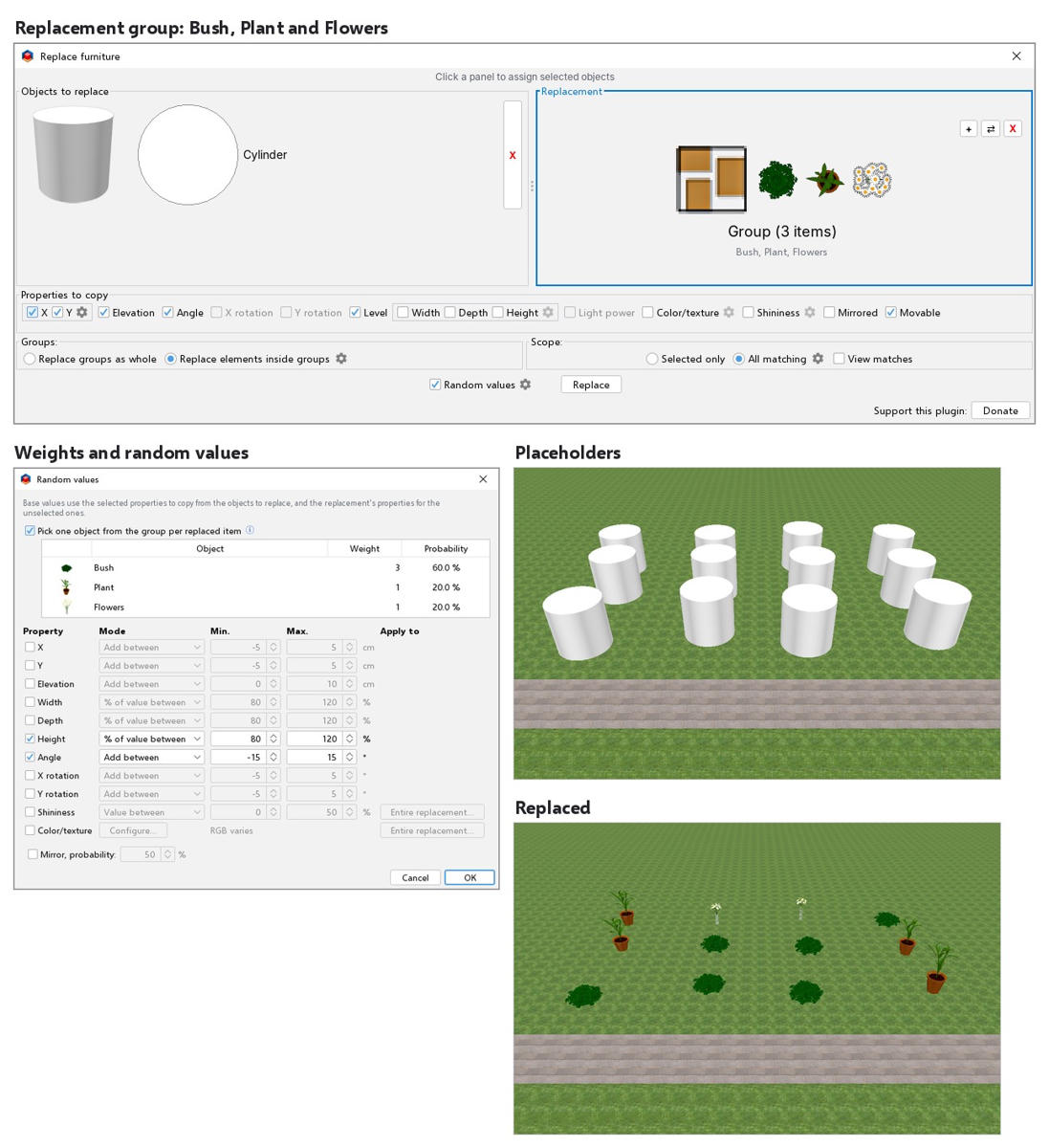
Properties to copy
- Now also X/Y rotation, shininess, light power and movable, besides position, elevation, level, angle, size, mirror, color and texture.
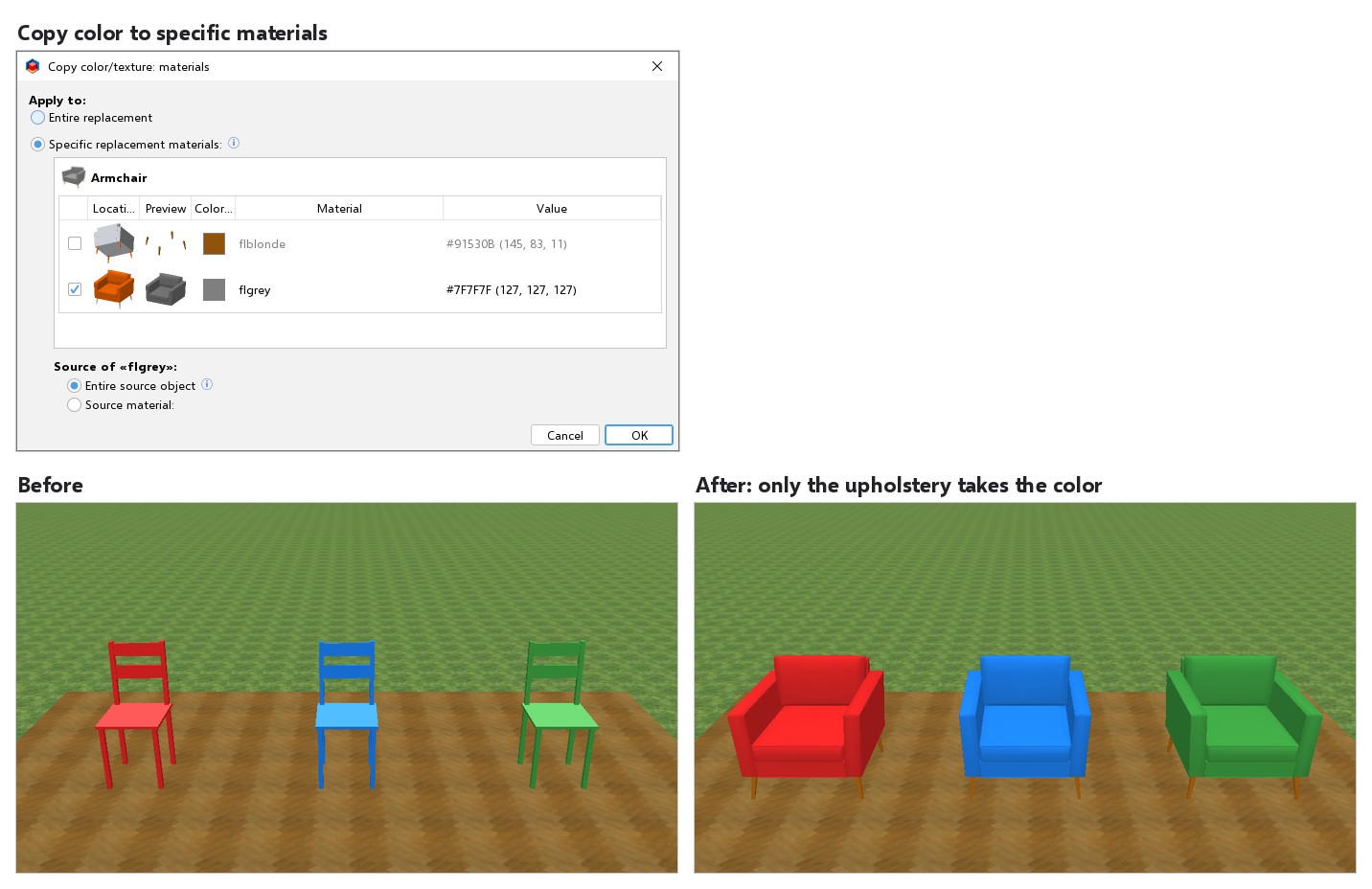
- Colors and textures per material: choose which materials of the original give their look to which materials of the replacement, or use the whole object.
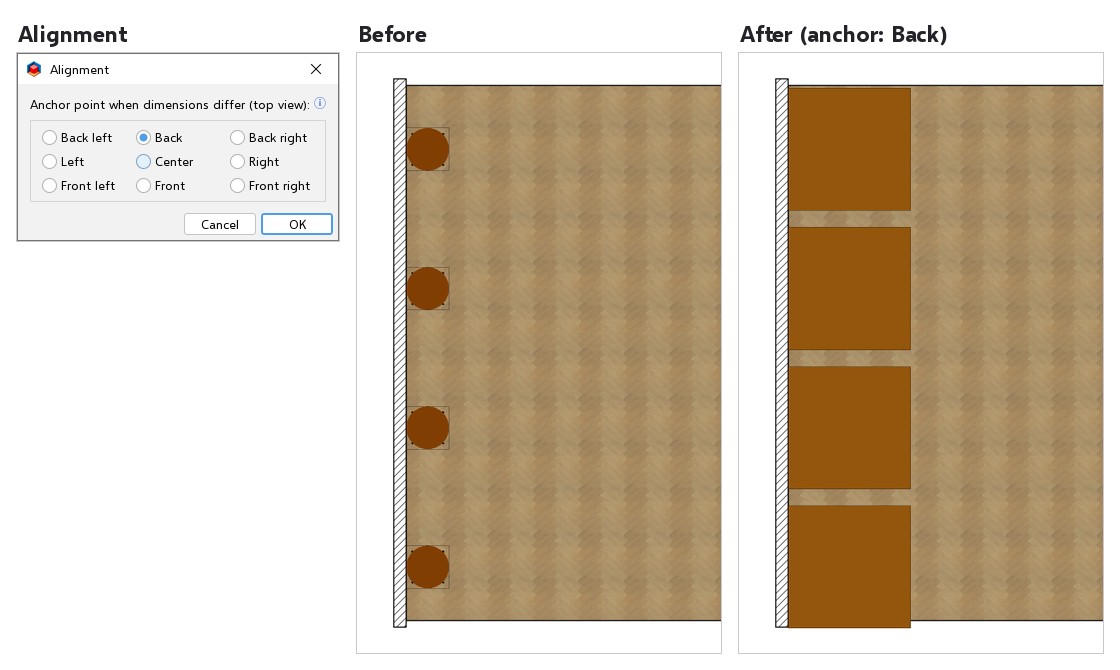
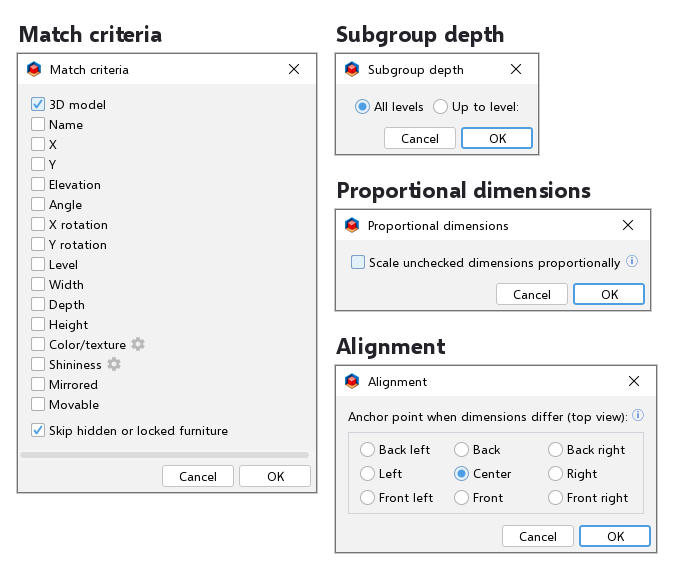
- Scale unchecked dimensions proportionally (following one dimension or the average).
- Alignment: an anchor point (9 positions, top view) when the sizes differ. Doors and windows in walls stay fitted to their opening.
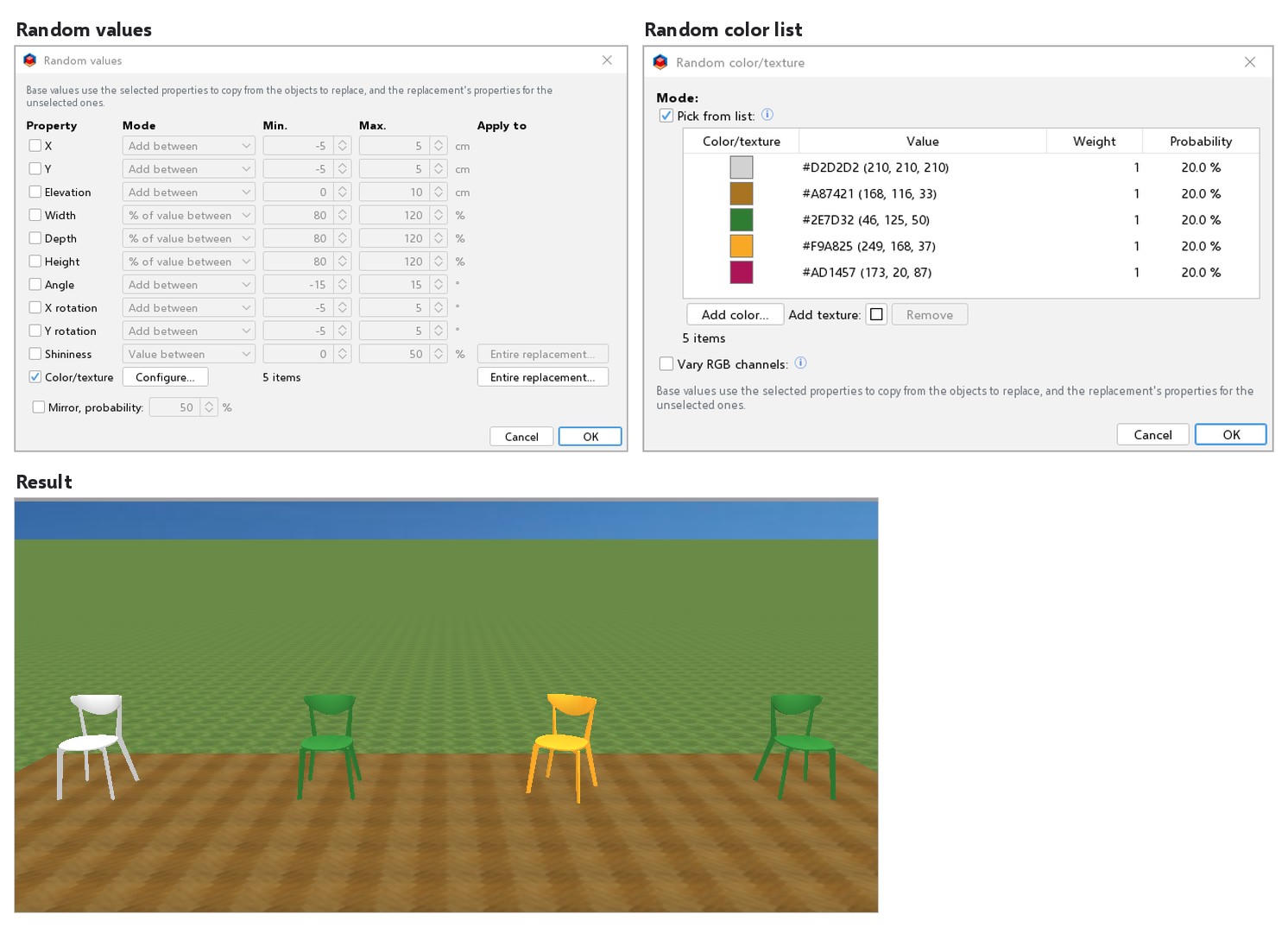
Random values
- Any property can take a random value: absolute, added, or a percentage of the original, keeping proportions if you want.
- Random mirror with a probability.
- Random color/texture from a weighted list, or by varying red, green and blue, for the whole object or per material. "Reroll" draws again.
Matching ("All matching")
- Match by 3D model and/or name, with a shininess tolerance and texture matched by name or by image.
- Groups: require an identical internal layout, or match each 3D model inside the selected groups.
- "View matches" highlights in the plan every object that will be replaced.
Groups
- Replace groups as a whole, or the elements inside them down to the subgroup depth you choose (counted from the outer group or from the innermost one).
- Option to skip hidden or locked furniture.
- Interface in 19 languages.
- Sweet Home 3D 6.5 or later, Java 8 or later.
- Remove older Replacer files from the plug-ins folder, then double-click Replacer-2.sh3p (or copy it into that folder) and restart Sweet Home 3D.
- Version 2 is available on SourceForge: https://sourceforge.net/p/s[attachment= ... ug-ins/47/
- The plug-in file (Replacer-2.sh3p) is also attached to this message.
- Source code on GitHub: https://github.com/OliMartinez/Replacer