New Year, New Home... well, sort of...

This topic has been viewed 126267 times and has 3 replies
Thread status: Active
Share your snapshots made with Sweet Home 3D here [img]http://www.sweethome3d.com/images/flags/en_small.gif[/img]
Post Reply New Topic
User avatar
AeowynFraser
Posts: 563
Joined: Wed Oct 08, 2014 1:02 am
Country: Lancaster, CA, USA

New Year, New Home... well, sort of...

Post by AeowynFraser »

Happy 2026, everyone! I hope that this year will be a good one (or, for the other citizens of the United States, a better one).

On to why I've created this thread. I've made a new home! Mostly. Let me explain.

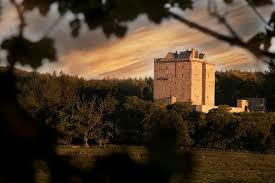
I found a picture on my Facebook feed, not specifically for a particular home, but for some home service which I don't recall what at this moment. It seriously intrigued me, as it had elements of different home styles that I like. Eventually, I did a reverse image search because I was curious if it was a real home or an AI-generated image, and found an actual home associated with it (here). Just so you know, I did NOT recreate the home I found (mainly because I don't like the layout and all of those floors of the original), but used mostly its front view (and maybe a little of its interior layout) as inspiration. I have created this home as a single-story home with 4 bedrooms and 3-and-a-half bathrooms.

Below is a screenshot I took from my Facebook page.
Image

Here is the link to the file I've created, and below are the pictures of it.

Aerial Front
Image

Front Porch
Image

Aerial Back
Image
I'm still working on this area.

Back Patio
Image
I haven't furnished this area, or the backyard, yet.

Foyer
Image
Taken from just inside the front door, looking toward the Great Room.
Image
Taken from just inside the front door, looking toward the Hallway.
Image
Taken from near the Hallway, looking toward the Great Room.
Image
Taken from in front of the Hallway, looking toward the Front Door.

Great Room. This area includes a small library, living area, kitchen, and pantry. The original design had it possible to go straight into the kitchen area from the foyer, but I thought that was not necessary, and the closed-off area in that corner could be used as someplace to feed any pets.
Image
Taken from the Foyer, looking to the Back.
Image
Taken just a few steps into the Great Room, looking into the small library area.
Image
Taken just a few steps past the small library area, looking to the Back.
Image
Taken from the middle of the Great Room, looking at the living area.
Image
Taken from the middle of the Great Room, looking at the kitchen.
Image
Taken from the back of the house, looking toward the Front Door.
Image
Taken from in the kitchen area, looking at the Pantry.

Dining Room
Image

En-Suite Bedroom, Bathroom, and Walk-In Closet
Image
Taken from the door into the bedroom.
Image
Taken from the sliding door between the bedroom and bathroom.

Master En-Suite Bedroom, Walk-In Closet, and Bathroom
Image
Master Bedroom, taken from the door into the bedroom, looking toward the bathroom, with the Walk-In Closet visible.
Image
Master Bathroom, taken from the door from the bedroom.

Hallway leading to the Third and Fourth Bedrooms, Main Bathroom, Half Bathroom, Laundry and Mud Room, and 2-Car Garage. The Half Bathroom is a little awkward for picture rendering so this is the only picture of it other than in the floor plans.
Image

Third Bedroom.
Image
This is the smallest bedroom, and I have it decorated as an office with a Murphy bed (possible a Murphy bunk bed, although I couldn't find a model to use for that).

Main Bathroom.
Image

Fourth Bedroom.
Image

Laundry and Mud Room.
Image

2-Car Garage
Image
The water heater and Heating Ventilation Air Conditioning system are in here. I forgot to add the electrical panel and meter, but I was planning on putting them in here.

Screenshots of the floor plan. I didn't take a picture of Level 2 because there's no actual rooms there, just the uppermost walls, the beams over the Great Room, and the roofing.
Image
Ground level
Image
Main level
Image
User avatar
AeowynFraser
Posts: 563
Joined: Wed Oct 08, 2014 1:02 am
Country: Lancaster, CA, USA

Re: New Year, New Home... well, sort of...

Post by AeowynFraser »

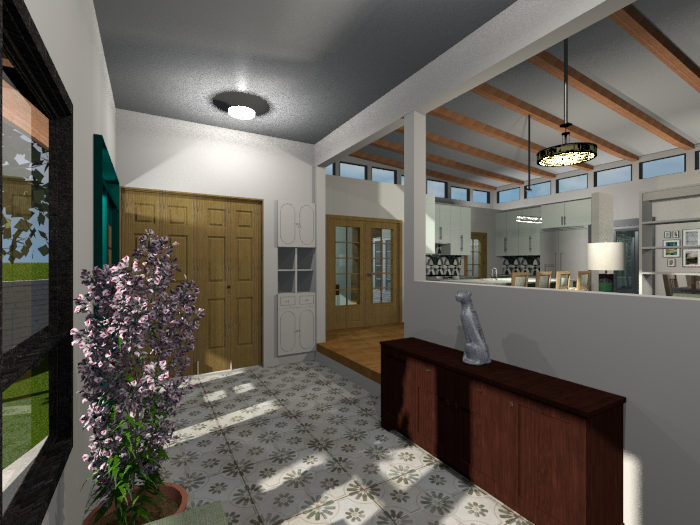
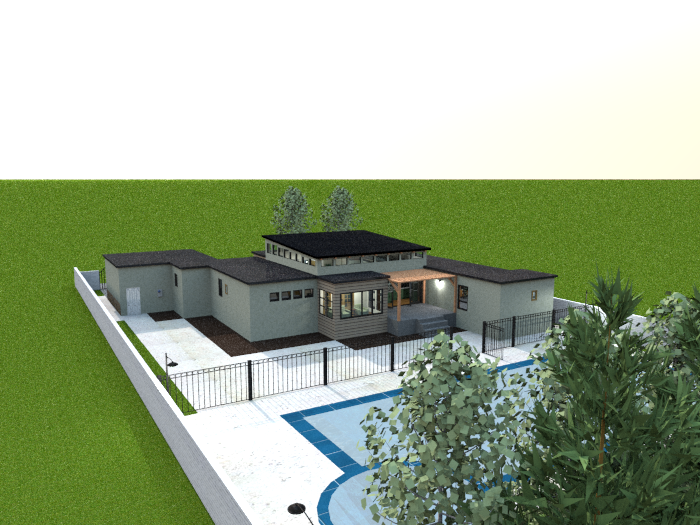
Alright, here's another one of my house designs that I couldn't leave well enough alone. Just as a disclaimer, I am still working on getting pictures done of this alternate version, so I won't be sharing the file for it just yet. I can show four pictures already taken, and I believe I should be getting more rendered soon.

Image

Image

Image

Image

The most drastic changes (I think so anyway) are to the main area, the area with the vaulted ceiling. The bedrooms and bathrooms are still in the same configuration, although so far I've done a little rearranging of the furniture and textures in the two smaller bedrooms. I have replaced some of the larger file-sized pieces with similar smaller file-sized ones in a few places, so the whole file (so far) takes up less MB than the previous version (only about 10 MB smaller), but that might change the further I go with working of the renderings.

I've swapped the placement of the kitchen area with the living area, made the kitchen area a little smaller (unfortunately), made the dining area into a sun room (or Florida Room, depending on who you might ask [:))]) and moved the dining area to under the vaulted ceiling, and I changed the open "library" area into a closed-off office. There's still a pantry, I think I might have been able to make it a little bigger, and it's between the kitchen area and the hallway to the en-suite bedrooms.

Unfortunately, with the way it's now configured, I had to add a wall so that there would be enough kitchen space in the kitchen.

And yes, there's more to the landscape than what I'd previously done with this house plan (although I'm not all that pleased with how uniformly planted I have those trees in the back).

That's all for now; it's currently about 1:30am here and I've been up since about 6:30am. I'm tired, so I'm signing out for sleep.
Image
User avatar
AeowynFraser
Posts: 563
Joined: Wed Oct 08, 2014 1:02 am
Country: Lancaster, CA, USA

Re: New Year, New Home... well, sort of...

Post by AeowynFraser »

Here are more pictures of the new version.

Image
Image
Image
Image
The Great Room, four different angles. The first picture is taken from the doorway to the foyer, looking to the left; visible is the french doors to the new enclosed office space, kitchen, and the door to the pantry. The second picture is from the same spot, looking to the right; the living area and dining area are visible here, with the passthrough bookcase between them. The third picture is taken from the back wall between the back patio doors and the french doors to the Florida/Sun Room, looking to the right; part of the doorway to the foyer is visible as well as the french doors to the enclosed office, another angle of the kitchen, the doorway to the hallway of the en-suite bedrooms, and the back patio doors with the door to the Master Suite kind of visible. The fourth picture is from the same spot as in the third picture, looking to the left; a better view of the dining area and living area behind the passthrough bookcase.

Image
The new enclosed Office. I now realize that I had the office chair a little too close to desk... and I also just realized how terribly rendered the computer screen is...

Image
The Florida/Sun Room.

Image
3rd Bedroom, the first non-suite bedroom. I've changed out the fixed windows for ones that actually open, as well as changed wall color, wallpaper, and the bedding textures. Otherwise, this room is the same as the original.

Image
Main Bathroom. I changed the sink vanity and faucet for ones that are a smaller file size. Before, the sink vanity and faucet were one large file; the sink vanity I changed it to was much smaller but didn't have the faucet, and adding the faucet still left them both taking up less file space than previously. I also changed out the enclosed bathtub model with a bathtub model and glass door model, then added a couple of walls and boxes to enclose it all. Oh, and I changed the wallpaper behind the sink vanity and in the shower area with the marble texture I'd used on the sink countertop. Otherwise it's the same as the original.

Image
4th Bedroom, the second and smaller non-suite bedroom. I reconfigured the layout a little, putting the twin Murphy bed on the opposite wall; actually I'd changed out the twin Murphy bed model for this one because it's not only a smaller file size but it's also pulls out as bunk beds. Since changing the Murphy bed model, there was no nightstand or lamp, so I added them; even with this addition there's less MB used. I also changed out the desk I'd used for a smaller file-sized one.

Okay, that's all I have for now. I'll get the remaining pictures rendered shortly.
Image
User avatar
AeowynFraser
Posts: 563
Joined: Wed Oct 08, 2014 1:02 am
Country: Lancaster, CA, USA

Re: New Year, New Home... well, sort of...

Post by AeowynFraser »

I've got the rest of the pictures taken, I believe. Here's the file for the completed house plan.

Image
Laundry Room. Almost the same basic layout as the original, although I did reduce the number of upper cabinets and used less space for the washer and dryer so that I could add in the laundry sink and drying rack. And of course I'd changed the tiles and wall color. I'm still disappointed with the rendering of that model of washer and dryer.

Image
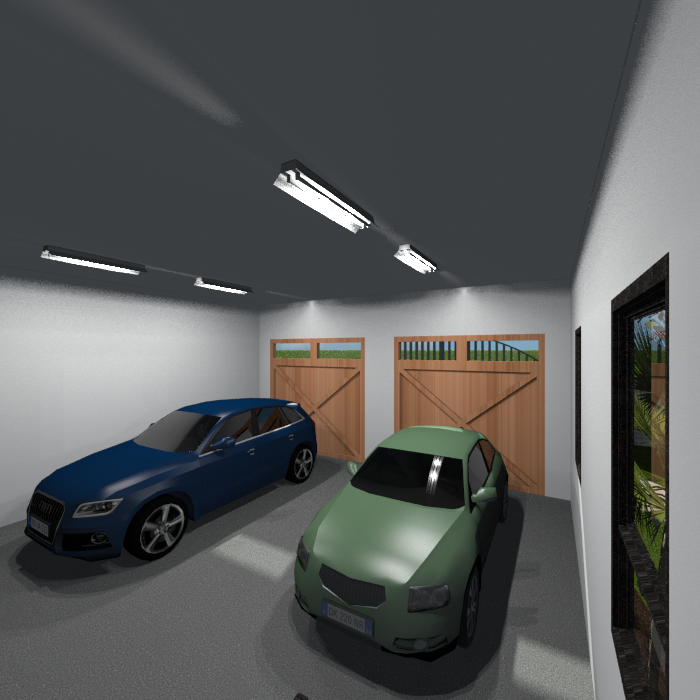
2-Car Garage. Not much change here, except the car models, and I added the electrical panel (out of sight in this picture).

Now on to the other side, to the En-Suites.

Image
En-Suite Bedroom, the smaller of the two. I've rearranged the furniture and a large window, and replaced the fixed windows with ones that open. Oh, and I also replaced the lamps for ones that were smaller file-wise.

Image
En-Suite Bathroom and Walk-In Closet. I didn't change much in here. Not really visible in this picture though, I'd changed the color of the towel and bathmat. I also reduced the floor tile pattern (a LOT) and turned it on its side; I think it looks closer to vintage mosaic tile work. And I made the threshold of the sliding pocket doors invisible as I never really liked the look of them... and I just realized that the powder room has the same door and I didn't make its threshold invisible... oops. (I'll get to that at a later date I think, maybe)

Image
Master En-Suite Bedroom and Walk-In Closet. It's all basically the same furniture in the same place, although I did switch out the bookcase (not visible in this picture). I moved the sliding pocket door of the closet (I did make this door's threshold invisible) and adjusted the closet model, so that I I could add the vanity table, chair, mirror, and picture light. I also swapped the fixed windows here as well. I was also able to add the wall-mounted TV.

Image
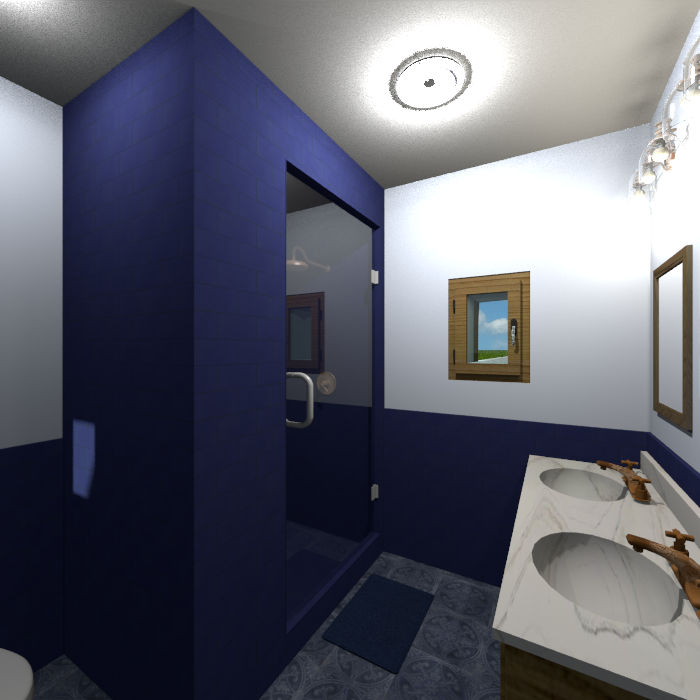
Master En-Suite Bathroom. I didn't do much in here, just changed out the larger window for a smaller one, added a bathmat and towel rack (with a towel) although the towel rack is not visible in this picture, and changed the wall color.

I think that's all the rooms in the house.

Image
Aerial Back. I have the groundwork all done, but haven't added any furniture or greenery (except for the line of trees as the back property line). I might need to add some more lighting along the one side of the house though...

Image
Image
Image
Image
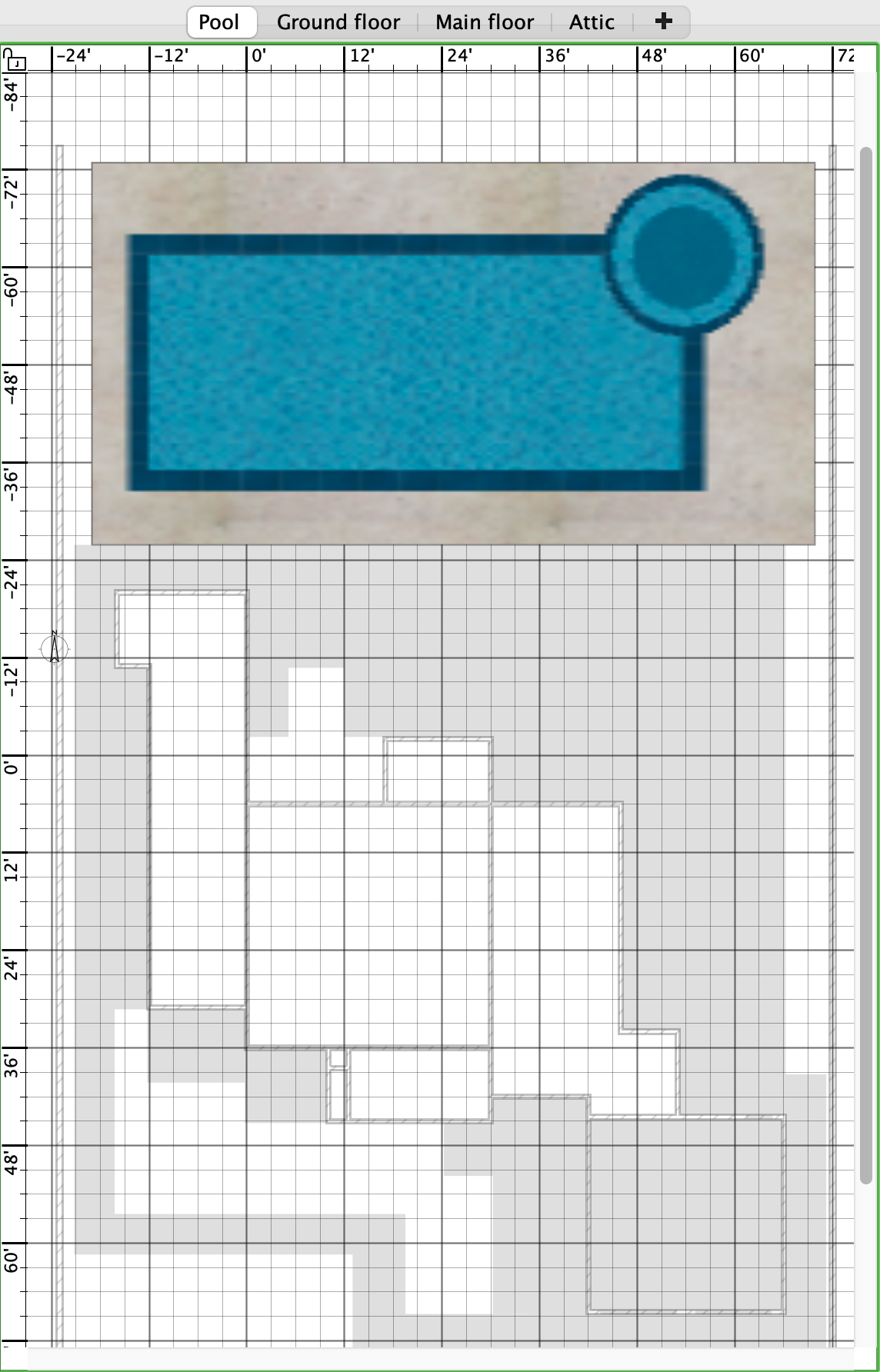
Screenshots of the levels (I made the roofing invisible for these shots): Pool, Ground floor, Main floor, and Top floor.
Image
Post Reply New Topic

Who is online

Users browsing this forum: No registered users