Index  | Recent Threads  | List Attachments  | Search
 Welcome Guest  |  Register  |  Login
Login Name  Password
 

Sweet Home 3D Forum


No member browsing this thread
Thread Status: Active
Total posts in this thread: 3
[ Jump to Last Post ]
Post new Thread
Author
Previous Thread This topic has been viewed 132 times and has 2 replies
ilgio
Newbie


Joined: Apr 16, 2025
Post Count: 3
Status: Offline
Reply to this Post  Reply with Quote 
night lighting

I've seen many people render the house from above in night mode, setting it to 8 p.m., 6 p.m., etc.
and it produces a dim image of the house in the dark.
I've tried everything, but only that image appears in the aerial view.
In the virtual view, however, the image goes completely black.
Why?
[Jan 30, 2026, 10:54:31 AM] Show Printable Version of Post    View Member Profile    Send Private Message [Link] Report threatening or abusive post: please login first  Go to top 
GaudiGalopin3324
Advanced Member
Member's Avatar

Russia
Joined: Aug 13, 2022
Post Count: 677
Status: Offline
Reply to this Post  Reply with Quote 
Re: night lighting

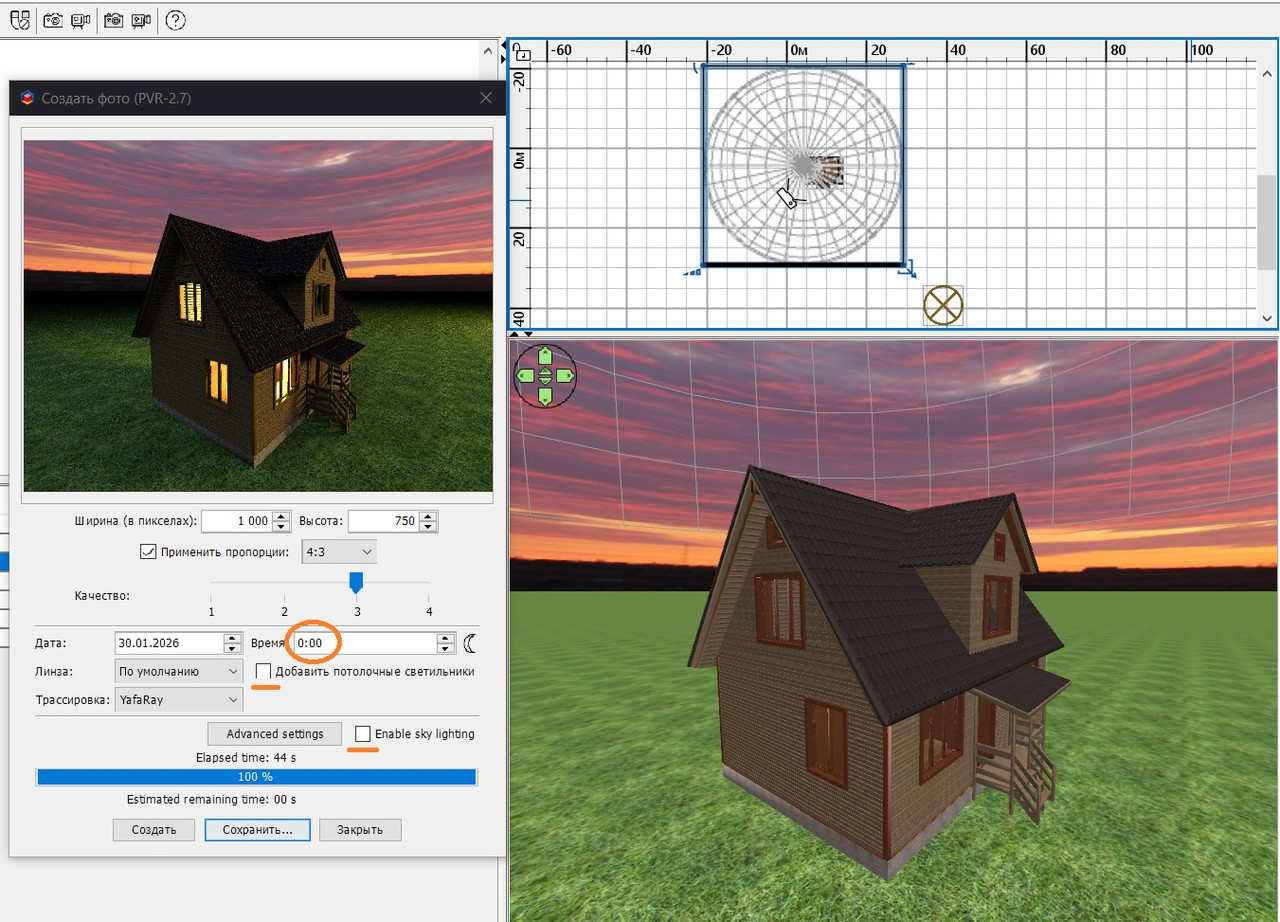
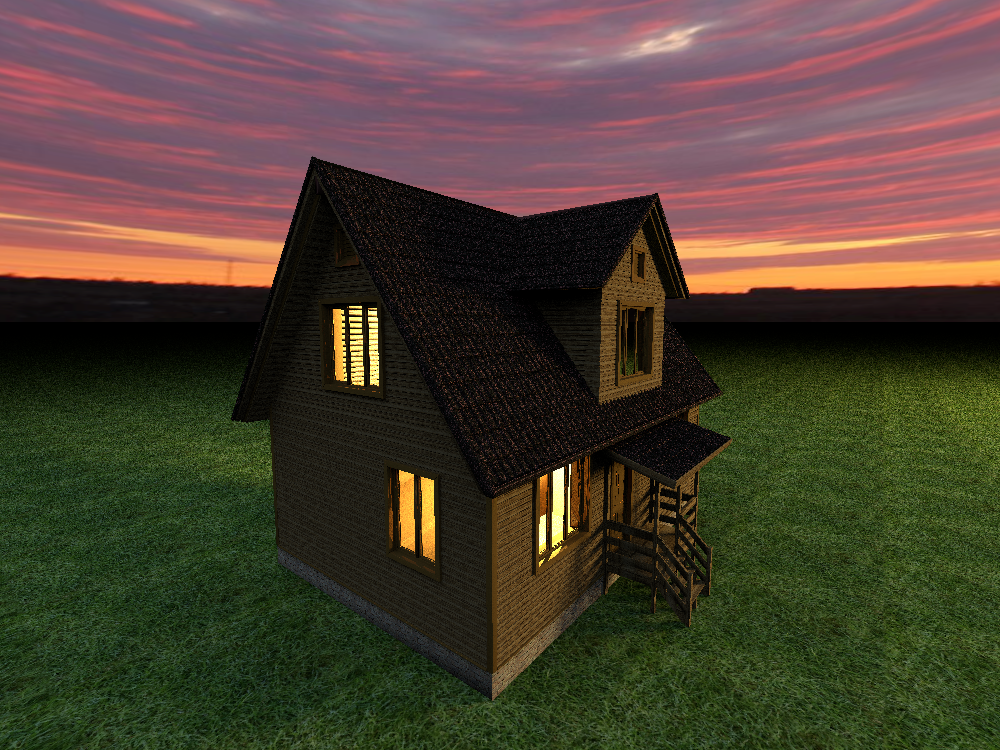
Hi. If I understood correctly. Lighting the house at dusk and at night is best done with an independent light. For example, I put a house on the ground. To get a view of the sky after sunset. it is necessary to make a virtual visit, then the texture of the sky will be on the render. In the other "top view" mode, the sky will be pink without texture. Assign a sky texture from some sunset sky image, and shift the texture so that the border doesn't fit into the frame. To make the house dimly lit from the outside, you need to use a huge hemisphere 5000cm 5000cm 2500cm, raise it to a height of 1000cm. Its power is 1%, the color is white or blue. Inside the house, the light is orange, with two lamps at 60%. To better highlight the shape of the house, you can place a huge orange sphere with a capacity of 10% far from the house, at a height of 200 cm. Brightness settings for rendering in the middle. The most important thing is to set the time to 0.00. Then only your special lights will work, you can control this and try low-quality renderers.





Hose SH3D file
[Jan 30, 2026, 10:00:51 PM] Show Printable Version of Post    View Member Profile    Send Private Message [Link] Report threatening or abusive post: please login first  Go to top 
ErinPersse
Newbie


Joined: Jan 31, 2026
Post Count: 1
Status: Offline
Reply to this Post  Reply with Quote 
Re: night lighting

That's frustrating! Night lighting in renderings can be tricky since it heavily depends on your light sources and exposure settings. Have you checked if your ambient light is set high enough? Sometimes the issue is that the virtual camera is too sensitive or your lights aren't positioned correctly. Try adjusting your exposure compensation or adding more fill lights. It's kind of like trying to get a song to play right on Heardle - sometimes you need to tweak a few things before it clicks. Definitely check your render settings too; some engines handle night scenes differently than day ones.
[Jan 31, 2026, 8:41:01 AM] Show Printable Version of Post    View Member Profile    Send Private Message [Link] Report threatening or abusive post: please login first  Go to top 
[ Jump to Last Post ]
Show Printable Version of Thread  Post new Thread

  Get Sweet Home 3D at SourceForge.net. Fast, secure and Free Open Source software downloads  
© Copyright 2024 Space Mushrooms - All rights reserved
