|
Sweet Home 3D Forum » List all forums » » Forum: Features use and tips » » » Thread: ALERT : Win10 build 1703 |
||
| Print at Jan 9, 2026, 2:29:51 AM |
|
|
| Posted by bdfd at Apr 7, 2017, 12:33:06 PM |
|
ALERT : Win10 build 1703 Hi, After download and installing new Win10 build 1703, I saw that sh3d crashed ! In opening, no problem. I tryed to do a 'Save Under...' and bye... No message... When you re-try to open sh3d's file, do a simple 'Save' on a recuperated file, this resoluted the problem. So, becareful ! ====> 04-07-2017 - 15:21 GMT 1. Same crash when I want to import new model in existant project. When I choose 'Furniture', 'Import furniture', 'choose model'........... CRASH ! similar to departure without saving. 2. Same thing on new project with an import. Here is the latest log ![]() ---------------------------------------- ---------------------------------------- Evil progresses when good people do nothing! --- SH3D 7.1 and nothing else - W11 64b in 4K |
| Posted by bdfd at Apr 8, 2017, 9:05:44 AM |
|
Re: ALERT : Win10 build 1703 Hi, Today, same crash in saving on rendering picture... Here is the most recent log... ---------------------------------------- ---------------------------------------- Evil progresses when good people do nothing! --- SH3D 7.1 and nothing else - W11 64b in 4K |
| Posted by korner at Apr 8, 2017, 12:06:35 PM |
|
Re: ALERT : Win10 build 1703 Maybe, that's because of non-ASCII characters in folder name? java_command: com.eteks.sweethome3d.SweetHome3D -open D:\SH3D\Crйations\06 Cubique\10\Cubique10 meublйe.sh3d Sure this is a bug author needs to fix, but I can see a workaround in renaming that folder |
| Posted by bdfd at Apr 8, 2017, 12:21:31 PM |
|
Re: ALERT : Win10 build 1703 Maybe, that's because of non-ASCII characters in folder name? Good idea but LOST ! java_command: com.eteks.sweethome3d.SweetHome3D -open D:\SH3D\Crйations\06 Cubique\10\Cubique10 meublйe.sh3d Sure this is a bug author needs to fix, but I can see a workaround in renaming that folder Same crashes without french accents... ---------------------------------------- Evil progresses when good people do nothing! --- SH3D 7.1 and nothing else - W11 64b in 4K |
| Posted by bdfd at Apr 9, 2017, 10:23:01 AM |
|
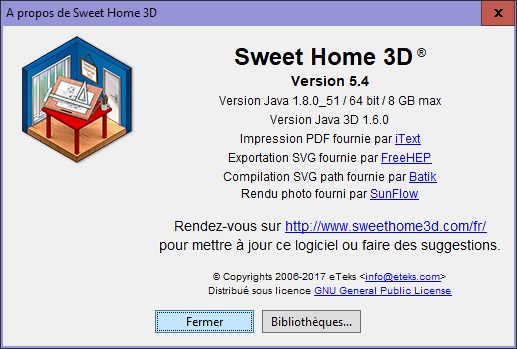
Re: ALERT : Win10 build 1703 Fortunately, the option 'Save and compress' works fine ! ![]() ---------------------------------------- Evil progresses when good people do nothing! --- SH3D 7.1 and nothing else - W11 64b in 4K |
| Posted by bdfd at Apr 11, 2017, 9:49:48 PM |
|
Re: ALERT : Win10 build 1703 Hi, @Manu : What are the news ? ---------------------------------------- Evil progresses when good people do nothing! --- SH3D 7.1 and nothing else - W11 64b in 4K |
| Posted by Puybaret at Apr 12, 2017, 11:54:53 AM |
|
Re: ALERT : Win10 build 1703 It looks like the Java bug #8170517 or #8173471. The first one was closed as non-reproducible and the second one was resolved recently but the fix is probably not published yet. The bug must happen as soon as you try to access a file dialog box to choose a sh3d file or any other file handled by Sweet Home 3D, with a problem to access this file. To cancel the directories that you used recently in Sweet Home 3D, run regedit, search for last/Directory# and last/Default/Directory in folders ending with com/eteks/sweethome3d and remove matching entries. If it doesn't work better after that, try to move and open a Sweet Home 3D file in a very common place like your desktop to check if it works better or not. ---------------------------------------- Emmanuel Puybaret, Sweet Home 3D creator |
| Posted by bdfd at Apr 12, 2017, 1:04:57 PM |
|
Re: ALERT : Win10 build 1703 Hi, No change after remove all entries in "\HKEY_CURRENT_USER\Software\JavaSoft\Prefs\com\eteks\sweethome3d"... Same crash with : - Save Under - choose new furniture - save picture... Why does it work with 'Save and compress' and NOT with 'Save' or 'Save as' ? Another ideas ? perhaps with java 1.9 ? ![]() ---------------------------------------- Evil progresses when good people do nothing! --- SH3D 7.1 and nothing else - W11 64b in 4K |
| Posted by Puybaret at Apr 12, 2017, 11:09:32 PM |
|
Re: ALERT : Win10 build 1703 I just tried on a Windows 10 computer with Creator update (version 1703 / 15063.138), and didn't notice any issue. You can try with Java 9 + Jar executable version for example, but keep in mind that Java 9 is still in Beta. ---------------------------------------- Emmanuel Puybaret, Sweet Home 3D creator |
| Posted by bdfd at Apr 13, 2017, 9:49:33 AM |
|
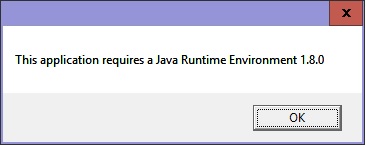
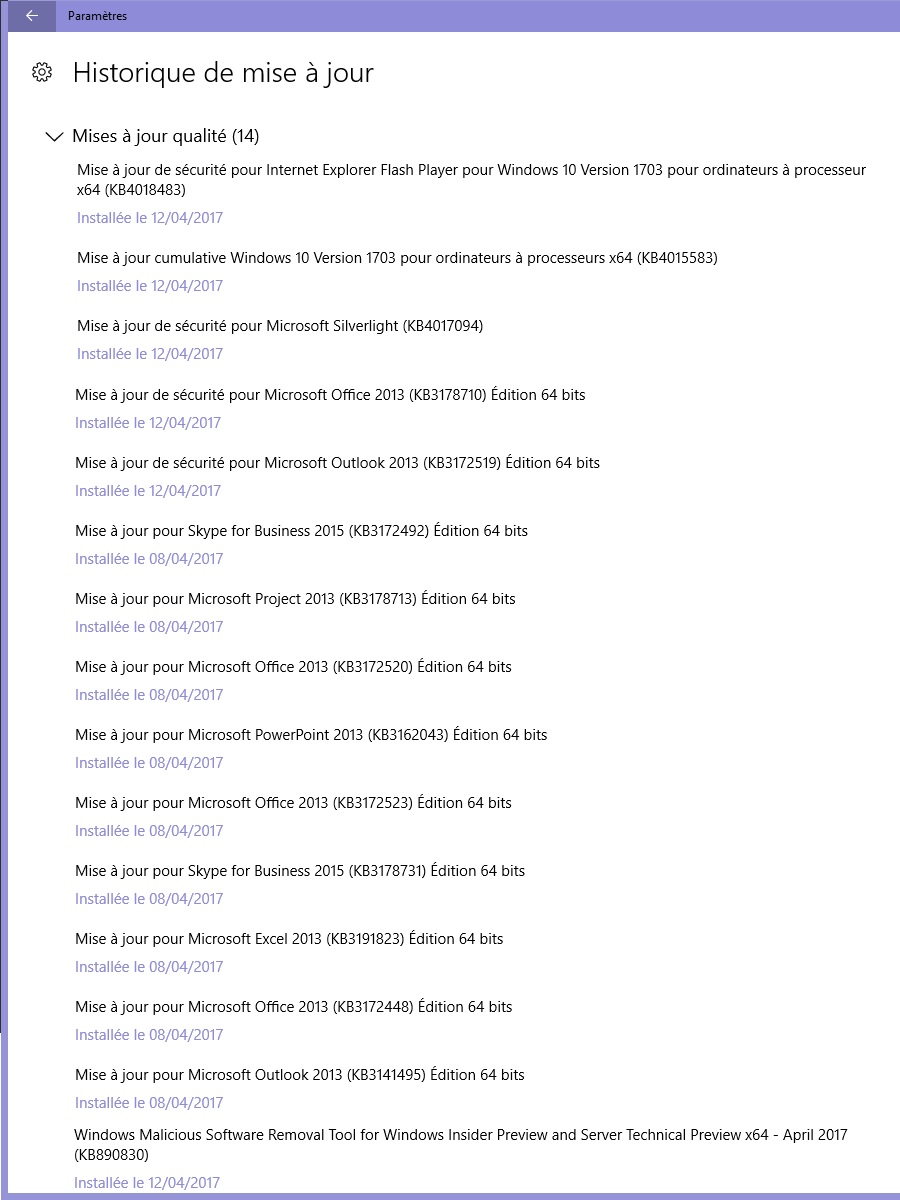
Re: ALERT : Win10 build 1703 I just tried on a Windows 10 computer with Creator update (version 1703 / 15063.138), and didn't notice any issue. OK, we have same OS with the latest update (yesterday).You can try with Java 9 + Jar executable version for example, but keep in mind that Java 9 is still in Beta. The link to download java9 is HERE Here are the problems : Java 9 is installed, After reboot I saw this : ![]() Always in java 1.8 ! So I saw a sub-directory jre8 in sh3d directory, I deleted it. I launched sh3d and... ![]() So I copied/pasted the jre-9 in programs directory into sh3d directory. I launched sh3d and... ![]() I deleted all plug-ins, same crashes... I desactived my anti-virus, same crashes... Latest updates after win10 1703 here is the latest logs : What can I do more ? Even the soft "Furniture Library Editor" crashes... see the last joined log. ---------------------------------------- ---------------------------------------- ---------------------------------------- ---------------------------------------- ---------------------------------------- Evil progresses when good people do nothing! --- SH3D 7.1 and nothing else - W11 64b in 4K |
|
|
|
Current timezone is GMT Jan 9, 2026, 2:29:51 AM |