Print at Jan 10, 2026, 11:03:02 PM View all posts in this thread on one page
Posted by Eo at May 30, 2013, 2:50:51 PM
Noisy reflection
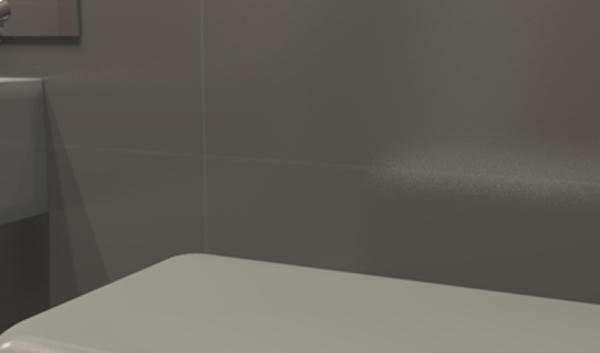
I have a question about the reflection on the wall. There is a wall and an object. Wall - glossy colored ceramic tile, without figures. Tiles should be self-colored and smooth, but a reflection on the wall looks like a single points of light, or as noise. I want to get a smooth reflection. How do I make a reflection without noise? Sorry for my English.
Example:
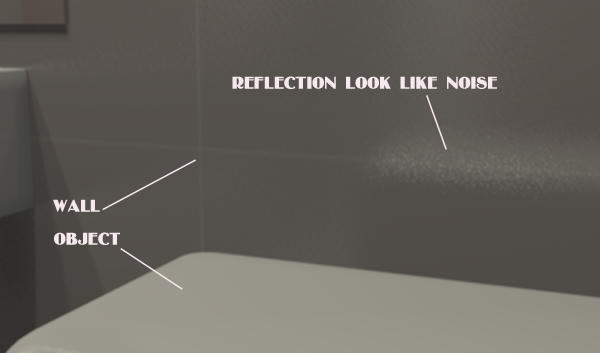
http://www.mediafire.com/view/sp7rc8azzx7aed6/03_copy.png

Used texture:

http://www.mediafire.com/view/6i16iuwuz1jojbo/3.png
Posted by Puybaret at May 30, 2013, 4:33:10 PM
Re: Noisy reflection
The easiest way to reduce noise is to create a twice (or more) larger image and reduced it once the image is computed with an image software.
----------------------------------------
Emmanuel Puybaret, Sweet Home 3D creator

Posted by Eo at May 30, 2013, 7:19:57 PM
Re: Noisy reflection
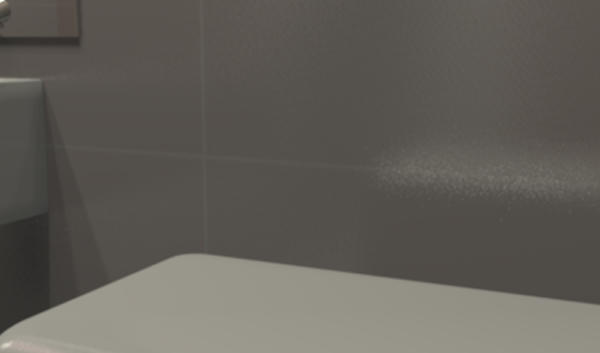
The twice larger image and then reduced looks much better. Thank you.
For comparison - original:


a twice larger image and reduced:


Posted by hal9000 at May 31, 2013, 12:01:45 AM
Re: Noisy reflection
Hmm... that may serve as a workaround, but when you're rendering an HD image which takes several hours to complete, the last thing you want is to multiply the rendering time by 4. worried
----------------------------------------
If a long walk every day were healthy, mailmen would be immortal. tongue

Posted by Puybaret at May 31, 2013, 12:28:36 AM
Re: Noisy reflection
As said before, it was the easiest way.
The other way would be to increase antialiasing with the following parameter passed to the JVM (see also this message):
-Dcom.eteks.sweethome3d.j3d.PhotoRenderer.highQuality.antiAliasing.max=3

Rendering will go slower but not as much as computing a larger image.
----------------------------------------
Emmanuel Puybaret, Sweet Home 3D creator