Print at Dec 17, 2025, 8:53:12 AM
Posts: 15   Pages: 2   [ 1 2 | Next Page ]
View all posts in this thread on one page
Posted by Puybaret at Jun 3, 2010, 2:03:31 AM
Wooden kitchen
Hi,

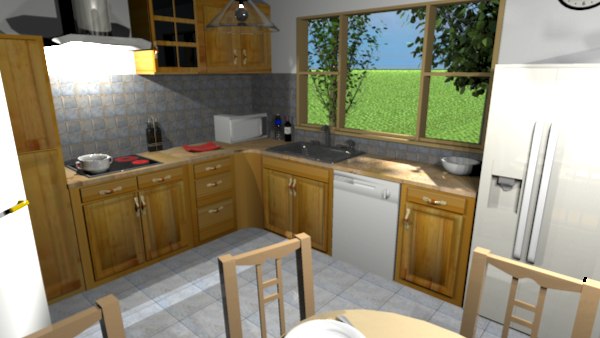
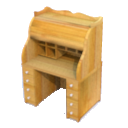
Pencilart, one of the main contributors to Sweet Home 3D free models, just finished a whole collection of kitchen furniture that she gently shared with the community.
This furniture includes a whole set of very nice wooden cabinets. See how it renders with the advanced rendering plug-in:


Thank you Pencilart! smile
----------------------------------------
Emmanuel Puybaret, Sweet Home 3D creator

Posted by hansmex at Jun 3, 2010, 10:10:38 AM
Re: Wooden kitchen
Thanks, they look VERY nice!

Hans
----------------------------------------
Hans

new website - under constuction
hansdirkse.info

Posted by db4tech at Jun 6, 2010, 10:55:29 PM
Re: Wooden kitchen
Thank you Pencilart,

Very nice furniture, downloaded as soon as I saw them. smile
Great kitchen and nice render Emmanuel!

db4tech

Posted by pencilart at Jun 8, 2010, 8:49:55 PM
Re: Wooden kitchen
Here's an island for those kitchen furnishings:
http://www.storm-artists.net/view/94015/

To be available as soon as Emmanuel can put it up on the site.

BTW, for the corner china cabinet I found that by subdividing the decorative trim, it helped with the uber rendering problem.

Posted by db4tech at Jun 9, 2010, 12:29:21 PM
Re: Wooden kitchen
Hi Pencilart,

What are your thoughts on adding a kick-board on the lower units, plus skirts on the upper units (so under cabinet lighting can be added without it being seen)?
I wasn't sure if black or wood colour kick-boards looked best, so I did a test using a flattened cube shapes for black kick-boards and wood texture wrapped flattened cube shapes for the upper cabinet skirts.

Sorry about the lady in the kitchen, she was just having some pizza and wine while getting ready to go out for the evening, I thought it was polite to let her stay and enjoy her meal so the pizza wouldn't go cold. biggrin


Firstly Uber render
Apart from the pizza and ladies skirt losing colours, I definitely prefer this version, the sparkly sink looks better than the grey version and ladies sparkly evening clothes look nice and more like fabric. smile


Then Advanced photo render
Colours are correct but everything looks a bit plastic, ladies clothes and skin (notice her shoulders) Not sure why a small part has rendered black on the ladies skirt with this shader?


Pencilart wrote:
Here's an island for those kitchen furnishings:
http://www.storm-artists.net/view/94015/
Please will you be kind enough to add an upper corner unit too. smile

Hope you won't mind me asking, if you know that (when the same height is entered on model import) some of the kitchen units are different depths to others?

By the way your piece of furniture

always stood out from the rest on the 3D models page, for the amazing build quality and also because the rendered example looks so much nicer than the quick 3D view versions of other 3D models on the page, the rendered versions really help a user understand exactly how the piece of furniture will look in their final rendered scene.

Emmanuel, I used your excellent kitchen design for a point of reference while designing mine, hope you won't mind! smile

db4tech

Edit: Updated the scene adding a cooker hood light and extra wall tiles.

Posted by Puybaret at Jun 9, 2010, 3:31:19 PM
Re: Wooden kitchen
Waouh! It looks so nice!
I wouldn't imagine users would be able to create such images one day with Sweet Home 3D. biggrin

Thank you for sharing!
----------------------------------------
Emmanuel Puybaret, Sweet Home 3D creator

Posted by db4tech at Jun 9, 2010, 6:21:03 PM
Re: Wooden kitchen
Are you talking about the lady or the kitchen? he he wink

By the way, I used some of my newly created and updated halogen lights, under the units and on the ceiling (instead of the normal ceiling light) from the updated and soon to be released version 1.2 BasicPlusExtraLights.sh3f.

The warmer colour halogen lights always help with kitchen design as it makes the room feel more cosy as well as making food look more appetizing. smile

db4tech

Posted by db4tech at Jun 10, 2010, 3:12:55 AM
Re: Wooden kitchen
Hi Pencilart,

If it is helpful this is how the wood effect kick-boards might look, I also threw in (at no extra £xpense!) white kick-boards. smile

All rendered using Uber

So as a compare here is the original black


Wood


Lastly, white, which due to the lighting looks dirty ucky grey


Personally I think the black looks the most striking but that could be because of the floor texture I have chosen, interested to hear your thoughts? Maybe a dark marble finish would work too? Speaking of which!


Bonus extra: Dark marble kick-boards


I think that works quite well. smile


Further thoughts:
How would you feel about supplying the lower units without a worktop then have a range, of say, 5 different ready made worktops that fit (or can be stretched to fit) different marble surfaces, in a range of different colours, that all compliment the wood texture?

I do hope you don't mind the different renders or ideas, I only mean well.
db4tech

Posted by pencilart at Jun 10, 2010, 6:14:50 PM
biggrin   Re: Wooden kitchen
Hope you won't mind me asking, if you know that (when the same height is entered on model import) some of the kitchen units are different depths to others?

I have no foggy idea why that happens. I just make the needed adjustments either in the home plan view or to the piece from the "modify furniture" menu.

As for the kickboards and skirts, I'll think about it. I'm not sure if everyone would want it. Did you use Blender or something to add them to your scene? They do look very nice.

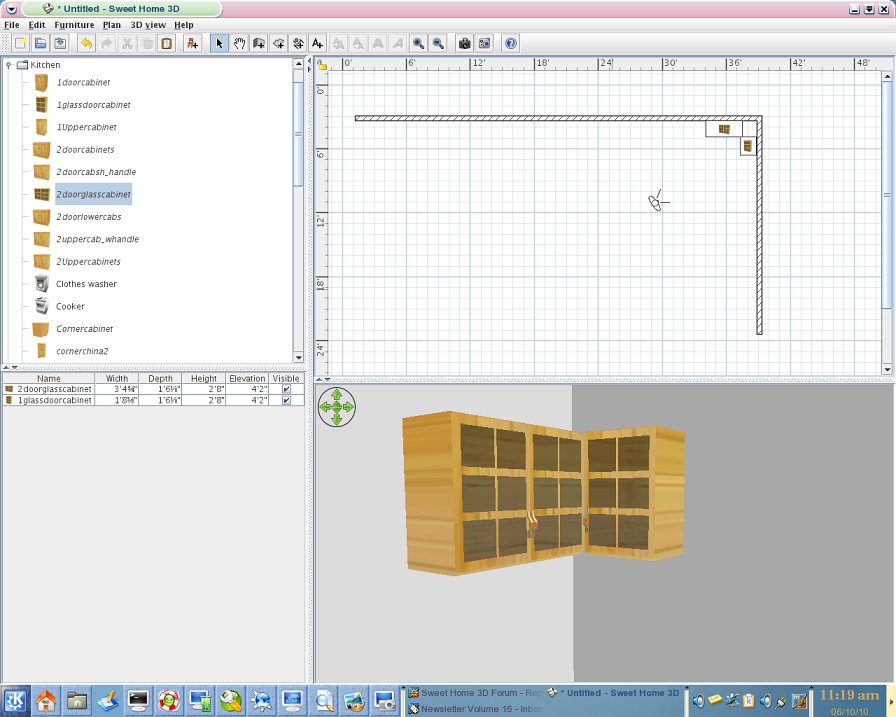
For the upper corner cabinets, I was just thinking that you could simply use the 2 + 1 upper cabinets at right angles:

As for "supplying the lower units without a worktop then have a range, of say, 5 different ready made worktops that fit (or can be stretched to fit) different marble surfaces, in a range of different colours, that all compliment the wood texture" I'll leave that up to Emmanuel if he wants me to do that or you can submit the different color counter tops and he can decide from there. Just be sure not to use any texture whose license would disallow its use in open source software. (I just found out about that myself -- just ask Emmanuel about that :D)
----------------------------------------
Attachment SH3Duppercabinetry.jpg (98963 bytes) (Download count: 422358) (Notice 2 cabinets + 1 together)
SH3Duppercabinetry.jpg

Posted by db4tech at Jun 10, 2010, 8:06:24 PM
Re: Wooden kitchen
Hi thanks for your reply,

No I haven't learned Blender yet, I have decided to wait for version 2.5 or it will be like learning the same program twice. smile Instead I use Art or Illusion plus other 3D packages.

I added the kick-boards and skirts in Sweet Home just using 8 boxes (from the misc furniture list) I then adjusted the boxes to the correct size, texture wrapped them and carefully positioned them within the 3D space.

Here is a different view so you can see how the 8 boxes look without the cabinets, 5 to make the skirts, then 3 for the kick-boards (1 box at 45 degrees in the corner to compliment your corner cabinet (added after the original black kick-board render)) I saw no point in making the kick-board just front panels since only the front and side edges would be seen. The skirts had to be separate parts so the lights could be concealed causing downward without spill lighting.

For this render I changed the time of year and chose a different time of day, so the sunlight would shine across the kick-boards hopefully helping define their shape and also left the original cooker hood light switch on to add form to the skirts.


Thank you for your compliment about the kick-boards and skirts. By the way, I am always careful to use free (without limitations) textures. smile

In connection with different worktops I think dark marble might look good with the wooden cabinets or how about the same cabinets in Beach?

db4tech

Posts: 15   Pages: 2   [ 1 2 | Next Page ]