Print at Dec 27, 2025, 12:11:56 AM
Posted by hansmex at Apr 27, 2010, 10:32:03 PM
Increase memory
Emmanuel:

I remember that there was a thread where you explained how to increase memory used by SH3D. Unfortunately I cannot find that thread anymore.

I would like to increase memory under Ubuntu to 2 GB or (better) 3 GB.

Could you repeat these instructions again or point to the thread in question?

Thank you in advance.

Hans
----------------------------------------
Hans

new website - under constuction
hansdirkse.info

Posted by Puybaret at Apr 27, 2010, 10:54:58 PM
Re: Increase memory
You can change the max memory used by Sweet Home 3D only on the installer version, by changing the value in the -Xmx Java option:
- under Linux, edit SweetHome3D script and update the 1024 value in the option -Xmx1024m,
- under Mac OS X, right click on Sweet Home 3D application icon, select Show Package Contents, open Contents folder, edit Info.plist file by dragging its icon on TextEdit application, and update the 1024 value in the text <string>-Xmx1024m</string>,
- under Windows, create a text file named SweetHome3D.l4j.ini in the same directory as SweetHome3D.exe, and write the max memory Java option in that file, for example:
-Xmx2048m
for 2 GB, then relaunch Sweet Home 3D.

On all systems, 1024m means 1024 MegaBytes.
----------------------------------------
Emmanuel Puybaret, Sweet Home 3D creator

Posted by hansmex at Apr 27, 2010, 11:32:49 PM
Re: Increase memory
Thank you!!
----------------------------------------
Hans

new website - under constuction
hansdirkse.info

Posted by db4tech at Jun 17, 2010, 2:41:10 AM
Re: Increase memory
Out of interest I tired this because of a complex scene that wouldn't render and Wow!! (insert shocked face icon here if there was one) what an amazing render speedup side effect!

Why does setting -Xmx1024m shorten render times so drastically, I guess that required memory might be allocated dynamically?

On my Windows 7 machine I just timed a test scene and it took 6:34 (without the SweetHome3D.l4j.ini file) to render.

The exact same scene with -Xmx1024m took just 2:35


Update:
Just had to time it again.

6:20 without the 1GB file
2:40 with the 1GB file

Update 2:
Timed the same scene again, to make absolutely sure, this time I used an electronic stopwatch.

6:22 without the 1GB file
2:36 with the 1GB file, unless my math is wrong that means adding the 1GB file makes rendering about 163% faster smile smile smile

Update 3:
I decided to try different memory sizes to help discover the 'sweet spot'
For some reason Sweet Home won't let me try 2GB and fails to start, even though (also allowing for the OS) I have 2GB spare, could the fact I'm running a 64bit OS cause memory addressing problems for Sweet Home?

So I tried 1.6GB which only made the render 2sec faster at 2:34
Lastly I tired 512MB which gave a render time of 6:22 so the 'sweet spot' definitely seems to be around 1GB for scenes with lots of textures.

Update 4:
When I did my original Sweet Home Virtual Holiday 2010 high resolution render it took around 1h 20m to complete. (Since doing the holiday render I have increased my CPU overclock by a tiny amount) with the 1GB SweetHome3D.l4j.ini file the same scene just rendered in 45m 02s

Update 5:
Low resolution Uber render (the extra render time is worth the more realistic skin and hair texture, not to mention slightly nicer cooker hob reflections) dark marble kitchen scene


11:36 without the 1GB file
11:28 with the 1GB file

Advanced photo render


6:54 without the 1GB file
5:27 with the 1GB file

Conclusion:
Certain scenes render faster than others with the 1GB file, depending on their complexity. Uber shader seems about the same speed with or without the 1GB file, Emmanuel is that because it's not final code?

The 1GB SweetHome3D.l4j.ini will be staying in my Sweet Home folder smile

Could this instruction be built into Sweet Home as standard, with an 'and/or' style line of code, if a users computer has enough memory then 1GB is allocated to drastically improve Advanced photo render performance? Or maybe these tests will help highlight something small that can be tweaked so the shaders can use memory differently for an even greater speed boost without needing to allocate 1GB.

I do hope all these tests have been helpful.

db4tech

Posted by hansmex at Jun 17, 2010, 6:34:28 AM
Re: Increase memory
Short question:
Does this mean I should replace my -Xmx2048m with -Xmx1024m ?

Hans
----------------------------------------
Hans

new website - under constuction
hansdirkse.info

Posted by Puybaret at Jun 17, 2010, 10:07:34 PM
Re: Increase memory
db4tech, thank you these interesting tests.
You probably missed this sad part of Sweet Home 3D history last year! laughing
So, no, I won't increase the memory under Windows higher than 512 MB, or not before a long time. sad
Note that Linux and Mac OS X installers request 1024 MB.

Hans, requesting 2048 MB doesn't mean a Java program will use them.
----------------------------------------
Emmanuel Puybaret, Sweet Home 3D creator

Posted by db4tech at Jun 18, 2010, 5:19:52 PM
Re: Increase memory
Since we know that -Xmx1024m works on Windows 7 and makes a drastic render speed difference, I have now tried the same 1GB on an XP virtual machine with 2GB of memory for you and Sweet Home started straight away.

I can set up a Vista virtual machine and test that if it's helpful?

Could the problem you encountered before be because the users computer had 1GB or less system memory? If so would the idea of a line of code to check the computers base memory before setting -Xmx1024m work and solve the previous problem?

PS: Do you have any ideas why it doesn't make a lot of difference with the Uber shader at the moment.

db4tech

Posted by Puybaret at Jun 18, 2010, 7:10:03 PM
Re: Increase memory
I don't know the criterion that could help me determine whether it would work or not. I didn't find a Java bug that would match the problem.

If the bug is bound to the total memory available on the computer, your idea to set the value of -Xmx at program startup is nice, except that it could work only with the version running with the installer and not with applets or with Java Web Start. And in the version with installer it wouldn't be easy to program (it can't be done in Java).

I presume it doesn't make speed difference with Uber shader probably because this kind of shader requires more memory.
----------------------------------------
Emmanuel Puybaret, Sweet Home 3D creator

Posted by db4tech at Jun 19, 2010, 9:05:39 AM
Re: Increase memory
As a further update:

I have now tried the virtual XP computer with 776MB (just used the slider to select near to 3/4 of 1GB instead of typing in 768MB) and Sweet Home starts straight away with the -Xmx1024m SweetHome3D.l4j.ini file in the Sweet Home root directory.

After that test I then further reduced the XP virtual machines memory down to 512MB and even with the -Xmx1024m file Sweet Home starts and even renders a full scene using Advanced photo render, it did take around 7 minutes to render a 400x267 resolution view, probably because the XP machine is paging out to the hard drive, using it as virtual memory. At least we now know it still works okay with the 1GB file even on computers with only 512MB of memory.

Could the previously encountered problems have been a combination of the users computer not having enough memory plus they had disabled (or set to low) their pagefile?

Here is the 512MB XP computer with -Xmx1024m file Advanced photo render results


Now this next test is just asking for trouble. A Windows 7 (x86 version of the OS) virtual computer running just 512MB of system memory, barely enough to run the OS let alone applications and Sweet Home with a -Xmx1024m SweetHome3D.l4j.ini file still starts and runs okay albeit slowly because the virtual hard drive is being used as virtual (virtual (if you will)) memory. smile

This is the 512MB Windows 7 computer with -Xmx1024m file render (sorry forgot to time it)


db4tech

Posted by Puybaret at Jun 19, 2010, 11:25:27 AM
Re: Increase memory
Thank you for your detailed report.
Could the previously encountered problems have been a combination of the users computer not having enough memory plus they had disabled (or set to low) their pagefile?
This is the test that was missing and I just tried to run Sweet Home 3D with no paging (swap) file. To disable this feature in Windows, read this article (or this one for French readers). On a Windows XP computer with 512 MB and no paging file, I still was able to launch and use Sweet Home 3D with the -Xmx1024m option. When I read a large home file, it finally crashed with the following log message:

#
# A fatal error has been detected by the Java Runtime Environment:
#
# java.lang.OutOfMemoryError: requested 32756 bytes for ChunkPool::allocate. Out of swap space?
#
# Internal Error (allocation.cpp:117), pid=2644, tid=2748
# Error: ChunkPool::allocate
#
# JRE version: 6.0_20-b02
# Java VM: Java HotSpot(TM) Client VM (16.3-b01 mixed mode windows-x86 )
# An error report file with more information is saved as:
# C:\Documents and Settings\Emmanuel\workspace\SweetHome3D\hs_err_pid2644.log
#

but as long as you don't request too much memory in Sweet Home 3D, it runs with no problem.
----------------------------------------
Emmanuel Puybaret, Sweet Home 3D creator

Posted by db4tech at Jun 19, 2010, 12:17:56 PM
Re: Increase memory
Interesting that it still ran! smile If it is helpful my kitchen test scene contains several very high resolution textures (1280x1280) for the female model and it rendered fine with 512MB with the swap file on default 'let Windows manage swap file'

End users shouldn't really be disabling their swap file unless they have 3-4GB or more of memory, even then there isn't really much of a performance gain, especially under Windows 7 which now handles memory and paging much more efficiently.

db4tech

Posted by Puybaret at Jun 19, 2010, 3:13:23 PM
Re: Increase memory
My main goal is and will always be to let a maximum count of users run Sweet Home 3D out of the box. If this implies that I must support those who disabled their swap file, then it should run for them too.
----------------------------------------
Emmanuel Puybaret, Sweet Home 3D creator

Posted by db4tech at Jun 20, 2010, 5:44:51 AM
Re: Increase memory
Very wise I can fully understand your thinking but you also want users with newer computer systems to appreciate just how good your program is. So with that in mind, how about option 3 ? smile

Instead of writing complex code to check a users memory or swap file availability, produce 2 Windows versions for download or Online use, by changing just the small area of code that requests either 512 or 1024MB.

Could be advertised as something like the following:
  • 1GB version (For power users) provides greatly improved rendering speed.

  • 512MB version (Designed for computers with less memory and for older systems) rendering speeds will be slower.

db4tech

Posted by hansmex at Jun 20, 2010, 10:56:06 AM
Re: Increase memory
db4tech:

Selling ideas??


Hans
----------------------------------------
Hans

new website - under constuction
hansdirkse.info

Posted by db4tech at Jun 22, 2010, 3:08:11 AM
Re: Increase memory
He He laughing
I like it Hans!

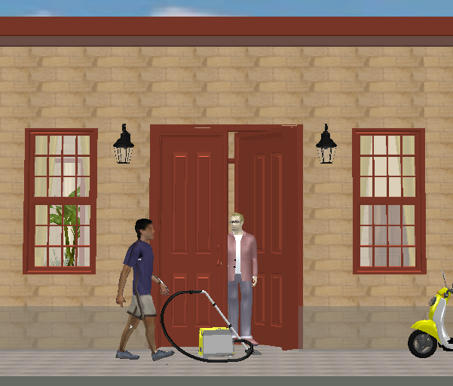
By the way the vacuum cleaners are on special offer at the moment but it is a time limited offer. Not to mention the fact the colour even matches your scooter! biggrin

db4tech

Posted by sanjoyp at Oct 7, 2010, 3:08:22 AM
Re: Increase memory
Is there a way of doing this in 3.0 beta ?

Posted by hansmex at Oct 7, 2010, 3:29:45 AM
Re: Increase memory
Sanjoy,

My guess is that you can do the xMx-thing once the installed version 3.0 is ready.

Hans
----------------------------------------
Hans

new website - under constuction
hansdirkse.info

Posted by fhoofman at Oct 8, 2010, 12:11:45 AM
Re: Increase memory
You can change the max memory used by Sweet Home 3D only on the installer version, by changing the value in the -Xmx Java option:
- under Linux, edit SweetHome3D script and update the 1024 value in the option -Xmx1024m,
- under Mac OS X, right click on Sweet Home 3D application icon, select Show Package Contents, open Contents folder, edit Info.plist file by dragging its icon on TextEdit application, and update the 1024 value in the text <string>-Xmx1024m</string>,
- under Windows, create a text file named SweetHome3D.l4j.ini in the same directory as SweetHome3D.exe, and write the max memory Java option in that file, for example:
-Xmx2048m
for 2 GB, then relaunch Sweet Home 3D.

On all systems, 1024m means 1024 MegaBytes.


I'm running windows 7, and I create text file SweetHome3D.l4j.ini.
content of the text file:

-Xmx2048m

when I run the exe file, there's an error occur

" Could Not Create The Java Virtual Machine"

Posted by db4tech at Oct 8, 2010, 1:59:20 AM
Re: Increase memory
Hi fhoofman,

I'm also using Windows 7 but also tried with XP SP3.

Windows seems to be limited to a maximum of (around) 1536 (1.5) to start without the error you mentioned.
From all the tests I carried out before (on the previous pages) there's no real benefit on going higher than 1024 anyway.

So if you want to try it, my recommendation is to use. smile

-Xmx1024m


db4tech

Posted by r921vs at Jan 30, 2018, 10:36:17 AM
Re: Increase memory
The Info.plist file on mac is protected and can not be changed. How can this be fixed?

Posted by Puybaret at Jan 30, 2018, 11:38:04 AM
Re: Increase memory
If Sweet Home 3D is installed in Applications folder, the easiest way should be to edit the Info.plist file in a Terminal window with a command like:
sudo nano /Applications/Sweet\ Home\ 3D.app/Contents/Info.plist
(the system will prompt an administrator password)
----------------------------------------
Emmanuel Puybaret, Sweet Home 3D creator

Posted by ssandison at Jul 9, 2020, 3:39:52 PM
Re: Increase memory
I can't see the option in my Info.plist. I have the sourceforge installed on a mac os 10.14.5.

Posted by Puybaret at Jul 9, 2020, 10:34:22 PM
Re: Increase memory
ssandison, please read again the FAQ. You probably run Sweet Home 3D with Java 8, in which case increasing the max memory requires to modify another file.
----------------------------------------
Emmanuel Puybaret, Sweet Home 3D creator

Posted by ssandison at Jul 10, 2020, 10:21:17 AM
Re: Increase memory
ssandison, please read again the FAQ. You probably run Sweet Home 3D with Java 8, in which case increasing the max memory requires to modify another file.


Perfect thanks that sorted it. I must have missed that bit of the FAQs somehow.

Posted by unitedwewillwin at Apr 15, 2022, 5:44:58 PM
Re: Increase memory
I have been trying to increase the memory by following the steps of the FAQ but I am stuck. I'm using the installer version on macOS 12.1.

The FAQ says to "edit the Info.plist" and "change this number by udpating the value of the -Xmx". This is what tried to do. I followed the following steps : Show Package Contents > Contents > Info.plist. However, once the Info.plist opened, nowhere in the lines of the code could I find an "-Xmx" value.

Here is the code :

<?xml version="1.0" encoding="UTF-8"?>
<!DOCTYPE plist SYSTEM "file://localhost/System/Library/DTDs/PropertyList.dtd">
<plist version="0.9">
<dict>
<key>CFBundleGetInfoString</key>
<string>Sweet Home 3D 6.6 Copyright 2007-2021 eTeks</string>
<key>CFBundleVersion</key>
<string>6600</string>
<key>CFBundleShortVersionString</key>
<string>6.6</string>
<key>CFBundleDevelopmentRegion</key>
<string>English</string>
<key>CFBundleExecutable</key>
<string>SweetHome3D</string>
<key>CFBundleIconFile</key>
<string>SweetHome3D.icns</string>
<key>CFBundleIdentifier</key>
<string>com.eteks.sweethome3d.SweetHome3D</string>
<key>CFBundleInfoDictionaryVersion</key>
<string>6.6</string>
<key>CFBundleName</key>
<string>Sweet Home 3D</string>
<key>CFBundlePackageType</key>
<string>APPL</string>
<key>CFBundleSignature</key>
<string>SH3D</string>
<key>CFBundleAllowMixedLocalizations</key>
<string>true</string>
<key>NSHighResolutionCapable</key>
<true/>
<key>LSMinimumSystemVersion</key>
<string>10.9</string>

<key>UTExportedTypeDeclarations</key>
<array>
<dict>
<key>UTTypeIdentifier</key>
<string>com.eteks.sweethome3d.SweetHome3D</string>
<key>UTTypeReferenceURL</key>
<string>http://www.sweethome3d.com/</string>
<key>UTTypeDescription</key>
<string>Sweet Home 3D Document</string>
<key>UTTypeIconFile</key>
<string>SweetHome3DDocument.icns</string>
<key>UTTypeConformsTo</key>
<array>
<string>public.data</string>
<string>public.content</string>
</array>
<key>UTTypeTagSpecification</key>
<dict>
<key>com.apple.ostype</key>
<string>SH3D</string>
<key>public.filename-extension</key>
<array>
<string>sh3d</string>
<string>sh3x</string>
</array>
</dict>
</dict>
<dict>
<key>UTTypeIdentifier</key>
<string>com.eteks.sweethome3d.SweetHome3DLanguageLibrary</string>
<key>UTTypeReferenceURL</key>
<string>http://www.sweethome3d.com/</string>
<key>UTTypeDescription</key>
<string>Sweet Home 3D Language Library</string>
<key>UTTypeIconFile</key>
<string>SweetHome3DLanguageLibrary.icns</string>
<key>UTTypeConformsTo</key>
<array>
<string>public.data</string>
<string>public.content</string>
</array>
<key>UTTypeTagSpecification</key>
<dict>
<key>com.apple.ostype</key>
<string>SH3L</string>
<key>public.filename-extension</key>
<array>
<string>sh3l</string>
</array>
</dict>
</dict>
<dict>
<key>UTTypeIdentifier</key>
<string>com.eteks.sweethome3d.SweetHome3DFurnitureLibrary</string>
<key>UTTypeReferenceURL</key>
<string>http://www.sweethome3d.com/</string>
<key>UTTypeDescription</key>
<string>Sweet Home 3D Furniture Library</string>
<key>UTTypeIconFile</key>
<string>SweetHome3DFurnitureLibrary.icns</string>
<key>UTTypeConformsTo</key>
<array>
<string>public.data</string>
<string>public.content</string>
</array>
<key>UTTypeTagSpecification</key>
<dict>
<key>com.apple.ostype</key>
<string>SH3F</string>
<key>public.filename-extension</key>
<array>
<string>sh3f</string>
</array>
</dict>
</dict>
<dict>
<key>UTTypeIdentifier</key>
<string>com.eteks.sweethome3d.SweetHome3DTexturesLibrary</string>
<key>UTTypeReferenceURL</key>
<string>http://www.sweethome3d.com/</string>
<key>UTTypeDescription</key>
<string>Sweet Home 3D Textures Library</string>
<key>UTTypeIconFile</key>
<string>SweetHome3DTexturesLibrary.icns</string>
<key>UTTypeConformsTo</key>
<array>
<string>public.data</string>
<string>public.content</string>
</array>
<key>UTTypeTagSpecification</key>
<dict>
<key>com.apple.ostype</key>
<string>SH3T</string>
<key>public.filename-extension</key>
<array>
<string>sh3t</string>
</array>
</dict>
</dict>
<dict>
<key>UTTypeIdentifier</key>
<string>com.eteks.sweethome3d.SweetHome3DPlugin</string>
<key>UTTypeReferenceURL</key>
<string>http://www.sweethome3d.com/</string>
<key>UTTypeDescription</key>
<string>Sweet Home 3D Plugin</string>
<key>UTTypeIconFile</key>
<string>SweetHome3DPlugin.icns</string>
<key>UTTypeConformsTo</key>
<array>
<string>public.data</string>
<string>public.content</string>
</array>
<key>UTTypeTagSpecification</key>
<dict>
<key>com.apple.ostype</key>
<string>SH3P</string>
<key>public.filename-extension</key>
<array>
<string>sh3p</string>
</array>
</dict>
</dict>
</array>
<key>CFBundleDocumentTypes</key>
<array>
<dict>
<key>LSItemContentTypes</key>
<array>
<string>com.eteks.sweethome3d.SweetHome3D</string>
</array>
<key>CFBundleTypeIconFile</key>
<string>SweetHome3DDocument.icns</string>
<key>CFBundleTypeName</key>
<string>Sweet Home 3D Format</string>
<key>CFBundleTypeRole</key>
<string>Editor</string>
</dict>
<dict>
<key>LSItemContentTypes</key>
<array>
<string>com.eteks.sweethome3d.SweetHome3DLanguageLibrary</string>
</array>
<key>CFBundleTypeIconFile</key>
<string>SweetHome3DLanguageLibrary.icns</string>
<key>CFBundleTypeName</key>
<string>Sweet Home 3D Language Library Format</string>
<key>CFBundleTypeRole</key>
<string>Viewer</string>
</dict>
<dict>
<key>LSItemContentTypes</key>
<array>
<string>com.eteks.sweethome3d.SweetHome3DFurnitureLibrary</string>
</array>
<key>CFBundleTypeIconFile</key>
<string>SweetHome3DFurnitureLibrary.icns</string>
<key>CFBundleTypeName</key>
<string>Sweet Home 3D Furniture Library Format</string>
<key>CFBundleTypeRole</key>
<string>Viewer</string>
</dict>
<dict>
<key>LSItemContentTypes</key>
<array>
<string>com.eteks.sweethome3d.SweetHome3DTexturesLibrary</string>
</array>
<key>CFBundleTypeIconFile</key>
<string>SweetHome3DTexturesLibrary.icns</string>
<key>CFBundleTypeName</key>
<string>Sweet Home 3D Textures Library Format</string>
<key>CFBundleTypeRole</key>
<string>Viewer</string>
</dict>
<dict>
<key>LSItemContentTypes</key>
<array>
<string>com.eteks.sweethome3d.SweetHome3DPlugin</string>
</array>
<key>CFBundleTypeIconFile</key>
<string>SweetHome3DPlugin.icns</string>
<key>CFBundleTypeName</key>
<string>Sweet Home 3D Plugin Format</string>
<key>CFBundleTypeRole</key>
<string>Viewer</string>
</dict>
</array>
</dict>
</plist>


Do you know how I could proceed? Thank you in advance.

Posted by Puybaret at Apr 15, 2022, 6:39:36 PM
Re: Increase memory
Please, read again the FAQ, there are 3 different cases for macOS and you probably didn't follow the option matching your case.
----------------------------------------
Emmanuel Puybaret, Sweet Home 3D creator

Posted by Keet at Apr 16, 2022, 12:12:43 PM
Re: Increase memory
In the FAQ: "...and the installer version uses 1 GB or 2 GB at maximum,..."
Does this mean that I can't give SH3D more than 2GB? I have plenty of memory and can easily give SH3D 32GB of memory to use. Would it do any good? Does more more memory (above 2GB) increase performance?
----------------------------------------
Dodecagon.nl
1300+ 3D models, manuals, and projects

Posted by Puybaret at Apr 16, 2022, 1:39:26 PM
Re: Increase memory
I don't think that writing a FAQ about increasing the maximum memory would be interesting if its purpose wasn't to let users increase the default maximum wink
You can choose any value for this maximum but don't select a value close to the RAM size of your computer, because it needs some memory for other tasks too. Choosing a large value like 32 GB won't probably increase performances, except if your home design uses many very large 3D models and texture images. You should think about it the opposite way: a too small value may prevent Sweet Home 3D from computing photos or slow down a lot other tasks.
If needed, you may follow how much memory Sweet Home 3D actually uses in Activity Monitor application available in macOS utilities (but the displayed memory is not easy to interpret because Sweet Home 3D is a Java application).
----------------------------------------
Emmanuel Puybaret, Sweet Home 3D creator

Posted by Keet at Apr 16, 2022, 2:37:21 PM
Re: Increase memory
Thank you Emmanuel. I'm on Linux and currently have 64GB of memory (soon to be 128) so 32GB is a realistic possibility.

For your information: I can see in the Linux system monitor that SH3D never uses over 2 GB while I have set the -xmx parameter to 3g. No matter how many heavy projects I open and manipulate, the max memory usage remains 2GB.
It's only when rendering a photo of a large estate on a 200mx200m terrain that the memory usage goes over the 2GB limit to 2.4. The thing is, after closing all but one project, including the one I used for the photo rendering, the used memory remains at 2.4GB where I would have expected it to decrease again. For example Firefox does free up memory when you close tabs or a second instance, SH3D and/or Java apparently don't.
What I can determine is that the processor is more important for better performance, probably because of the heavy calculations involved. That is, as long as there's enough memory so that doesn't cause a bottle neck. Very soon I can start on my new machine with a Ryzen-7-Pro-5750G compared to my current Intel Core Haswell processor. That should make a difference.

An idea that could help a lot of users with performance problems: have a switch to temporarily suppress 3DView updates while drawing in the 2D plan. When I have the 3DView completely hidden because I'm in the 2D plan the 3DView still requires system resources while I don't need it at that moment. I read about the way to only have a 2D SH3D version but that totally eliminates any 3DView.

How much does a graphics card help in the overall performance? One with faster or more memory?
----------------------------------------
Dodecagon.nl
1300+ 3D models, manuals, and projects

Posted by Puybaret at Apr 25, 2022, 1:34:56 PM
Re: Increase memory
Sorry Keet for the misunderstanding about the OS.
For example Firefox does free up memory when you close tabs or a second instance, SH3D and/or Java apparently don't.
Firefox isn't a Java program. Java is great for many things including its memory management, but once a Java application allocates more memory to work, the way that memory is released once not not needed anymore is less predictable or may vary from a Java Virtual Machine implementation to an other. It's released without problem internally for other tasks in Sweet Home 3D, but even if the Java application doesn't need that internal free memory immediately, it won't be released for the OS during a long time.
have a switch to temporarily suppress 3DView updates while drawing in the 2D plan.
That switch already exists even if it's not so handy: hide the 3D view by moving the separator between the plan and the 3D view, close your home and reopen it. Then, the resources required for the 3D view will be requested only once you view the 3D view again.
But keep in mind that 3D resources are still needed to create top images of the furniture in the plan (unless you didn't select Top view option in preferences pane).
much does a graphics card help in the overall performance? One with faster or more memory?
Sorry, I don't know. When comparing the performances of the 3D view in the Java version and the JavaScript Online version on a given computer, I wonder if the bottleneck might be more in Java3D layer than in the graphics card.
----------------------------------------
Emmanuel Puybaret, Sweet Home 3D creator

Posted by Keet at Apr 26, 2022, 3:53:28 PM
Re: Increase memory
Thank you Emmanuel, it's more clear now. I tried the 'switch' you mentioned before to see if it worked but I didn't close and reopen the plan so I saw no difference. Now with reopening it helps a little although it's tedious to have to close and reopen the plan multiple times.

Even though I'm a professional developer I'm not familiar with the Java runtime, hence my question about the usefulness of a bigger/faster graphics card. I'm waiting for prices to lower a bit so I have time to do my research concerning Java and graphics cards.
----------------------------------------
Dodecagon.nl
1300+ 3D models, manuals, and projects

Posted by JonnyD at Jul 25, 2022, 12:16:09 PM
Re: Increase memory
HI - I've just gone to increase the memory (Mac OS) and the entry doesn't appear in the info.plist file at all.

Has it changed since this post was made?

Posted by Puybaret at Jul 25, 2022, 7:43:21 PM
Re: Increase memory
Please read the FAQ How can I adjust the memory used by Sweet Home 3D?
----------------------------------------
Emmanuel Puybaret, Sweet Home 3D creator

Posted by JonnyD at Aug 23, 2023, 12:27:05 PM
Re: Increase memory
Hi Emanuel - I know this has been a pain for you on several occasions, but it's really tricky to increase the memory by this method. I'm just wondering whether it can be included somehow in the settings? Obviously it would require a restart, but far easier than editing this file every time there's a new version.

Posted by JonnyD at Aug 23, 2023, 12:31:41 PM
Re: Increase memory
I forgot to say, I always get the error telling me I don't have permission to edit this file when I try.

Posted by LaVache at Aug 23, 2023, 3:29:45 PM
Re: Increase memory
I would like to know where is SweetHome3D script located on Linux ?

Now about Mac permissions it is easy to change permissions of a file on a Mac.
Click on a file then type [Command]+[I] and it is at bottom of informations window. [command] key is/was the one with an apple on it.

Posted by Keet at Aug 23, 2023, 4:08:58 PM
Re: Increase memory
I would like to know where is SweetHome3D script located on Linux ?
It depends on where you installed your Sweet Home 3D. On my Debian install I created a directory SH3D with subdirectories for different versions of Sweet Home 3D. Currently "SweetHome3D-7.0.2", "SweetHome3D-7.1", and "SweetHome3D-7.2.beta7". In those directories I extracted the .tgz compressed download for each version. After extraction each install directory has two startup scripts: "SweetHome3D" (no extension) and "SweetHome3D-Java3D-1_5_2" (no extension). If you get black panes after startup use the 1_5_2 script instead of the default SweetHome3D script. Those are the scripts where you can set the memory limit.
Before the memory string " -Xmx..." I also add " -Duser.name=Keet ". This ensures that in the sh3d files the username Keet is used and not the Linux username. You don't want your real username exposed if you make an .sh3d file available for download.
The multiple installs make it possible to use different versions, like evaluation the latest beta. If you already have a launcher you can look at it's properties for the path it refers to. That's also the place to change the path if you upgrade to a newer version.

If you used the installer from the repository of your distribution it depends on the distribution where it is. It should have created a launcher so you can check the properties of the launcher for the path. The repository most likely has an outdated version of Sweet Home 3D so the best way is to just download the latest version .tgz file and extract it where you want or replace the old install with a newer version.
----------------------------------------
Dodecagon.nl
1300+ 3D models, manuals, and projects

Posted by JonnyD at Aug 23, 2023, 4:26:20 PM
Re: Increase memory
I'm using the Apple Store version. I know how to do it - ie which file to edit, and that's fine because I can take a copy of the .cfg file, edit it elsewhere and copy/replace it back. It's just a bit of a pain. This isn't a vital request, just a 'would be nice'

Posted by LaVache at Aug 23, 2023, 5:26:23 PM
Re: Increase memory
Thanks Keet I found it. It's still in my Downloads folder.

Posted by Puybaret at Aug 23, 2023, 8:26:01 PM
Re: Increase memory
JonnyD, as you noticed you need some special rights to edit SweetHome3D.cfg and Sweet Home 3D application doesn't have these rights sad
----------------------------------------
Emmanuel Puybaret, Sweet Home 3D creator