Print at Apr 22, 2026, 2:31:21 AM
Posts: 47   Pages: 5   [ Previous Page | 1 2 3 4 5 ]
View all posts in this thread on one page
Posted by Keet at Apr 10, 2026, 8:42:09 AM
Re: connecting SH3D and AI for work
That's a great idea to use AI to change colors of a texture. With a complex texture like in your example it is almost impossible to do that by hand.


With GIMP it is not that difficult to split a texture in three parts.

Example.
Wall sides: 30+150+30 = total 210 wide.
The texture image is 800 pixels wide and 300 pixels high.

1. Open the image with GIMP and scale the image to a width x times the wall width. For this example 4 is a good conversion number: 4 x wall width 210 = 840. Don't choose a number that gets lower than the original pixel width.

2. The pixel width for each part is now:
left side: 4 x 30 = 120
center part: 4 x 150 = 600
right part" 4 x 30 = 120.

3. create the image parts.
3a. Change the canvas size: keep the height unchanged ("open chain") and change only the width to 120. Press the Tab key to get the preview image. Drag the preview image so it is complete moved to the right side. You should see a small rectangle at the left of the preview image. Click "Resize" and export the image as "partleft.png".
3b. Undo (ctrl+Z) and change the canvas size again with width 120 but move the image to the left side, export as "partright.png".
3c. Undo (ctrl+Z) and change the canvas size with width 600, click the button "Center", export as "partcenter.png".

Now you have split the image into to three images that when placed next to each other will represent the original image and can be place on the three wall sides.
----------------------------------------
Dodecagon.nl
1300+ 3D models, manuals, and projects

Posted by GaudiGalopin3324 at Apr 10, 2026, 10:07:25 AM
Re: connecting SH3D and AI for work
Dear Keet. Once again, I can see that you’re taking a sincere approach to the process. And once again, great advice on splitting the texture into parts—thanks! But my plan is a little different. Yes, I could split the textures and start over with a new render in SH3D each time. But then I wouldn’t get the same photorealistic result in AI!!! Every time with a new texture, there will be different lighting, different reflections, and the objects will change slightly. After all, it’s AI—it’s hard to keep it on a tight leash all the time. My plan is to do absolutely nothing from the moment I get the first generation that I’m happy with. Pour a cup of coffee, turn on my favorite music. With the first generation, feed the program UNCUT textures—even ones of different sizes. And without letting go of my coffee cup, demand it authoritatively. That’s my plan. Let this beast handle splitting the textures into pieces—not me. I’m not changing the texture colors in this case; I’m not creating something you can’t buy right off the shelf. I’m using ready-made solutions from the wallpaper manufacturer. But I want to apply this wallpaper with minimal effort on my part. Here’s my clever plan. Make the first version and relax. The only effort required is to press the ENTER key on the keyboard from time to time. I’m fine with that. But the plan is still entirely mine!! That’s where the power lies.
I hope DeepL didn’t let me down. Let me say it again: I’m not going to hand over my creativity to AI; I won’t let it create anything beautiful. I can’t let it color textures according to its own bad taste. It’s not worthy of that part of the work. Let it roll heavy stones while I ponder the next step toward beauty. You have to think about this all the time. Stay in the driver’s seat. biggrin cool

Posted by Keet at Apr 10, 2026, 10:20:27 AM
Re: connecting SH3D and AI for work
My plan is to do absolutely nothing from the moment I get the first generation that I’m happy with. Pour a cup of coffee, turn on my favorite music.
I love hard work. I can watch it for hours laughing
----------------------------------------
Dodecagon.nl
1300+ 3D models, manuals, and projects

Posted by GaudiGalopin3324 at Apr 10, 2026, 12:07:05 PM
Re: connecting SH3D and AI for work
biggrin

Posted by GaudiGalopin3324 at Apr 12, 2026, 9:56:04 AM
Re: connecting SH3D and AI for work
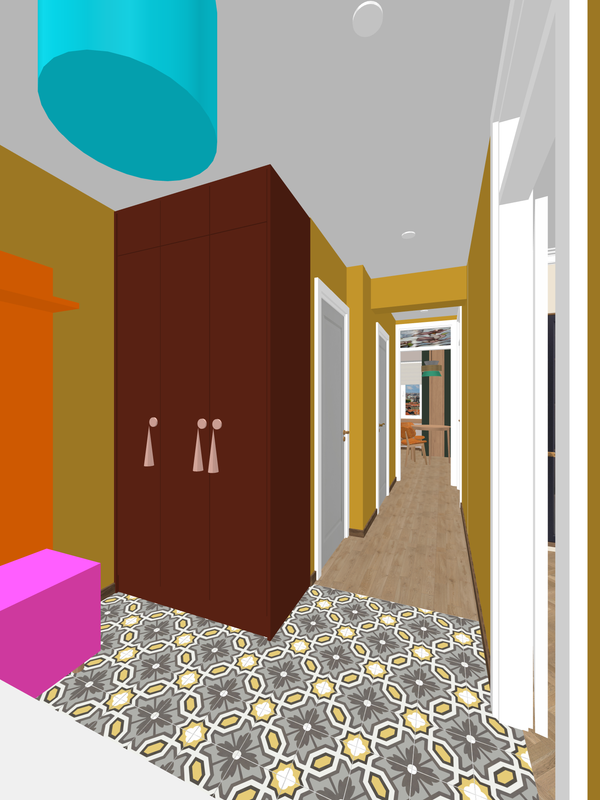
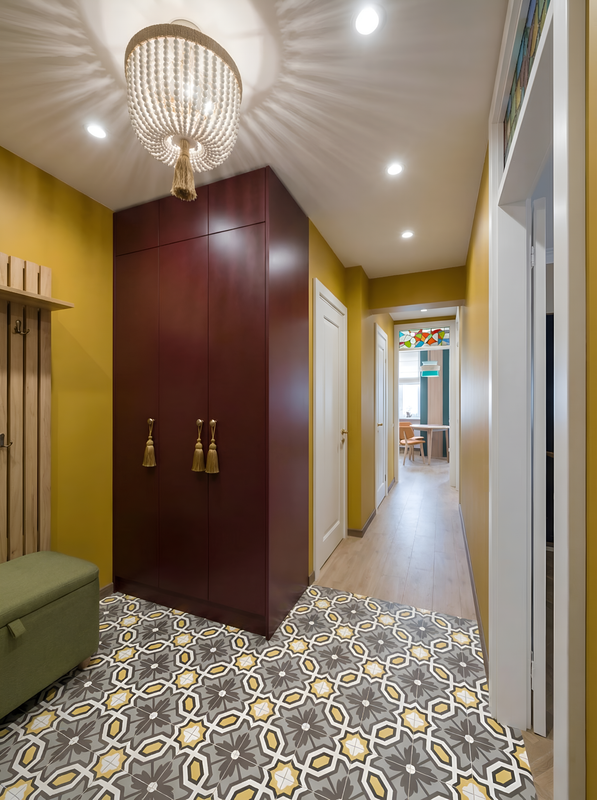
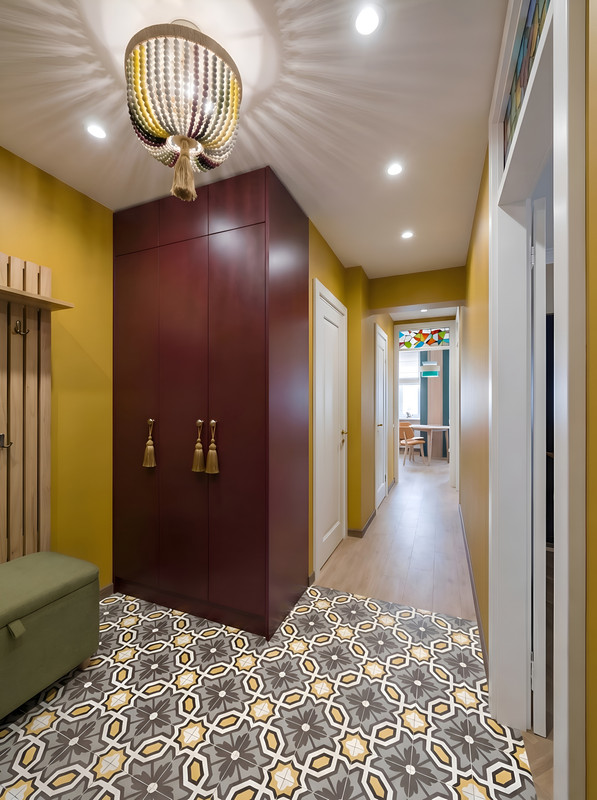
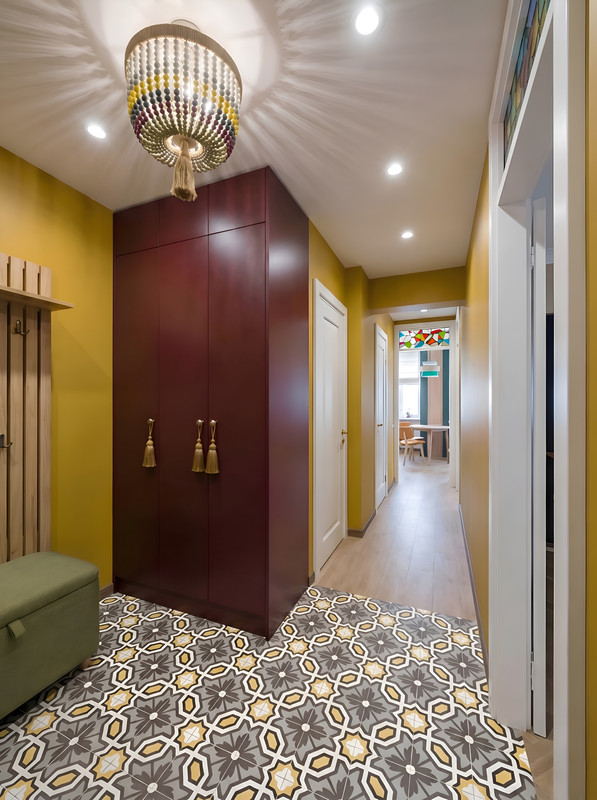
Here’s another chance to enjoy watching someone else do the hard work. The chandelier originally comes with white wooden beads. But you can paint it yourself (yes, with paint and a brush, right at home). As you can imagine, I don’t have a model of this chandelier that can be painted. There’s a blue cylinder in SH3D and a silent AI monster. So let it do the work while I watch. I told it to paint the balls in horizontal and vertical rows and specified the colors. Words have great power when spoken with precision.

SH3D


AI


an original chandelier from the store


vertical rows


horizontal rows

biggrin cool

Translated with DeepL.com (free version)

Posted by GaudiGalopin3324 at Apr 16, 2026, 10:46:51 PM
rose   Re: connecting SH3D and AI for work


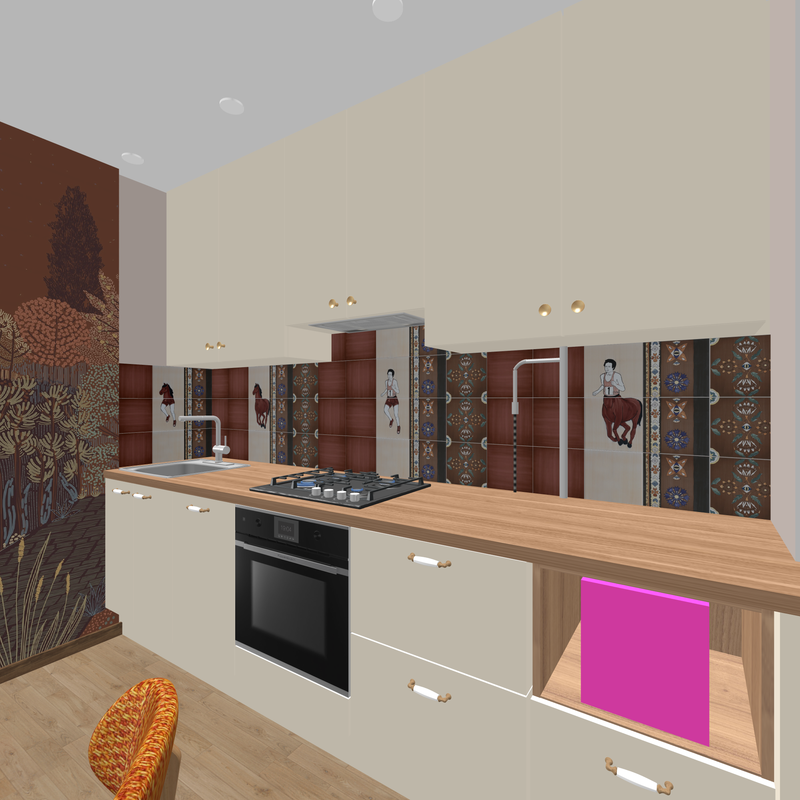
If you design a kitchen without any mistakes—if you model every detail of the cabinets in SH3D exactly as they would be in real life, using individual elements with the correct dimensions—the kitchen will look very realistic. A realistic person can easily be placed in such a realistic kitchen; you just need to find the right outfit for them. You can find it at fashion shows. And then the person will become a highlight of your interior, a part of it—not just someone who happened to walk in by chance.


blushing


Translated with DeepL.com (free version)

Posted by GaudiGalopin3324 at Apr 17, 2026, 7:43:47 AM
Re: connecting SH3D and AI for work
fashion blushing

Posts: 47   Pages: 5   [ Previous Page | 1 2 3 4 5 ]