Print at Jan 21, 2026, 9:18:38 AM
Posts: 334   Pages: 34   [ Previous Page | 23 24 25 26 27 28 29 30 31 32 | Next Page ]
View all posts in this thread on one page
Posted by dorin at Jun 22, 2024, 10:59:29 PM
Re: Generate roof plugin
Looks OK! applause
Thanks for the effort!
Thanks also for the hints with the insets.
I'll try it tomorrow on my own variant and for the most common LaFs.
Probably I will publish a new version. thinking
Thanks again!
----------------------------------------
A computer program does what you tell it to do, not what you want it to do. Murphy's Law
When all else fails, read the instructions. Murphy's Law
If you don't like "AS IS", DIY. Dorin's law

Posted by dorin at Jun 23, 2024, 10:38:41 AM
Re: Generate roof plugin
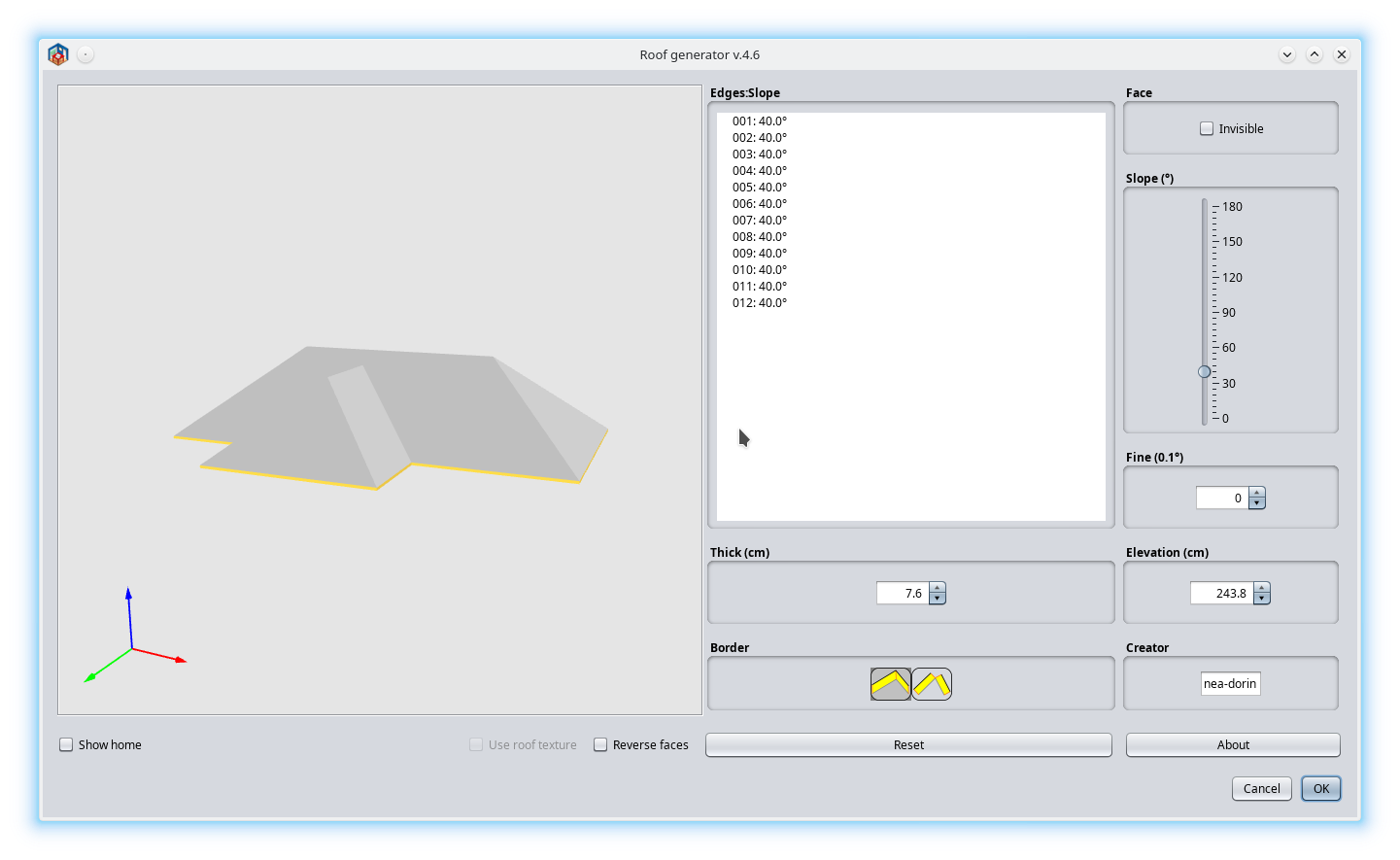
As I promises I've test it with your settings.
That's what the majority of users (common desktops or laptops) will see:

Considering that:
1. Our tastes differ when it comes to colors;
2. It's difficult (for me) to make the plugin highly customizable for all kind of particular users.
3. I'm interested more in the functionality of the plugin than how it look under many different circumstances.
I suggest you to make and share your plugin variant (let's say 4.6.DMA or 4.6.DARK or whatever) dedicated for peoples like you with huge monitor(s) and a dark theme installed.
You've started already and it is a good start. Unfortunately, you'll have to maintain it.
You could post it in the same place with mine to be more easy to find.
----------------------------------------
A computer program does what you tell it to do, not what you want it to do. Murphy's Law
When all else fails, read the instructions. Murphy's Law
If you don't like "AS IS", DIY. Dorin's law

Posted by byDMA at Jun 23, 2024, 3:46:43 PM
Re: Generate roof plugin
Hi Dorin, tank you for testing. I've seen it that way too.
I'm still learning. The settings of insets are ok for scaling 2, but not for scaling 1. I have seen elsewhere in the code of SH3D and in the plugin "Generate Stairs" how to make the insets dynamic. I'm not doing a separate version, either it's running as it should or I'm not releasing anything.
I'll get back to you when I've tested it for both scales.

Posted by byDMA at Jun 23, 2024, 3:55:47 PM
Re: Generate roof plugin
@Dorin
What LAFs are you using? The first one seems to be standard-metal, it's out the box LAF under Linux. And the second one?

And one more question: can you tell me, where ist the code in this file for the coordinates?

Posted by dorin at Jun 23, 2024, 5:47:13 PM
Re: Generate roof plugin
The second one is Nimbus, also out the box LaF under linux.
I've simply add:
-Dswing.defaultlaf=javax.swing.plaf.nimbus.NimbusLookAndFeel
in the bash file for SH3D.
You need to test only on default, the Nimbus is optional.
The axes is there:
roofPreview = new ModelPreviewComponent(true, true, true, true );
at 174 on GenrateRoofPluginView v.4.6

To have a more versatile UI for a plugin we need:
1. to have the necesary informations BEFORE the start of plugin or the UI. Something like this:
for (UIManager.LookAndFeelInfo laf : UIManager.getInstalledLookAndFeels()) {
if ("Nimbus".equals(laf.getName())) {
UIManager.setLookAndFeel(laf.getClassName());
//UIManager.getLookAndFeelDefaults().put("Panel.background", Color.white);
//UIManager.getLookAndFeelDefaults().put("Button.contentMargins", new InsetsUIResource(0,0,0,0));
}
}
And probably more.
2. To pack the plugin with all sizes(16, 32, 64) of icons
3. To put cases everywhere it need to use it.
----------------------------------------
A computer program does what you tell it to do, not what you want it to do. Murphy's Law
When all else fails, read the instructions. Murphy's Law
If you don't like "AS IS", DIY. Dorin's law
Posted by dorin at Jun 23, 2024, 6:40:54 PM
Re: Generate roof plugin
I'm not doing a separate version, either it's running as it should
First you have to analyze if it worth.
In my case there is 5 + ~4 people which really appreciate it.
In your case (dark theme) I've countered 3~4.
Personally I do it for my own pleasure. I have already a roof over head and I don't intend to make another(not in this life).

The axes came from SH3D.
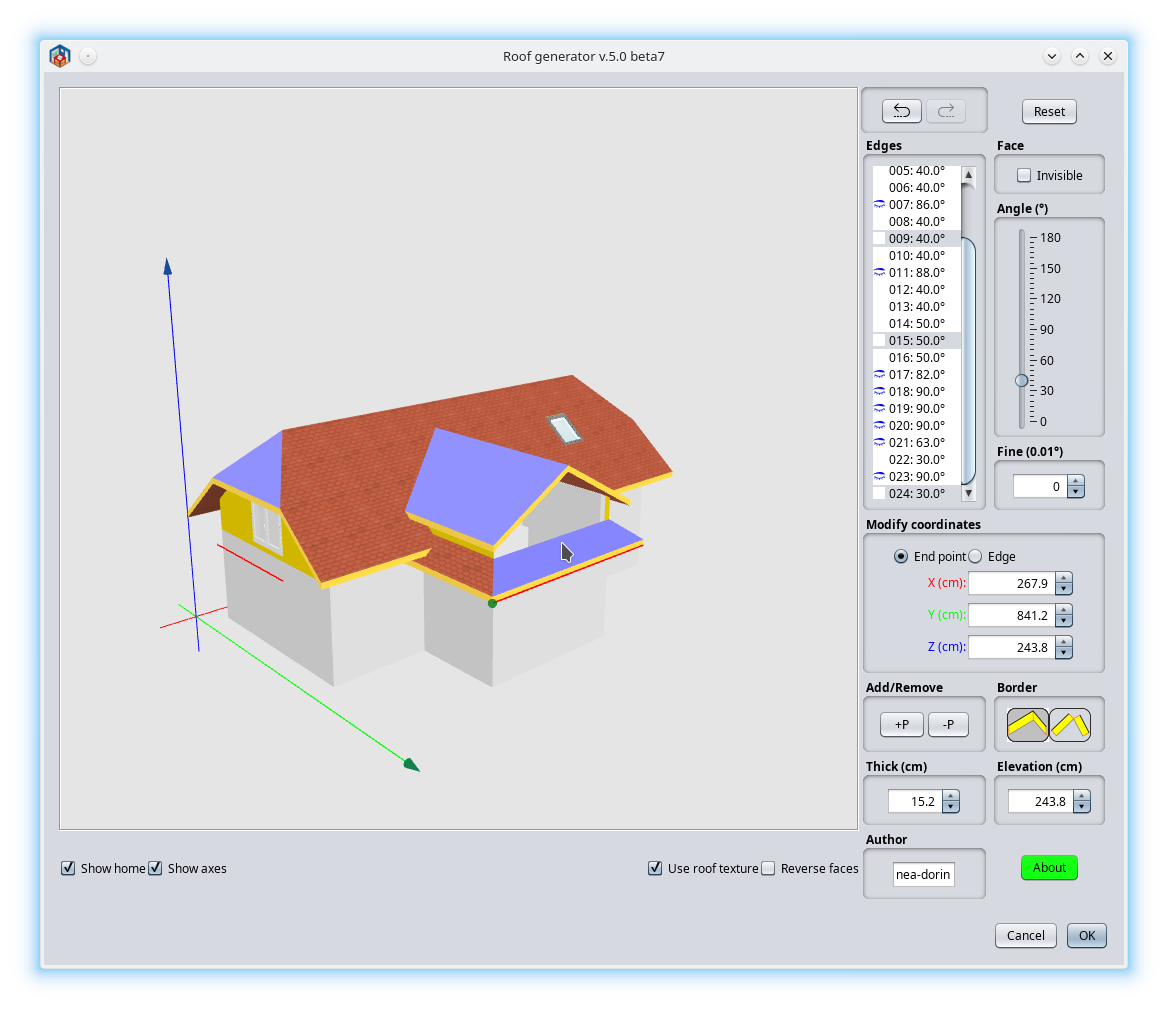
For me I've adopted another approach:
I know you don't like colors but... I don't find another solution biggrin

----------------------------------------
A computer program does what you tell it to do, not what you want it to do. Murphy's Law
When all else fails, read the instructions. Murphy's Law
If you don't like "AS IS", DIY. Dorin's law

Posted by LZQ at Jun 27, 2024, 10:01:31 AM
Re: Generate roof plugin
very good🙂

Posted by k005 at Dec 31, 2024, 2:34:23 PM
Re: Generate roof plugin
It looks very nice... Can an addition be made if it is not too difficult...

It would be nice if the calculated surface area was written on a label under the screen.

Roof covering area: Approximately 580 m².. ( Sample )

Posted by dorin at Jan 2, 2025, 5:56:57 PM
Re: Generate roof plugin
There are (IMHO) two different things:
1. The roof projection which is the base room surface.
2. The roof surface which means (at least to me) the sum of all the faces of the roof surface.
This could be really useful.
Probably a label with the total area AND a label with the sum of the selected roof faces.
I'll see. I need to learn how to calculate the area of the 3D polygon first.
Still a "Happy New Year!"
----------------------------------------
A computer program does what you tell it to do, not what you want it to do. Murphy's Law
When all else fails, read the instructions. Murphy's Law
If you don't like "AS IS", DIY. Dorin's law

Posted by k005 at Jan 2, 2025, 6:20:08 PM
Re: Generate roof plugin
It's a little late, but okay... :) Happy New Year!

- Yes, Area information might be useful... I'll take a look at my archive. I think I can help you with the formula.

Posts: 334   Pages: 34   [ Previous Page | 23 24 25 26 27 28 29 30 31 32 | Next Page ]