I'm pleased to announce the release of the version 1.6 of the Advanced rendering plug-in.
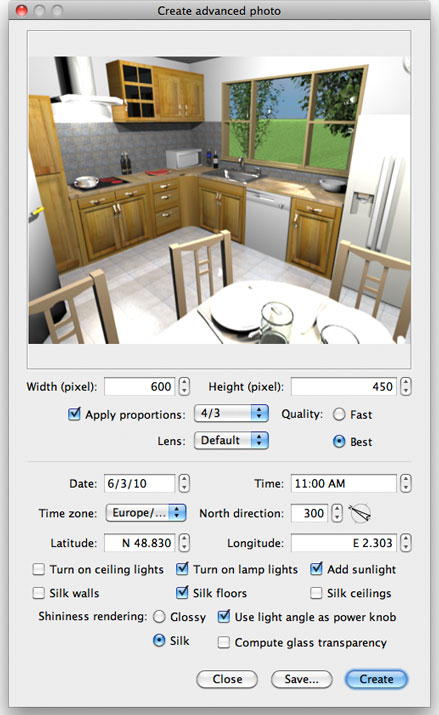
As described in Sweet Home 3D blog, it brings these new features:
- Uber shader can be chosen by selecting the Silk radio button. This will render walls, floors, ceilings as silk if you selected also the matching check boxes, and 3D objects will appear as matte, silk or shiny depending on their shininess.
- If you select the Use light bulb angle as power knob check box, the power emitted by the light bulbs coming from the updated basicLights.sh3f or the BasicPlusExtraLights.sh3f will depend on their angle in the plan.
- Finally, it's now possible to let light go through furniture glass panes by selecting Compute glass transparency. Miserably, this last feature doesn't work when a sunlight is added.
I hope you'll appreciate these new features and am looking forward the images you'll create with them. Again a big thank to db4tech for all the time he spent to help me.
[Edit: Fixed the bad link to the plug-in. Thank you HectiGonzalez for reporting this problem]
----------------------------------------
Emmanuel Puybaret, Sweet Home 3D creator
