|
Sweet Home 3D Forum » List all forums » » Forum: Wishlist » » » Thread: Baseboards |
|
| Print at Dec 19, 2025, 3:01:29 PM | |
| Posted by Mike53 at May 6, 2019, 12:06:54 PM |
|
Baseboards Is it feasible to add a shininess slider to the baseboard modification window? Separating them from wall settings. Could this window have a choice of profiles? Would these options be better suited to a plug-in, if so maybe include dado and cornice options. |
| Posted by hansmex at May 6, 2019, 4:41:57 PM |
|
Re: Baseboards Anyone wondering what a "dado" is? (I was...) Wikipedia - Dado ---------------------------------------- Hans new website - under constuction hansdirkse.info |
| Posted by Mike53 at May 6, 2019, 6:31:39 PM |
|
Re: Baseboards Sorry Hans In the Uk we have : Skirting boards....sh3d call them Baseboards Dado Rails....usually, but not always used with Wainscoting Anther, much older, term for dado rail was chair rail, this usually had a much higher elevation and was used to hang chairs on when they were not in use to clear floor space. Cornice, molding. If anyone has other terms for these features i would love to know them. Mike |
| Posted by Mike53 at May 6, 2019, 6:49:02 PM |
|
Re: Baseboards Another, much older, term for dado rail was chair rail, this usually had a much higher elevation and was used to hang chairs on when they were not in use to clear floor space. Cornice, molding. typo correctedIt would appear that the term chair rail was changed to picture rail, self explanatory, then all collectively became known as dado |
| Posted by HerbertSherbert at Oct 2, 2019, 12:05:23 PM |
|
Re: Baseboards Point of info. A "Chair rail" was not to hang chairs on, but rather to protect the (expensive, sometimes even hand-painted silk) wallpaper from damage caused by sliding chairs against the wall. |
| Posted by dorin at Nov 11, 2019, 11:11:35 AM |
|
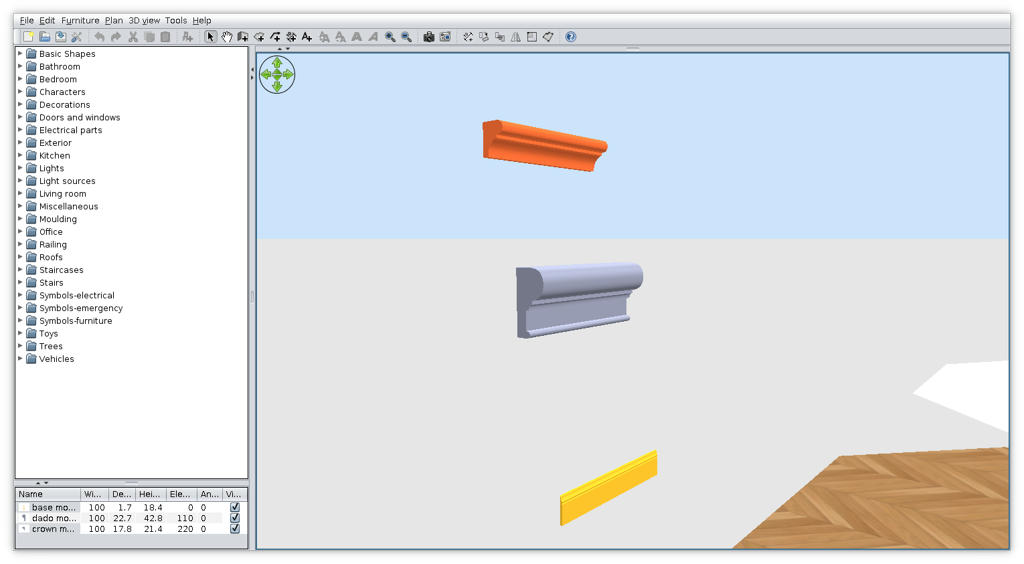
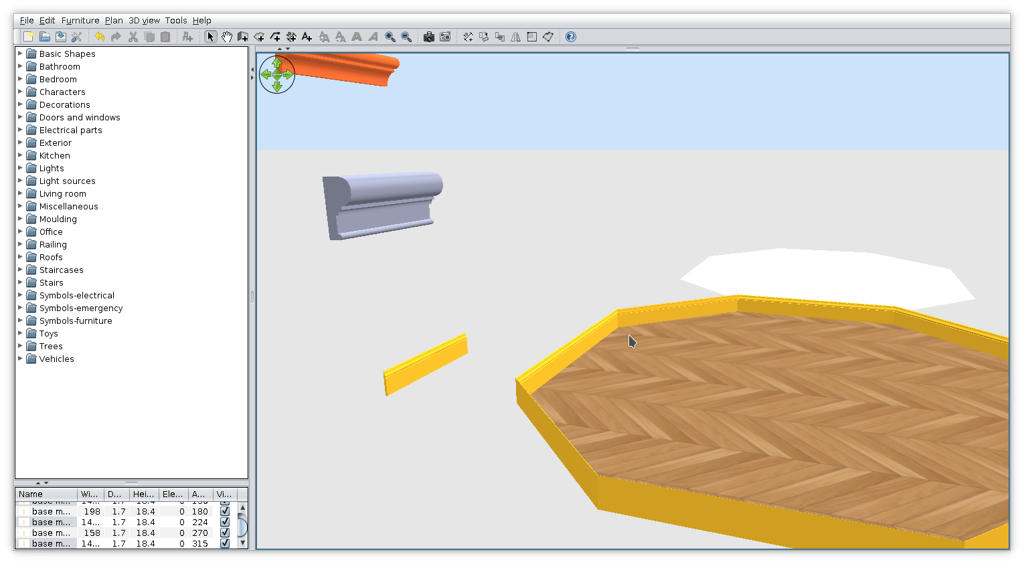
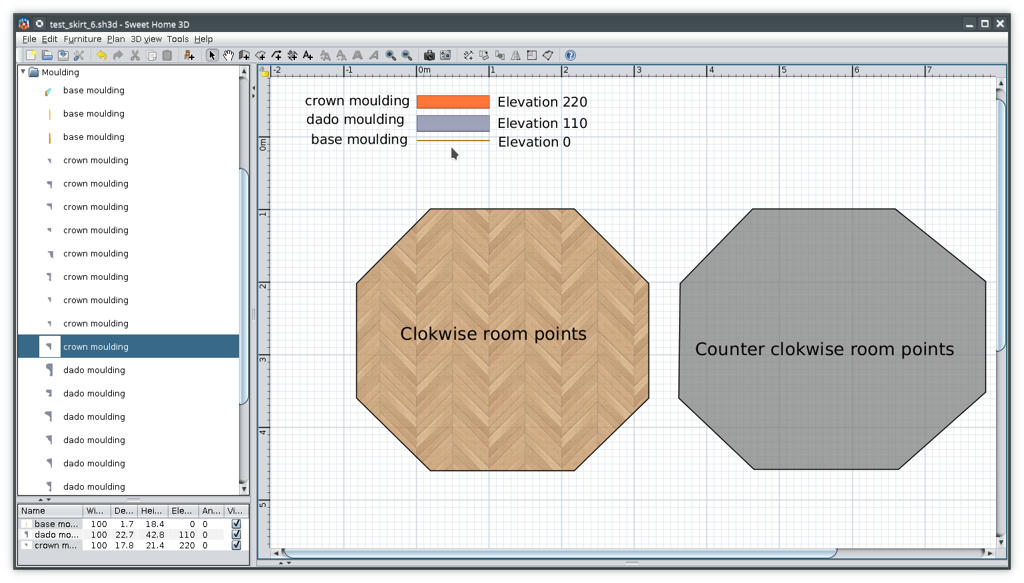
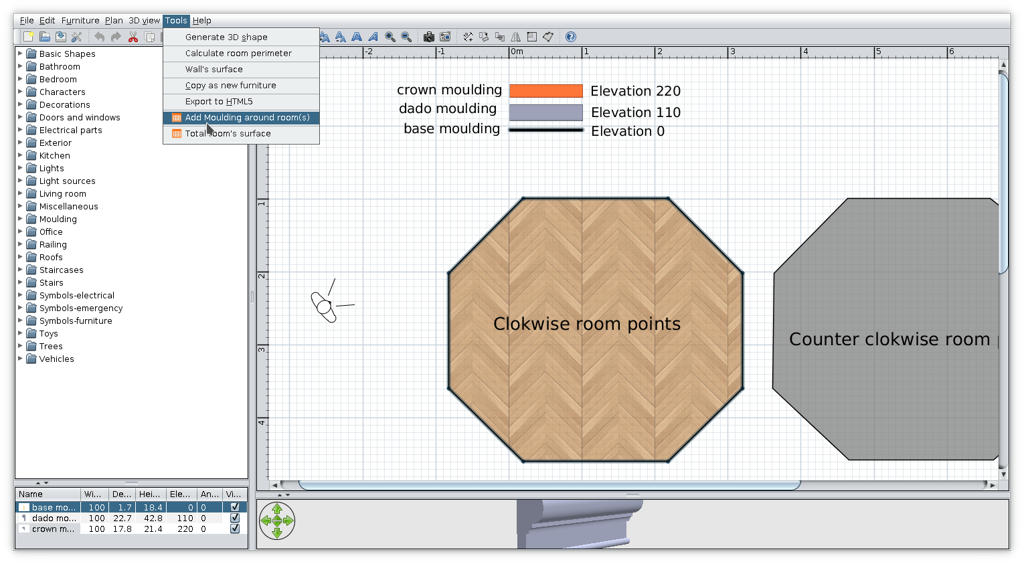
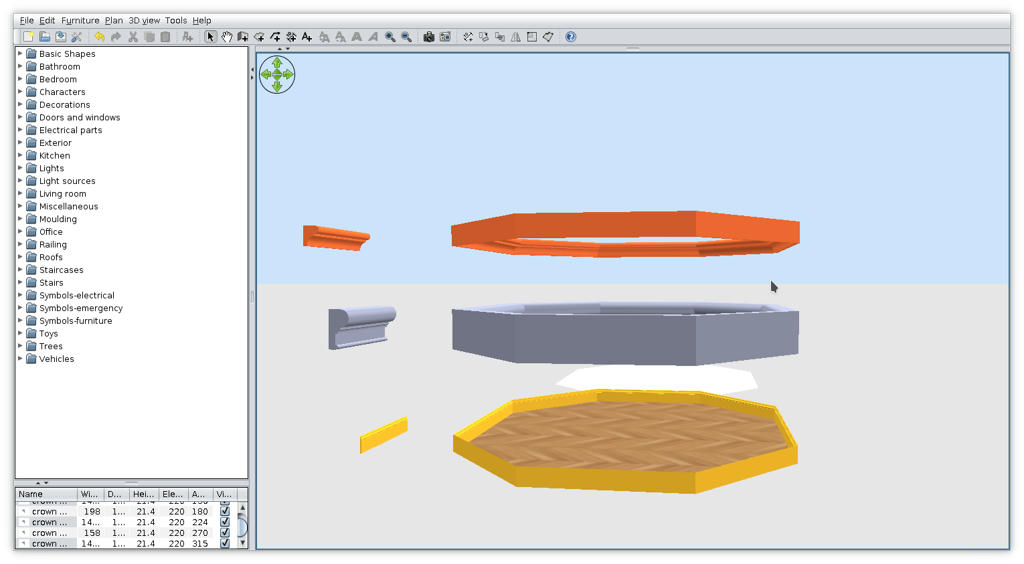
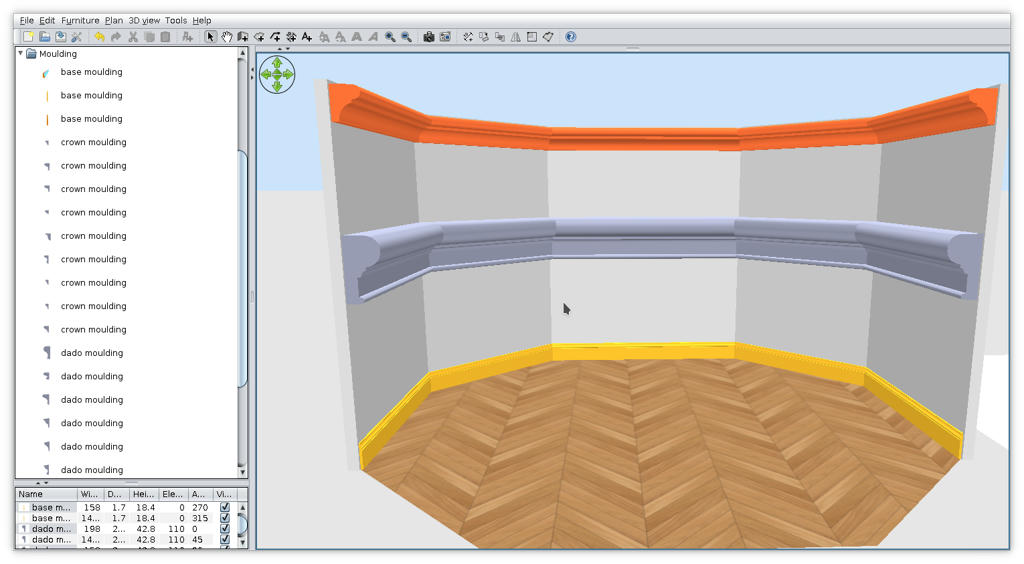
Re: Baseboards @Mike53 I've made this Moulding-plugin and this moulding furniture library . It's an alpha stage but is all I can do at that moment. USE IT WITH CARE!! Few indications: 1. The furniture MUST have a horizontal orientation (0 or +/- 180 dg) at time when are inserted (from furniture library). 2. The room(s) and the moulding must both be selected (use Shift+click). 3. At that moment the plugin add moulding around room in interior and depend of how is room created (clockwise or counter clockwise). Now few images: -Create room(s); -Insert mouldings somewhere in the plan; -Set the elevation for them. ![]() -Select room AND the moulding (in that case the base); -Tools->Add moulding around room(s) ![]() -Repeat the procedure for other piece (dado and crown); -This could be the result -I inserted walls around room and delete some of them and some moulding to have a good view ![]() I know is not what You expect but that's for now. If you're good, Santa brings you more ![]() ---------------------------------------- A computer program does what you tell it to do, not what you want it to do. Murphy's Law When all else fails, read the instructions. Murphy's Law If you don't like "AS IS", DIY. Dorin's law |
|
|
Current timezone is GMT Dec 19, 2025, 3:01:29 PM |