Print at Jan 27, 2026, 3:31:33 AM
Posted by Mike53 at Apr 4, 2019, 9:06:01 PM
Sash openings
Hi
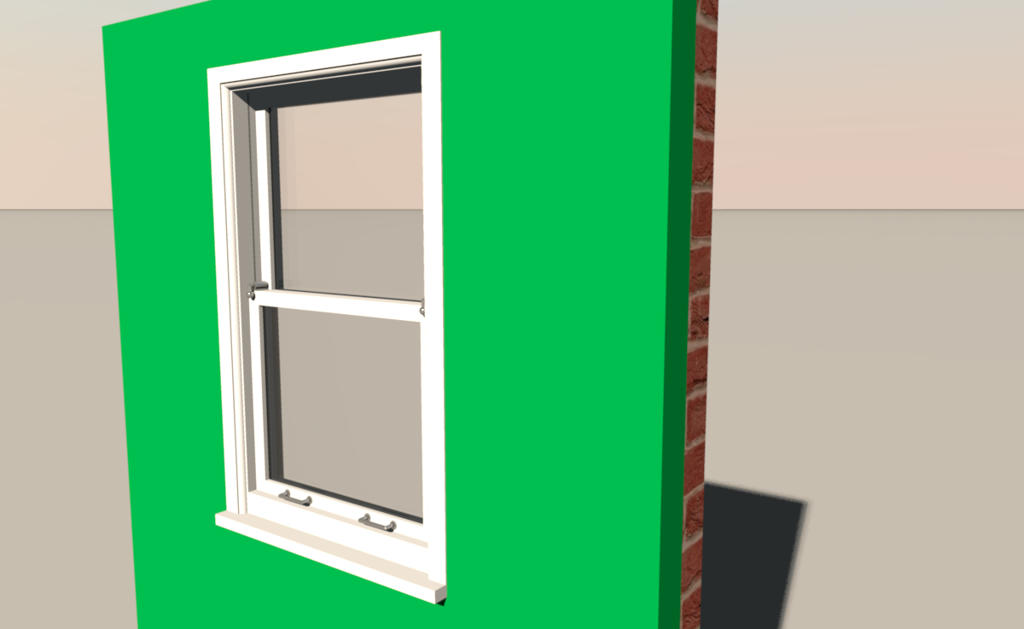
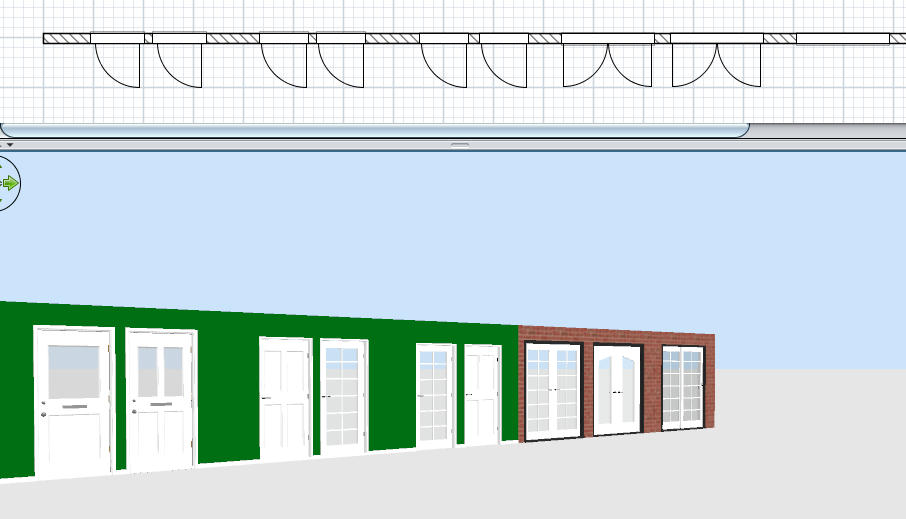
Help needed to figure out how to show window openings on the 2d window, something like this :-

After reading OKH's very thorough explanation i am none the wiser, does anyone know of an idiots guide or video.
I have created a range of 5 double glazed windows and 10 doors, interior, exterior and patio which i would like to share but would prefer to do so with the sash openings showing.


Hopefully
Mike

Posted by Mike53 at Apr 5, 2019, 2:28:26 AM
Re: Sash openings
As you can see i am not great with numbers laughing

Posted by Mike53 at Apr 5, 2019, 2:45:23 AM
Re: Sash openings
Think i found what i was after HERE.
Thank you OKH and Hafsteinn.
Now to try it.

Posted by okh at Apr 5, 2019, 10:51:23 AM
Re: Sash openings
Good luck. Sash windows would be a welcome addition and useful in many regions where they are common. Looking forward to seeing the result.

ok

PS: When I get the time, I really want to update a guide with separate sections on SVG cutouts, light-sources, hinges, softening/shrinking models, planIcons glass properties, and so on. But as SH3D has evolved with lots of extra possibilities, there are quite a few features worthy of attention. ok

Posted by Mike53 at Apr 5, 2019, 2:53:30 PM
Re: Sash openings
HI ok good to see you back, hope all is well.
So far....
managed to create a library file and set it so sh3d can use it, well pleased at accomplishing that alone, but when trying to figure out sash x and y i realised that all my windows and doors swing to the left not the right, if you'll pardon the pun.
I went to my library entries to mirror them and found that they are no longer modifiable, not italics either, do i need to re-import them mirrored, or create another sh3f, also, double openings, left and right....jeez.
As for actual sash windows mate, i have not made one but as you mention it i will.
The windows and doors are probably too complicated to be modified to "open", too many parts, especially the double glazed units.

Mike

Posted by Mike53 at Apr 5, 2019, 3:10:45 PM
Re: Sash openings
Any chance someone could post examples (extracts) of the properties for a double opening window.
thx
Mike

Posted by Mike53 at Apr 6, 2019, 1:32:31 PM
Re: Sash openings
Right, forget all that, i give up, 8 hrs of my life wasted and i will have to recreate the sh3d file yet again as it has disappeared yet again, with no exaggeration this is about the millionth time. sad .
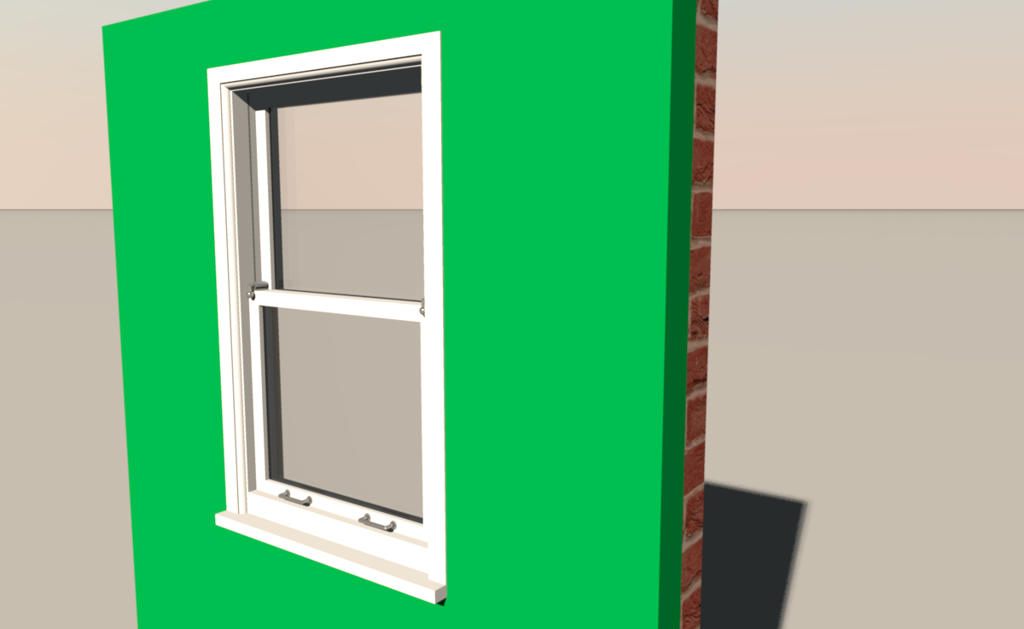
As for creating a Sash window.....


It is double glazed and no light weight at 1152

Mike

Posted by Puybaret at Apr 6, 2019, 1:46:23 PM
Re: Sash openings
Sorry Mike for not answering earlier.
If you have two sashes, you have to cite a pair of values in doorOrWindowSash... properties like in this example posted by okh or some double windows available in the default library.

doorOrWindowSashXAxis#15=2 130
doorOrWindowSashYAxis#15=25 25
doorOrWindowSashWidth#15=63.5 63.5
doorOrWindowSashStartAngle#15=0 180
doorOrWindowSashEndAngle#15=-90 270

----------------------------------------
Emmanuel Puybaret, Sweet Home 3D creator

Posted by Mike53 at Apr 6, 2019, 2:21:37 PM
Re: Sash openings
No worries mate, i had a feeling this would be beyond my pea brain.
sh3f is again sorted, if i send it to you could you please put the license details in or is that not where it goes

Posted by okh at Apr 6, 2019, 11:42:19 PM
Re: Sash openings
First - windows look great!

As for "..8 hrs of my life wasted..." I am no so sure. If I were to count that way, I would have given up on SH3D long ago. Sometimes, you can spend hours trying to figure out little details without getting it right. I have countless examples. Not only SH3D by the way, it could be building a bunk / cupboard bed (in real life) as I am doing this week-end, or my own metier for that matter... But trying and failing - even when overwhelmed by the latter - is never a waste of time.

And again - the windows look absolutely perfekt!

ok

Posted by Mike53 at Apr 7, 2019, 1:39:08 AM
Re: Sash openings
Glad you like the look of the window, i am very pleased myself with the it. I have made headway with the sash opening, i have a curve, but it still needs a little tweaking, getting there though. smile

Posted by Mike53 at Apr 7, 2019, 2:17:00 PM
Re: Sash openings
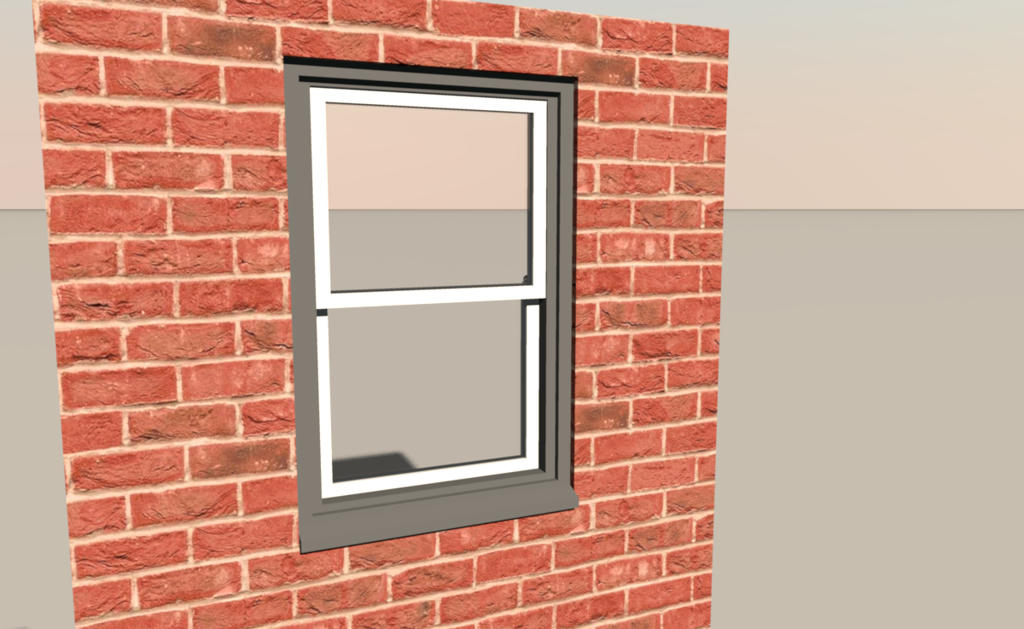
Result


Mike. Pats himself on the back... for finally understanding what has been explained. laughing

Thank you OKH, Emmanuel and other posters.

Posted by okh at Apr 7, 2019, 3:01:49 PM
Re: Sash openings
See, the more you have to struggle, the greater the reward. No time wasted at all. Result looks splendid.

Think this could be a very useful addition, especially for UK users.

Pat on the back well deserved.

ok

Posted by VeroniQ at Apr 7, 2019, 5:41:30 PM
Re: Sash openings
I really like these doors and windows models, Mike! Hope you will share them.

Posted by Mike53 at Apr 8, 2019, 1:23:00 AM
Re: Sash openings
Hi VeroniQ, glad you like them, i am certainly hoping to share them.
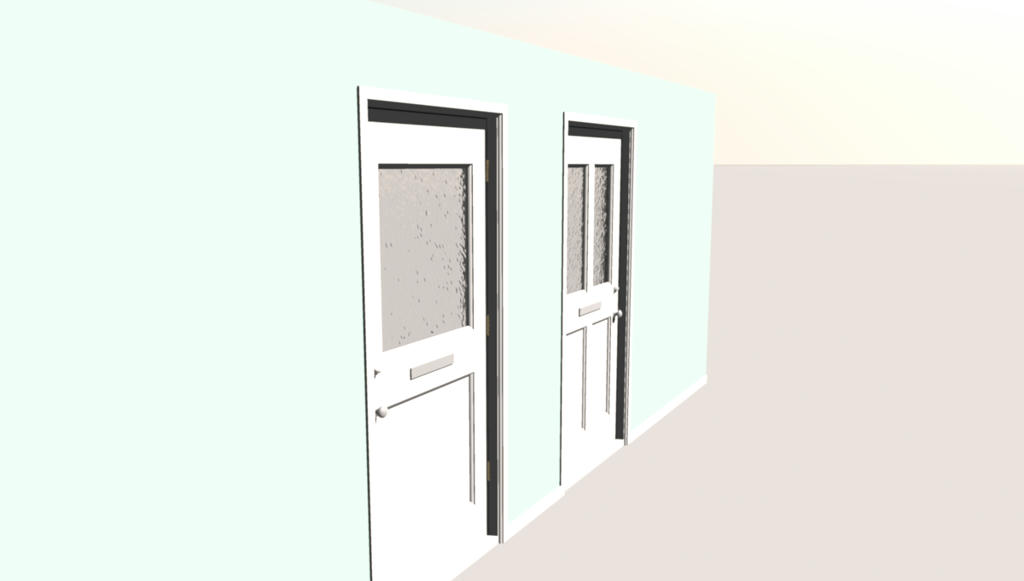
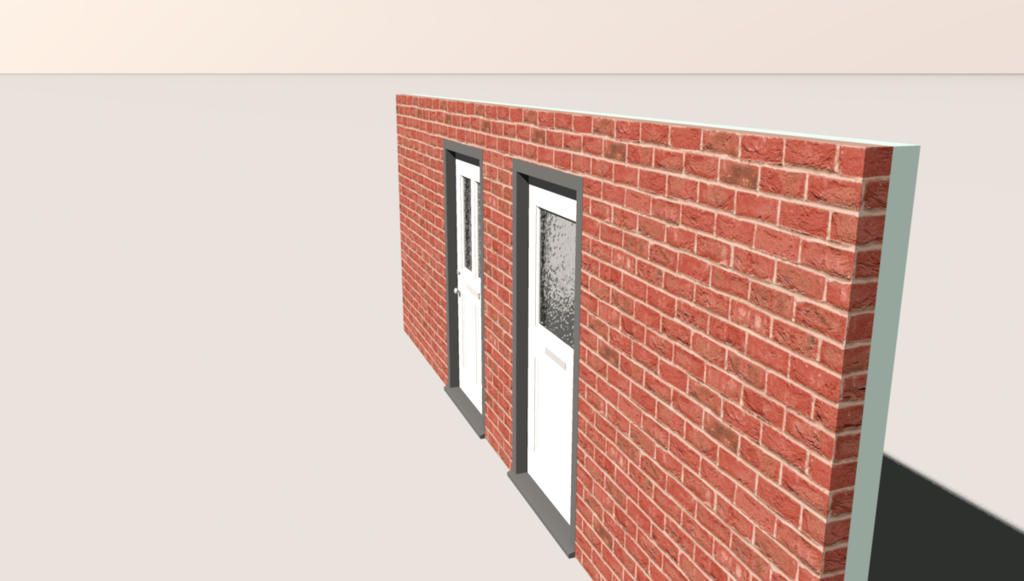
Here is what i have so far, hoping to be complete tomorrow.


Mike

Posted by Mike53 at Apr 8, 2019, 2:32:45 PM
Re: Sash openings
OK... an update on progress and a little history of the learning curve for this process.

Initially i could not figure out how to modify any objects, kept reading about this furniture editor thing, downloaded it several times, but couldn't even open and had no idea what a .jar file was. Not sure where i read it in the forum, but a comment was made about it opening with java, so i associated it, voila, it opens.
So i sat there staring at it for a while, thinking, well nothings happening. Then i found this video on youtube, thank you Sean, for the first time ever i managed to create my own sh3f library file, imported into sh3d via Furniture>Import Furniture Library and there they were, available to add to a project, either dragged onto 2d screen or right click on an item and add. At this point i have to say i was pretty damn pleased with myself.
But, the idea of creating these doors and windows was to share them, that being the case i felt that they were incomplete, as the objects showed no sash openings when positioned on the plan, for me personally, this is not an issue, as i only use sh3d for fun, but for others they would be needed to be of any use.
Thats when it got messy. Most of what read on the subject came from this topic
Having located the library files i then had to edit them, following okh's and Hafsteinn's instructructions in the topic as mentioned earlier, i opened the sh3f file, but with a rar programme not a zip programme, that meant an additional rename, not long after i had a desktop full of copies but had achieved very little. went online and found a free piece of software called 7 zip, armed with this software i was able to open the .sh3f file, select the properties file and edit it, no copying, puurfick.
Puybaret and okh had given very precise instructions on what to modify and also what it should look like after editing, had a few minutes to spare so off i went.
I read in this topic the explanations by Puybaret and okh which i followed to the letter, well thought i had.
After copying the following instructions
doorOrWindow#n=true
doorOrWindowWallThickness#n=
doorOrWindowWallDistance#n=
doorOrWindowSashXAxis#n=
doorOrWindowSashYAxis#n=
doorOrWindowSashWidth#n=
doorOrWindowSashStartAngle#n=
doorOrWindowSashEndAngle#n=
I pasted them into one of the door descriptions and proceeded to edit the details that i needed for that item, a door, completely ignoring okh's comment about changing the number which corresponded to the individual item. Well after several attempts at importing it and have nothing happen, i had a rant n rave, walked away, as you do.
Calmed down, came back, started again, re-reading the comments i noticed what i was doing, changed them and was able to add one of my own doors to a project that showed the sash openings, jumped up, kind of, ran around in circles, kind of, then noticed the swing was in totally the wrong place, oh well, i was learning.
I will mention at this point i am having difficulty re-importing the furniture libraries and therefore find i have to close sweethome and reopen it to allow updates to take place.Both double clicking on and re-importing bring up an error message and my library disappears.maybe because i am editing from within the sh3f, dunno. Anyway.
Managed to reposition the swing, copy it to 3 other doors, couple of tweaks for different frame sizes and i was flying along. 4 doors all showing the door swing, but, all were sitting flush with the wall rather than extend beyond it 10 mm to sit flesh with the skirting board. Attempted maybe half a dozen corrections, re-imports etc i decided that Puybaret and okh had no idea what they were chatting about, the software was no good and that the magic black box i call a pc was broken, i had a rant and a ... etc.
Once i had calmed down i noticed a # missing from the line
doorOrWindowWallDistance#n=, i forgive you both smile .
6 near perfect doors achieved, on to the double sash patio door, copied the same lines to a new door copied Puybaret's example for a double sash tweaked for frame width and..... got a double door who's sash openings made it look like dumbo, tried several different configurations still no good, that bloody Puybaret has done me again.... then i noticed a tiny, really insignificant little minus sign, that i had missed Puybaret, you are forgiven.
Flying again
Copied it's details to the other 2 patio doors and patted myself on the back realising just after that one of them is a sliding door, oops.
Windows, applied the same procedure here, copied the lines from door example, tweaked them for the different size frame and window width, loaded one into a project, noticed it needed just a little more tweaking, corrected it, copied those details to the other medium window, didn't save it, moved on to the large widow, copied details from a patio door, tweaked for frame and window size, wonderful, still flying along, saved it and reopened sweethome, selected my library to find it contained just 1 door and 1 window.
That's where i am right now.
Puybaret will hopefully be able to retrieve and correct the library so that it can finally be shared.
I had come close to achieving this myself, but as long as they get shared i am happy ish.
Once shared i really hope a use for them is found.
Mike

Posted by okh at Apr 8, 2019, 3:06:01 PM
Re: Sash openings
smile

Thanks for this tale. Cannot help smiling. I for one, have certainly struggled with many of the same issues.

ok

Posted by Puybaret at Apr 8, 2019, 5:26:30 PM
Re: Sash openings
Thanks for the story. I'm aware that editing sash values is difficult for a beginner, and a graphical tool would be more handy than editing values with a text editor.
Please, understand that I'm more motivated to improve Sweet Home 3D than the Furniture Library Editor.

Sean's video about the Furniture Library Editor is nice except that editing a SH3F file stored in the folder where libraries are stored isn't a good idea, because it obliges you to relaunch Sweet Home 3D at each change. Importing a modified library stored elsewhere is faster that relaunching Sweet Home 3D and less error prone.
----------------------------------------
Emmanuel Puybaret, Sweet Home 3D creator

Posted by Mike53 at Apr 8, 2019, 7:14:50 PM
Re: Sash openings
The smile from okh was the reaction i was half hoping for when making the last post, i get the impression that it was, unfortunately, taken as being a criticism of the the various software used, that was not my intention, not in the slightest.
My own limited knowledge and knowhow is what i was speaking of, in the hope that with each of my failures listed, would mean that other users could avoid making the same errors.
In a nutshell, me, not reading the comments correctly, me, choosing to ignore them, me, not having a zip prog, me, then making those very same mistakes again, like it didn't sink in the first time.
As far as making making changes the the editor or even there being a need to change it, i have no idea, since i would not know what, how or even if, changes could be made.
I apologise if the nature of the above comments were misunderstood, but i can assure you, it is a misunderstanding.

That said, i have a question, is there a limit to the number of instances that can be created for a sash, i ak because i have created this :-

But i cannot seem to get the last line to show for the middle window.
thx in advance
Mike

Posted by UbuntuBirdy at Apr 8, 2019, 8:23:16 PM
Re: Sash openings
@ Mike - You make are doing everything right here! You use the Internet for what it was made for: collecting errors, their solutions, or their evasion. And I envy you for your creativity and your patience...

@Emmanuel - You are doing everything right! You are "just" human like us and even if your commitment to SH3D seems almost endless, it has its limits. And you do not need to justify or apologize for that! And as efficiently as you set the priorities, someone should imitate you first...
----------------------------------------
Pascal

SH3D 6.6 / Ubuntu 22.04 (Mainline-Kernel) / Radeon RX580 / Ryzen 7 5800x

Posted by Mike53 at Apr 9, 2019, 2:01:32 AM
Re: Sash openings
Hi Pascal, cheers smile

I sussed the additional line, the little bugger was hiding from me.

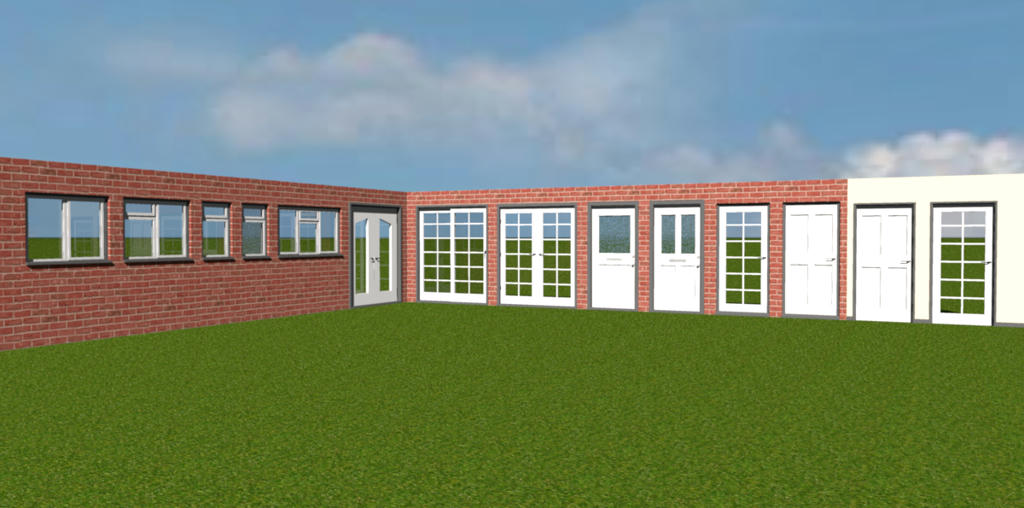
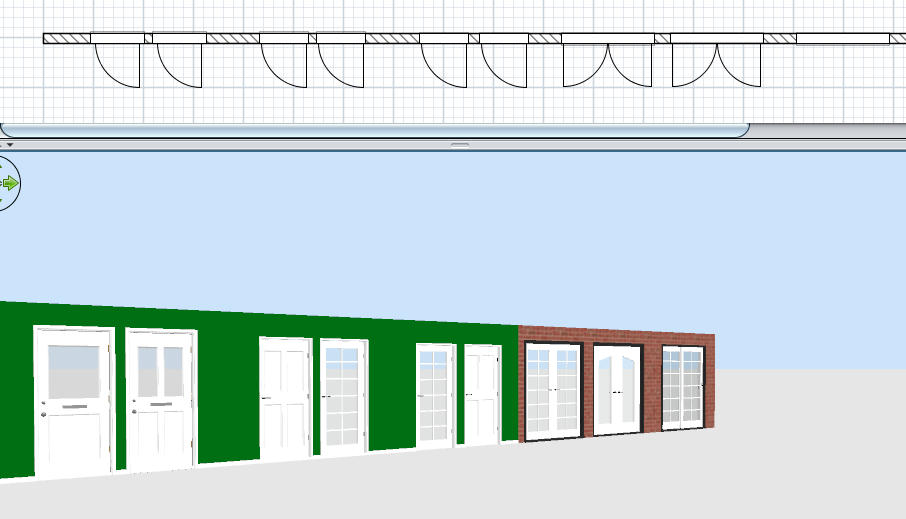
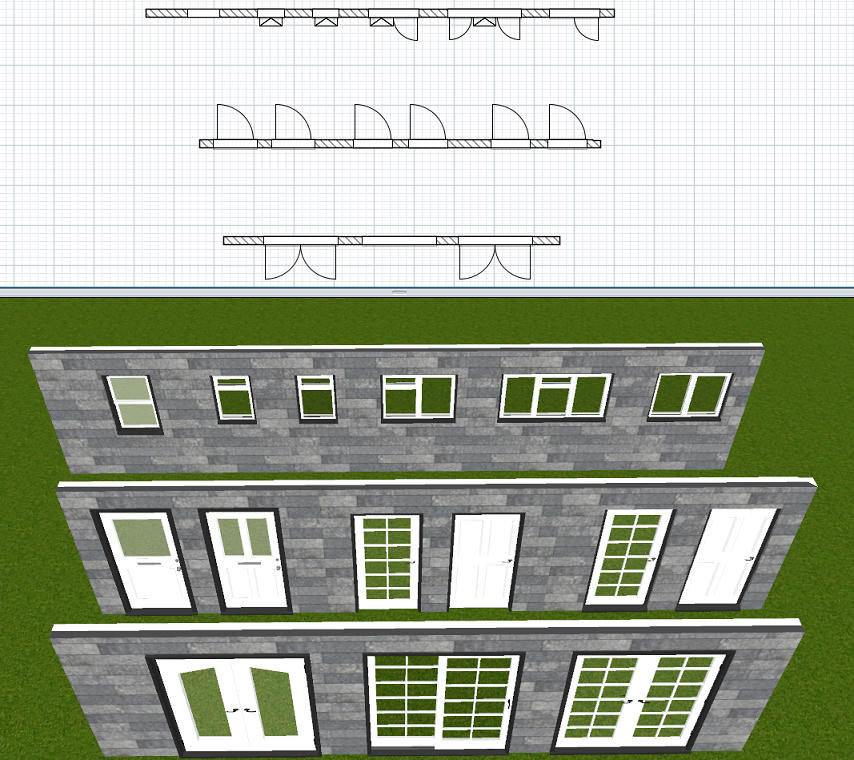
This is now about done, i think the i's are dotted and t's crossed, here is an image and brief description.


3 patio doors 1 sliding, 2 with doors that open out.
Doors, 2 are designated front and back and have frosted glass, though in truth the letter box can be hidden so they act as either, 2 interior, no bottom sill, glazed and panelled, and 2 others with a sill.
Windows, Double glazed windows, bathroom window has 1 layer of frosted glass, The others have a variety of openings.

All the items have inner and outer frames, windows have inner and outer cage, handles and hinges are described as "metal" on nearly all and the glass units in the windows have an outer edging, i believe this is to help prevent condensation.

I'll have another quick look through the sh3f file tomorrow just to check i've missed nothing, then share it here.

Mike. smile

Posted by okh at Apr 9, 2019, 11:36:45 AM
Re: Sash openings
Thanks for the story. I'm aware that editing sash values is difficult for a beginner, and a graphical tool would be more handy than editing values with a text editor.
Please, understand that I'm more motivated to improve Sweet Home 3D than the Furniture Library Editor.
Glad to hear that. Actually, I think I would turn this around. How many other pieces of software uses data-structures where even amateurs with no coding experience can customise like this - and succeed.

Is editing advanced SH3D furniture properties difficult? Well, yes and no. This kind of customisation is more difficult than the beautifully simple interface when using SH3D for normal purposes. And as Mike humorously points out, it can be a bit overwhelming at first. Especially when one little character is wrong. At the same time, it is not that difficult either. Many examples in the forum bear witness to that. Once you know how, it is reasonably straightforward - and very pleasing to get the result you want.

ok

Posted by Mike53 at Apr 9, 2019, 12:53:21 PM
Re: Sash openings
Who you calling amateur, i'll have you know that in the last 53 years i have amassed minutes of experience tongue

I guess the point i was trying to make, is that if an old fart with dyscalculia like me can.....anyone can......with a little patience and/or ranting.
With the software as it is, in about 48 hrs, i was able to not only, use it to interpret the swings, with a lot of forum and email help, but also to take it a stage further and add the small window attributes that, not only have i never read mentioned here but never seen on a model.
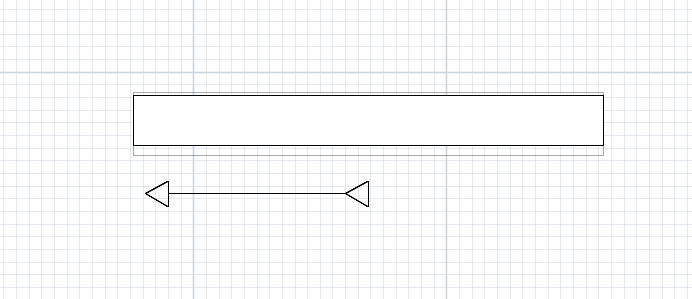
Now i have the bug. I am trying to figure a way to create an arrow, with either 3 or 4 lines, positioned in front of a sliding door/window that will show both its start and finish positions, never satisfied lol.

Mike

Posted by Dadv at Apr 9, 2019, 2:00:08 PM
Re: Sash openings
Hi Mike53,
I have done a little app that should help you in doing what you want : Here

It's Windows only, and my localization is not completely done sorry...
But have a look on it and tell me if it could do the job :)

BR,

Dadv

Posted by Mike53 at Apr 9, 2019, 5:06:42 PM
Re: Sash openings
Hi Dadv
Thank you for the offer, i will give it a go if the language can be changed in future.

Result of arrow test


It's not on the model, but it's a thought.

Mike

Posted by Dadv at Apr 9, 2019, 5:58:20 PM
Re: Sash openings
No pb,

Well if someone want to translate it in different language here the csv file : CSV

Send me the translate file with country code (ex: US-en).

Thx to all :)

Posted by Dadv at Apr 10, 2019, 1:43:59 PM
Re: Sash openings
Finally you can find my last version on this post

Now translate in English smile (and also in French)

Posted by shakeel at Jul 14, 2023, 1:44:27 PM
Re: Sash openings
Correct, forget about it; I give up. Eight hours of my life have been spent, and I now have to recreate the sh3d file because it has vanished for what seems like the millionth time. sad .
Regarding building a sash window...