Print at Jan 29, 2026, 8:10:22 PM
Posted by stef.salmon at Oct 23, 2018, 12:26:16 PM
Re: Background Pixelation
Hi,

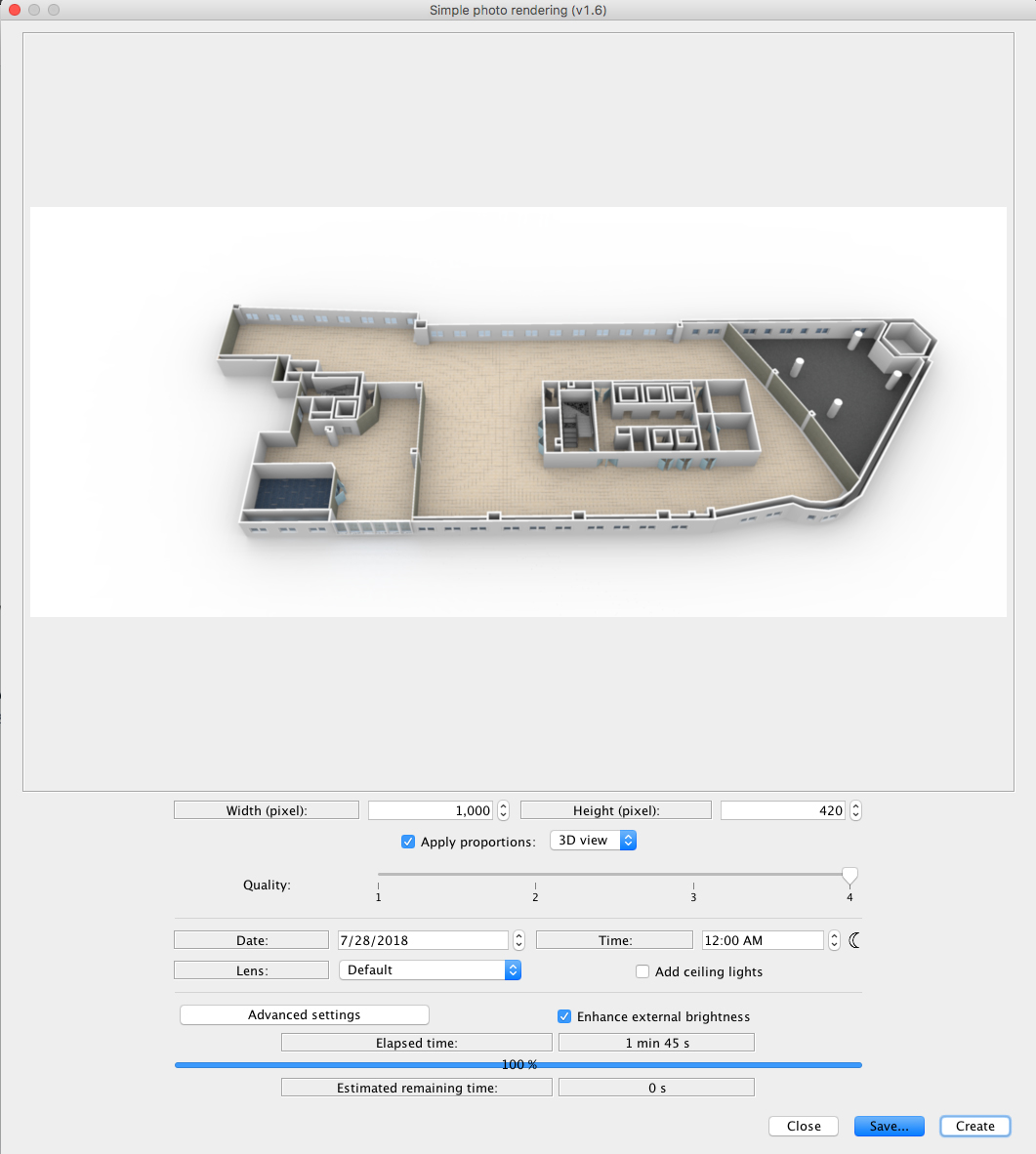
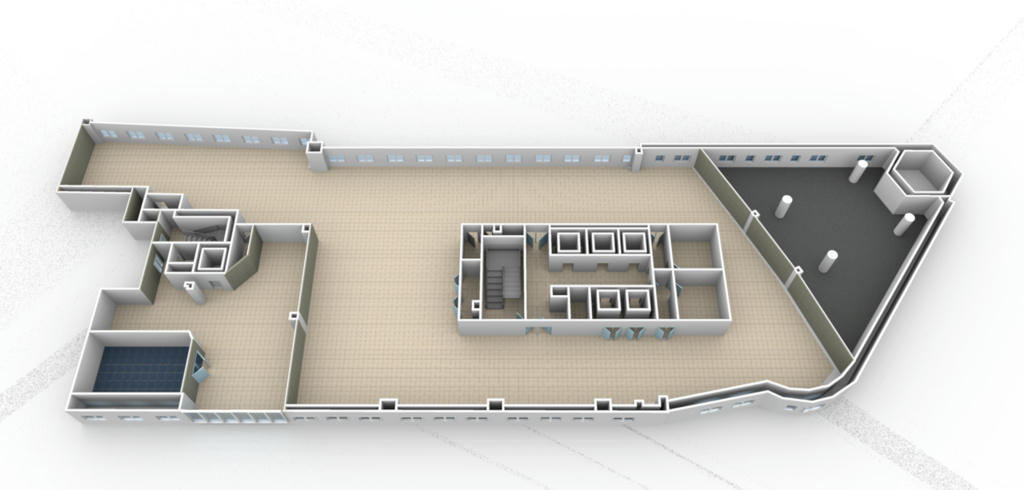
Why am I getting areas of pixelation on my floor layout background?

https://www.dropbox.com/s/a9d8hsiib5lm578/KWS_1stFloor5.png?dl=0

Thanks.

Posted by stef.salmon at Oct 25, 2018, 11:20:07 AM
Re: Background Pixelation
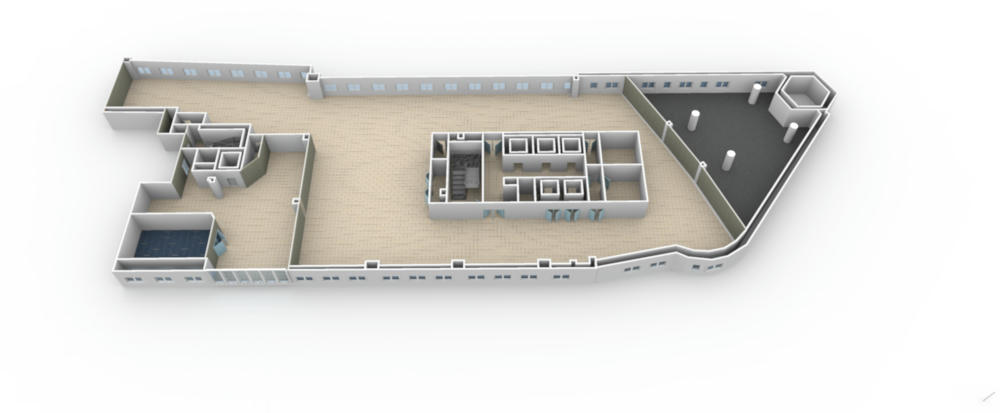
I'm guessing the pixelation is due to some sort of shadow being cast?

I've tried changing coordinates on the compass but nothing seems to get rid of the shadows.

Any help would be greatly appreciated.

Thanks.

Posted by stef.salmon at Oct 26, 2018, 10:18:48 AM
Re: Background Pixelation
If the shadows have to be there then so be it, but why aren't they a solid colour instead of pixelated? This is so frustrating!

I can't really use these rendered images on a customers site when they look like this.

https://www.dropbox.com/s/uqlkqrkbtx7c7r9/KWS_1stFloor%20-%20Copy.png?dl=0

It would be so much easier if there was a way of just selecting no shadows instead of messing around with coordinates and time of day.

Posted by bdfd at Oct 26, 2018, 10:57:55 AM
confused   Re: Background Pixelation
If the shadows have to be there then so be it, but why aren't they a solid colour instead of pixelated? This is so frustrating!
I can't really use these rendered images on a customers site when they look like this.
https://www.dropbox.com/s/uqlkqrkbtx7c7r9/KWS_1stFloor%20-%20Copy.png?dl=0
It would be so much easier if there was a way of just selecting no shadows instead of messing around with coordinates and time of day.
Generally, it happens with renderings in quality 3.

Did you try in quality 4 ?

biggrin
.
----------------------------------------
Evil progresses when good people do nothing!
---
SH3D 7.1 and nothing else - W11 64b in 4K
Posted by alaX at Oct 26, 2018, 1:24:43 PM
Re: Background Pixelation
Looks like the same issue (with solution):
http://www.sweethome3d.com/support/forum/viewthread_thread,8958

Posted by stef.salmon at Oct 26, 2018, 2:52:03 PM
Re: Background Pixelation
Hi,

I tried setting the elevation to 1cm and also 2000cm but it makes no difference. I think it's the shadows full stop that are causing the problem.

See link.

https://www.dropbox.com/s/08xlggkpvh0vuza/KWS_1stFloor%20-%20Copy3.png?dl=0

Is it not easier, to just have no shadows?

Thanks.

Posted by Ceciliabr at Oct 26, 2018, 4:38:09 PM
Re: Background Pixelation
What is the light source creating your shadows?

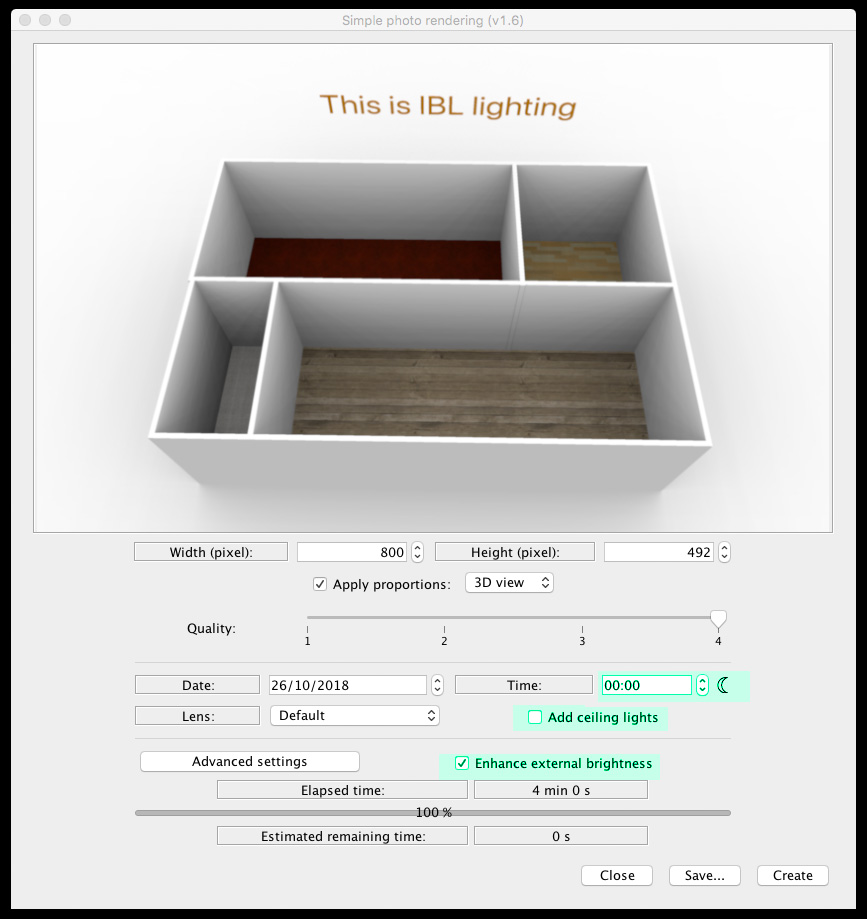
Have you tried IBL-lighting – applying a white texture to the sky and render with enhance external brightness checked and the time of day set to midnight?


cec

Posted by stef.salmon at Oct 26, 2018, 4:48:57 PM
Re: Background Pixelation
Hi,

What is IBL lighting and where do you get it?

Posted by stef.salmon at Oct 26, 2018, 7:09:30 PM
Re: Background Pixelation
I think it's more of a problem with the rendering tool. There's no reason why the pixelation should be there...it's not even part of the shadow.

Posted by VeroniQ at Oct 26, 2018, 8:38:38 PM
Re: Background Pixelation
Stef.salmon, you should read this thread by EnkoNyito and many others by Ceciliabr who nicely gives to the forum many tips about lighting.

Posted by Ceciliabr at Oct 27, 2018, 2:12:18 AM
Re: Background Pixelation
What is IBL lighting and where do you get it?


IBL ( Image Based Lighting) is using an image as a light source, instead of using the sun.
The exact terminology (IBL) is not used here, instead it's called: Enhance external brightness,
and can be selected as an option if you install ( or have installed) THIS plugin,
which also offers some other tools for enhancing the rendering process.

Settings:


The best way to use this for your project is to apply a totally white texture ( not colour!) to your sky and ground.

You could also experiment with panel lights to further enhance your renderings.


Cec

Posted by stef.salmon at Oct 29, 2018, 9:27:38 AM
Re: Background Pixelation
Hi,

Thanks for all your help so far.

I have installed the 'PhotoVideoRendering - 1.6' plugin but it says it isn't compatible with the version of Sweet Home 3D.

I'm running SH3D v5.7

Posted by VeroniQ at Oct 29, 2018, 10:13:51 AM
Re: Background Pixelation
There are different versions of EnkoNyito plugin in his thread but you should better upload the new 6 version of Sweet Home 3D...

Posted by stef.salmon at Oct 29, 2018, 11:43:21 AM
Re: Background Pixelation
Hi,

I installed Sweet Home 3D v6.0.

I chose a white texture for the ground and sky as suggested. I used white roughcast.

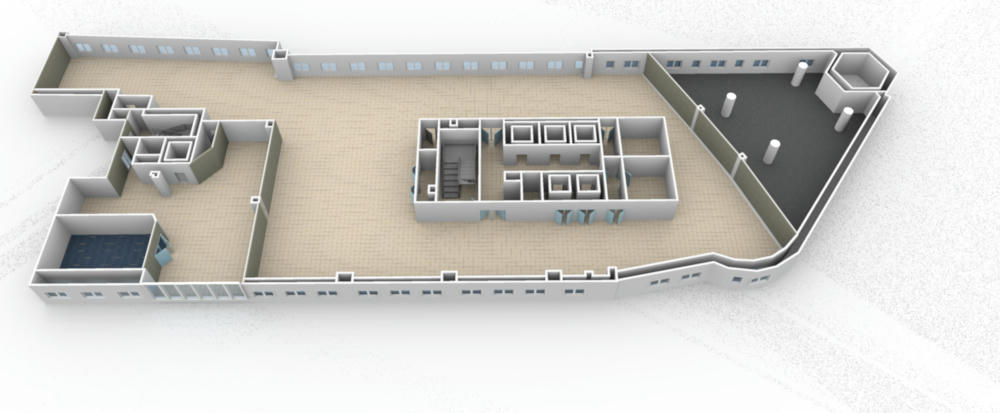
I checked the 'Enhance external brightness' box and set the time to 00:00 midnight and Q4, which it needs to be. As you can see from the rendered image, it is even worse than before and it took 10 times as long to render...51 minutes 40 seconds to be precise. Why it took that long I have no idea, it's not exactly very detailed.

https://www.dropbox.com/s/nqb2osf0z49uray/KWS_1stFloor%20-%20TEST.png?dl=0


I'm not producing very detailed 3D building layouts.

Where do I go from here?

Would it be easier for me to send the file to one of you guys with the proper expertise, to see if you can get it to render without pixelation?

Thanks.

Posted by Puybaret at Oct 29, 2018, 12:43:13 PM
Re: Background Pixelation
I would suggest to create a large white zone around you building, and cut / paste everything else on top of that.
----------------------------------------
Emmanuel Puybaret, Sweet Home 3D creator

Posted by stef.salmon at Oct 29, 2018, 12:54:17 PM
Re: Background Pixelation
Do you mean create a large white image .png and use this as the background, then copy and paste everything on to that?

Posted by Ceciliabr at Oct 29, 2018, 1:23:39 PM
Re: Background Pixelation
I used white roughcast

White is #FFFFFF.

THIS is a white texture


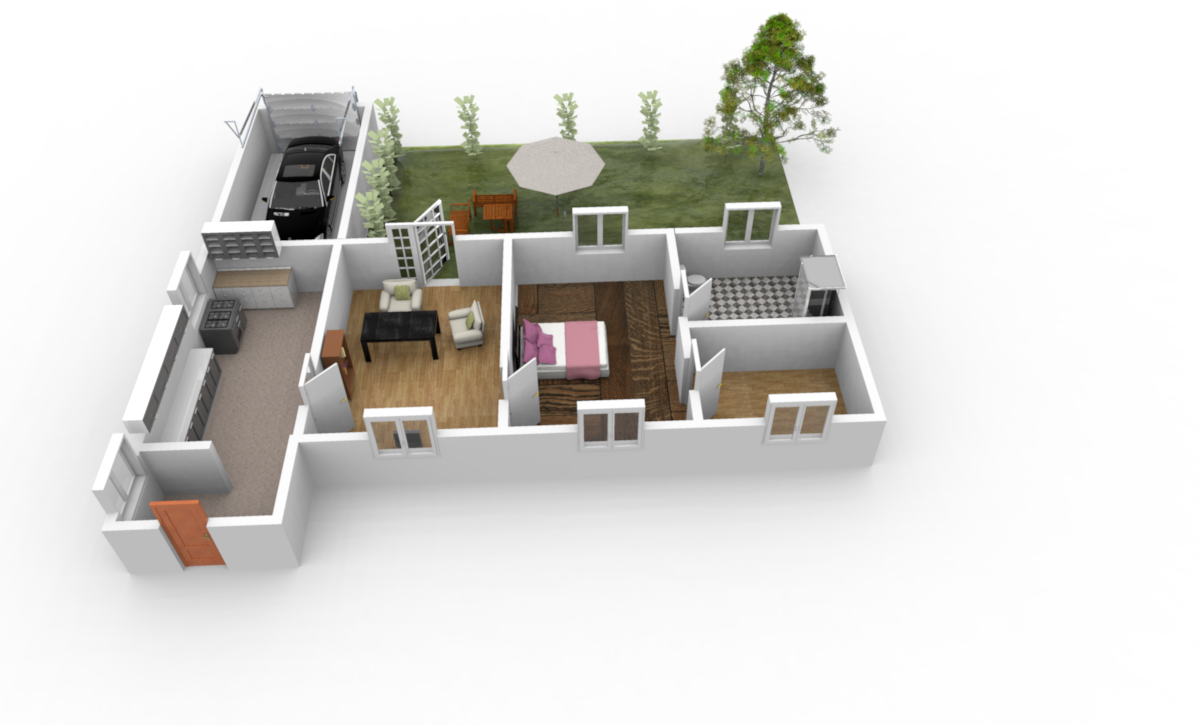
Here is how it should render


Cec

Posted by stef.salmon at Oct 29, 2018, 1:30:52 PM
Re: Background Pixelation
I have used your .png as a texture for the ground & sky. It's saying the estimated rendering time is 56 minutes...that can't be right?

Posted by UbuntuBirdy at Oct 29, 2018, 1:49:51 PM
Re: Background Pixelation
If you are not working on Summit this is absolutely a real time for rendering at Q4.
----------------------------------------
Pascal

SH3D 6.6 / Ubuntu 22.04 (Mainline-Kernel) / Radeon RX580 / Ryzen 7 5800x

Posted by stef.salmon at Oct 29, 2018, 1:54:32 PM
Re: Background Pixelation
OK that's understandable.

I made the pixel size smaller so it rendered faster, but there is still pixelation. See link.

https://www.dropbox.com/s/tcrjthgfnx2xos2/KWS_1stFloor%20-%20TEST2.png?dl=0

What else could be causing it?

Posted by UbuntuBirdy at Oct 29, 2018, 2:18:54 PM
Re: Background Pixelation
If you want I can look at your sh3d file.
----------------------------------------
Pascal

SH3D 6.6 / Ubuntu 22.04 (Mainline-Kernel) / Radeon RX580 / Ryzen 7 5800x

Posted by stef.salmon at Oct 29, 2018, 2:21:11 PM
Re: Background Pixelation
I'd appreciate it if you could, thanks.

https://www.dropbox.com/s/988kbwbj6r5qra5/KWS_1stFloor%20-%20TEST.sh3d?dl=0

It's just a basic floor layout, nothing too special.

Posted by UbuntuBirdy at Oct 29, 2018, 2:43:58 PM
Re: Background Pixelation
Short question between the tests: what are the tech.specs of your system?
----------------------------------------
Pascal

SH3D 6.6 / Ubuntu 22.04 (Mainline-Kernel) / Radeon RX580 / Ryzen 7 5800x

Posted by Ceciliabr at Oct 29, 2018, 2:46:07 PM
Re: Background Pixelation


Posted by Ceciliabr at Oct 29, 2018, 2:49:21 PM
Re: Background Pixelation
Ooops! I chose reply instead of Preview post.

Here is your file fixed.


KWS_1stFloor - TEST-CBR.sh3d


cec

Posted by UbuntuBirdy at Oct 29, 2018, 2:50:17 PM
Re: Background Pixelation
WOW cec, the rendering power of your system is impressive!
----------------------------------------
Pascal

SH3D 6.6 / Ubuntu 22.04 (Mainline-Kernel) / Radeon RX580 / Ryzen 7 5800x

Posted by stef.salmon at Oct 29, 2018, 2:54:56 PM
Re: Background Pixelation
NVIDIA Quadro M620

https://www.dropbox.com/s/nk75g9ptkgp9uqd/System.png?dl=0

Posted by stef.salmon at Oct 29, 2018, 2:58:14 PM
Re: Background Pixelation
Cec...Thanks.

what was the problem?

Posted by Ceciliabr at Oct 29, 2018, 3:13:10 PM
Re: Background Pixelation
the rendering power of your system is impressive!

An old Mac Pro from 2014
2.7 GHz 12 core
128 Gb memory
Dual AMD FirePro D700 graphics processors with 6GB of GDDR5 VRAM x2.

2048 stream processors
384-bit-wide memory bus
264GB/s memory bandwidth
3.5 teraflops performance
4TB SSD
12TB BSD


It's faster than my fathers new 7000€ Dell 18 core on both CPU and GPU rendering.

Cec

Posted by Ceciliabr at Oct 29, 2018, 3:15:50 PM
Re: Background Pixelation
what was the problem?


Your ground texture was a wrong image.


Cec

Posted by stef.salmon at Oct 29, 2018, 3:33:11 PM
Re: Background Pixelation
Is it possible to get the image larger?

If I open the 3D view and zoom in and then render, I get the pixelation again and it doesn't seem any larger?

I'm probably doing it incorrectly!

https://www.dropbox.com/s/ol5nlzs1yn3978x/KWS...20-%20TEST-CBR_2.png?dl=0

Thanks.

Posted by UbuntuBirdy at Oct 29, 2018, 3:36:02 PM
Re: Background Pixelation
It's faster than my fathers new 7000€ Dell 18 core on both CPU and GPU rendering.

It's faster than my Ryzen system (8 core / 16 threads but 3.6 - 4.0 GHz)
Eventually your 128GB memory (I have only 32GB) are the key for fast renderings...
----------------------------------------
Pascal

SH3D 6.6 / Ubuntu 22.04 (Mainline-Kernel) / Radeon RX580 / Ryzen 7 5800x

Posted by Ceciliabr at Oct 29, 2018, 5:36:11 PM
Re: Background Pixelation
Just rendered 3440 x 1440. No pixelation.

KWS-4K.png


It's impossible to say what you are doing wrong.

Cec

Posted by UbuntuBirdy at Oct 29, 2018, 5:41:56 PM
Re: Background Pixelation
Cec, I can reproduce the pixelation on my system even with your fixed file.
If I delete all the floors, the problem has gone. If I recreate the floors, the problem reappears.
----------------------------------------
Pascal

SH3D 6.6 / Ubuntu 22.04 (Mainline-Kernel) / Radeon RX580 / Ryzen 7 5800x

Posted by UbuntuBirdy at Oct 29, 2018, 6:34:11 PM
Re: Background Pixelation
Cec, this is your file, just opened and directly rendered:

...as you said, no problem.

But zoomed in only a little bit:

... the problem reappears.

The biggest floor is a little bit displaced, so I tested if this can be the problem. But neither push it to the right position, nor delete the floor and rebuild it helps.
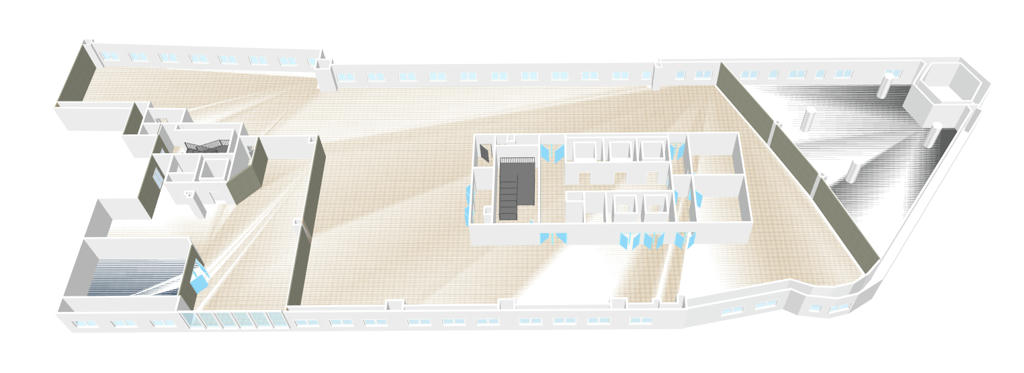
If you create a second level and then increase the original level by 1mm, you can see strange "rays" on the floors in the 3d view:

I suspect this has something to do with the problem, but I still can not figure out what exactly caused it.
----------------------------------------
Pascal

SH3D 6.6 / Ubuntu 22.04 (Mainline-Kernel) / Radeon RX580 / Ryzen 7 5800x

Posted by Ceciliabr at Oct 29, 2018, 6:43:08 PM
Re: Background Pixelation
Try THIS file, and see if it helps.

I'm just guessing now, since I'm not able to reproduce the problem.

Cec

Posted by Ceciliabr at Oct 29, 2018, 6:45:25 PM
Re: Background Pixelation
I suspect this has something to do with the problem, but I still can not figure out what exactly caused it.


Maybe deleting the background image will help?

C

Posted by UbuntuBirdy at Oct 29, 2018, 8:11:07 PM
Re: Background Pixelation
No luck, as before, just opened the file, switched from q3 to q4 and rendered:


Deleting the bg-image does not change anything.

I do not know what else to try, so I have to give up for the moment...
----------------------------------------
Pascal

SH3D 6.6 / Ubuntu 22.04 (Mainline-Kernel) / Radeon RX580 / Ryzen 7 5800x

Posted by Puybaret at Oct 29, 2018, 9:35:26 PM
Re: Background Pixelation
I would suggest to create a large white zone around you building, and cut / paste everything else on top of that.
Do you mean create a large white image .png and use this as the background, then copy and paste everything on to that?

Simpler than that: create a rectangle room that surrounds all your design as in the attached file.
----------------------------------------
Attachment KWS_1stFloor - TEST.sh3d (845152 bytes) (Download count: 38639) (Surrounding room)

----------------------------------------
Emmanuel Puybaret, Sweet Home 3D creator

Posted by Puybaret at Oct 29, 2018, 9:49:03 PM
Re: Background Pixelation
I'm pretty sure that these "noisy rays" come from how the ground is cut around your home with large triangles that goes from the house border to the far away border of the scene.
I noticed that kind of noisy effect in other situations with SunFlow at very high points of view, and it's a reason why I limited the eyes elevation to 100m.
Introducing a rectangle room will produce a much simpler cut out in the ground around that rectangle, with smaller triangles around the house which will remain in that rectangle.
----------------------------------------
Emmanuel Puybaret, Sweet Home 3D creator

Posted by VeroniQ at Oct 29, 2018, 10:59:24 PM
Re: Background Pixelation
By the way, if it is not too indiscreet, Stef.salmon, what is this strange building? It looks a little bit like a prison, or a secret factory... Hope you will satisfy my curiosity (but don't feel obliged)...

Posted by stef.salmon at Oct 30, 2018, 9:38:53 AM
Re: Background Pixelation
VeroniQ - The building is actually an office block in London. The floor plan is a bit strange...looks a bit like a boat.

http://www.onekingwilliamstreet.london/new/index.html

Emmanuel - Your idea of putting the rectangle around the floor layout works perfectly, so thank you for that.

And thanks to everyone else who helped.

wink

Posted by VeroniQ at Oct 30, 2018, 12:32:15 PM
Re: Background Pixelation
Thank you. Yes, peculiar but beautiful building! Will you model it entirely? I will be curious to see the result... Good luck.

Posted by stef.salmon at Oct 30, 2018, 12:58:37 PM
Re: Background Pixelation
I would like to model the whole floor but it's not really required for what we're using it for.
Our company installs Building Management Systems, which control the heating & cooling and manages the energy usage of a building. We use various manufacturers and software packages to do this.

I'm working on a project at the moment LSE 'London School of Economics'. I've put a link to one of the floors there so you can see what I mean.

https://www.dropbox.com/s/7me7c6ox2xf7fxd/LSE_3rdFloor.png?dl=0

Cheers.