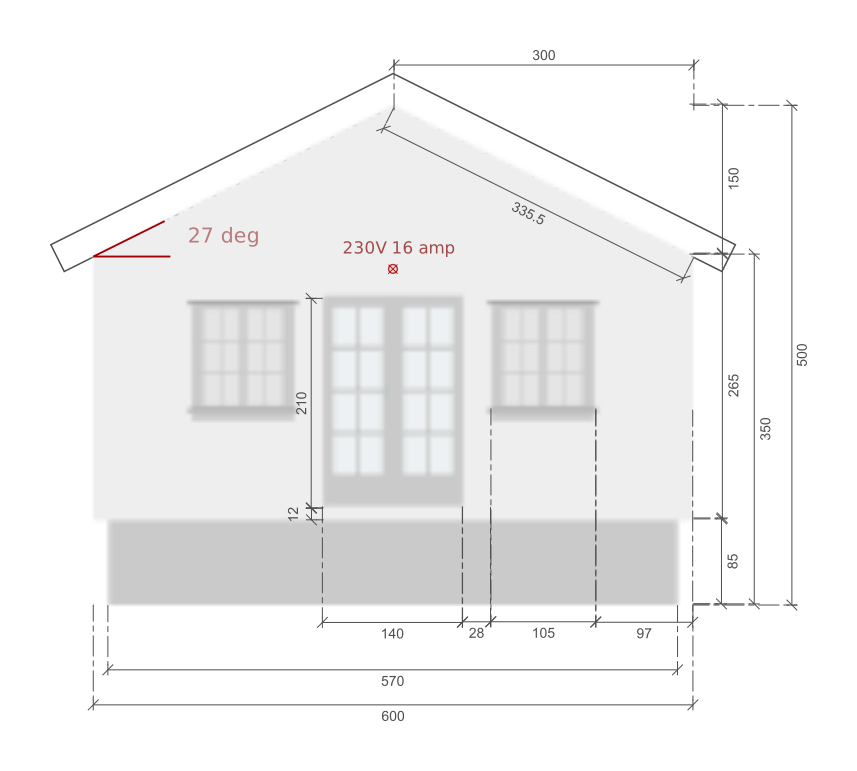
|
Sweet Home 3D Forum » List all forums » » Forum: Wishlist » » » Thread: Before 6.0 |
|
| Print at Dec 18, 2025, 4:29:15 PM | View all posts in this thread on one page |
| Posted by alaX at Sep 24, 2018, 7:02:45 PM |
|
Before 6.0 1) Aligning furniture - selection order. Objects should align to the last selected one - I'm used to do it this way using other software (2d and 3d). Let's say I have just edited/added furniture (1) and I want align it to another one(2) - I can't use the fact that 1 is still selected and simply shift+click on 2. 2) Merge walls - action opposite to "split wall" (removing expendable point in the middle of wall). 3) Last step in furniture import wizard should look more like 2nd step or "Modify deformation" window - with choice between "perspective", "top view" etc. and maybe "browse" button for external image file. Now furniture rotates around only Z axis and sometimes that's not enough to show the real shapes of my model. 4) Windows start menu - SH3D shows recently opened files (by double clicking in folder, including libraries), I'd prefer list of recently saved projects. |
| Posted by Puybaret at Sep 25, 2018, 12:33:09 AM |
|
Re: Before 6.0 Sorry, I don't think I'll add any more feature in version 6.0 now. I already sent translation requests to our very kind translators, therefore the user interface can't change anymore except for major design flaws. The software I inspire myself from (OmniGraffle and Word) use alignment rule on the first selected object. Even if your use case is a good one, the current behavior is handy in other cases too. ---------------------------------------- Emmanuel Puybaret, Sweet Home 3D creator |
| Posted by YGYL at Sep 25, 2018, 4:10:56 AM |
|
Re: Before 6.0 Consent 1.2.3. |
| Posted by alaX at Oct 1, 2018, 5:42:34 PM |
|
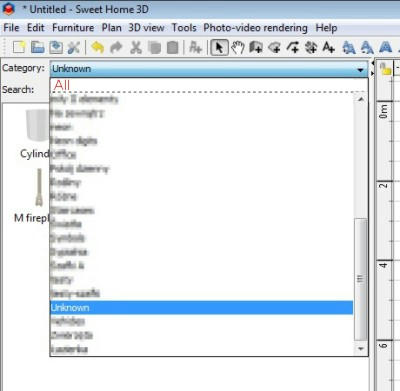
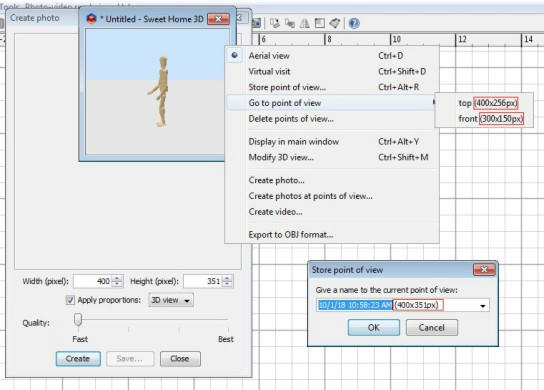
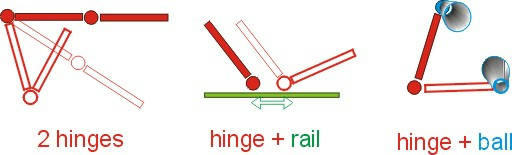
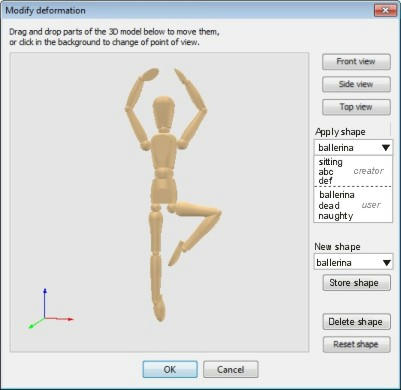
Before 6.1 OK, I have to wait until 6.1. In the meantime expect some more wishes ;) 5) Category "All" always on top of the list. ![]() 6) Point of view stored with image size or at least width and height values added to the name of point ![]() 7) Watermark on rendered images - as an option. 8) Unique hinge. 9) Combination of two or more hinges, hinge+rail, hinge+ball and two or more balls. ![]() 10) One, two or three alternative deformations defined by creator - maybe "Modify deformation" and "Store deformation" buttons in Furniture Library Editor. Home.xml shows that for my transformed sofa with hinge and rail two lines were added (matrix) and dimesions changed - FLE could save new dimensions and matrix in .txt or .xml and add properties e.g.: "transformationNameA#1=abc" "transformationMatrixA#1=abc.txt" 11)"Store deformation" option for users ![]() |
| Posted by TalonKarrde at Oct 8, 2018, 3:10:58 PM |
|
Re: Before 6.1 Hello Together, I'm quite new to SH3D, and with the exception from one feature, it's in my opionen the perfect solution to get a draft from your home - A "Profil View" with measurements. My Goal is to get an offer from different construction companies for my House, but therefore I not only need the ground plan/view with the dimensions/measurements, they also request a so called "Profile View" from he building. Up to now I wasn't able to get this out of the default view and wasn't able to find a tip or an other valid workaround. Thus I would higly recommend a this feature. As far as my java knowledge reach, there is already a method to get every "Wall-Object" on a line. So it would be sufficient that you can define a point A and a point B in the "Home Plan" View. The line (or more like a slice thats generated) collects the different informations of the objects it's meeting and displays it. After that one can add the measurements via the "usual" measurement tool. I even wouldn't mind if the Profil View has to be updated manually. If anyone needs further explanation or if the description is to short, just let me know, I will gladly write more. Thank you all in advanced and also lots of thanks for the already great solution! Jan |
| Posted by okh at Oct 8, 2018, 5:56:29 PM |
|
Re: Before 6.1 Hi and welcome, this may not be the right thread, but if I understand you correctly, what you wish for has been described in a couple of threads (such as thread,8045#36626). While there are no perfect workarounds, there are users who have been able to provide the powers that be with sufficient information. Good luck. ok A not-so-good example: |
| Posted by UbuntuBirdy at Oct 8, 2018, 6:17:14 PM |
|
Re: Before 6.1 Up to now I wasn't able to get this out of the default view and wasn't able to find a tip or an other valid workaround. SH3D is primarily an interior design application and therefore you can not find this feature. ---------------------------------------- Pascal SH3D 6.6 / Ubuntu 22.04 (Mainline-Kernel) / Radeon RX580 / Ryzen 7 5800x |
| Posted by TalonKarrde at Oct 10, 2018, 11:54:55 AM |
|
Re: Before 6.1 Hello OKH, thanks for your quick reply - I would be surprised if nobody ever suggested this, unfortunately I wasn't able to find the Threads/Ticket due to wrong key words I searched for. As far as I'm concerned, a side view would be sufficient for the first step. In the Feature Request #484 side view is also asked for tools to document wiring, pipes, etc. Perhaps when my home is build, I will have some time and see if my Java-knowledge is sufficient to build a plugin for my request - we'll see ;) @ UbuntuBirdy - thanks for your confirmation :) Greetings |
|
|
Current timezone is GMT Dec 18, 2025, 4:29:15 PM |