|
Sweet Home 3D Forum » List all forums » » Forum: Features use and tips » » » Thread: Glass blocks |
|
| Print at Dec 19, 2025, 10:11:50 PM | |
| Posted by rontant at Jul 9, 2018, 4:11:34 PM |
|
Glass blocks I am trying to use the glass blocks found in the model library and I also use the service window to accomodate those glass blocks, but for some reasons, the service window just won't allow the glass blocks to fit in even though I have resized the windows. ![]() In the photo, the glass blocks may look fine but actualy they are hovering in front of the window. They are not sitting within the service window frame. Is there any trick to get around with this? Another thing I just found out is that the glass blocks are very transparent, so they are not suitable for bathrooms. As a workaround, I hang a light panel #1 outside the window to block tbe view from/to outside (Go away peeping toms!) |
| Posted by Puybaret at Jul 9, 2018, 5:30:02 PM |
|
Re: Glass blocks Deactivate magnetism to place the glass block. Getting a frosted glass effect is not really feasible in Sweet Home 3D. You could try some textures but you will still view through it. The only solution I can think of would to design a 3D model glass with an uneven surface. If you have to the patience to try it, we will be happy to read your findings. For example, in Blender, you could subdivide the side of a box in many small faces, and move a little some vertices. ---------------------------------------- Emmanuel Puybaret, Sweet Home 3D creator |
| Posted by okh at Jul 9, 2018, 9:08:17 PM |
|
Re: Glass blocks For my - more limited - purposes, a semi-transparent (frosted) texture works pretty well on glass blocks (same effect as the stain glass window) - a slightly blurred view. But it would be quite interesting to see what can be done with a slightly uneven glass surface and optical density... ok |
| Posted by Puybaret at Jul 9, 2018, 11:49:31 PM |
|
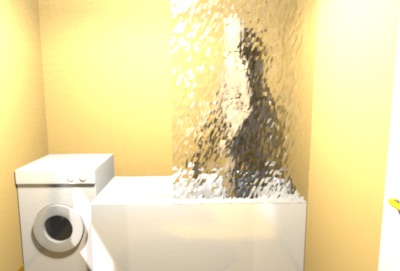
Re: Glass blocks I couldn't resist to try myself : I created a cube in Blender, divided one of its sides in 64x64 faces with Mesh > Edges > Subdivide menu item, then selected some vertices randomly with Select > Random menu item to move them a little bit on the left, and repeated random selections to move other vertices towards each direction. The 3D model imported in Sweet Home 3D gives the following result at the best quality level: Not too bad, isn't it? The attached frostedGlass.obj file will let you try yourself. ---------------------------------------- ---------------------------------------- Emmanuel Puybaret, Sweet Home 3D creator |
| Posted by rontant at Jul 10, 2018, 6:48:47 AM |
|
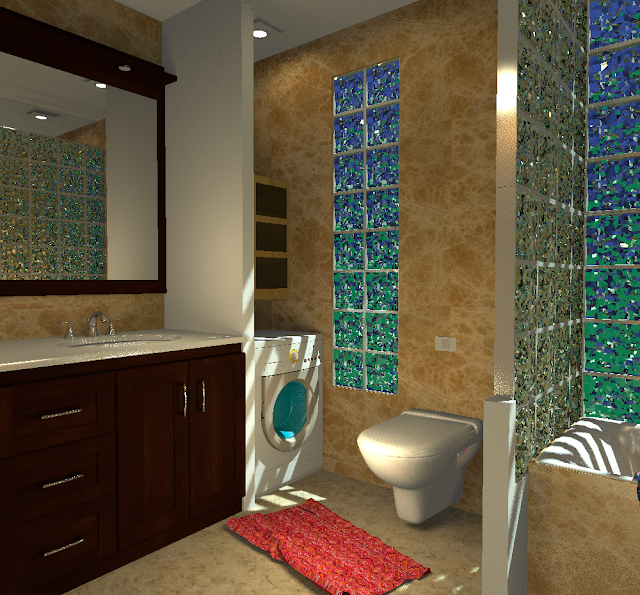
Re: Glass blocks @Puybaret, thank you very much. Following your pointers, I used Blender to create the glass blocks. It took me a while getting the right transparency parameters in Blender for the glass block. Here they are.... Alpha: 0.617 Blend: 1.0 Fresnel: 1.5 Specular: 1.0 I have uploaded the .obj and .mtl to https://sourceforge.net/p/sweethome3d/d-models/485/ Night time view from outside. Day time view from inside. I think the existing service window in the library can be too much of a hassle to use with this glass block. I'll see if I can create a dedicated window model using these glass blocks. Existing service window without glass blocks |
| Posted by rontant at Jul 10, 2018, 8:39:52 AM |
|
Re: Glass blocks Alright.... I have created the glass block windows. Inside this furniture library, you will find two glass block windows: 2x8 blocks (Elevation 50cm) and 2x10 blocks with elevation from 0cm. No need to use service windows anymore. No more hassles. Enjoy! https://sourceforge.net/p/sweethome3d/d-models/485/#b874 ![]() |
| Posted by rontant at Jul 10, 2018, 8:46:56 AM |
|
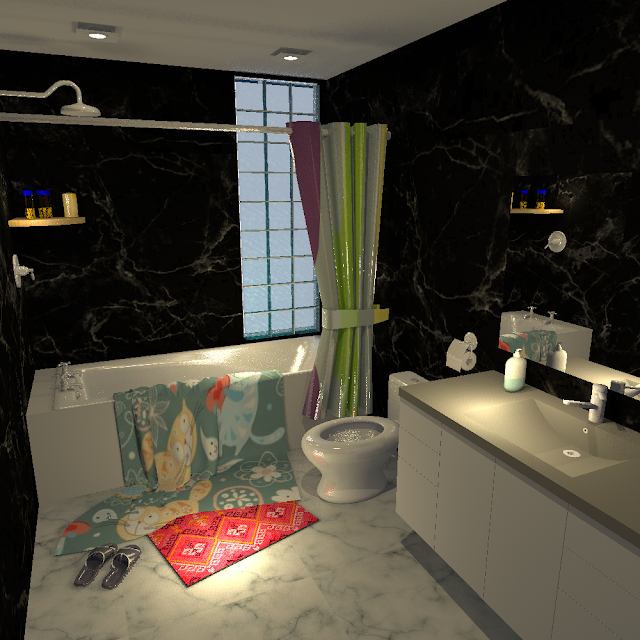
Re: Glass blocks One thing I am not happy with these glass blocks is the casted shadow of subject on the other side of the window. In the photo above, there is one human figure standing outside, behind the window. Look at the shadows casted on the floor. While the shadows of Kitty and the woman inside the room look okay, the shadow of the woman outside doesn't look right. |
| Posted by Puybaret at Jul 10, 2018, 1:11:13 PM |
|
Re: Glass blocks Very nicely done. Writing normals during OBJ export generates a twice larger file and I'm not sure it's necessary in this case, but it's not a problem. About the shadow, I hoped that setting Caustics photons could improve that but I tried and it's not the case ![]() ---------------------------------------- Emmanuel Puybaret, Sweet Home 3D creator |
| Posted by rontant at Jul 10, 2018, 3:39:22 PM |
|
Re: Glass blocks Writing normals during OBJ export? I have no idea what that is. Any pointer on how to avoid that? Would large OBJ slow down the photo rendering? This 1000x1000 pixels took 2.5 hours to render on my I7 2.6Ghz Lenovo laptop. I need a faster computer but... ![]() |
| Posted by rontant at Jul 10, 2018, 3:54:40 PM |
|
Re: Glass blocks Emmanuel, I have found the "Write Normal" option already in Blender. I have unticked the box. Thanks. |
| Posted by Puybaret at Jul 10, 2018, 4:53:39 PM |
|
Re: Glass blocks Very nice rendering Removing normals from the OBJ file doesn’t accelerate rendering since if they are missing, Sweet Home 3D will recompute them when it loads an OBJ file. It just makes a smaller OBJ file. If you’re not sure about what it might change and particularly on curved objects, forget my comment. By the way, how did you create these towels that you placed on the edge of the bath (or where did you find them)? ---------------------------------------- Emmanuel Puybaret, Sweet Home 3D creator |
| Posted by rontant at Jul 10, 2018, 6:24:02 PM |
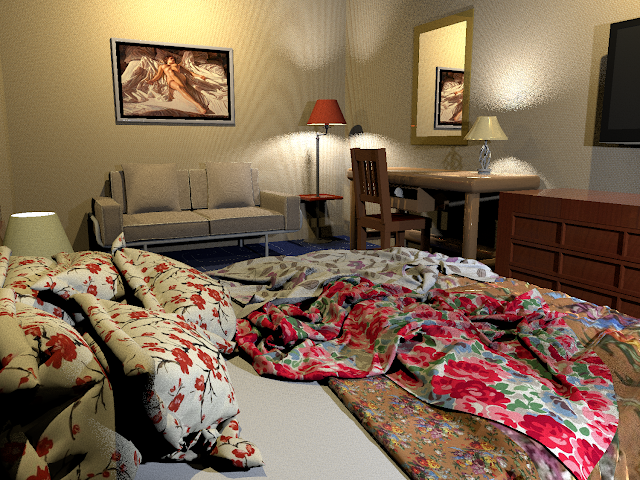
Re: Glass blocksI created the towel and cloths using Blender cloth simulation methods I learned from watching tutorials on Youtube. If you are interested, just google for "youtube Blender cloth towel" Personally I like to make those rooms look messy to make them look more real, like real people live there, otherwise they look sterile and lifeless. Here are some other messy rendered photos: ![]() |
| Posted by UbuntuBirdy at Jul 10, 2018, 8:10:32 PM |
|
Re: Glass blocks Personally I like to make those rooms look messy to make them look more real, like real people live there, otherwise they look sterile and lifeless. Since I have seen your renderings, I have to say you are right! And your "soft" creations are absolutely amazing! ---------------------------------------- Pascal SH3D 6.6 / Ubuntu 22.04 (Mainline-Kernel) / Radeon RX580 / Ryzen 7 5800x |
| Posted by ndorigatti at Jul 11, 2018, 4:28:19 PM |
|
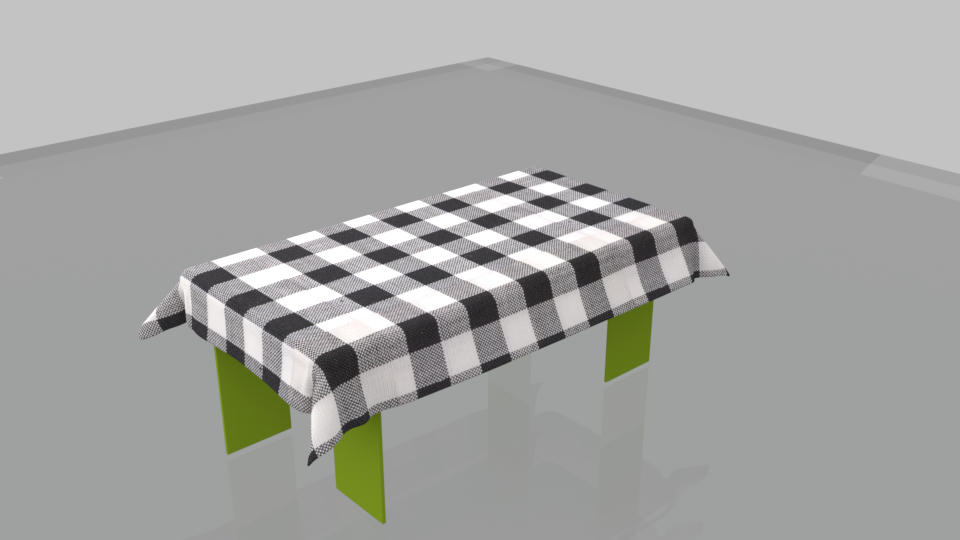
Re: Glass blocks That feature is amazing! I've never been able to use blender, but with a couple of videos and some tests, I managed to have a cloth (decent) and knew a bit more on the software! I'm still far from understanding how to drop those things on the bed (or how to do it in a such amazing way) but I got something! Here it is my first result: ![]() |
| Posted by bdfd at Jul 11, 2018, 5:02:23 PM |
|
Re: Glass blocks Nice try ! ![]() ---------------------------------------- Evil progresses when good people do nothing! --- SH3D 7.1 and nothing else - W11 64b in 4K |
| Posted by rontant at Jul 12, 2018, 3:13:10 AM |
|
Re: Glass blocks ndorigatt, congratulations on your first cloth simulation. Not bad for the first attempt. Blender has a steep learning curve. One has to invest lots of time to learn it. We can sit all day in front of a computer just to experiment with cloth simulation alone, but since it is free, I can't complain about it. In Blender, you can use cubes, cones, cylinders, etc, or combination of all, to drop the cloth on. To simulate the edge of a bath tub, for example, I used a cube and resized it to about the same height and thickness as the side of a bathtub. The angle and height where the cloth start to drop, as well as its size, material, etc, play important parts in getting the right result you want. Of course, before exporting to obj, you have to delete all other stuffs, leaving only the cloth. Anyway, since this thread is about glass block, maybe we should start a new thread about creating cloth instead. |
| Posted by rontant at Jul 12, 2018, 3:32:45 AM |
|
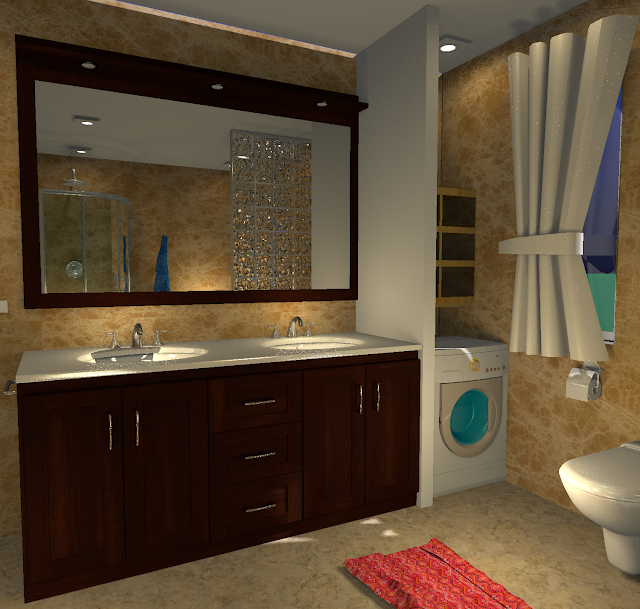
Re: Glass blocks Now, back to glass block to the topic... Before ![]() After Which one do you guys prefer? Any comment, suggestions? ![]() |
| Posted by UbuntuBirdy at Aug 2, 2018, 7:16:35 AM |
|
Re: Glass blocks Is it possible to have the glass blocks in a single row (1x8 / 1x10)? They would much better fit in a curved wall. ---------------------------------------- Pascal SH3D 6.6 / Ubuntu 22.04 (Mainline-Kernel) / Radeon RX580 / Ryzen 7 5800x |
| Posted by bdfd at Aug 2, 2018, 7:58:12 AM |
|
Re: Glass blocks Hi, The two : first for its window and the second for the glassblocks between Bathtub and toilets (no glassblock on the wall)… Remark : It seems that carpet is in the air, right ? ![]() ---------------------------------------- Evil progresses when good people do nothing! --- SH3D 7.1 and nothing else - W11 64b in 4K |
|
|
Current timezone is GMT Dec 19, 2025, 10:11:50 PM |