|
Sweet Home 3D Forum » List all forums » » Forum: Features use and tips » » » Thread: Doing a decor in bathroom |
|
| Print at Dec 19, 2025, 1:43:56 PM | View all posts in this thread on one page |
| Posted by jaryszek at Nov 3, 2015, 9:11:10 PM |
|
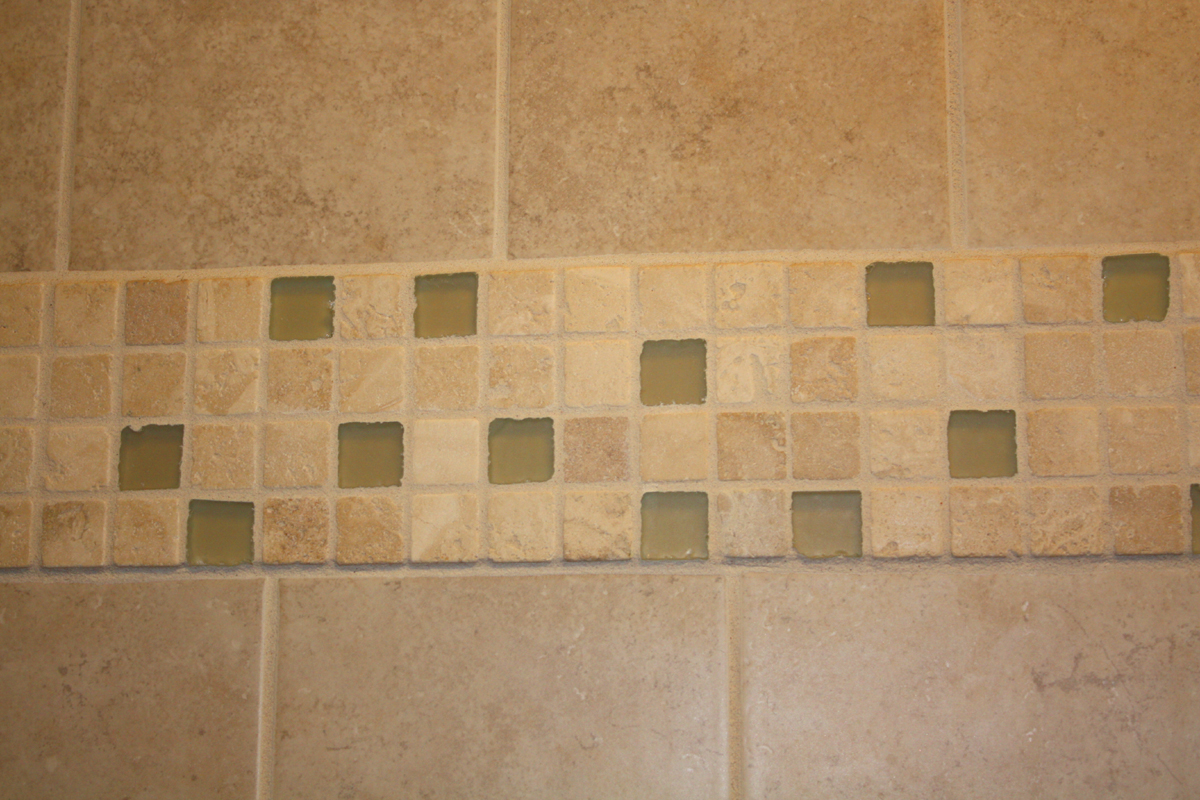
Doing a decor in bathroom Hi, i would like to do some decor in bathroom in Sweet Home 3D, like this: So it would be there tiles to the top of bathroom and some of them (decor with for example flower) will be deeper strip. It is possible to do it in Sweet Home 3D ? :) Thank you for your help! Lukasz from Poland |
| Posted by jaryszek at Nov 3, 2015, 9:14:38 PM |
Re: Doing a decor in bathroom![]() sorry, strip like this with decor but a little bit deeper :-) |
| Posted by HawkDawg at Nov 3, 2015, 11:16:01 PM |
|
Re: Doing a decor in bathroom There's a couple ways to do that. 1) Use the box object in the Miscellaneous category and size it the width of the wall and make it real thin. The problem with the box is it doesn't texture as good as a wall. 2) Change the wall to the height to the bottom of the strip. Then create a new level at the same level you're on, but change that level elevation to the top of the wall. Build a new wall the height of the strip. Walls texture a lot better than furniture. Then create another new level at the same elevation and change it's elevation to the top of the strip and set that wall height to the ceiling. I hope that makes sense. ![]() ---------------------------------------- Hawk |
| Posted by jaryszek at Nov 4, 2015, 7:47:26 AM |
|
Re: Doing a decor in bathroom Hi HawkDawg, thank you for your quick answer. The second idea seems better for me. Could you please explain once more meaning of this sentence?: "when create a new level at the same level you're on, but change that level elevation to the top of the wall." What does it mean create a new level? You mean new wall yes? Thanks for reply ! Lukasz from Poland |
| Posted by HawkDawg at Nov 4, 2015, 7:55:24 AM |
|
Re: Doing a decor in bathroom No, I mean add a new level. Click on the Plan button at the top and select Add level at same elevation . Then you go back to the Plan button and select Modify level to change the elevation of the new level, but make sure you have the new level selected at the top of the plan pane. You can't change the elevation of a wall. You can only change the height. You have to create a new level to be able to adjust elevation, which is what you will need to do to be able to build a wall on top of the other wall. ---------------------------------------- Hawk |
| Posted by okh at Nov 4, 2015, 9:38:29 AM |
|
Re: Doing a decor in bathroom In addition to what HawkDawg says (and see thread 5774), you can use double walls and do not forget the possibility to use baseboards available in SH3D to have a different colour/texture on the lower part of the wall. Baseboards can be high. Later changes will be easier. Also, using textures is a possibility. And often a better one. Easier to use with SH3D, but requires some work with a graphics editor (or the personalised texture guide approach). In SF 3D Models 346 you will find some examples of textured walls. Your wall could be - fairly easily - composed with combining the tiles and the mosaic in a graphics editor. You create a graphics file looking like a part of the wall, full height. The image should not be too big (say 128x1024). When importing, set height = wall height. Eg like this: + ![]() becomes: and will look like this: ![]() |
|
|
Current timezone is GMT Dec 19, 2025, 1:43:56 PM |