Print at Jan 18, 2026, 7:42:11 PM View all posts in this thread on one page
Posted by carminepesce at Jul 28, 2013, 6:32:18 AM
object on wall
Hi. I just joined the forums & please excuse me if this has been answered...I just installed the software & cannot figure out how to place an object, such as a box on a wall. I'm trying to create my home theater room & would like to use just plain boxes as my speakers. Can someone possibly let me know how i can put a box in a specific location onto a wall?


Thanks so much!!!!
Carmine

Posted by Puybaret at Jul 28, 2013, 11:45:28 AM
Re: object on wall
In the furniture catalog, there's a model named Box in the Miscellaneous category.
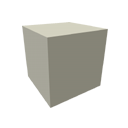
Drag and drop it on your plan. Then, as this box is 1m x 1m x 1m big, resize it to the size of a speaker with the corners of the object, or by double-clicking on it and set its width / depth / height. Finally place it along the wall you want.
For the other speakers, you can copy paste the one you already resized in the plan.
----------------------------------------
Emmanuel Puybaret, Sweet Home 3D creator

Posted by carminepesce at Jul 28, 2013, 7:11:07 PM
Re: object on wall
OK i figured out how to draw the speaker but what i'd like to do is place it up on the wall not actually against the wall. Is this possible?

Thanks again very much!!!
Carmine

Posted by Puybaret at Jul 28, 2013, 7:55:34 PM
Re: object on wall
Desactivate magnetism to place it wherever you want (see user's guide and help).
----------------------------------------
Emmanuel Puybaret, Sweet Home 3D creator

Posted by brightadamas at Jul 31, 2013, 12:39:33 AM
Re: object on wall
Double click the box and adjust the elevation.