Print at Dec 15, 2025, 6:11:55 PM
Posted by truffe2miel at Jan 10, 2013, 10:08:14 AM
confused   .JPEG not supported?
Hi there!

I've been successfully using this easy and very clean software for a couple a months, and now stuck on a new problem of non-supported files.

I've always been able to download files from the data banks linked in this site, which mostly appear as .jpg when they're Textures. But my SH suddenly seems to have decided it won't work any more.
I get this error screen when trying:


Has anyone a clue about what's going on there?
(sorry for the errors, English isn't my native language).
Posted by Puybaret at Jan 10, 2013, 10:39:59 AM
Re: .JPEG not supported?
I'm not completely sure about this, but I recently discovered in recent versions that some issues could arise when the folder name (or its parents) contains some accentuated letters. Would it be your case?
----------------------------------------
Emmanuel Puybaret, Sweet Home 3D creator

Posted by truffe2miel at Jan 10, 2013, 10:49:26 AM
Re: .JPEG not supported?
Thank you for your quick answer! :)

Checked, and there's no accent anywhere in this folder or it's parents :(
I wonder why it did work before and bugs now? As far as I know, the settings are the same and I haven't changed anything to the folders...

Posted by Puybaret at Jan 10, 2013, 11:53:16 AM
Re: .JPEG not supported?
With which particular file did you encounter this problem?
----------------------------------------
Emmanuel Puybaret, Sweet Home 3D creator

Posted by truffe2miel at Jan 10, 2013, 8:31:32 PM
Re: .JPEG not supported?
With any .jpeg.
I tried with at least 50 different ones, to no avail. The last one was "Patterrific_DamagedWood02".

Posted by hansmex at Jan 11, 2013, 12:58:32 AM
Re: .JPEG not supported?
The screen shown in the first message of this thread, is for importing 3D models, and NOT for importing images.

If you want to import a JPG (to use as a texture?), then you should
- select a model
- select Modify furniture
- select Texture
- select Import texture.

Read the section in the User Guide about editing walls. This works the same for walls and furniture.

Hans
----------------------------------------
Hans

new website - under constuction
hansdirkse.info

Posted by truffe2miel at Jan 11, 2013, 9:13:36 AM
Re: .JPEG not supported?
Gosh... Very big shame on me..... It does work that way! Thank you VERY much, Hansmex!

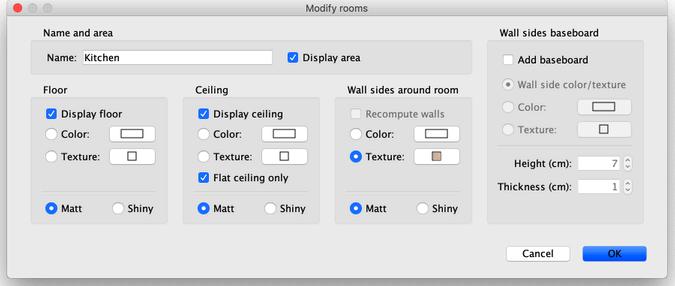
Remains only the problem of importing a new floor texture as a JPEG image. When clicking on the room surface in the 2D-plan, one should be able to change the color or texture of floor and ceiling, and if needed add new ones.
I can't do that. Is it also a stupid "click-error", do you think?

Posted by hansmex at Jan 11, 2013, 10:34:02 AM
Re: .JPEG not supported?
Importing new textures works the same for walls, floors and furniture models.

Hans
----------------------------------------
Hans

new website - under constuction
hansdirkse.info

Posted by Puybaret at Jan 11, 2013, 10:59:27 AM
Re: .JPEG not supported?
Double click on the room you want to change, and change the texture of its floor in its Room panel.


----------------------------------------
Emmanuel Puybaret, Sweet Home 3D creator

Posted by truffe2miel at Jan 11, 2013, 11:52:33 AM
Re: .JPEG not supported?
Hum... I'd like to say it still doesn't work, just not to appear as the complete idiot I am, but I'd be lying.
Works perfectly.

OOOOPS.

Thanks.


Hum.
* shame *