Print at Dec 16, 2025, 10:08:18 AM View all posts in this thread on one page
Posted by devilbliss at Sep 25, 2011, 1:21:04 PM
My first home using sweet home 3D!


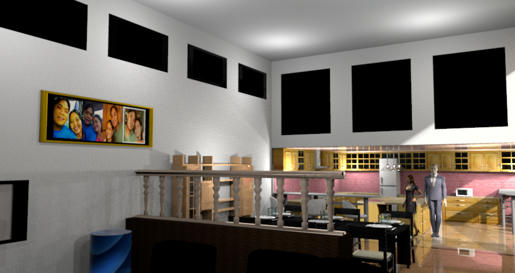
Hi guys this is my first home using sweet home 3D! :) It has a second floor with 1 master bedroom with bathroom, 1 kids room, and a guest room. The first floor has 1 room, 1 entertainment room and a mini library, it also has 1 bathroom and a dirty kitchen. Im sorry for the poor quality of the rendered photo.


Has anyone of you tried changing the picture on the picture frame furniture? I tried changing the pics to make it more personalized.. :) I haven't read all the threads here, but Im just sharing. :D

Thank you for this great tool! :D
Posted by danlizada at Sep 26, 2011, 6:05:23 AM
Re: My first home using sweet home 3D!
>>changing the picture on the picture frame furniture

that would be great !! thanks for the idea devilbliss!!
I haven't think of that...

Posted by devilbliss at Sep 26, 2011, 7:40:43 AM
Re: My first home using sweet home 3D!
Dan, what I did is to save the picture frame furniture to obj format. After that, go to the file folder where you saved the furniture, you would see another file with PNG extension. Then, select a picture that you would like to use and change the file extension to ".png" and copy it to the folder where you saved your obj file. Go back to the folder where you saved your obj then find the png file and copy it's filename, rename the new picture that you would like to use with the copied filename and delete the old one. Try exporting the obj file in sweet home 3d. This also applies to walls and floors but the picture is tiled.

Posted by devilbliss at Sep 26, 2011, 12:50:16 PM
Re: My first home using sweet home 3D!
here's an example. :)