Thanks very much Hans, I appreciate all the help you are providing to the forum. I am using many of your tips and specially the multiple floor tut.
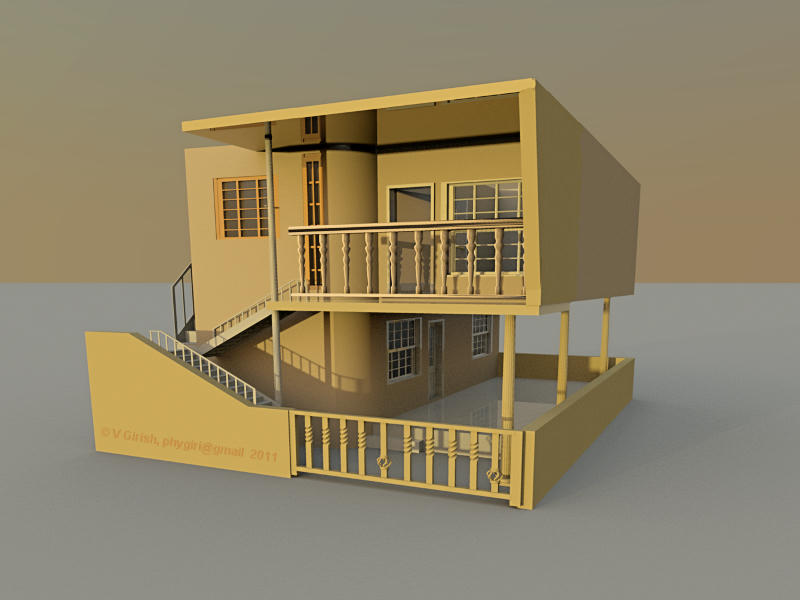
This is exactly what I wanted to do in my design. Hope it has turned out well
girish
|
Sweet Home 3D Forum » List all forums » » Forum: Features use and tips » » » Thread: Sloping wall |
|
| Print at Sep 21, 2026, 6:17:19 AM | |
| Posted by girish at Jul 28, 2011, 3:40:49 AM |
|
Sloping wall Hi, I am trying to design a house with multiple floors. In the first floor, I would like to have a sloping wall. The problem is the width of the wall at the top is more than the width at the starting (or bottom part). To be clear, its the inverted sloping wall. I need this to connect the shade which is a feet longer than the balcony. Can somebody help me in realizing this.. I even tried making a sloping wall, copying as a furniture and trying to flip it, but no flip option :( cheers girish |
| Posted by hansmex at Jul 28, 2011, 5:24:52 AM |
|
Re: Sloping wall Girish, Install the plug-in CopyAsNewFurniture (see PDF). Draw your tapered wall element(s). Select them and use Tools --> Copy as new Furniture to copy and paste your model. Delete the original and use 3D view --> Export as OBJ format. Now use Furniture --> Import furniture. During importing rotate your model into the correct position. As long as 90 degree rotations are OK, this should work. You can also have a look at the Roof tutorial (PDF ). Hans ---------------------------------------- Hans Ryzen 7-9700X, 32 GB RAM, 500 GB SSD, 2x 2 TB SSD, Geforce GTX 1060 3 GB |
| Posted by girish at Jul 29, 2011, 4:14:14 PM |
|
Re: Sloping wall Thanks very much Hans, I appreciate all the help you are providing to the forum. I am using many of your tips and specially the multiple floor tut. This is exactly what I wanted to do in my design. Hope it has turned out well girish |

|
Current timezone is GMT Sep 21, 2026, 6:17:19 AM |