|
Sweet Home 3D Forum » List all forums » » Forum: Features use and tips » » » Thread: .obj's and layered textures |
|
| Print at Jan 11, 2026, 8:39:41 AM | View all posts in this thread on one page |
| Posted by pencilart at May 4, 2010, 8:48:21 PM |
|
.obj's and layered textures I have a question about .obj's and layered textures: They cannot handle layered textures, right? Nor can they handle per face coordinates? I just tried exporting a stove that has a layered texture to .obj and the texture for the control panel did not show up at all, not even in the .mtl file! Here is a picture of what I would like it to look like: http://www.storm-artists.net/view/92756/ I've forgotten about how to get the glass part of the oven door to be transparent. Should I make it as "sweethome3d_window_pane"? |
| Posted by Puybaret at May 4, 2010, 10:59:30 PM |
|
Re: .obj's and layered textures You can apply a texture to a small zone in OBJ format. The best proof for that is all the 10 frame models I published in 3D models import page. Can you send me your object at AOI format, so I can check the problem? ---------------------------------------- Emmanuel Puybaret, Sweet Home 3D creator |
| Posted by hansmex at May 5, 2010, 12:04:55 PM |
|
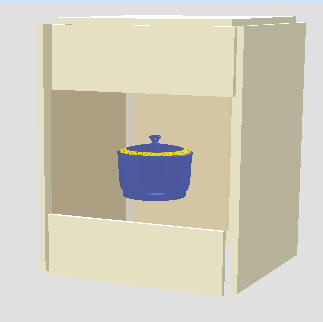
Re: .obj's and layered textures Pencilart, Emmanuel: Forgive me for being stupid... but how difficult can it be to make an oven? This one was made in just 1 minute using SH3D, my favourite program to make "square" furniture. And yes, I know it's just a sloppy oven. Hans ---------------------------------------- ---------------------------------------- Hans new website - under constuction hansdirkse.info |
| Posted by pencilart at May 5, 2010, 8:33:31 PM |
|
Re: .obj's and layered textures Yes, hansmex, but I want knobs, burners with the covers and a control panel and pretty glass in the oven door. Besides, I'm having fun with trying to solve all the puzzles presented in making these models as realistic as I possibly can (as well as having an excuse to ask my fellow modelers.) ^_^. ![]() |
| Posted by Puybaret at May 8, 2010, 2:23:58 PM |
|
Re: .obj's and layered textures From the file you sent me, I understand now what you meant about "layered textures": in AOI, the texture dialog box displayed by Object > Set texture... menu item lets you apply more that one texture and/or one color on a shape, once you selected Layered Texture in the Type combo box. I don't see how this info could be exported in OBJ+MTL format file, since it supports only one texture per shape and this texture will be repeated along its faces as a wall paper pattern depending on textures coordinates. So please don't use the Layered Texture in AOI if you want to share your model in OBJ format. The workaround is quite simple: create a separate shape for the control panel and apply a simple texture on that shape. ---------------------------------------- Emmanuel Puybaret, Sweet Home 3D creator |
| Posted by pencilart at May 8, 2010, 11:30:45 PM |
Re: .obj's and layered texturesok. It was worth the experiment though. |
|
|
Current timezone is GMT Jan 11, 2026, 8:39:41 AM |