|
Sweet Home 3D Forum » List all forums » » Forum: 3D problems » » » Thread: the texture on the TOP of the cylinder does not turn out to be smooth |
|
| Print at Dec 15, 2025, 5:14:53 PM | View all posts in this thread on one page |
| Posted by GaudiGalopin3324 at Jul 28, 2024, 4:43:40 PM |
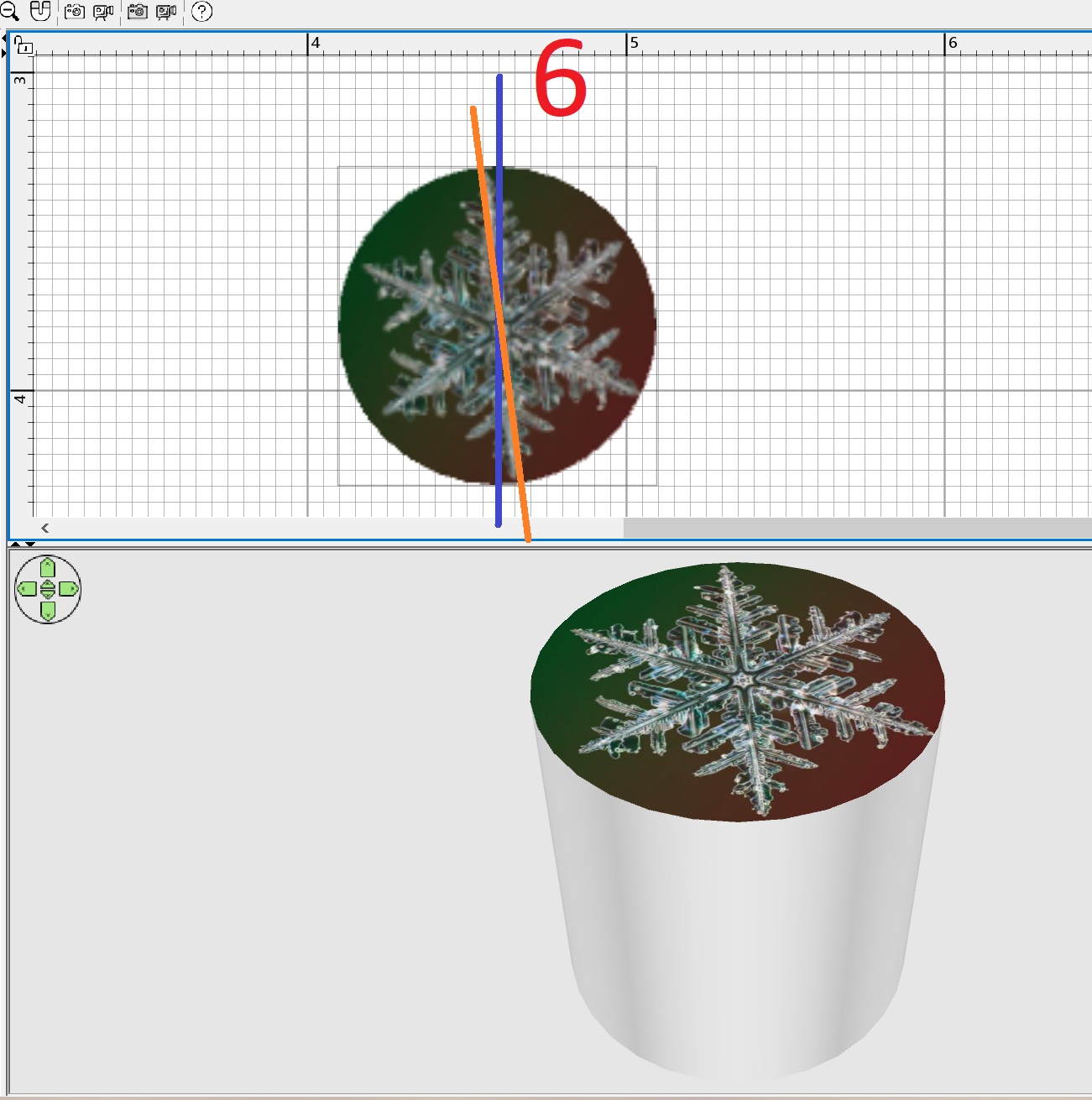
the texture on the TOP of the cylinder does not turn out to be smoothI often replace round models with an image on the top surface of the cylinder. For example, you can make a clock or a round picture in a frame. Or a porthole. But in SH3D, the vertically positioned texture lies down with a rotation of 6 degrees (this is a bug). If you then rotate such a cylinder along the X axis by 270 degrees and hang this disk with a texture on the wall, the "clock" will hang crookedly. Of course I know how to fix this bug. You need to export the curves of the clock to Obj, import it back as a model and turn it 6 degrees clockwise there, align it. But maybe you can just make a 6-degree edit in the program for the top cylinder? ![]() |
| Posted by Puybaret at Jul 29, 2024, 1:04:28 PM |
|
Re: the texture on the TOP of the cylinder does not turn out to be smooth You're right, texture coordinates are not the best ones on the cylinder model. I fixed it on the model texturableCylinder0.zip which will become the default cylinder in the next version. Thanks for reporting this. ---------------------------------------- Emmanuel Puybaret, Sweet Home 3D creator |
| Posted by GaudiGalopin3324 at Jul 29, 2024, 1:39:17 PM |
|
Re: the texture on the TOP of the cylinder does not turn out to be smooth fine. Thanks! |
|
|
Current timezone is GMT Dec 15, 2025, 5:14:53 PM |