Print at Jan 23, 2026, 5:53:29 PM
Posted by GaudiGalopin3324 at Jul 28, 2023, 2:49:47 PM
transparent models from walls in YafaRay, rendering fails
Hi everybody. I can't solve the issue with the new version, the SunFlow and YafaRay traces. I like YafaRay, the rendering goes fast, the picture turns out without sharp spots. But this trace is in conflict with the created models from the walls. If the model has the specified transparency, then the render via YafaRay turns out to be opaque, and the greater the transparency, the darker the picture. Ready-made glass models, for example, a shower enclosure made of SH3D and all sorts of glass vases render well. In the pictures in the application, I made a curtain model in SH from the walls and assigned it 70% transparency, saved it in OBJ. Assigned a white skin texture. In Sunflower, translucency with a white matte shade is obtained, but not in YafaRay. Straight walls (OBJ) with transparency and white texture also turn opaque and gray. And the finished glass from the library turns out to be transparent in both versions of the trace. What can I do to use YafaRay?

SunFlow https://www.mediafire.com/view/ltehzlx5i48tdgu/SunFlow.jpg/file

YafaRay https://www.mediafire.com/view/sdncj1jlcpl6u7v/YafaRay.jpg/file

Posted by Keet at Jul 28, 2023, 4:31:55 PM
Re: transparent models from walls in YafaRay, rendering fails
Check your mtl file for the wall.

You can try these basic glass definitions in the .mtl file:
newmtl Glass
illum 1
Ka 1.0 1.0 1.0
Kd 1.0 1.0 1.0
Ns 1.0
Ni 1.45
d 0.4

newmtl Glass
illum 2
Ka 1.0 1.0 1.0
Kd 1.0 1.0 1.0
Ks 0.0 0.0 0.0
Ns 1.0
Ni 1.45
d 0.4


Ka is the ambient color (R G B), i.e. the color you want you curtain to have.
You can of course keep the color you already have for Ka.

Kd is the diffuse reflect color (R G B) In Sweet Home 3D the same as Ka but you can try a different color.

illum is the illumination model.
illum 1 is the default and represents a flat model. Note that the first example doesn't have a line with Ks because the illum 1 model doesn't use specular highlights. If there's a Ks line it is ignored.
illum 2 requires the Ks line to define the specular highlights: R G B color for the highlights.

Ns is the shininess factor

Ni is the optical density, i.e. the light breaking refraction. For normal window glass this ia 1.45 ~ 1.5. For your curtain you may want a different value although it's often hard to see a difference. Keep values within the range 0.001 to 10.

d is the transparency (0.0 ~ 1.0) 70% transparent = 0.3 (1.0 = 100% opaque, the default)

The problem might be based because of the usage of a wall. To get the wave pattern the wall has multiple sections and each section has sides that show through. Try a clear glass curtain and you will see that every section end shows through the glass. You can remove those ends in Blender but it is quite a job.

Last, try the difference between a color and a texture. You might find that the texture is the problem and not the wall.

Experiment with different values because I suspect there's a difference between SunFlow and YafaRay in how they handle the material definitions during rendering.
I'm not sure if Sweet Home 3D shows the specular highlights but the photo renderer should.
----------------------------------------
Dodecagon.nl
1300+ 3D models, manuals, and projects

Posted by GaudiGalopin3324 at Jul 28, 2023, 4:43:15 PM
Re: transparent models from walls in YafaRay, rendering fails
Thanks! I will slowly sort it out.

Posted by GaudiGalopin3324 at Jul 29, 2023, 12:39:24 AM
Re: transparent models from walls in YafaRay, rendering fails
so far, it is clear that everything is fine with the glass in YafaRay. A model with color, not texture. I will deal with MTL later

https://www.mediafire.com/view/nlw8patf2ksqesk/YafaRay_glass.jpg/file

Posted by Keet at Jul 29, 2023, 12:14:03 PM
Re: transparent models from walls in YafaRay, rendering fails
Seems like the texture is the problem. Have you tried a different texture? Try with one of the default Sweet Home 3D textures and see if the problem persists.
----------------------------------------
Dodecagon.nl
1300+ 3D models, manuals, and projects

Posted by GaudiGalopin3324 at Jul 30, 2023, 1:45:56 PM
Re: transparent models from walls in YafaRay, rendering fails
I made a plaster texture from the SH 3D library. In Sunflower, the translucent fabric turns out not bad, but everything else does not suit me. Long loading of 90 minutes on average quality, very sharp chiaroscuro, spots from lamps. In YafaRay 16 minutes with the same settings, everything is perfect, but the fabric still does not turn translucent. I looked through the Notebook MTL file, there are completely different indicators, I don't know how to deal with it (maybe I need to look differently?). I'll try to change something there later, if it's possible to do it at all, I hope it won't hurt the computer:0))

SunFlow 90 minutes https://www.mediafire.com/view/aybwbpzr8d1kjo...1%2583%25D1%2582.jpg/file

YafaRay 16 minutes https://www.mediafire.com/view/xg1fuzuyvft656...1%2583%25D1%2582.jpg/file

MTL file https://www.mediafire.com/view/rmdngs1nbof5t64/MTL_file_1.jpg/file

the curtain in this file consists of 180 parts. 30 pieces of walls with different geometries and 6 sides in each. I only see some V, VN and F.

Posted by GaudiGalopin3324 at Jul 30, 2023, 4:04:25 PM
Re: transparent models from walls in YafaRay, rendering fails
I've tried everything, nothing works. So YafaRay is not suitable for rendering transparent models with texture. Unfortunately.

Posted by Puybaret at Jul 30, 2023, 4:41:03 PM
Re: transparent models from walls in YafaRay, rendering fails
Try with a texture based on a half transparent PNG as in the attached example.


I'll check why it doesn't work well with MTL transparency attribute.
----------------------------------------
Attachment BoxBehindCurtain.sh3d (970767 bytes) (Download count: 185) (Transparency test with half transparent PNG texture)

----------------------------------------
Emmanuel Puybaret, Sweet Home 3D creator

Posted by Puybaret at Jul 30, 2023, 9:21:03 PM
Re: transparent models from walls in YafaRay, rendering fails
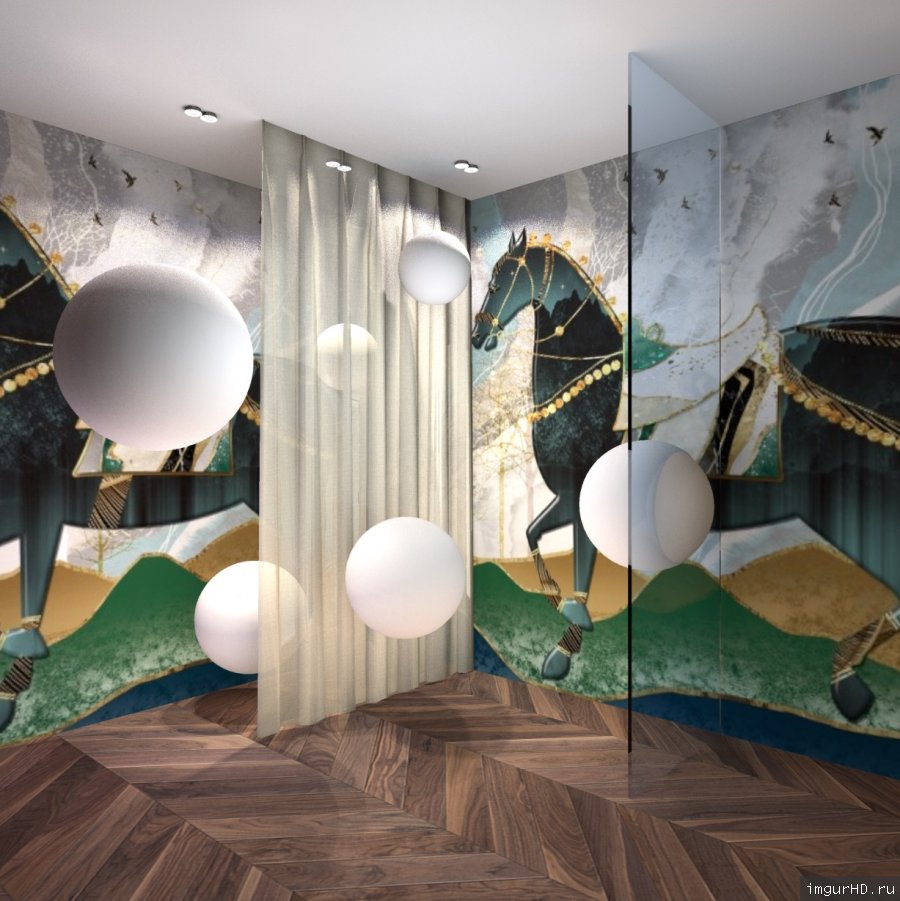
I found the bug in YafaRay renderer and fixed it. The correction will be available in the next version.
----------------------------------------
Emmanuel Puybaret, Sweet Home 3D creator

Posted by GaudiGalopin3324 at Jul 30, 2023, 11:30:26 PM
love struck   Re: transparent models from walls in YafaRay, rendering fails
Dear Emmanuel, We are all looking forward to the new version! The program is becoming the best in the world! Thank you!!!
Your advice with a translucent texture works, thank you!

Posted by GaudiGalopin3324 at Jul 31, 2023, 9:00:14 AM
Re: transparent models from walls in YafaRay, rendering fails

on the advice of dear Emmanuel, while I used his curtain model and translucent texture, everything is fine in YafaRay. And where can I see other versions of such translucent textures in other colors?

Posted by GaudiGalopin3324 at Jul 31, 2023, 9:06:23 AM
Re: transparent models from walls in YafaRay, rendering fails


Posted by Keet at Jul 31, 2023, 1:18:30 PM
Re: transparent models from walls in YafaRay, rendering fails
And where can I see other versions of such translucent textures in other colors?
You can create and download transparent textures here: https://www.transparenttextures.com/
----------------------------------------
Dodecagon.nl
1300+ 3D models, manuals, and projects

Posted by GaudiGalopin3324 at Jul 31, 2023, 1:22:24 PM
Re: transparent models from walls in YafaRay, rendering fails
thank you! A very useful link.

Posted by Puybaret at Sep 24, 2023, 5:00:39 PM
Re: transparent models from walls in YafaRay, rendering fails
Thanks Andrei for your tests and patience.
The correction of the bug your reported was included in the version 7.2 recently released.
----------------------------------------
Emmanuel Puybaret, Sweet Home 3D creator

Posted by GaudiGalopin3324 at Sep 24, 2023, 5:39:23 PM
Re: transparent models from walls in YafaRay, rendering fails
Thank you for your hard work! A wonderful program with unlimited possibilities! Thanks to you! And it's getting better and better.