Print at Feb 4, 2026, 3:07:50 AM View all posts in this thread on one page
Posted by SamM319 at Dec 22, 2020, 10:50:47 PM
Trying to create an all-white background
Hi, I am trying to render a 3d image of a building but i would like the ground and the entire background to be white (basically anything that isn't part of the actual building itself). I have tried using a white floor, and a user imported texture that is just a blank white image. In the 3d view, the ground and background are white, exactly how i want the image to look but when i render it to a photo, it looks sort of grey/blue. I've tried changing any settings that i think are relevant and haven't found anything useful in the forum yet. Any tips?

Posted by Puybaret at Dec 25, 2020, 7:05:24 PM
Re: Trying to create an all-white background
You may get a more pure white if you render the image at midday in the summer.
----------------------------------------
Emmanuel Puybaret, Sweet Home 3D creator

Posted by Ceciliabr at Dec 28, 2020, 8:46:52 PM
Re: Trying to create an all-white background
Hi SamM319

To get an even white background, you have to use a backdrop:
Cover the ground and the sky with a white object that emits a white light [mtl: illum=0 ](check my project file).

Here is what it will look like in sunshine:
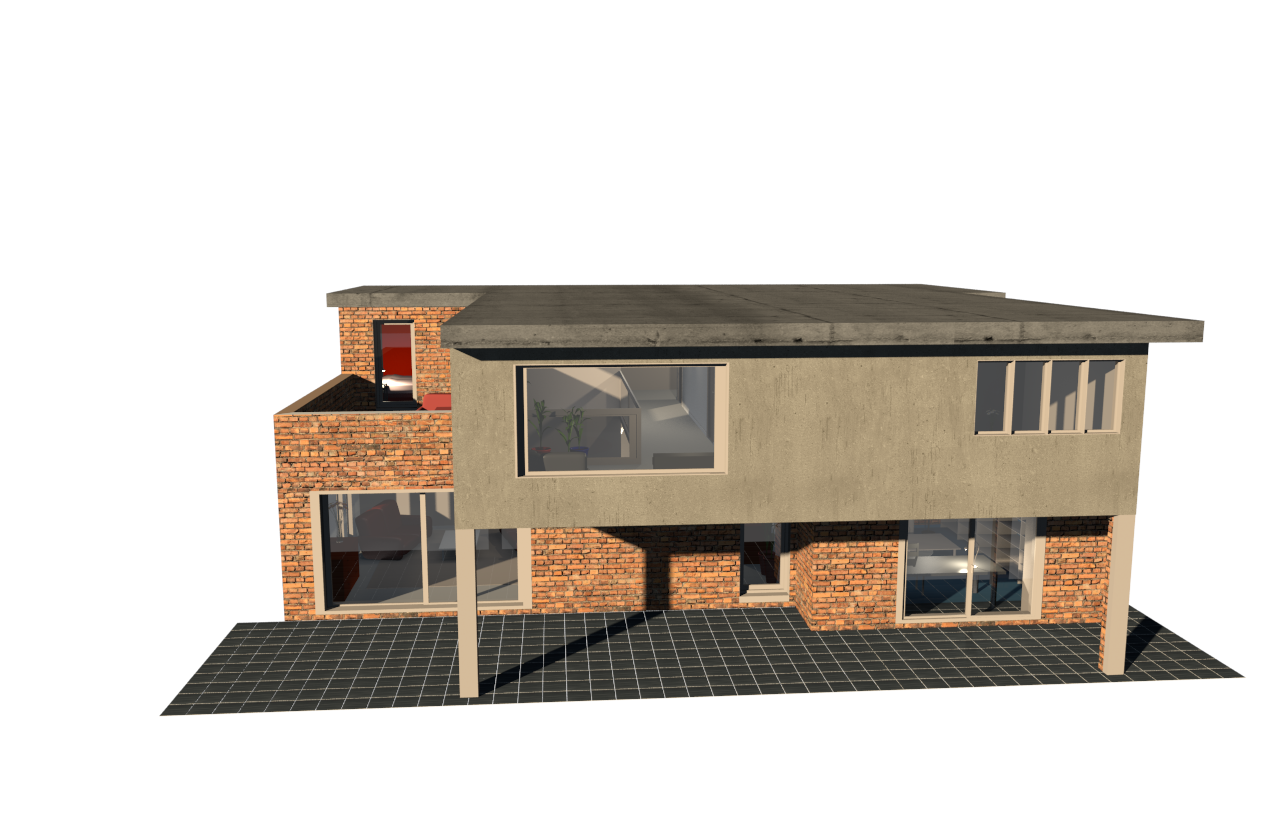


and here is what it will look like with sky lighting (IBL) enabled :


And here is my project file:

Demo-backdrop.sh3d


Check out my settings, and you (or anyone) are welcome to use my white backdrop as you please.

Hope this helps.


Cecilia

Posted by lucco.cl at Sep 1, 2023, 2:08:10 AM
applause   Re: Trying to create an all-white background
Just PERFECT! Thanks Cecilia

:-D