double click or right click on 1 of the tabs here .....
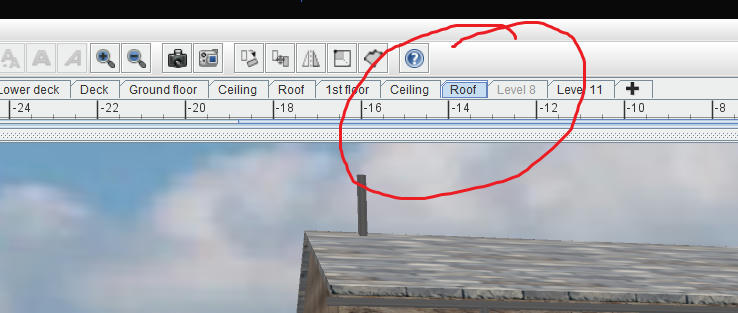
from the window that opens
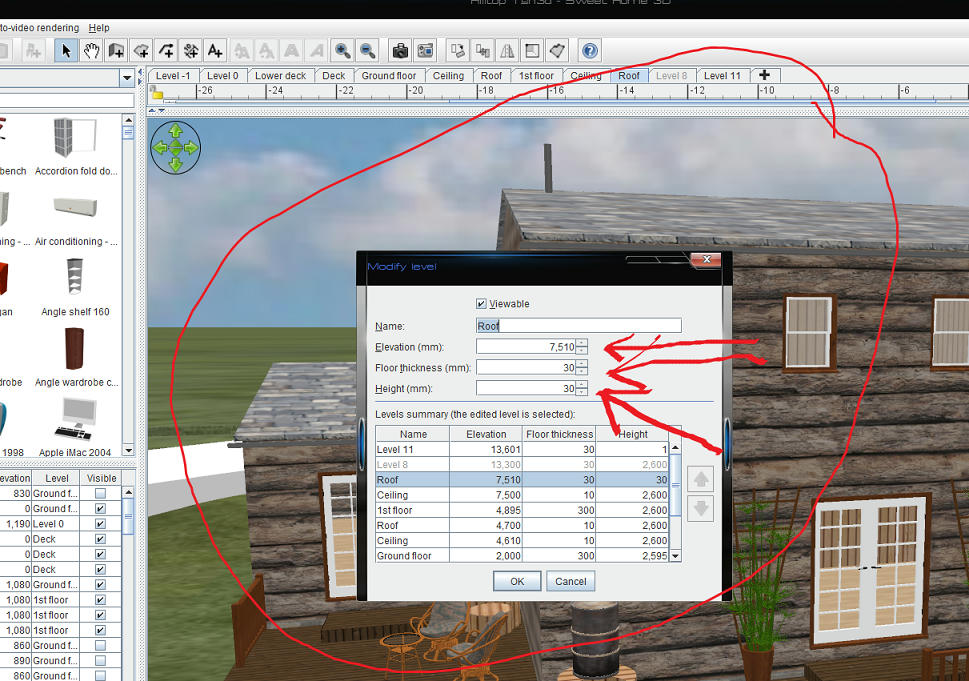
you can modify the individual level and see where it moves to in relation to the other levels.
You can then open a window to the other levels
|
Sweet Home 3D Forum » List all forums » » Forum: Features use and tips » » » Thread: Reordering Levels |
|
| Print at Sep 21, 2026, 6:01:02 PM | View all posts in this thread on one page |
| Posted by KitchM at Jun 19, 2020, 9:25:03 PM |
|
Reordering Levels Is it possible to reorder the levels once they are created? |
| Posted by Mike53 at Jun 19, 2020, 9:46:03 PM |
|
Re: Reordering Levels Yes...... Double click on the tab of the level you wish to change, a box will open enabling you to modify height, depth of floor and elevation, unfortunately, whilst the box shows all elevations you can only change settings for the one you initially choose. good luck |
| Posted by KitchM at Jun 19, 2020, 10:04:25 PM |
|
Re: Reordering Levels Thanks. I looked into that, but the ability to reorder them seems to not be selectable. Any ideas? |
| Posted by UbuntuBirdy at Jun 19, 2020, 10:17:51 PM |
|
Re: Reordering Levels You have to set the height of the levels to reorder them. ---------------------------------------- Pascal SH3D 6.6 / Ubuntu 22.04 (Mainline-Kernel) / Radeon RX580 / Ryzen 7 5800x |
| Posted by KitchM at Jun 19, 2020, 10:18:06 PM |
|
Re: Reordering Levels Okay, I think I've got it even if the order arrows do not work. What you do is change the elevation to -8'. That drops it below ground level, for instance. |
| Posted by KitchM at Jun 19, 2020, 10:18:57 PM |
|
Re: Reordering Levels Wow, that was a cross-post. You are quite correct. |
| Posted by Mike53 at Jun 19, 2020, 10:21:50 PM |
|
Re: Reordering Levels double click or right click on 1 of the tabs here ..... from the window that opens you can modify the individual level and see where it moves to in relation to the other levels. You can then open a window to the other levels |
| Posted by KitchM at Jun 19, 2020, 10:54:28 PM |
|
Re: Reordering Levels Yep. Thanks, that helps. Now if I can just view the basement area of a building in a view like you show of that house. |
| Posted by Mike53 at Jun 19, 2020, 11:22:19 PM |
|
Re: Reordering Levels Can you show a view of what you are seeing? |
| Posted by KitchM at Jun 20, 2020, 12:29:28 AM |
|
Re: Reordering Levels Thanks anyway, Pal. I got it figured out. It's starting to look halfway decent. |

|
Current timezone is GMT Sep 21, 2026, 6:01:02 PM |