UbuntuBirdy, that would be fun to try your boat models in real water!

----------------------------------------
Emmanuel Puybaret, Sweet Home 3D creator
|
Sweet Home 3D Forum » List all forums » » Forum: Features use and tips » » » Thread: 3d printing |
|
| Print at Oct 6, 2026, 12:05:50 AM | |
| Posted by somuchfun at Mar 12, 2020, 5:58:09 PM |
|
3d printing I've been searching around but have only found 1 unanswered reference to exporting SH3D plans to a 3d printable format. Is there more information on this I am missing? On a futures/request list? Thanks! Mike |
| Posted by hansmex at Mar 12, 2020, 8:32:04 PM |
|
Re: 3d printing The only format that SH3D can export is OBJ. If that format cannot be used directly to make a 3D print, you might want to look for a conversion program online. Use this search phrase: "how to convert obj format for 3d printer" And you will find relevant information. H ---------------------------------------- Hans Ryzen 7-9700X, 32 GB RAM, 500 GB SSD, 2x 2 TB SSD, Geforce GTX 1060 3 GB |
| Posted by somuchfun at Mar 12, 2020, 9:42:41 PM |
|
Re: 3d printing thanks! I've been researching that already, was just wondering of any "native" support. Thanks for the reply and a great program! ~mike |
| Posted by UbuntuBirdy at Mar 12, 2020, 10:05:44 PM |
|
Re: 3d printing The file format is the smallest of the problems for 3d printing an SH3D project. The most important one are the thin walls! If you scale the object down to fit on a 3d printer, the walls are that thin, they can not be printed anymore... ---------------------------------------- Pascal SH3D 6.6 / Ubuntu 22.04 (Mainline-Kernel) / Radeon RX580 / Ryzen 7 5800x |
| Posted by somuchfun at Mar 12, 2020, 10:35:23 PM |
|
Re: 3d printing Can you recommend a wall thickness that might scale down OK? Like just make the 3feet thick in the app or somehow "fill in" the interior so it is solid? I don't want to model the interior really...just have a model of the outside of my house. |
| Posted by UbuntuBirdy at Mar 13, 2020, 7:14:49 AM |
|
Re: 3d printing I haven't tried it yet. The effort to adapt my projects is too high for me. ---------------------------------------- Pascal SH3D 6.6 / Ubuntu 22.04 (Mainline-Kernel) / Radeon RX580 / Ryzen 7 5800x |
| Posted by Puybaret at Mar 13, 2020, 6:49:43 PM |
|
Re: 3d printing UbuntuBirdy, that would be fun to try your boat models in real water! ---------------------------------------- Emmanuel Puybaret, Sweet Home 3D creator |
| Posted by UbuntuBirdy at Mar 13, 2020, 9:20:50 PM |
|
Re: 3d printing Oh yeah! Perhaps one of the smaller ones could be modified with less effort. ---------------------------------------- Pascal SH3D 6.6 / Ubuntu 22.04 (Mainline-Kernel) / Radeon RX580 / Ryzen 7 5800x |
| Posted by UbuntuBirdy at Mar 13, 2020, 9:55:59 PM |
|
Re: 3d printing ... or somehow "fill in" the interior so it is solid? Man, this could be a relatively easy solution. Especially for a only rectangular house. We can fill the whole house with a box or with boxes. You just have to align them exactly to the outer perimeters of every glas (windows, glas doors...). Thanks for this idea, I will try this in the future (maybe in the near future thanks to corona...). ---------------------------------------- Pascal SH3D 6.6 / Ubuntu 22.04 (Mainline-Kernel) / Radeon RX580 / Ryzen 7 5800x |
| Posted by somuchfun at Mar 14, 2020, 12:27:40 AM |
|
Re: 3d printing definatly let us know how that goes! |
| Posted by UbuntuBirdy at Mar 14, 2020, 4:55:38 PM |
|
Re: 3d printing Ok, I had not much time to try it, but it seems to work. I have a sliced model of a house ready to print. I will post some pics tomorrow. Printing tests have to wait until a customer project is done. And now I'm gonna meet some friends as long as its still possible... ---------------------------------------- Pascal SH3D 6.6 / Ubuntu 22.04 (Mainline-Kernel) / Radeon RX580 / Ryzen 7 5800x |
| Posted by UbuntuBirdy at Mar 15, 2020, 3:12:59 PM |
|
Re: 3d printing Ok, this is the project: it is a shipping container house built with 6 40" and one 20" containers. 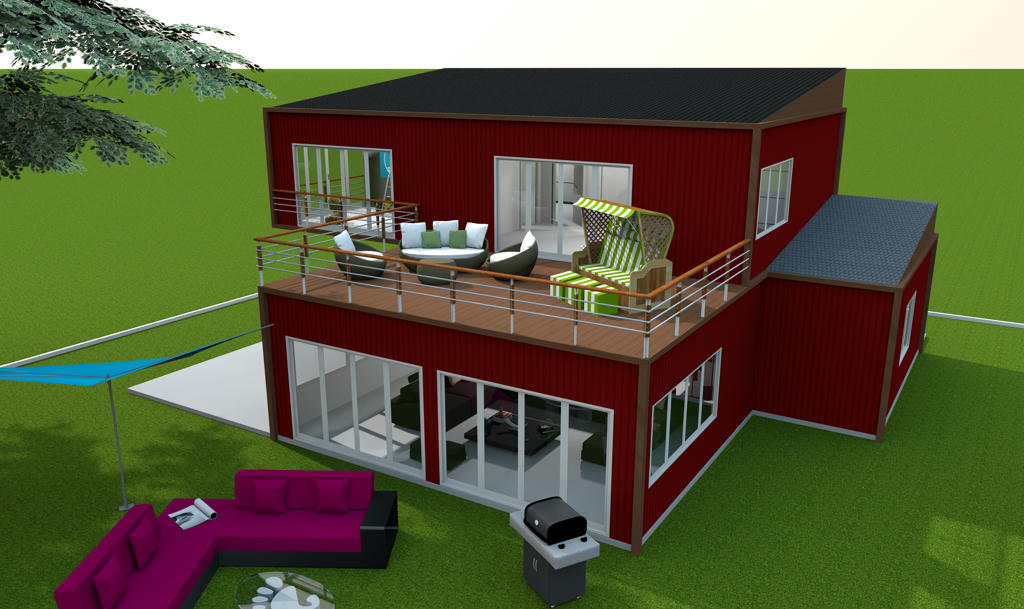 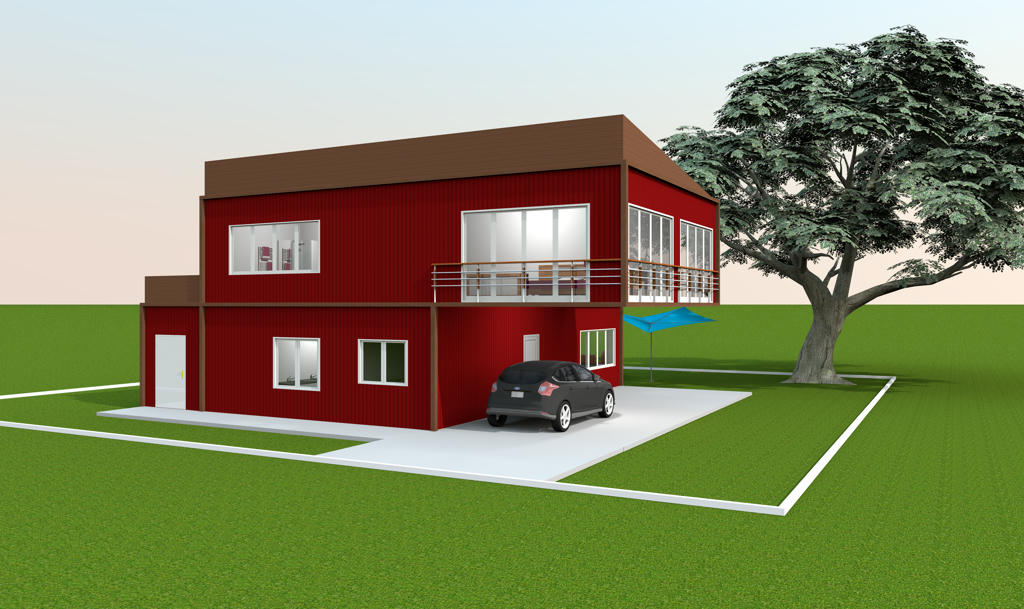 And here are 2 screenshots from Cura slicer where you can see th whole model (scaled down to 10% but there is an issue somewhere between SH3D obj export and Cura obj import) and a cut where you can see how it looks inside the model. 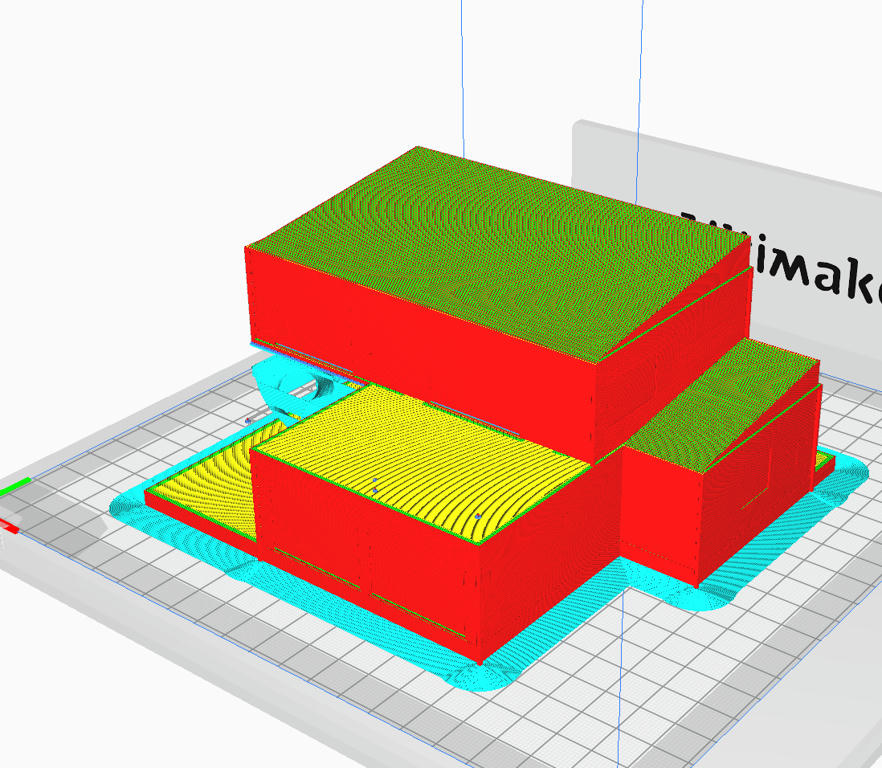 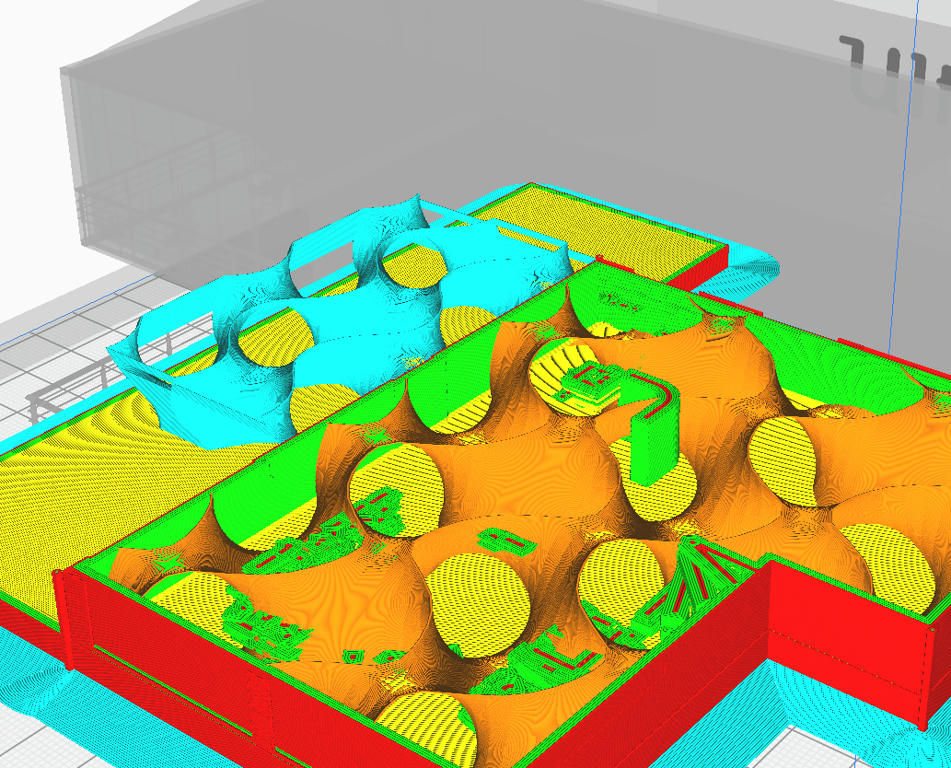 I used 3 boxes to fill the whole building. For the export I selected only the building without the exterior but with all the interior. As I allready mentioned, I have to wait with printing this project until a customer project is printed and delivered. ---------------------------------------- Pascal SH3D 6.6 / Ubuntu 22.04 (Mainline-Kernel) / Radeon RX580 / Ryzen 7 5800x |
| Posted by [email protected] at Jan 9, 2022, 9:16:51 PM |
|
Re: 3d printing Here is what I'm doing: -choose the level you want to export; -select all parts of the level (CTRL A ); -from the "3D View" menu choose "Export to OBJ format..." I know Pruse slicer can open .obj file - you will have to re-size it to a value like 7% (I guess you print a small to medium design) Repeat the above steps for each levels of your design |
| Posted by JaffH at May 22, 2022, 3:09:21 PM |
|
Re: 3d printing I've been searching around but have only found 1 unanswered reference to exporting SH3D plans to a 3d printable format. Is there more information on this I am missing? On a futures/request list? Thanks! Mike I'm using Fusion to convert files to print on my 3d printer [moderated]. In Fusion, you can upload different files to it and the files can be easily converted to STLformat regardless of the initial format. It is able to write G-codes for any of your files. |

|
Current timezone is GMT Oct 6, 2026, 12:05:50 AM |