There’s another, unconventional method, but it’s very effective. I’ve been using only this method in my work for about a year now. Time doesn’t stand still. Sellers are trying to sell their products under new conditions. On websites, I’m increasingly seeing products presented from all sides. It’s normal to have several photos from different angles — for example, you can see a chair that looks exactly like the one you can buy; there are high‑quality photos showing the product in the required color and material. 3–4 photos from all sides. Sometimes there’s even a 3D model that, of course, is read in SH3D as a chair in a single color without any texture separation. I’ve learned how to use all of this in my projects. Now it’s not a problem for me. I’ll tell you in detail what needs to be done to insert any object into a project and get a high‑quality image with a real object in the desired color and material.
Of course, first you need to create a room model in SH3D. Create all the rectangular parts from boxes — this will represent all the furniture. If you couldn’t find a high‑quality model with different textures for the parts, you can place monochrome models in the interior. There’s no need to try to convert it to OBJ if SH3D reads such a model as monochrome without dividing it into parts. You need to find photos of this item in the required colour and with the required materials. That’s enough. Take a look — this is a SH3D room where the chairs are pink because the 3D model is monochrome. Everything is fine. This can be turned into a high‑quality final product in your project.
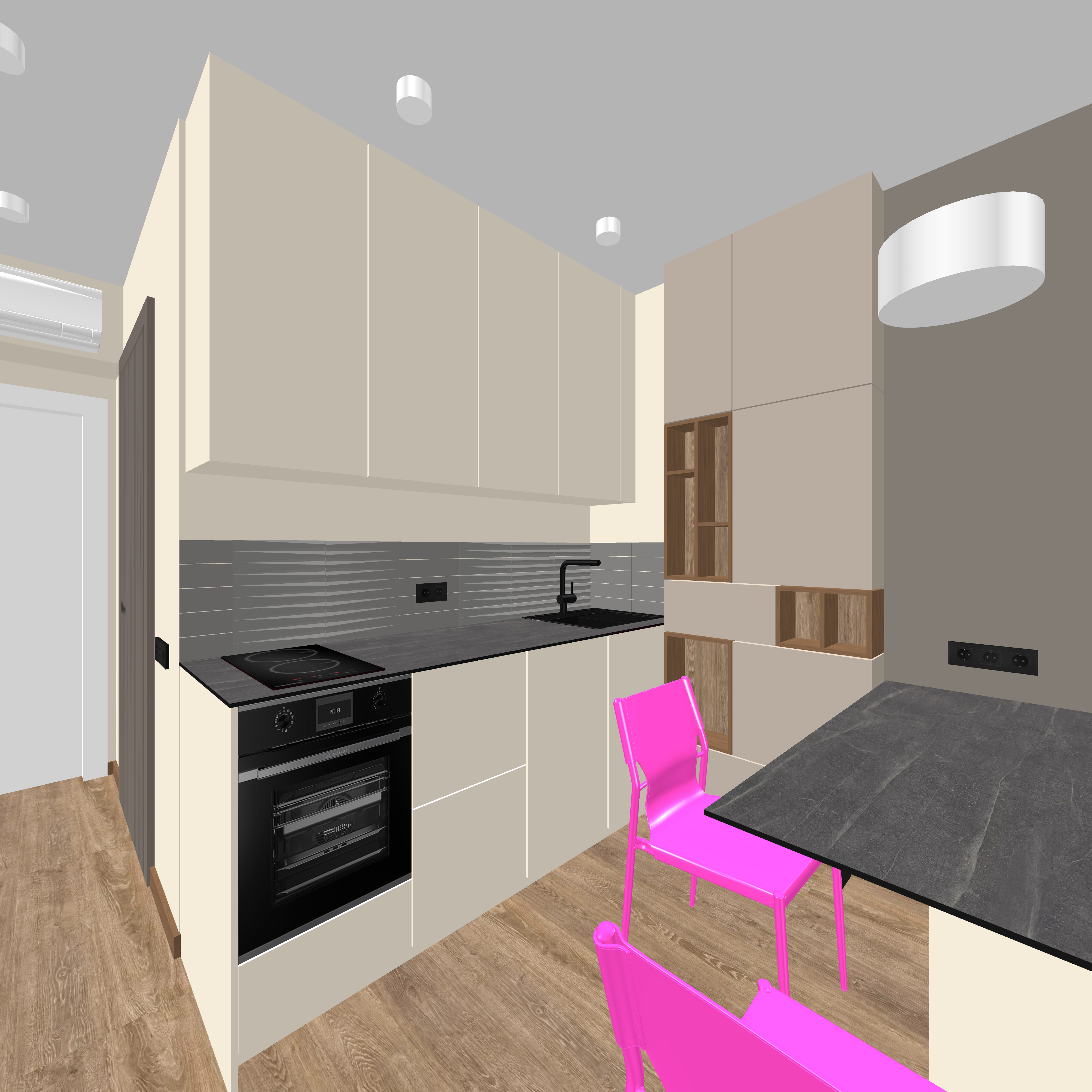
To turn monochrome pink chairs into colorful real chairs in the visualization, we need photos from the seller’s website taken from different angles. I already see such product photos all the time on websites. There’s even an option to view the product in an online configurator, where you can select the fabric for the seat upholstery and the wood color for the legs. This isn’t a 3D model; it’s a product image! And the 3D model itself doesn’t allow you to do any of this — that’s the interesting thing. But it’s not necessary!!
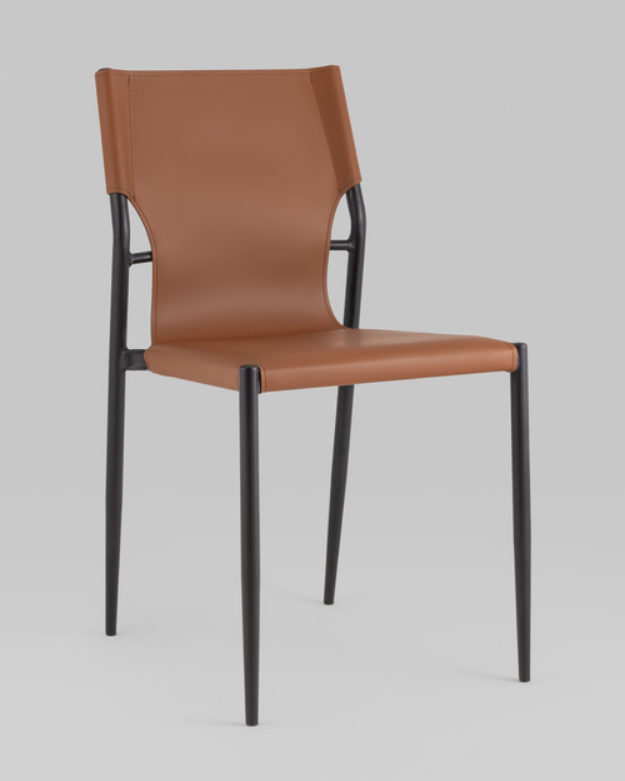
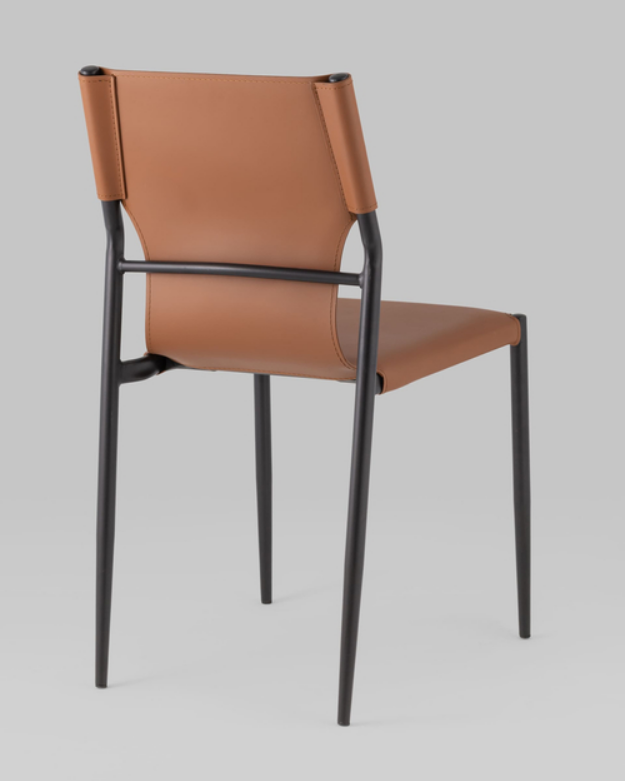
If you couldn’t find a high‑quality 3D model, that’s not a problem either. You can use primitives (boxes, cylinders, spheres) with the required dimensions that will represent your real objects. But the necessary condition for success is having high‑quality photos of these real objects. For example, I couldn’t find a 3D model of a chandelier above a table, but I found photos of that chandelier and its overall dimensions. I placed some primitives representing that chandelier above the table. The first picture clearly shows two cylinders representing the chandelier. And here’s the photo.
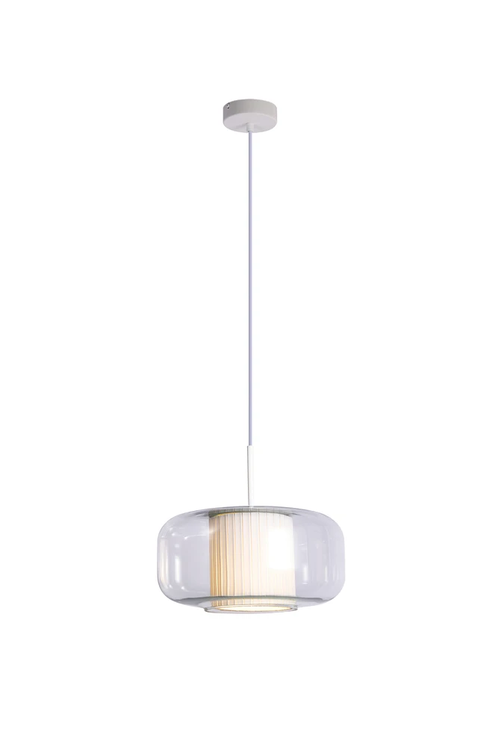
Now that there is a 3D model of the room with problematic 3D models of the chairs and a lack of a 3D model for the chandelier, all this information can be uploaded to the AI. So far, models such as Nana Banana in all versions perform best at such tasks. It is necessary to provide a detailed description of the lighting conditions and specify where color image replacements are needed based on sample photos (in the picture, I changed the pink chairs and white cylinders). As a result, you can get a high‑quality, realistic image with your real objects, without using complex 3D models of the items.
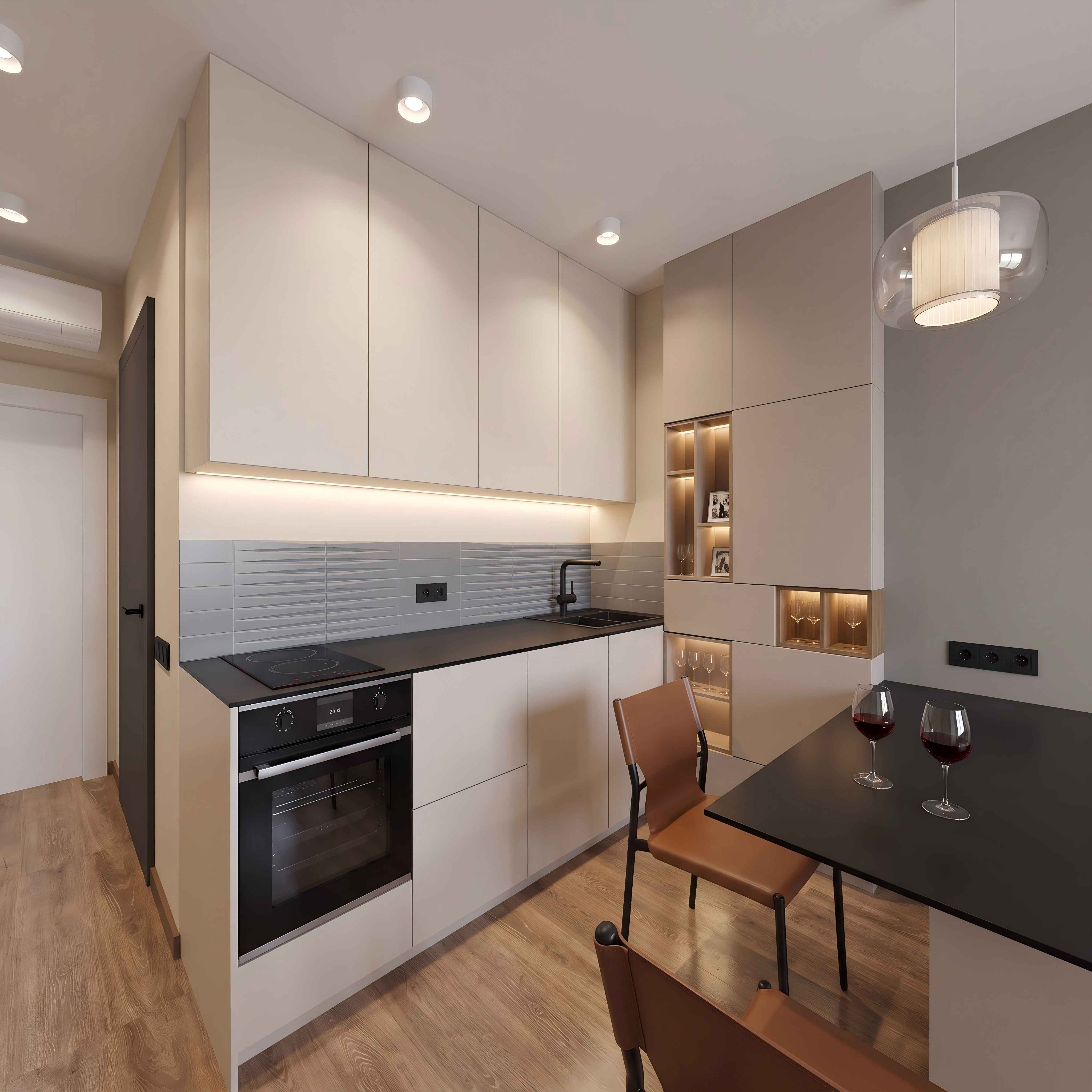
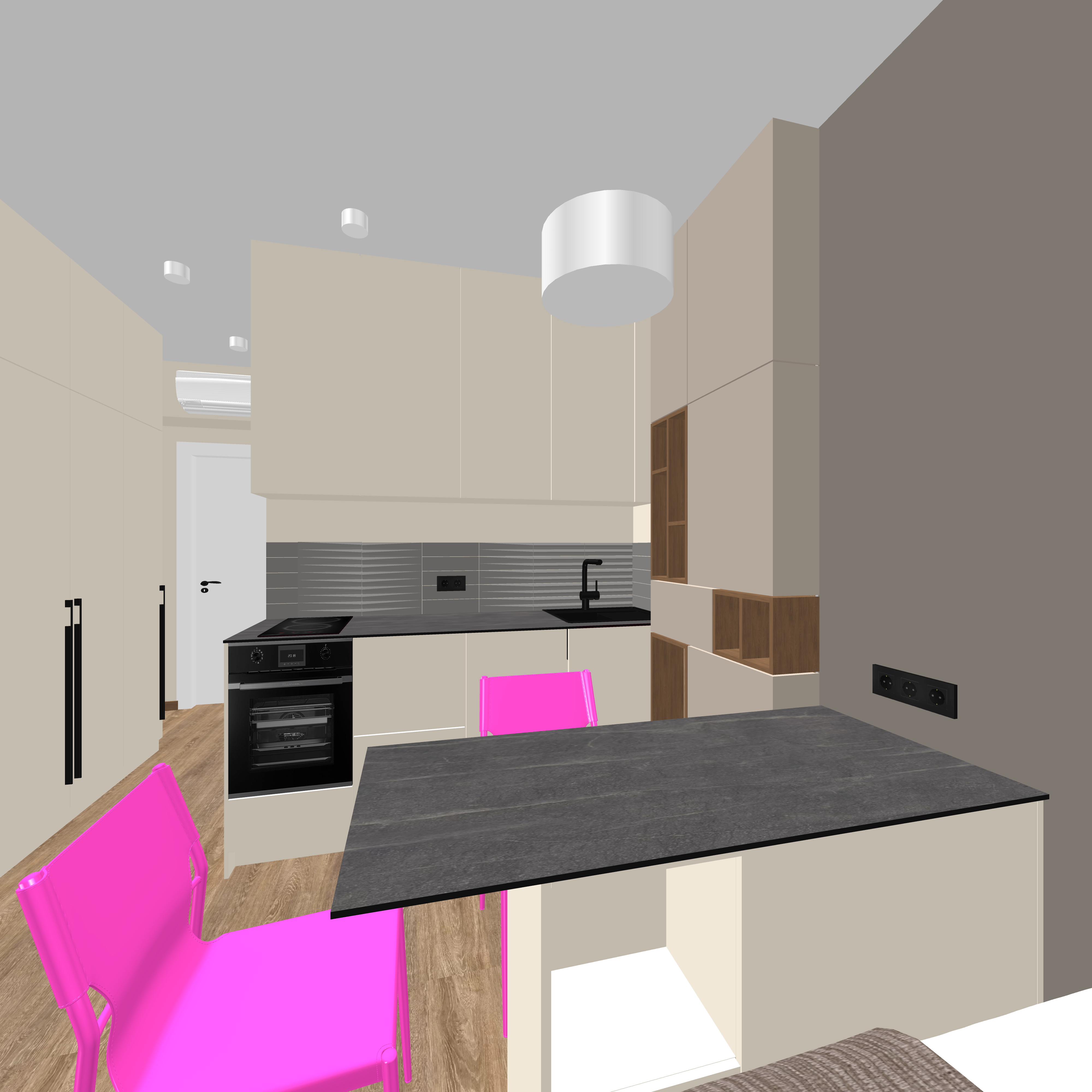
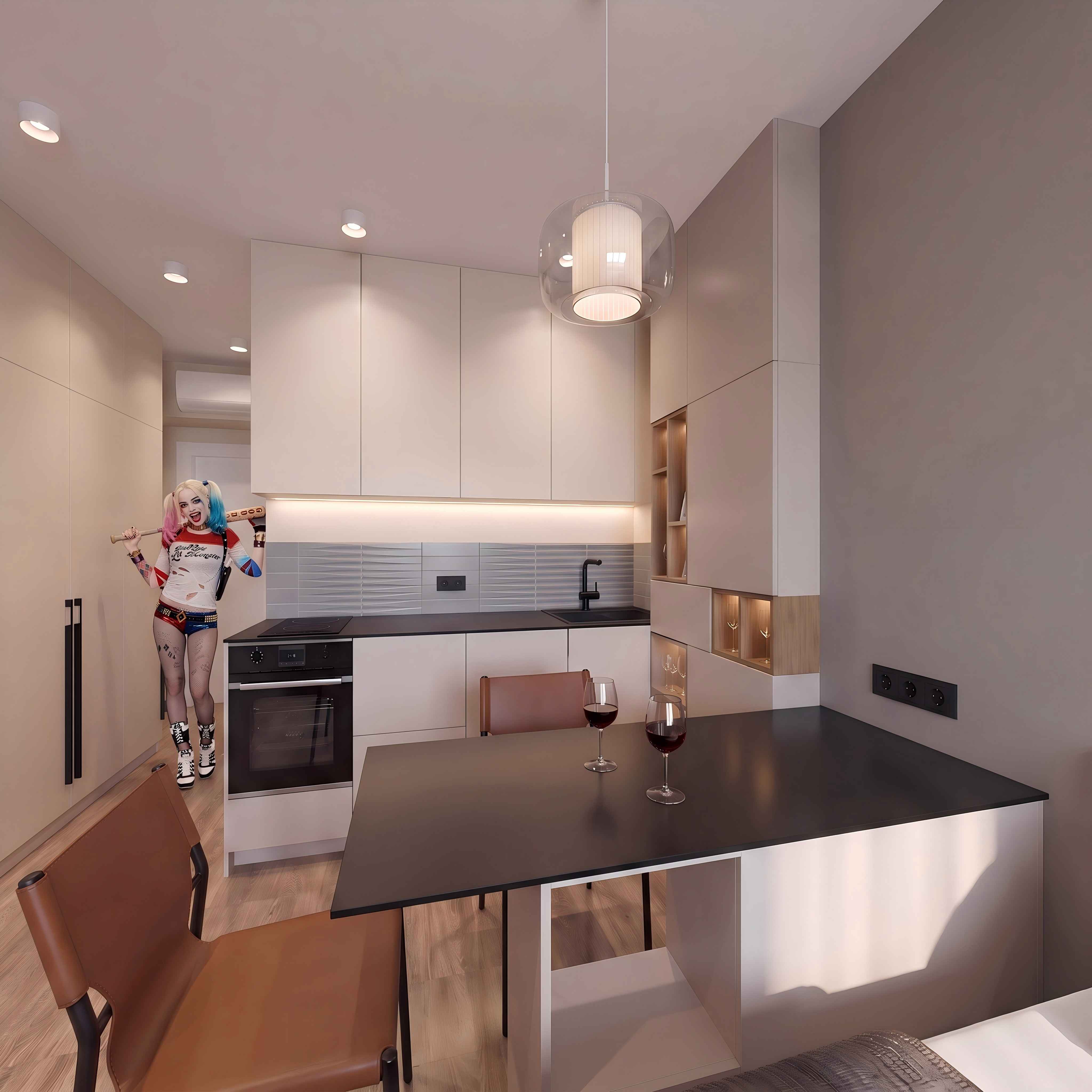
I’d like to say once again that you don’t have to try to find this rare high‑quality 3D model and don’t have to try to split it in Blender or do anything else if the model isn’t readable in SH3D. You can get the result using other methods, still using SH3D as the basis.
