The sun with your own hands in SH3D
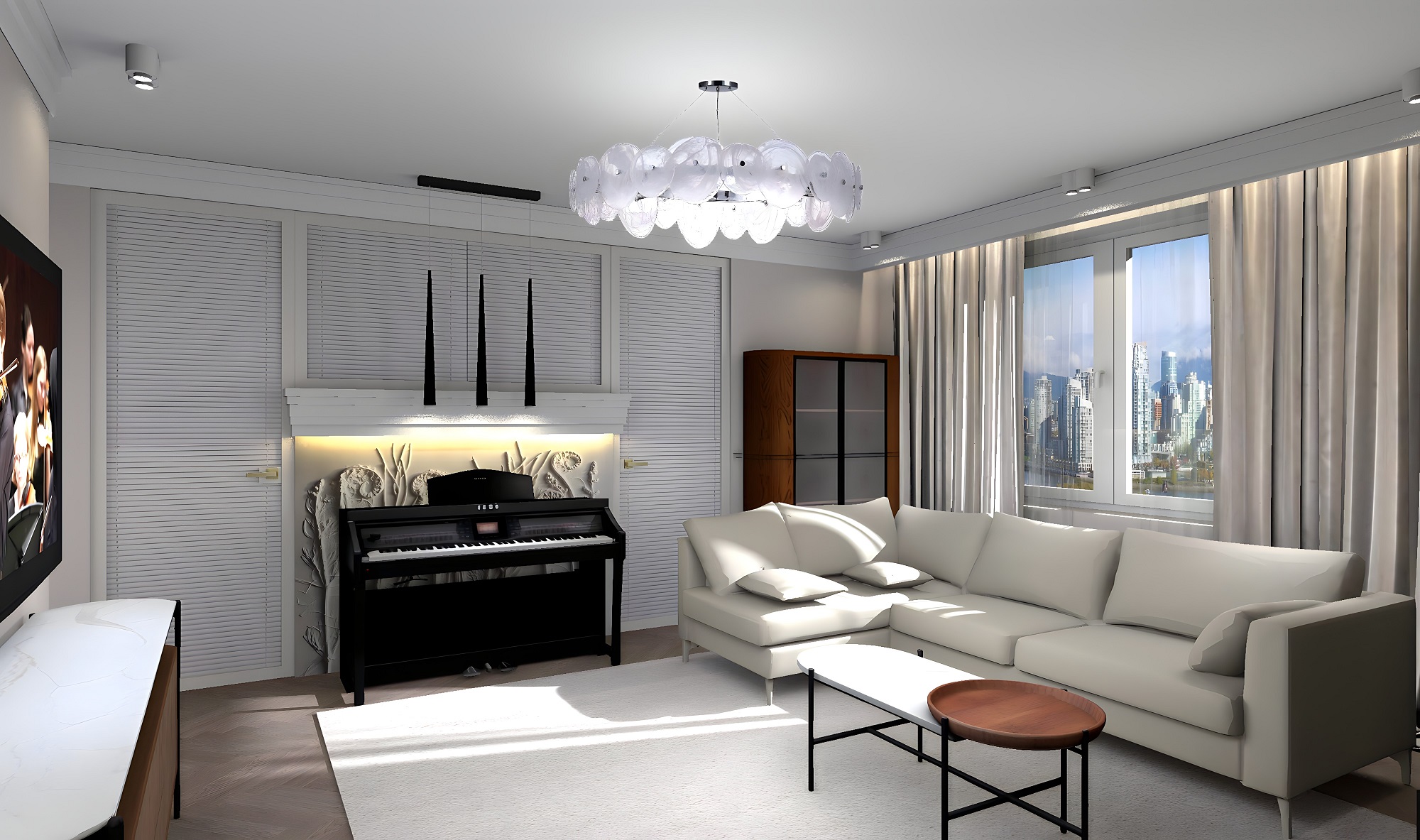
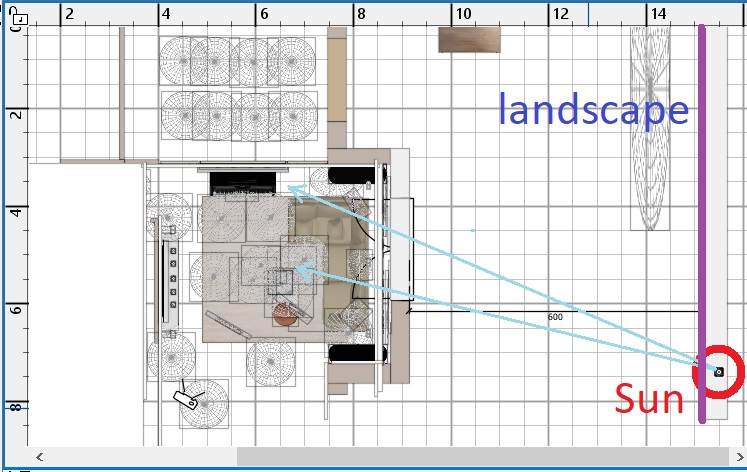
I don't really like the sun in SH3D. Yes, it has many necessary functions, you can watch a certain time of the day and see the room's sunlight. But the light from the sun is not always of the right quality. The main disadvantage is its low power. Sometimes it's really necessary to add this contrast that has nowhere to go. We need a difference in the lighting power of the interior and the outdoor light flow from the street. This can always be done with large powerful sources outside the window, but it will be the effect of diffused light, not sunlight. The second drawback is its incorrect temperature, the color of the light from the sun is too yellow. I always want to make this color cooler. I tried to make the sun myself. first, I put all the light inside the room with all the fixtures. Then I made a very powerful group of 28 spheres with a capacity of 100% each. It turned out to be a serious lamp. I made the size of these spheres 10x10x10 cm. And he put it all together into a hellish ball. Now you can place this group outside the room opposite the window. In my work, I make a view from the window on large boxes, they place a texture with a landscape image on the front side. For example, this box in this work is 400 cm high and is located at a distance of 600 cm from the wall of the house. The box is illuminated by its own hemisphere with a power of 5% and has a white color. The task of this hemisphere is to illuminate a texture with a landscape view for rendering. Now about the artificial sun. This sun should be placed above the box with the landscape so that this new sun does not illuminate the landscape on the box, and does not cast a shadow from the box on the room. I placed this group of spheres at a height of 550 cm. The rays of light from this group enter the room at a very gentle angle, as in the evening, and penetrate far inside. If you try to use the sun from the program, then in the evening the sun is strongly colored in the red spectrum. With my artificial dreamer, I can make the temperature of the light a cold shade, as it really is. Of course, the sun is really orange at sunset, but I need the sun in the back of the room and without red hues. It looks very beautiful when the edges of the shadows inside the room are slightly blurred from the rays of the artificial sun. In reality, the rays bend slightly around the shapes of objects, and there really is such a blurred shadow boundary. This phenomenon is called Light diffraction. For an artificial sun, this effect can be achieved by using larger spheres. I increased the size of all the spheres in the Sonets group to 15x15x15cm. You can try more, but then the edges of the shadows will become completely blurred. I learned from this rendering with an artificial sun. I have set the color of the spheres as Blue, which is very important.
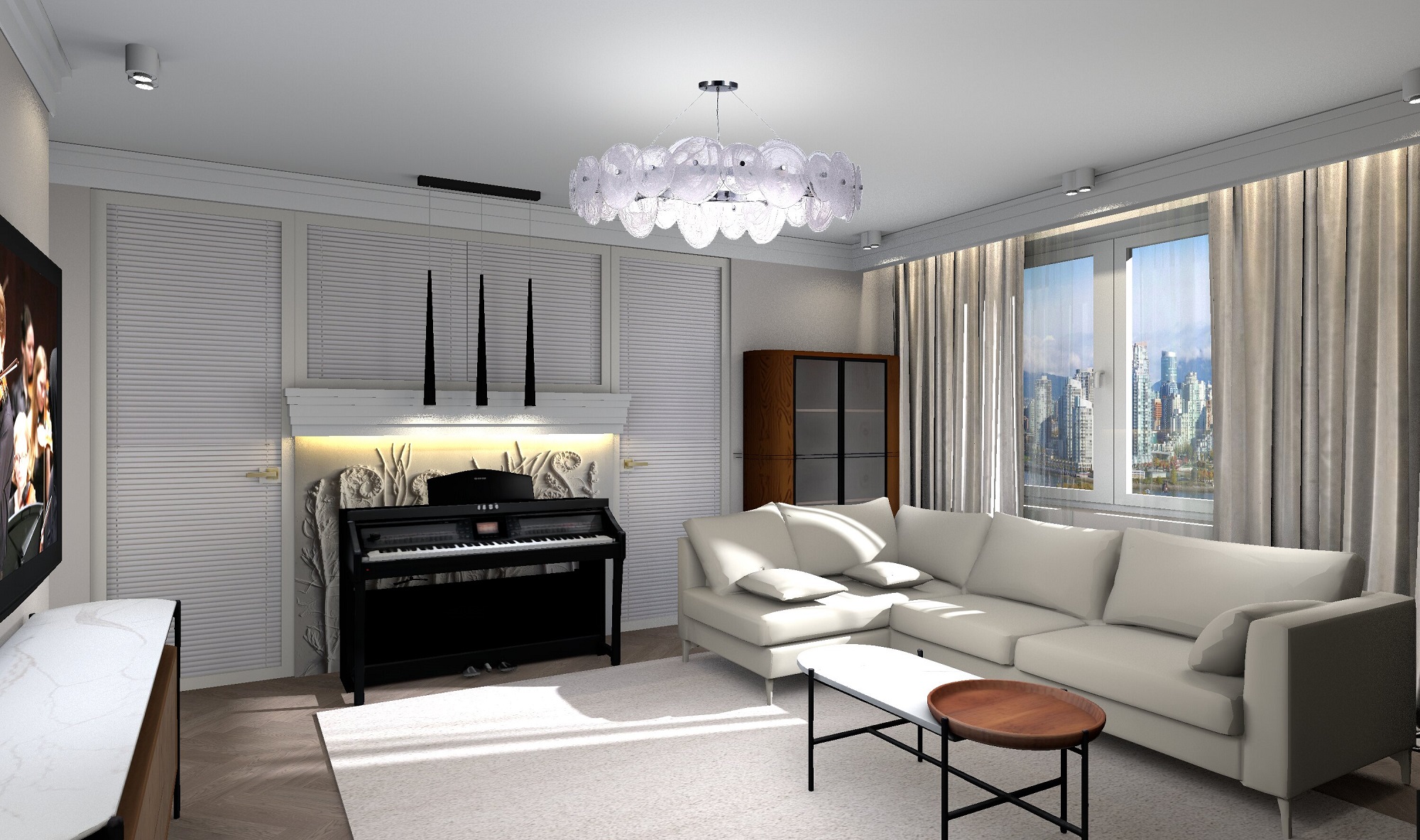
The rendering settings are 3000 pixels, the night time is 0 hours, without ceiling lights. I decided to use AI to improve the quality. I have tried several sites with such services, but I got the best quality in remini.ai I advise you to apply it. The quality looks like this in the end.
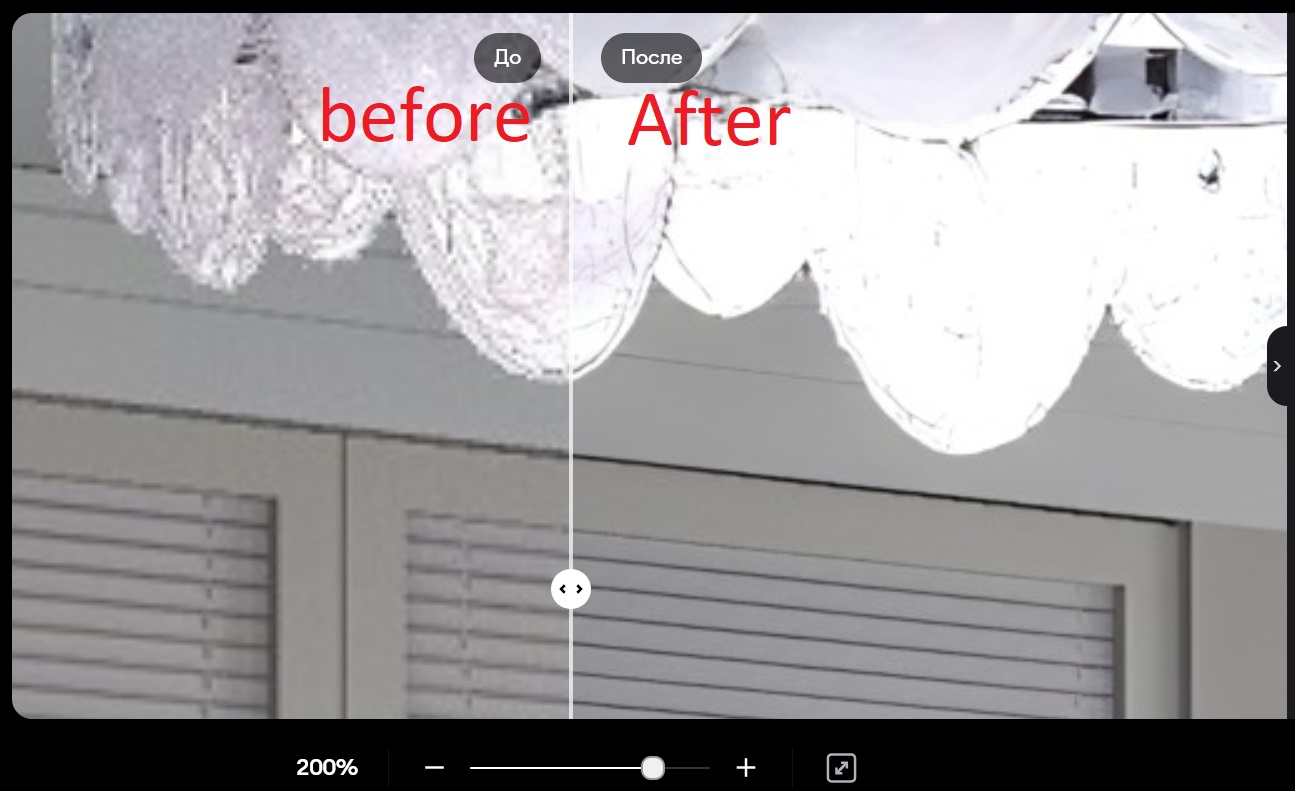
the final corrected rendering using AI turned out to be at the fourth highest level of SH3D quality, only it took me 5 minutes of correction, rather than several additional hours of high-quality rendering. My initial rendering time was 3 hours. At the fourth level, this time could increase to 8 hours. And so the same result in 3 hours and 5 minutes)). I advise you to do just that, it saves a lot of time.