 Experiments with glass
Hi. I've done some research, and I want to share it with you. I must say right away that the results are not very clear to me, I still need to figure it out. But I realized something. I decided to study the straight shapes that make up the glass models. These are shower enclosures, glass in the windows, various straight vases and aquariums. All these parts of the models can be made by yourself using SH3D. Glass can be created in two ways - using walls (there is a ready-made transparency tool in SH3D) and using boxes. I decided to explore only the MTL file to understand the intricacies of the settings. And I did not use the tool for creating transparent walls as models, which is offered in SH3D, so as not to get confused in the conclusions. So, I decided to study the two main parameters of glass - the transparency coefficient "d" and the optical refraction coefficient "Ni". The other parameters seemed secondary to me and I did not study them at all in this experiment. I created a box and a wall, exported both forms to OBJ and started changing the "d" parameter (added it to all groups in the MTL file), from 0.1 to 0.9. Imported back all nine variants as models. I prepared a colorful colorful polygon and placed all these models in a row. On the left is a row with the assigned COLOR, on the right is exactly the same color, but the TEXTURE of the color. As a result, the version closest to the viewer was the most transparent (d 0.1), the one farthest from the viewer was the most opaque (d 0.9).
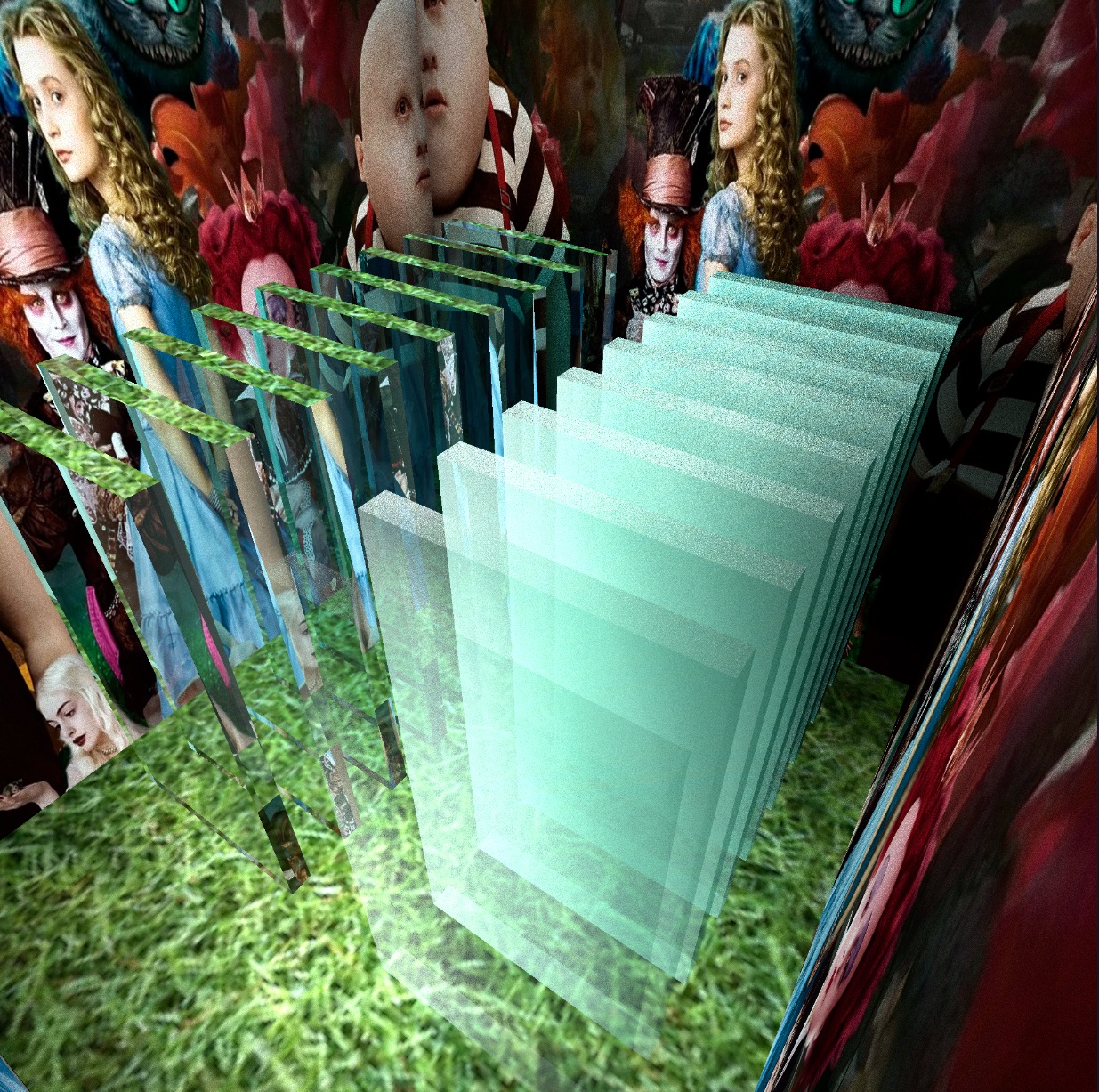
I set the Ni coefficient for all models as the initial "1". It can be changed from 1 to 10. What did I understand? The fact that for models with assigned COLOR, there is absolutely no difference in the various transparency parameters "d". All the samples are exactly the same. Everything looks transparent and everything looks like ordinary transparent glass. This is very interesting and important. But if you assign a color TEXTURE (a number of models on the right), then there is a strong difference in the transparency of the samples, and this option is more like frosted glass. I did two experiments - models from boxes and repeated the second render from models from the walls. The "d" parameters in the MTL file are the same everywhere. The loading time turned out to be exactly the same, second per second! And the appearance of the render is also exactly the same. The wall model is more convenient to work with, because there is only one group in the MTL file, there are six such groups in the model out of the box, it takes a little longer to change the parameters.
Next, I will answer separately, so as not to get confused in the Google translation, sorry))
