Hi!
I'm trying to divide my house, with its classing pointy roof, into some rooms having different ceilings: some will be sloping, and others not.
From outside it looks easier to get:

On the inside I'l have bedrooms with sloping ceilings from 2m40 to 4m80, then a corridor with a standard flat ceiling at 2m40, then other rooms with sloping ceilings from an unknown height back to 2m40.
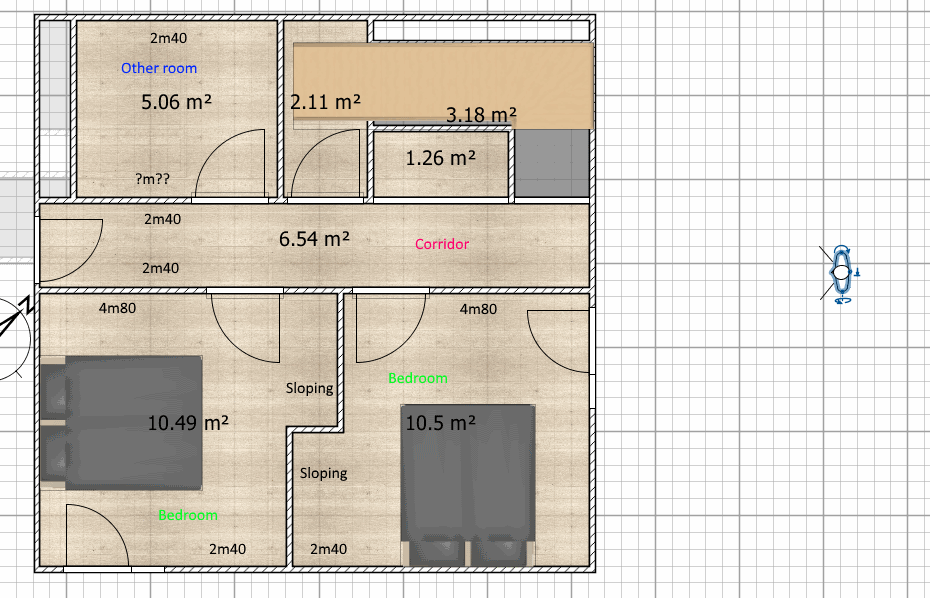
On the plan it looks OK. My exterior walls are sloping fine. But I have some issues:
1- The sloping wall that divides the two bedrooms shows gaps when meeting the ceiling.
2- I don't know how to make the other room (the blue one) right, with the correct sloping walls, start height and end height.
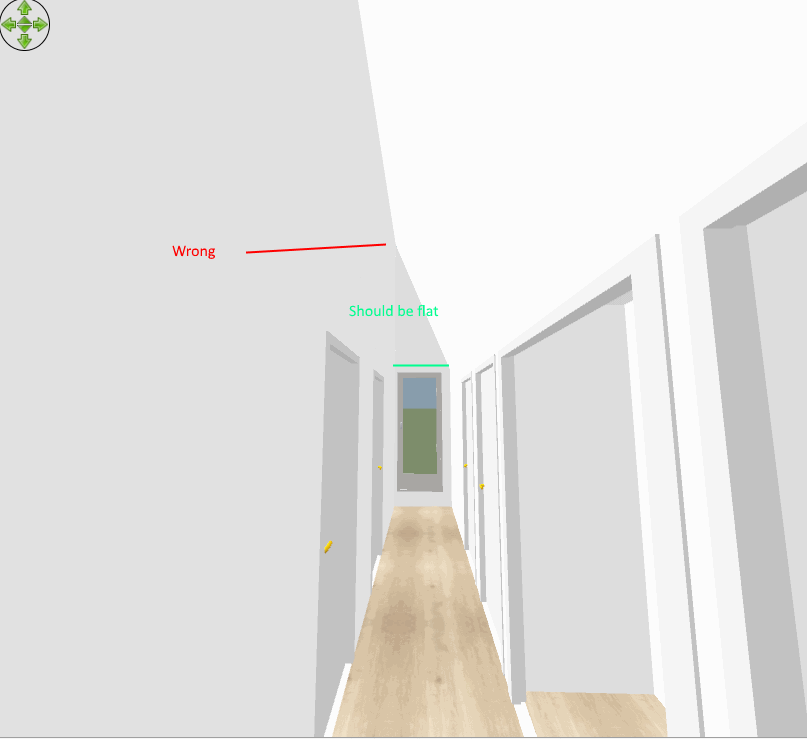
3- The corridor has a sloping ceiling
About the 2nd point, I guess (according to this topic : http://www.sweethome3d.com/support/forum/viewthread_thread,2054#25829) that I have to calculate it myself or to use a "help wall" as suggested by macfrog.
So even without a keyboard shortcut, there is no way to tell a wall to "be the same height as this sloping wall you're joining, at the point you join it" ?
For the 1st point, even if I did the calculation wrong, shouldn't the ceiling join the walls? How comes I see a thin ray of sky?
And finally for the 3rd point, I just don't know how to do. That's what it looks like on hansmex's drawing:

The corridor is sharing a wall with the rooms beside, but its ceiling is not the same height. Is it possible to define the height of a room' ceiling without having it being attache to the walls? Or have a wall sloping not only from start to end but also (or instead) from right to left?
I'm thinking about making my walls thinner and double them but I don't know yet if it will work fine and I'd appreciate if there is an easier solution.
