if you want to keep the shadow of the house itself, using gray will help to get faster results
Maybe you are right.

My main concern is that whatever background colour is used to create a mask, it should be applied as a texture and not as a colour from the colour picker.
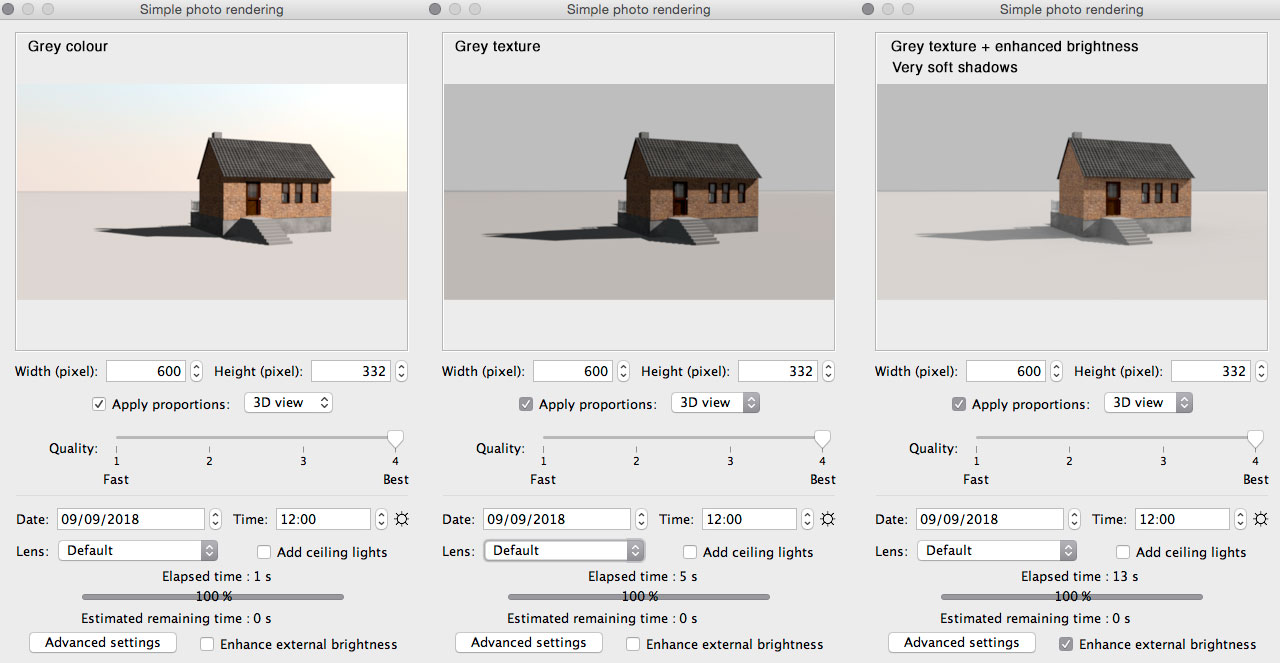
Let me introduce another method:
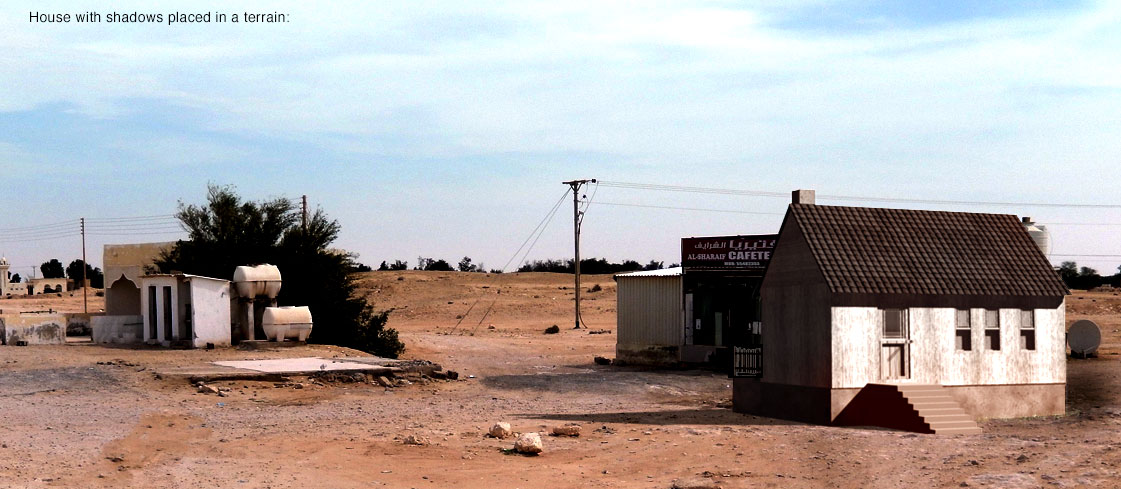
Let's say we are challenged to destroy a picture of a beautiful landscape by embedding a house that is so seamlessly integrated that you have
to look twice in order to notice it. We want a fast and easy method for masking, and we want to preserve the ground shadows.
Let's say the landscape looks like this:
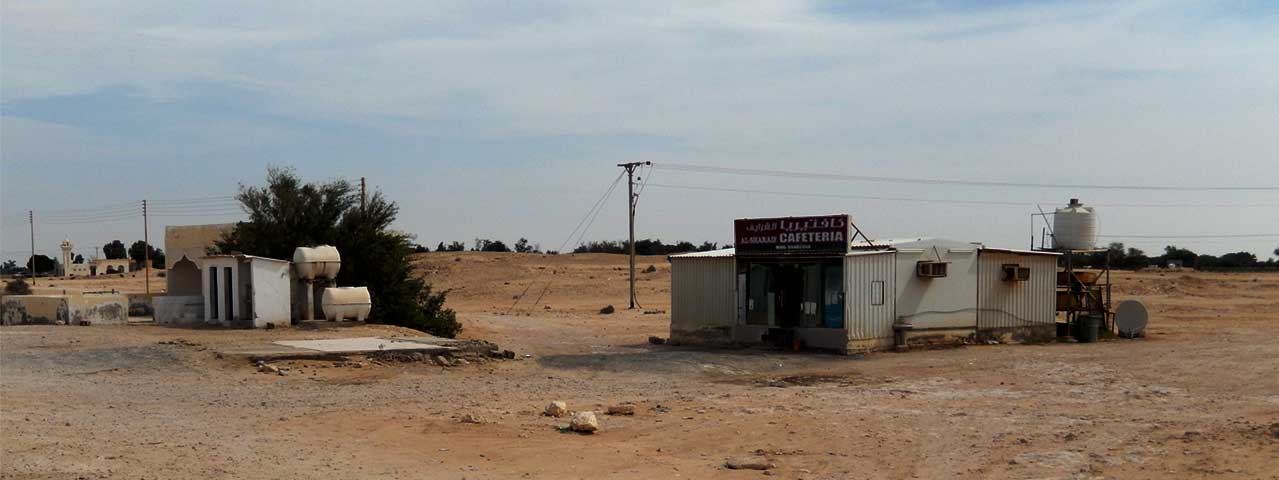
This method is based on using a white background – that is: a white texture applied to both the ground and the sky.
Using white as background is especially good for shadows, since white can be blended out.
I need to mention that this method has one drawback:
The model must be rendered at 12 o'clock noon only. If not, the ground will be coloured, which will complicate the process. But its easy to point the shadows in the right direction by rotating the compass, and the length of the shadows can be adjusted by altering the date.
I don't know Gimp, but from what I have heard and read, Gimp is a lot like Photoshop, and even better, in some peoples opinion.
Since Photoshop is the program I'm familiar with, I will use Photoshop and assume that the same will be possible to do with Gimp.
The house:
I use the same house as in my last post, but I will change the texturing on the walls, door and windows, and I will change the texture on the ground and sky to a solid white. Then rotate the compass so the direction of the shadows match, and adjust the date to get the right length.
Methods for aligning, scaleing, finding the right angle and creating perspective with the right field of view-settings is another discussion,
but when that is done, it's time to render:
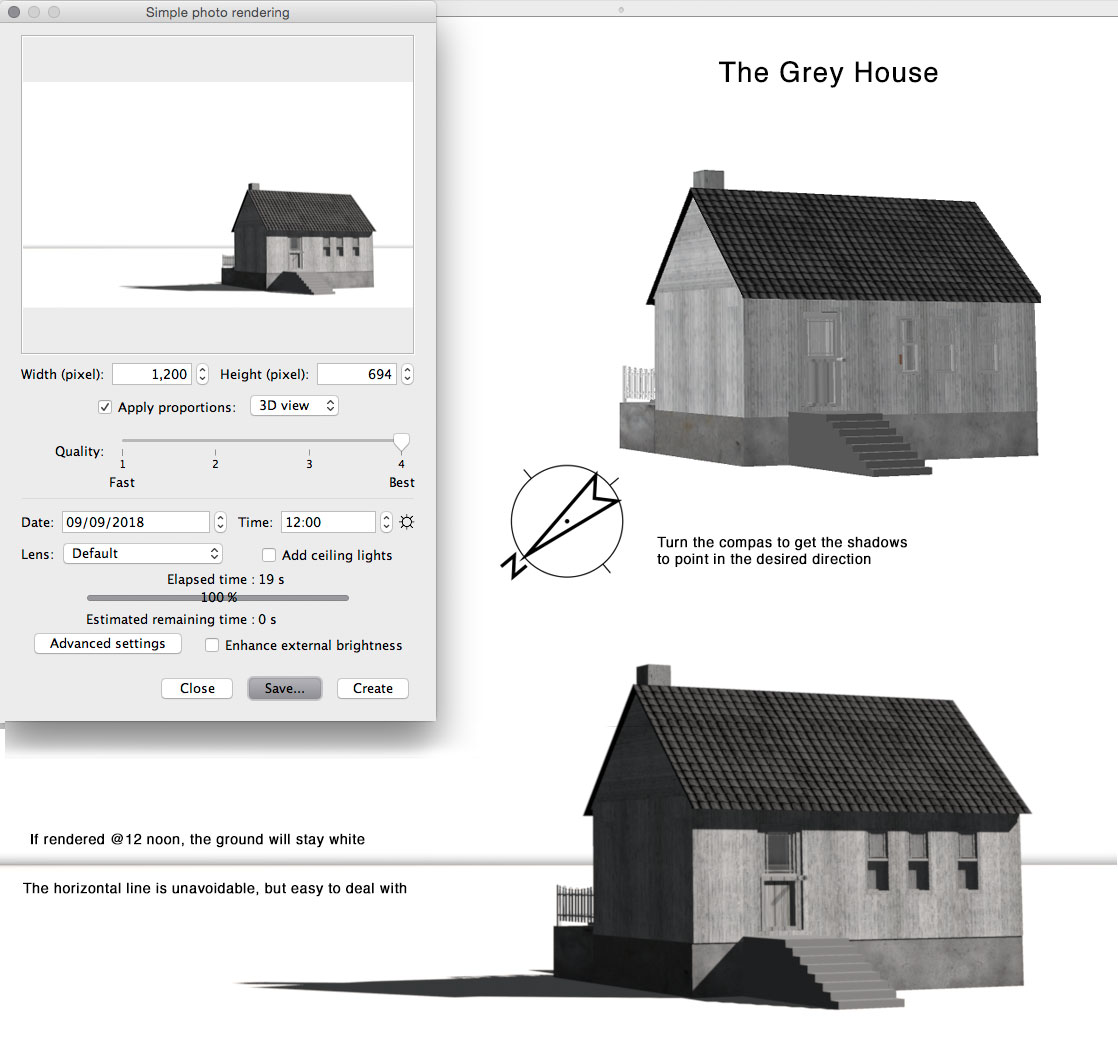
The process:
Place Q4 rendering on a layer on top of the landscape, make a Q1 rendering and layer it on top of the Q4. Select white on Q1 to create a mask for the house, invert the mask and use it to extract ( cut/paste) the house from the Q4 layer to a new layer. Then delete the Q1 layer, since there is no more use for it.
Now the project has three layers – the landscape at the bottom, the shadows on a white background is layer two, and the house is layer three..
Set the blending to Multiply for the shadows layer. The white becomes invisible, leaving only the shadows as an overlay on the bottom layer.
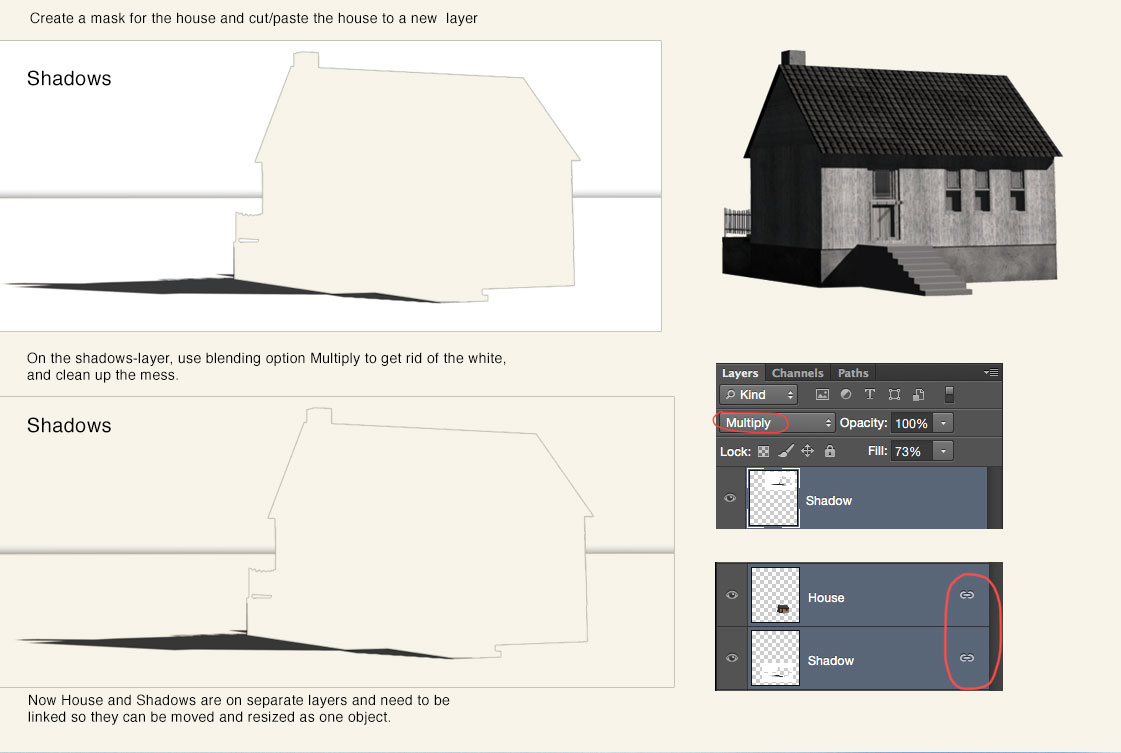
Clean up any mess and mix and blend the layers until the result is acceptable.
Easy?
Well, this process is quite easy, but getting a good result involves more than just masking and blending. Retouching, color correction and filtering has to
be done, and I would assume there are lots of usable tools for that in Gimp.
The result:
Cec
