You cannot see directly the textures.
In belowed picture, I show you how see them.
First, with any object in your project, you click twice (A1),
a window appears (A2),
click on 'texture' button and a second window appears (A3) with all available textures.
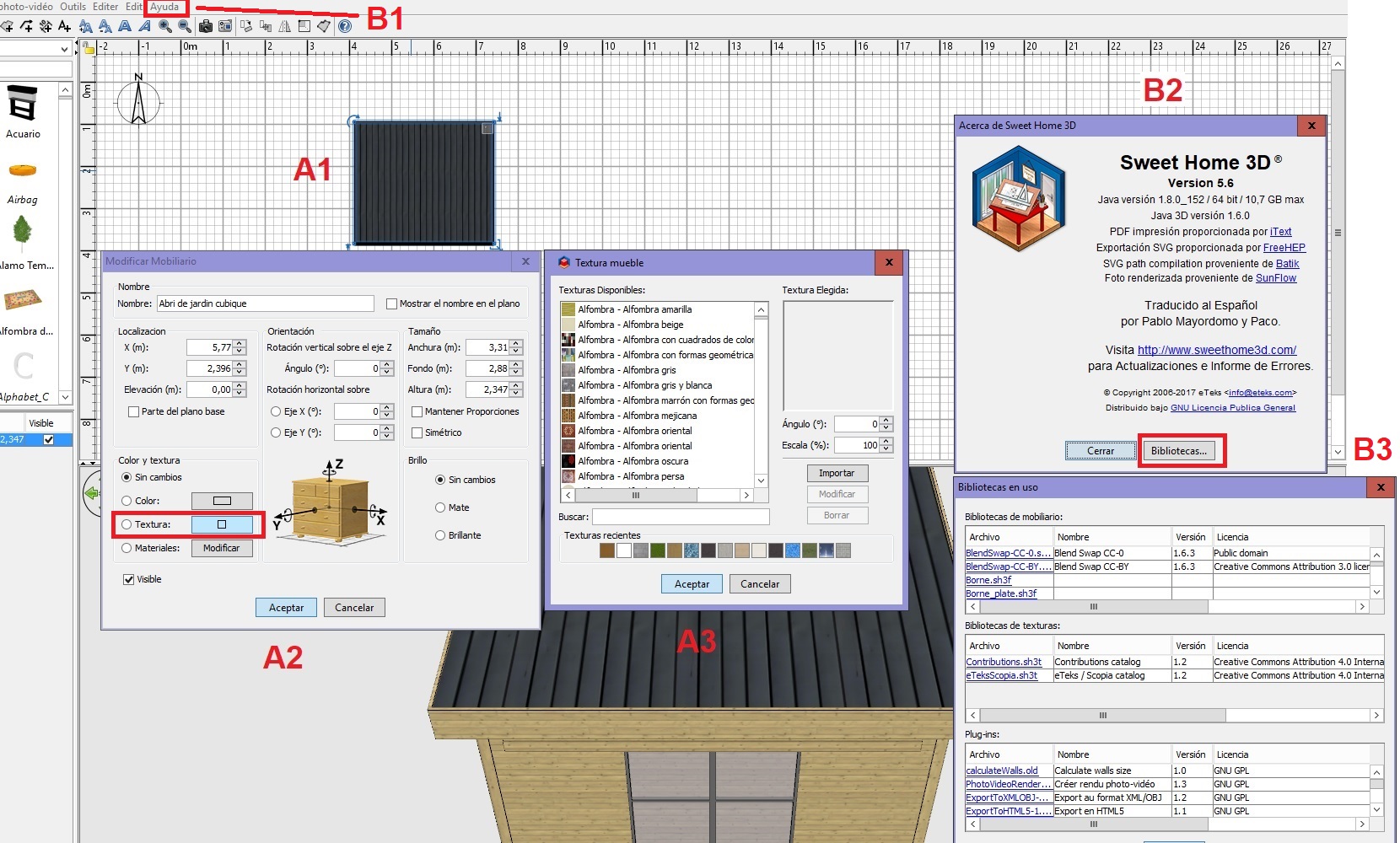
Second, with the top menu click on 'Ayuda' option (spanish mode) - B1,
a window appears (B2), click on 'bibliotécas' button,
a second window appears with all loaded librairies in your sh3d (B3).
Happy new year.

----------------------------------------
Evil progresses when good people do nothing!
---
SH3D 7.1 and nothing else - W11 64b in 4K
