While I'm afraid I don't have a pure-SH3D solution, I have been able to create viable recessed lighting using SketchUp models. In essence, you have to create a ceiling object -- that is, a furniture item representing the room's ceiling[1] -- in which you've embedded one or more recessed lighting fixture objects. This composite illuminated ceiling object is then exported from SketchUp, imported into SH3D, and elevated to the appropriate height. Finally, you place appropriately sized SH3D light sources within the fixture's open space.
The reason for all this complexity is to allow you to knock out an opening in the ceiling for the recessed light; I know of no way to accomplish the same using an SH3D-generated ceiling.[2] You should have light placement pretty well nailed down before starting down this path, since even the smallest change requires the entire structure to be remade.
You example is actually much simpler to carry off than ceiling-recessed lights. You'd still want to create a light fixture object and a wood panel object (this latter object would actually be a hollow box). You'd then mount the fixtures inside the panel, knock out an opening for the light, and render the resulting object as a furniture item.[3]
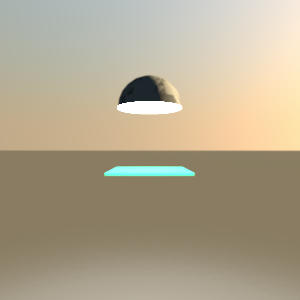
FWIW, the hemispherical object at the top of this image is my recessed lighting fixture object. If I remember correctly, the fixture is 8" in diameter, with a 2.5" light source elevated 0.5" higher than the fixture.
__________
1. The easiest way to create a ceiling object is to define a wall-less room in SH3D with the same dimensions as the desired ceiling. Set the default floor thickness to equal to or greater than the height of your fixture model, export the room as an OBJ model, and import it into the 3D modeler of your choice: Blender, SketchUp, or whatever. (Alternatively, you can set floor thickness to some arbitrary value and adjust it as needed in your modeler.)
2. Actually, I just thought of a possible kluge -- but I can't imagine it being much, if any, simpler in the end.
3. This conceivably might be possible entirely within SH3D by doing something like importing a standard cylinder object into a Sweet Home 3D furniture library, defined as a staircase. You could then define a room of the same dimensions as the wood panel, placing cylindrical staircases in it wherever you want a knock-out for a recessed fixture. Export the room as an OBJ model, import it back into SH3D as your panel, place light fixtures and sources as appropriate, and wrap the whole thing up as a group.
To me, this doesn't really sound any easier than modeling the thing outside of SH3D and importing it whole, but others may have different views.
