I wanted to go over some of these ideas, because there seems to be some confusion, and admittedly, i didn't account for being completely understood -- just to get the ideas out there.
Let's go over the misconceptions:
4. Lock individual elements
Yes, each item can be made as part of the base plan, and then the whole base plan locked, but that's not what i'm talking about. I want to be able to lock a single item (furniture, dimension line, room, etc) to where it is in space, level, and dimension, no matter what's going on with other units or the "base plan". It would be selectable but not editable, until a hotkey was pressed or a contextual menu item was chosen.
5. Reset origin to plan
Perhaps this will help:
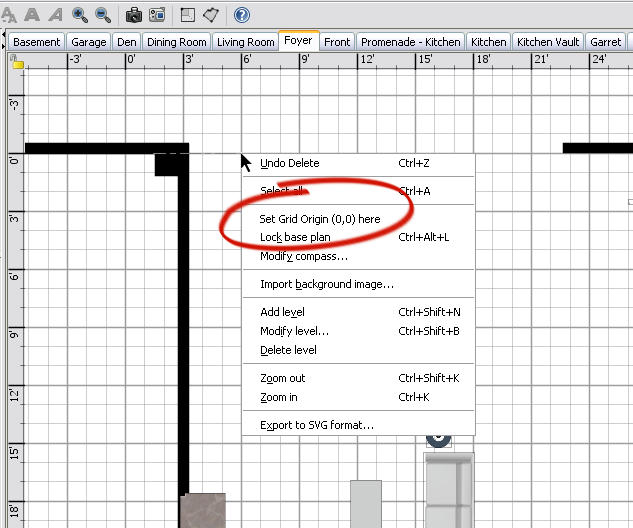
I would also like the reset point to auto-align to a wall intersection or corner, like the Room Creator cursor does...
6. Sort Furniture List by more than one category
Actually i meant the list of furniture already installed into the floor plan. The Furniture Library is fine, but what i need to to do is sort the furniture i've put in first by name or category, then by level, then by X coordinate, etc...
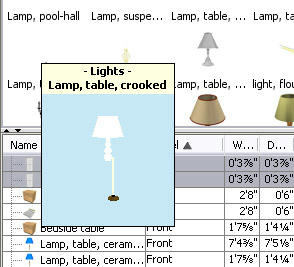
10. Alternate bkgd color for icons
See this?
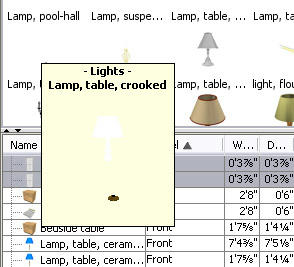
This would be better....
13. On-the-fly wall defaults
I tried Puybaret's technique (go to Wall Creation mode and press Enter), and i'm happy there is at least some dimensional control -- albeit hidden, but the methodology was not intuitive. It would be easier if i knew what i was putting down before i clicked anywhere. Perhaps a toolbar that becomes available when creating or editing elements...
15. Hideable 3D view window
I tried the author's technique. Grab the separator pane and pull down to the bottom (or click on that TEENY TINY down-arrow on the left side of the pane!), then select "Display in separate window" from the "3D view" menu. Your 3D window will now appear in a moveable but resizable window -- though always on top. (There is a bug though; if you close the program with the 3D window detached, when you later re-open the file, the 3D window will appear -- and it will draw from the last camera angle -- but the 2D floorplan will not draw until the 3D window is closed.)
16. Custom icons for furniture in 2D view
This is what i got:
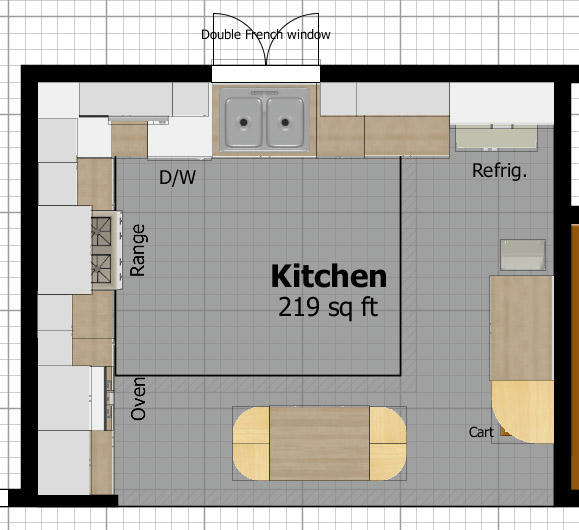
This is what i'd rather have:
16 - Custom icons - is already possible, although a bit complicated.
I'll do a lot more to get exactly what i want. Tell me how!
19. "Unlit" textures
Yes, it took me a long time to understand too.
An "unlit" texture means the texture is not affected by external light -- it is not accounted for when rendering light on that texture. It is instead rendered at its own brightness.
Imagine applying a white texture on your light fixture, say where the bulb is supposed to be. If it is not "unlit", the light bulb's texture will be rendered according to nearby light sources, and if you do not have a light source directly next to the surface with that texture, it may appear as if the light is not even on, like this:
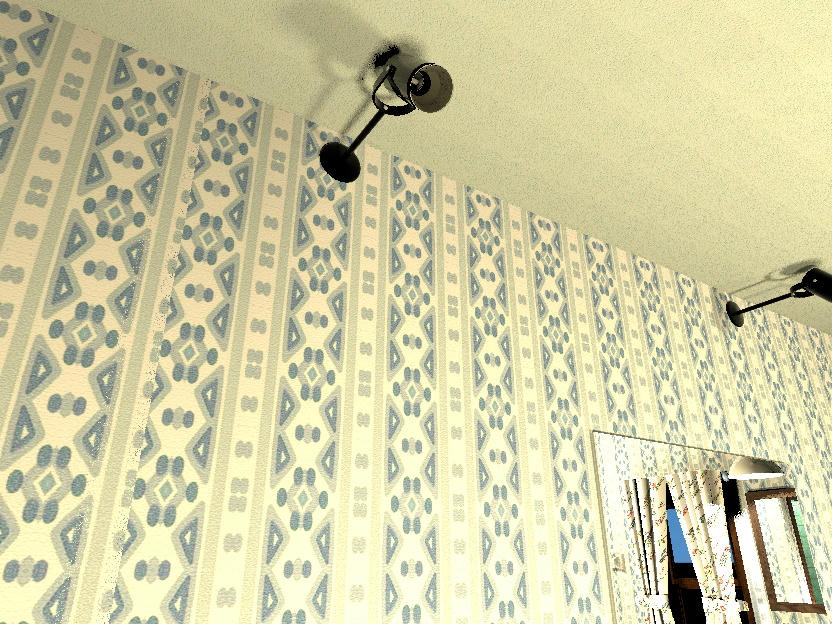
In the above image, the spotlight is on (it's what's lighting up this bathroom), but there is no light source near the bulb, so it looks like it's off.
If the light cup's texture's "Unlit" flag were to be set, it will always be drawn at whatever its own brightness (in this case nearly white), unaffected by whether or not there is a light source lighting it, like this:
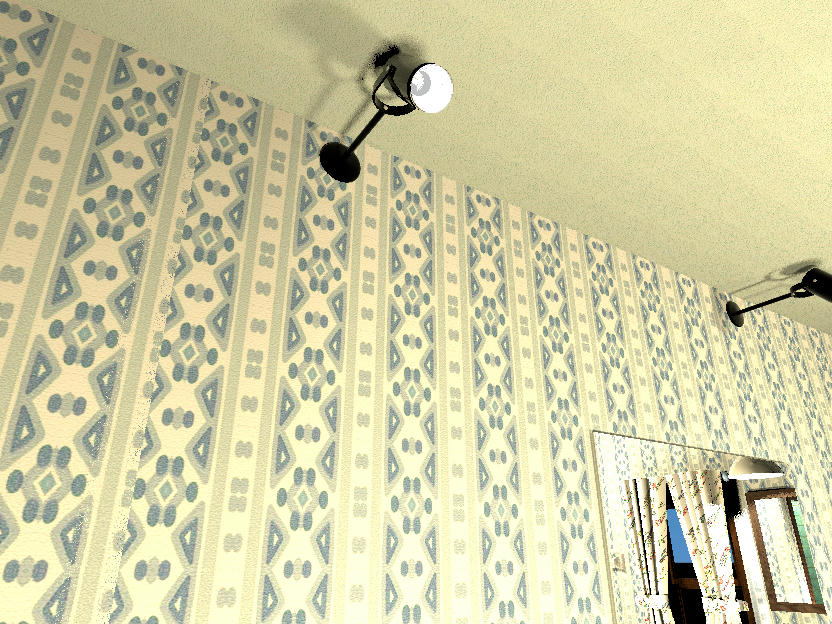
Maybe a better term would be "self-lit" or perhaps "untraced."
20. Group lights
To clarify:
Select multiple light sources. Open the Modify Furniture dialog, and you will see a field where you can assign a light power to all the lights in the selection.
Now group the selected light sources (Ctrl-Shift-G) and open the Modify Furniture dialog. That ability to attenuate the light power is now gone.
21. Customizable light types
Wanted to expound on "non-incidental" lights as it's become more important since i've been doing rendering at the Best level (i've been calling it "incidental" lighting but it's actual called "NON-incidental" lighting...
A "non-incidental" light was originally designed (at least in the Unreal Editor) to simplify reflected room light. Put a non-incidental light source in the mean location of where light is to be reflected from, like say off a colored ceiling or a shiny floor, and the reflected light would be diffused throughout every surface visible from that light point. The non-incidental light source is not a rendered object itself, but light emanates in all directions from that point, and its light emanations are rendered without regard to the angle of the surfaces within its bounds.
Here is an example of NORMAL lighting:
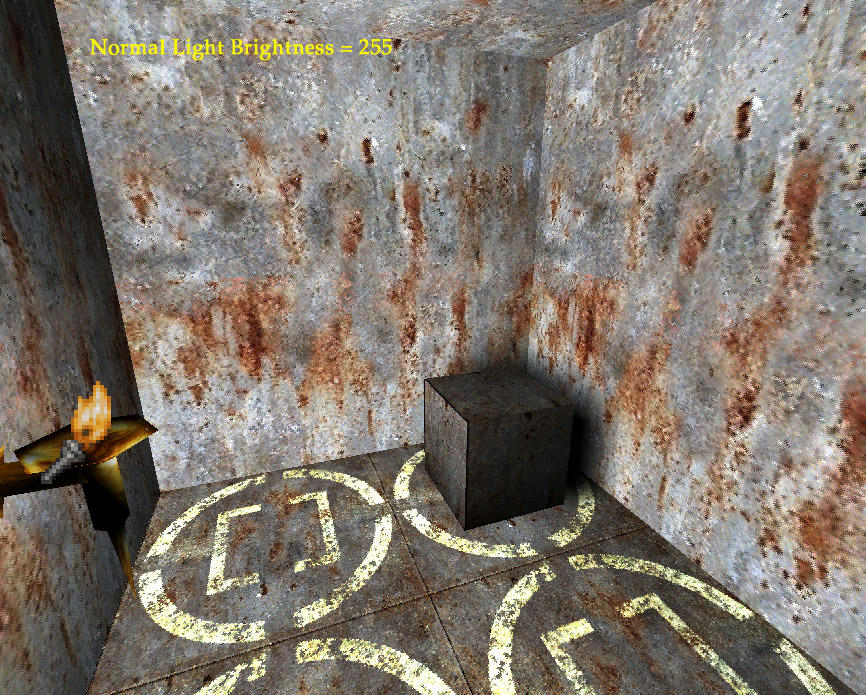
Notice how the angle of the surface within the rays of the light source determine how much the light will affect it. The wall on the left and the top of the box show the effect. This is realistic for physical single-point light sources.
Now here is the same exact scene with the light source (the torch symbol) flagged as "Non-incidental" and the room re-rendered:
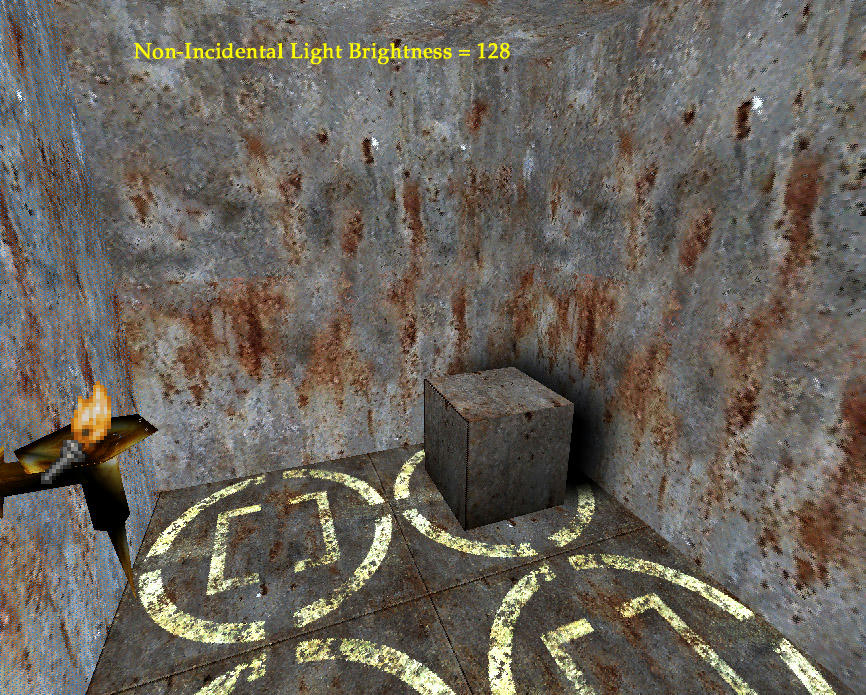
The lighting seems more spread out without regard to surface angle. The effect is so strong that i had to halve the light's brightness for the non-incidental light.
(Generally when i create UT maps in the Unreal engine, these non-incidental lights are much more subtle, the light radius is confined to the dimensions of the interior space, and they are especially effective in darker or scantily lit rooms.)
Now it's become important because while using SH3D, i've noticed that when i put in a normal light source in a room to mimic reflected, non-incidental light (like off a shiny floor), the renderer will treat it as if it were a light source, like a bulb, like this Before and After (sorry about the terminology, i thought it was "incidental" lights when i notated these images, but you get my point):
3D window rendering
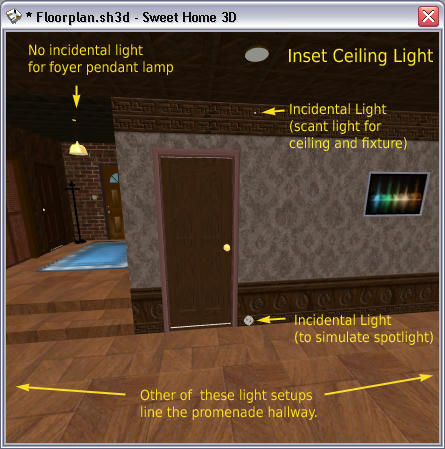
Photo rendering at BEST quality
(it's a bit blurry because I rendered small then enlarged the image)
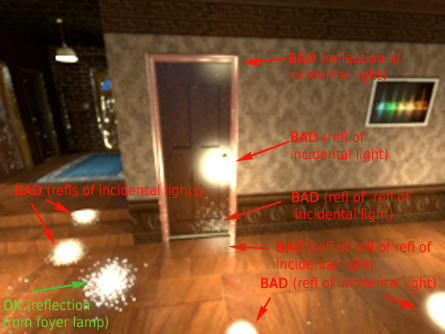
These are horrible artifacts which could be eliminated by treating a given light source as Non-incidental, meaning the light source will emit light, but will not be rendered as a light source itself.
By the way, i understand why the light source is showing up; in raytracing, the vision ray is going to follow (trace back) until the light source is encountered. I think if a light source could be flagged as non-incidental, the raytracing engine will ignore the light source. That way shiny surfaces will still reflect other surfaces affected by the non-incidental light.
23. PCX file Import
Disregard. The Unreal engine is really the only editor i use which uses pcx files. I will just convert all that i have to 24-bit BMP, save all i have on a flashdrive or CD, and convert the PCXs i need if i do any map creation for UT99.
24. Auto date photo creation
Disregard. I thought this field was the date that would be tagged to the saved image. Rather, it is the virtual date of when the rendering is to occur (so as to take into account a winter sun vs. a summer sun, for example) -- a pretty nifty, if not often needed, feature...
25. Virtual Visitor camera movement...
NOT using the keyboard at all for viewing in 3D was the point. Mouse actions are not pinned to complete 3D navigation. (Which is why i wanted user control of this feature, so i can mimic the mouse control to that of my favorite 3D editor, which is quickly becoming Art of Illusion.)
Lastly, thanks to Puybaret, our dear programmer, for even giving us the chance to let him hear our wishes for this great program. At the risk of swelling his head, i feel like a serf being given audience by the king for ideas on making his countrymen even more loyal to him. Viva le roi!

